NumPy: Append values to the end of an array
Append Values to Array
Write a NumPy program to append values to the end of an array.
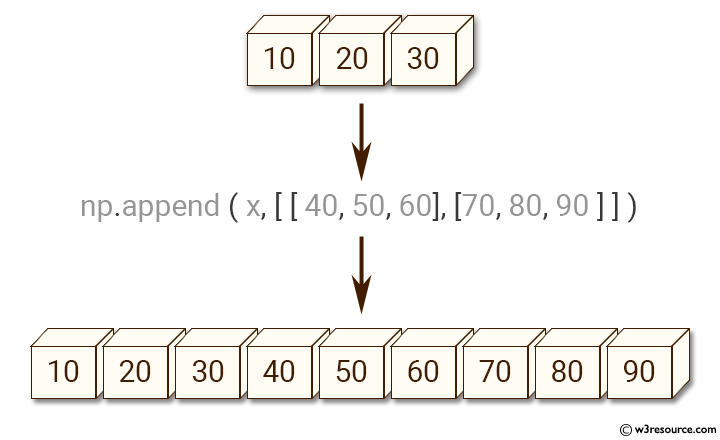
Sample Solution:-
Python Code:
# Importing the NumPy library with an alias 'np'
import numpy as np

# Creating a Python list
x = [10, 20, 30]

# Printing a message indicating the original array
print("Original array:")

# Printing the original array
print(x)

# Appending values to the end of the array using np.append() and assigning the result back to 'x'
x = np.append(x, [[40, 50, 60], [70, 80, 90]])

# Printing a message indicating the array after appending values
print("After append values to the end of the array:")

# Printing the array after appending values
print(x)
Sample Output:
Original array:
[10, 20, 30]
After append values to the end of the array:
[10 20 30 40 50 60 70 80 90]
Explanation:
In the above code -
x = [10, 20, 30]: Defines a list called ‘x’ with three integer elements.
x = np.append(x, [[40, 50, 60], [70, 80, 90]]): The np.append() function is used to append two lists of three elements each to the original list ‘x’. The resulting object is converted into a NumPy array and stored back into ‘x’.
For more Practice: Solve these Related Problems:
- Append a single scalar value to a one-dimensional array and verify the updated length.
- Use np.append to concatenate two arrays and then check that the combined array preserves the original order.
- Append multiple values to an array and ensure the array’s dtype remains consistent throughout.
- Create a function that appends new values to an array only if they are not already present.
Go to:
PREV : List/Tuple to Arrays
NEXT : Create Empty and Full Array
Python-Numpy Code Editor:
Have another way to solve this solution? Contribute your code (and comments) through Disqus.