Python: Get system command output
System Command Output
Write a Python program to get system command output.
Sample Solution:
Python Code:
# Import the subprocess module to run shell commands.
import subprocess
# Use the 'subprocess.check_output' function to execute the 'dir' command in the shell.
# 'universal_newlines=True' ensures text mode for cross-platform compatibility.
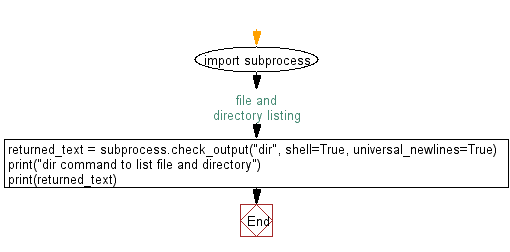
returned_text = subprocess.check_output("dir", shell=True, universal_newlines=True)
# Print a message indicating the purpose of running the 'dir' command.
print("dir command to list files and directories")
# Print the output (list of files and directories) returned by the 'dir' command.
print(returned_text)
Sample Output:
6d2c5fa0-5ef2-11e6-8ff4-d5b1b3f27f4d  ead74d50-beb7-11e6-933b-47978
84c7124
6d33f7a0-242d-11e7-820d-03f0e944369f  eae8e560-767d-11e6-a3fc-0fb5e
bee9d44
6d36f6e0-8616-11e6-affa-0dc8296ec630  eafedbe0-ed01-11e6-a189-7956f
7e10ca1
6d462c20-758e-11e6-a935-b7db6295ac51  eb190a30-bae6-11e6-a2d1-75a31
a870ce2
------
7feae620-bece-11e6-ad81-456cada677e8  sss.dat\n
7fef9710-7fc2-11e6-97c3-c153b6e0fe23  temp.txt
7ff17310-9c22-11e6-9e03-95cb39e2a59d  test.txt
801a70f0-4414-11e6-a0ac-5bb3315a1c3b
Flowchart:
For more Practice: Solve these Related Problems:
- Write a Python program to execute a system command and check if it was successful.
- Write a Python program to list all files in the current directory using a system command.
- Write a Python program to execute a shell command and store its output in a variable.
- Write a Python program to run a system command in the background and capture its output later.
Go to:
Previous: Write a Python program to access and print a URL's content to the console.
Next: Write a Python program to extract the filename from a given path.
Python Code Editor: