GV

GeezerVison

The World Wide Web, restored to 800 pixels of glory.

Home|About|Gaming cabinet|Archives|How it works|Starter sites

On this site

  • w3resource
  • Front End
  • HTML
  • CSS
  • JavaScript
  • HTML5
  • Schema.org
  • php.js
  • Twitter Bootstrap
  • Responsive Web Design tutorial
  • Zurb Foundation 3 tutorials
  • Pure CSS
  • HTML5 Canvas
  • JavaScript Course

This view

  • Original page
  • New address

GeezerVison is showing www.w3resource.com — Python: Use double quotes to display strings - w3resource

Python: Use double quotes to display strings

Last update on May 17 2025 05:43:06 (UTC/GMT +8 hours)


Double Quotes String Display

Write a Python program that uses double quotes to display strings.

Pictorial Presentation:
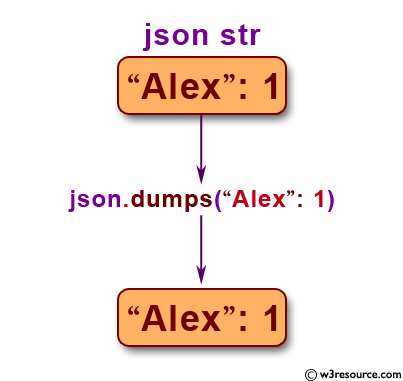
Use double quotes to display strings


Sample Solution:

Python Code:

# Import the 'json' module to work with JSON data.
import json
# Create a Python dictionary with key-value pairs.
data = {'Alex': 1, 'Suresh': 2, 'Agnessa': 3}

# Use the 'json.dumps()' function to convert the dictionary to a JSON-formatted string and print it.
json_string = json.dumps(data)
print(json_string)

Sample Output:

{"Agnessa": 3, "Alex": 1, "Suresh": 2}

Flowchart:
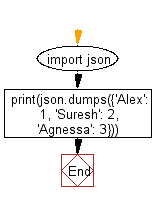
Flowchart:Use double quotes to display strings.


For more Practice: Solve these Related Problems:

  • Write a Python program to display a string with both single and double quotes.
  • Write a Python function to escape double quotes inside a string.
  • Write a Python program to print a string that contains double quotes without using escape sequences.
  • Write a Python function to format a string with double quotes dynamically.

Go to:

  • Python Basic Exercises Home ↩
  • Python Exercises Home ↩

Previous: Write a Python program to add leading zeroes to a string.
Next: Write a Python program to split a variable length string into variables.

Python Code Editor:


What is the difficulty level of this exercise?

Test your Programming skills with w3resource's quiz.


Follow us on Facebook and Twitter for latest update.


  • Daily Coding Challenges & Projects
  • Weekly Trends and Language Statistics


You are visitor 01402775 — GeezerVison does not store the pages you look up.
Best viewed with Netscape Navigator 4.7 or Internet Explorer 6 at 800×600. No cookies required.