GeezerVison is showing xfetch-cli.github.io — resources/xfetch — Dev Xscriptor
System information,rendered with precision. One binary, 18 modules and 16 layouts — your system, drawn in the terminal.
xfetch renders system information from a layered pipeline: configuration, probes, renderer and terminal output. The 3D keyboard is decorative; the same information is available in the page copy.
Linux / macOS
# One-liner (curl)
curl -fsSL https://raw.githubusercontent.com/xfetch-cli/xfetch/main/install.sh | bash

# Custom prefix
bash <(curl -fsSL ...) --prefix /usr/local
Windows
# Official package (WinGet)
winget install xfetch

# Prebuilt binary (no Rust toolchain)
irm https://raw.githubusercontent.com/xfetch-cli/xfetch/main/install-prebuilt.ps1 | iex

# From source (requires Rust)
irm https://raw.githubusercontent.com/xfetch-cli/xfetch/main/install.ps1 | iex
Arch Linux
# AUR (precompiled binary)
yay -S xfetch-core-bin

# AUR (build from source)
yay -S xfetch-git

# Without an AUR helper
git clone https://aur.archlinux.org/xfetch-core-bin.git
cd xfetch-core-bin
makepkg -si
X Linux
# Official X Linux package
xpm-aur install xfetch-core-bin
Cargo
# From crates.io
cargo install xfetch-cli

# Update an existing install
cargo install xfetch-cli --force
Build from source
# Clone & build manually
git clone https://github.com/xfetch-cli/xfetch.git
cd xfetch
cargo build --release

# Binary → target/release/xfetch
cp target/release/xfetch ~/.local/bin/

# Config files
mkdir -p ~/.config/xfetch
cp configs/config.jsonc ~/.config/xfetch/config.jsonc
After install, just run:
first run commands
$ xfetch
$ xfetch --version
$ xfetch --gen-config
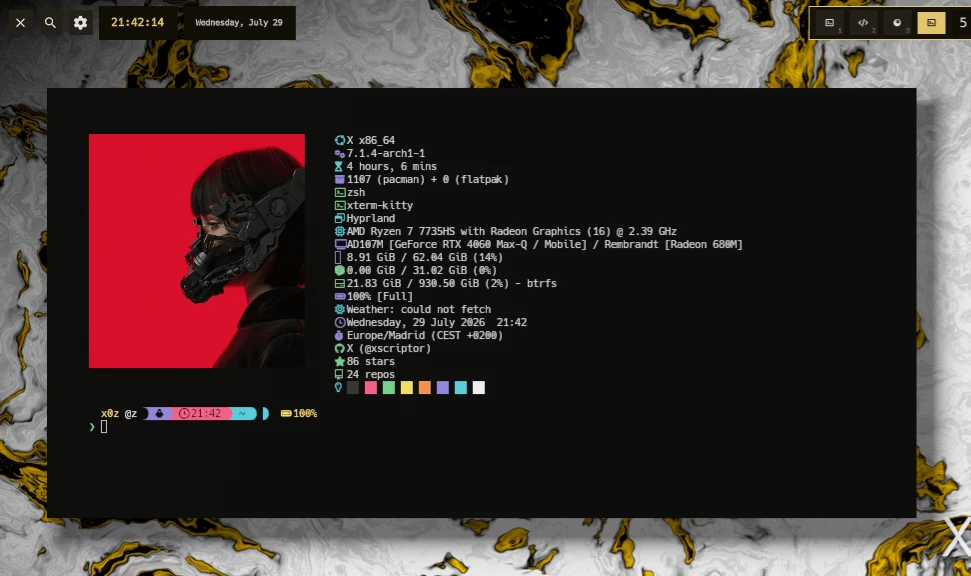
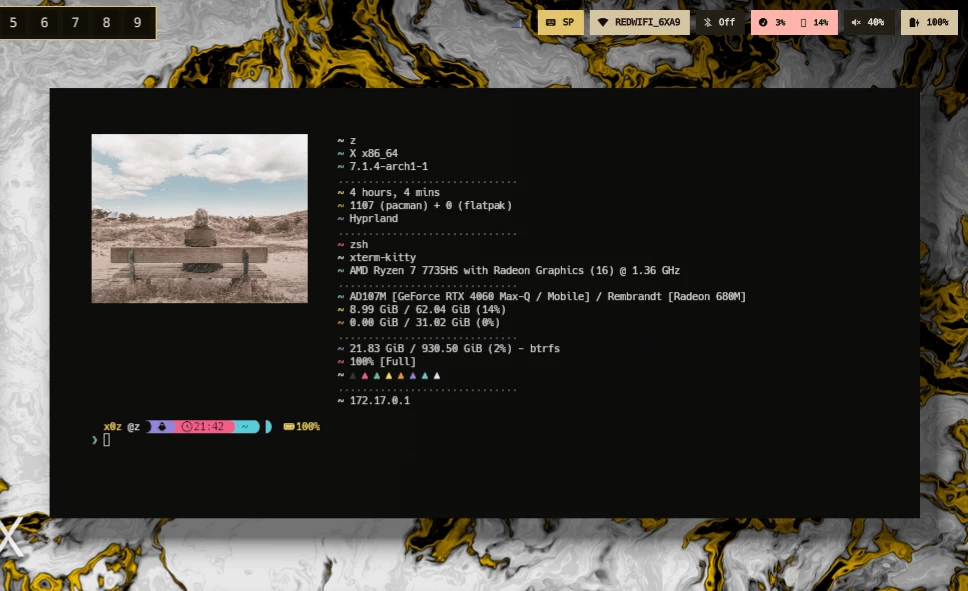
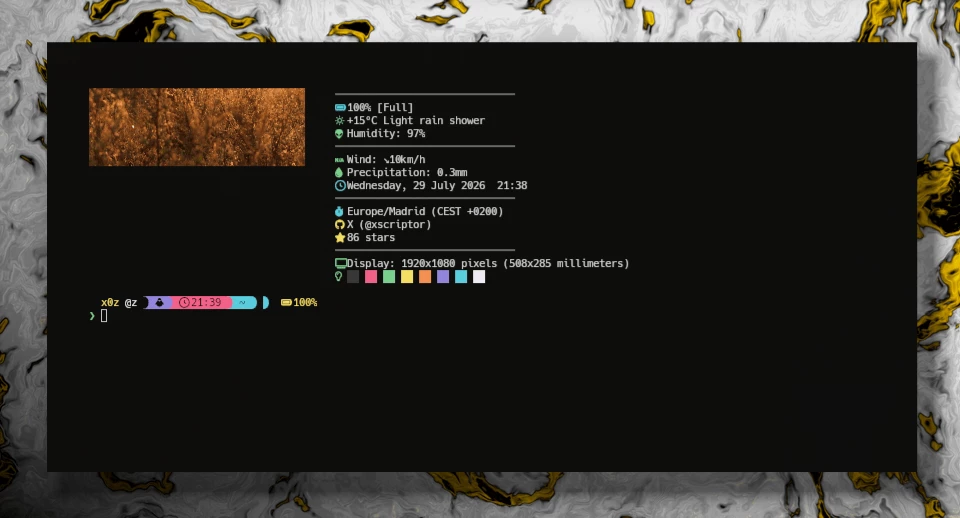
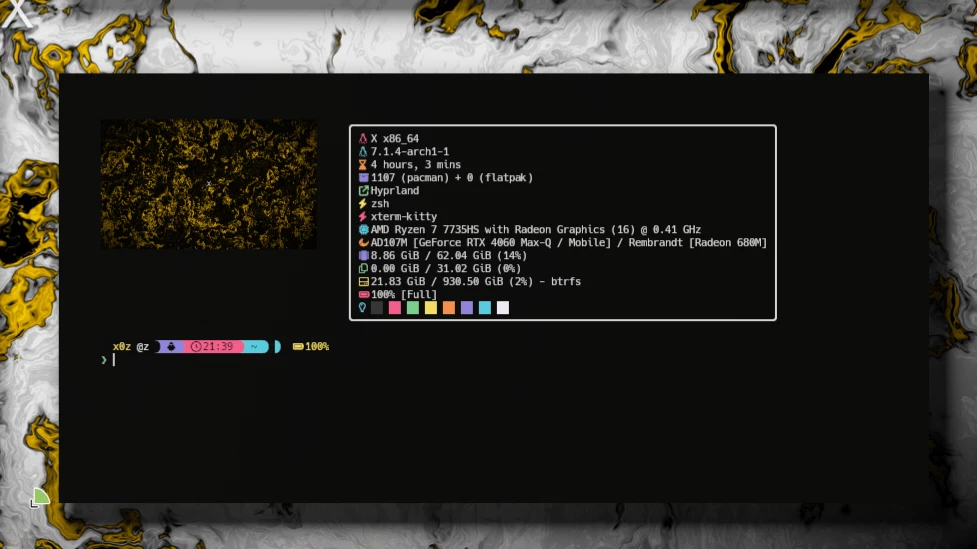
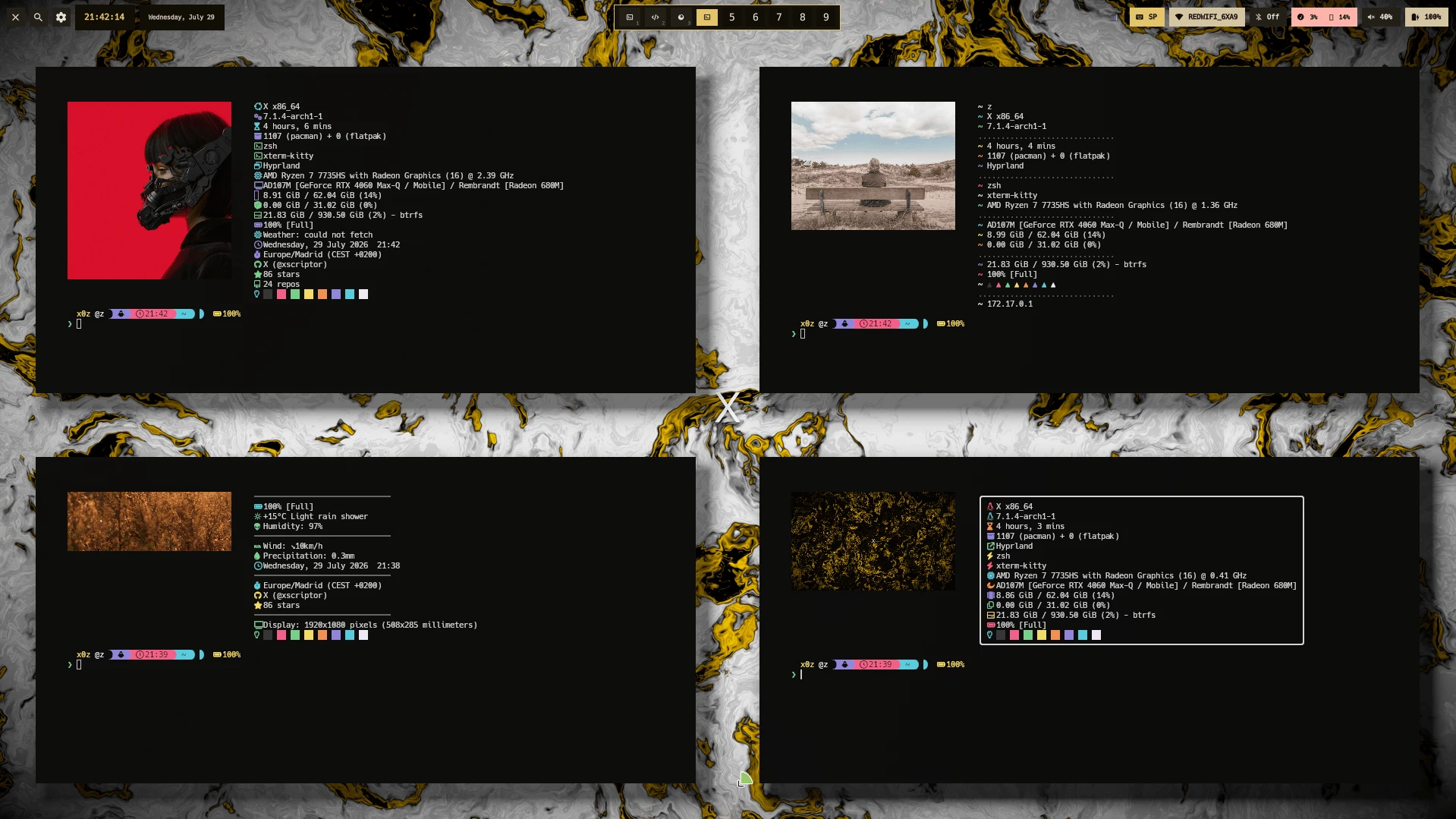
Default side-by-side layout on Linux — logo, modules and colors. Custom layout and palette from the same config.jsonc. The ANSI palette module rendered as squares. animate-logo frame from the sweep and rainbow cycle. Four layouts on one desktop — classic, grouped, boxed and minimal. 01
System information OS, kernel, CPU, GPU, memory, disk, battery, uptime, packages, shell, terminal, WM/DE and more.
18 modules 9 layouts 6 targets 02
Cross-platform Works on Linux, Windows, and macOS. Same tool, same config — everywhere.
03
Multiple layouts Classic side-by-side, right, Pac-Man, tree, section, side-block, box, lines, dots, and bottom-line.
04
JSONC config Full customization via config.jsonc — modules, icons, colors, logos, and layouts.
05
Color palette Built-in ANSI color palette display with square, circle, triangle, and line styles.
06
Plugin system Extend with external plugins via JSON over stdin/stdout. Animate logos, fetch GitHub stats, and more.
07
Logo animation Animate ASCII logos with sweep, wave, rainbow, sparkle, breathing, and frame-by-frame styles.
08
NERD Font icons Customizable Nerd Font icons per module. Use emojis, text, or any Unicode glyph.
09
ASCII & image logos Display text logos with ANSI colors or image files (png, jpg, svg) via viuer.
xfetch — bash stdout
$ xfetch
────── Hardware ──────
cpu AMD Ryzen 9 7950X (16) @ 4.50 GHz
gpu NVIDIA GeForce RTX 4090
memory 8.25 GiB / 31.20 GiB (26%)
disk 256.4 GiB / 1.0 TiB (25%)
battery 85% [Charging]
────── Software ──────
os Arch Linux x86_64
kernel 6.6.1-arch1-1
packages 1456 (pacman)
shell zsh
wm Hyprland
────── Session ──────
user x0z
uptime 2 hours, 15 mins
datetime 2026-07-13 14:23:00
ANSI palette: red, orange, yellow, green, cyan, blue, violet, peach
$ █
Select a slot to inspect a layer. The blue path is data flow; the violet plane is the sandbox boundary.
Composition layer
Renderer The layout engine arranges modules and applies colors, Nerd Font icons, ASCII or image logos, and logo animations. Every layout is driven by the same resolved config.
16 built-in layouts Icons + colors Logo animation
osSystem Operating system name, version & architecture
kernelSystem Kernel version
hostnameSystem Machine hostname
uptimeSystem System uptime
packagesSoftware Package count (pacman, dpkg, scoop, brew, etc.)
shellSoftware Current shell (bash, zsh, powershell)
terminalSoftware Terminal emulator
wmSoftware Window Manager / Desktop Environment
cpuHardware CPU model, cores & frequency
gpuHardware GPU model(s) — integrated & discrete
memoryHardware RAM used / total with percentage
batteryHardware Battery level & status (charging/discharging)
userSession Current username
datetimeSession Current date & time
local_ipNetwork Local IP address
paletteDisplay ANSI color palette (squares, circles, triangles, lines)
██ ██ ██ ██ ███ ██ ██ ██ ██
os Arch Linux wm Hyprland cpu Ryzen 9 gpu RTX 4090 mem 8.2 / 31 GiB
01 / 06 Default (Classic) JSON
{
  "layout": null
}
Showing 6 examples. line, dots, and bottom_line are also available in the config builder.
● ● ● PAC-MAN ● ● ●
██ ██ ██ ██ ███ ██ ██ ██ ██
os Arch Linux cpu Ryzen 9 mem 8.2 / 31 GiB
●●●●●●●●●●
02 / 06 Pac-Man JSON
{
  "layout": "pacman"
}
Showing 6 examples. line, dots, and bottom_line are also available in the config builder.
──── Hardware ──── cpu Ryzen 9 gpu RTX 4090 mem 8.2 / 31 GiB ──── Software ──── os Arch Linux shell zsh
03 / 06 Section JSON
{
  "layout": "section",
  "modules": [
    { "type": "group", "title": "Hardware",
      "modules": ["cpu","gpu","memory"] },
    { "type": "group", "title": "Software",
      "modules": ["os","shell"] }
  ]
}
Showing 6 examples. line, dots, and bottom_line are also available in the config builder.
os kernel cpu gpu memory
Arch Linux 6.6.1 Ryzen 9 RTX 4090 8.2 / 31 GiB
04 / 06 Side Block JSON
{
  "layout": "side-block"
}
Showing 6 examples. line, dots, and bottom_line are also available in the config builder.
xfetch ├─ OS │ ├─ os │ ├─ kernel │ └─ packages └─ PC ├─ cpu ├─ gpu └─ memory
05 / 06 Tree JSON
{
  "layout": "tree",
  "modules": [
    { "type": "group", "title": "OS",
      "modules": ["os","kernel","packages"] },
    { "type": "group", "title": "PC",
      "modules": ["cpu","gpu","memory"] }
  ]
}
Showing 6 examples. line, dots, and bottom_line are also available in the config builder.
os Arch Linux wm Hyprland cpu Ryzen 9 gpu RTX 4090 mem 8.2 / 31 GiB
06 / 06 Box JSON
{
  "layout": "box"
}
Showing 6 examples. line, dots, and bottom_line are also available in the config builder.
Modules11 of 18 selected
oskernelhostnameuptimepackagesshellterminalwmcpugpumemoryswapdiskbatteryuserdatetimelocal_ippalette
Layout
Generated config.jsonc
{
  "modules": [
    "os",
    "kernel",
    "uptime",
    "packages",
    "shell",
    "wm",
    "cpu",
    "gpu",
    "memory",
    "disk",
    "palette"
  ],
  "show_colors": true
}
Use a custom config file:
custom config command
xfetch --config path/to/my_config.jsoncplugin commands
# Install from local path
xfetch plugin install ./plugins/animate-logo

# List installed
xfetch plugin list

# Remove
xfetch plugin remove animate-logo
animate-logoAnimates ASCII logos with multiple color effects via JSON protocol.
sweep wave rainbow sparkle breathing frame
github-statsFetches GitHub user stats via the public API.
customAny executable reading JSON from stdin and writing JSON to stdout works.
JSON protocol any language
Orbits are decorative; the list below is the source of truth. Deny-by-default capabilities Time, memory and output limits Same JSON stdin/stdout contract Native or WebAssembly guests Plugin discovery: explicit path → xfetch-plugin-<name> in PATH → ~/.config/xfetch/plugins/ → ./plugins/<name>/target/release
Phase 0-3 — Foundation & modules Done Core system, all info modules, 20+ example configs, install scripts, layouts, documentation.
Phase 4 — Package manager expansion Done RPM, APK (Alpine), Nix, Homebrew, Chocolatey, multi-manager detection, performance optimization.
Phase 5 — Network & connectivity Done Local/public IP (with privacy toggle), IPv6, network interface display.
Phase 6 — Enhanced modules Done Music player (MPD), Spotify, weather, timezone, user info, display resolution, theme detection.
Phase 7 — Additional layouts Done Compact, horizontal, bottom, minimal (text-only), layout preview documentation.
Phase 8 — Performance Done Parallel probing, caching, lazy loading, benchmarking, profiling, modularized files.
Phase 9 — CI/CD & distribution Done GitHub Actions, macOS/Windows binaries, Homebrew tap, AUR, install scripts, changelog automation.
Phase 10 — Community & ecosystem Done Themes registry, plugin system, theme download manager, community contributions, theme preview tool.
Phase 11 — Testing & QA Done Unit/integration tests, clippy, rustfmt, platform-specific tests, cross-platform suite, coverage.
Phase 12 — Advanced features Done Daemon mode, live stats, config hot-reload, conditional modules, theme variables, logo animations and accessibility.
Phase 13 — Marketing In progress User manual, video tutorials, project website, blog posts, comparison guide, community channel.
Phase 14 — CLI & automation Done Machine-readable JSON, runtime overrides, doctor, config backup/restore, shell completions, man page and command addons.
Quick uninstall quick uninstall
curl -fsSL https://raw.githubusercontent.com/xfetch-cli/xfetch/main/uninstall.sh | bashManual uninstall manual uninstall
rm ~/.local/bin/xfetch
rm -rf ~/.config/xfetch
The manual commands remove both the binary and ~/.config/xfetch. Back up custom configs and themes first.
Open source · MIT
Build it, theme it,extend it. One Rust binary, a JSONC config, and a JSON protocol for plugins, effects and extensions. Fork it, ship a theme, or write the next module.