GeezerVison is showing betteragentview.com — BetterAgentView: all your coding agents, one terminal
Open source. One terminal. Your coding agents.
Stop clicking around
for coding sessions.
Quickly jump into sessions that need your attention
(keyboard navigation).
Free · MIT licensed · macOS, Linux & Windows
BetterAgentView in 45 secondsSound on when you’re ready ↗
One dashboard at your desk. ChatGPT voice when you step away.
Less switching. More doing. Your projects, not
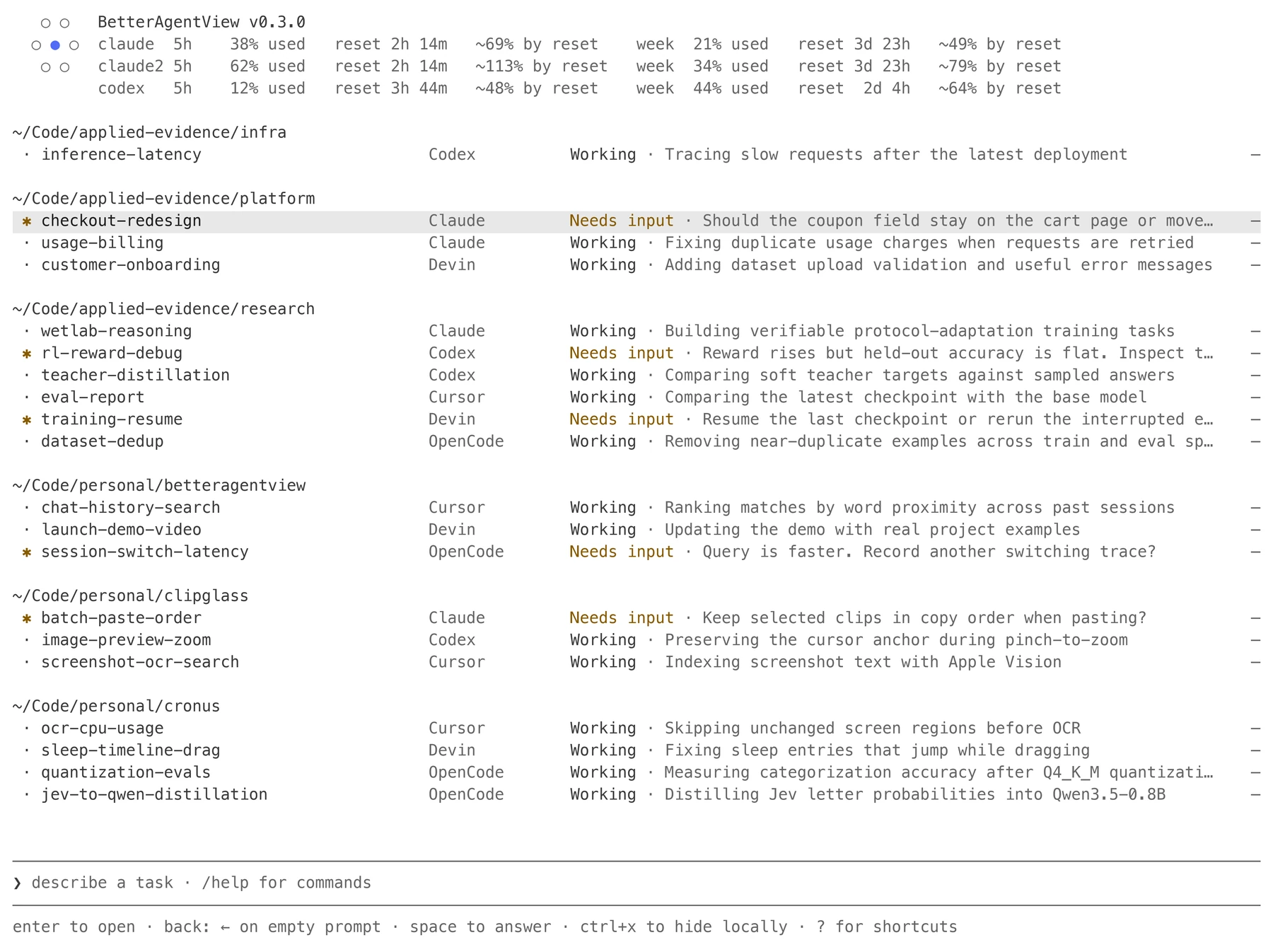
a wall of terminal tabs.Keep sessions together by directory. Move with the arrow keys, open the agent’s own interface, then return while its work keeps running.
Group by directory. Keep company work and personal projects separate.
01Go where you’re needed.Each row says whether the agent is working, needs input, or has finished.
02Keep the native interface.Your agent keeps its own tools, login and conversation. You don’t have to move into another chat app.
03Leave personal work out.Switch to Work only. Personal sessions disappear from view, not from your machine.
Step away. Stay in the conversation. Take your agents
on a walk.Check what needs you and delegate by voice. From the terminal, or through ChatGPT on your phone. Voice integrations currently support OpenCode sessions.
At your deskAsk instead of opening every chat.Start a voice call inside BetterAgentView. Ask what’s waiting, hear the question, and tell the agent what to do next.
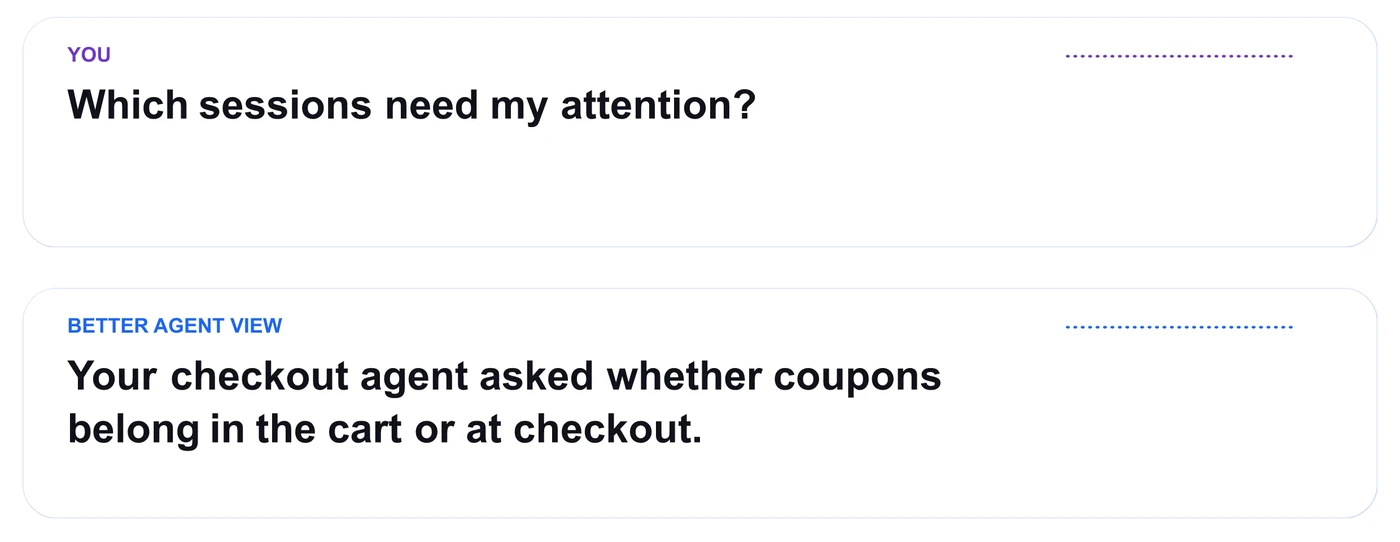 Built-in voice setup ↗ Out walking, showering, etc.Talk to your sessions in ChatGPT.Connect AgentVoice MCP to ChatGPT. Check in and send instructions using ChatGPT voice, without finding the right terminal tab.
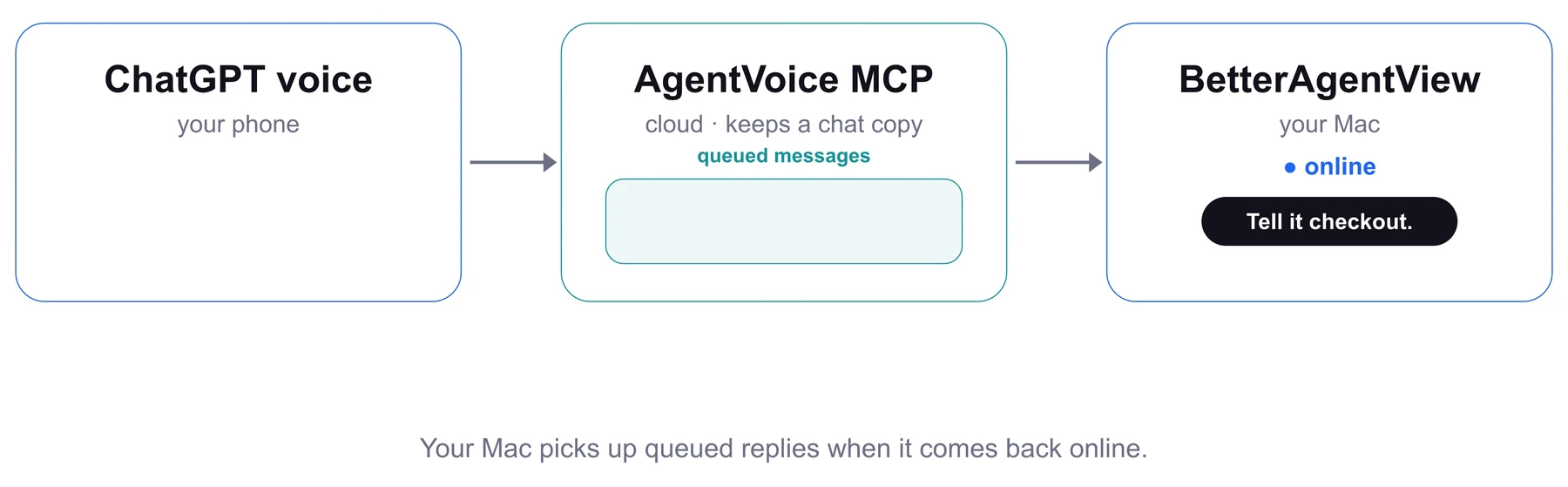
Mac offline? Replies stay queued until it’s back online.
Connect ChatGPT voice ↗
The things around the work, too. Keep the whole
setup moving.Long-running jobs, follow-ups and subscription limits belong next to your sessions. Not in three more windows.
Heavy jobsMore agents. Not a frozen laptop.Agent-bouncer queues heavy builds and tests. BetterAgentView shows what’s running and what’s waiting. How the queue works ↗
Scheduled follow-upsCome back when there’s something to do.With the OpenCode scheduling integration, agents can wait in Scheduled, then resume when it’s time to check a result or follow up. Dashboard docs ↗
Subscription usageKnow when you’re nearing the limit.Claude and Codex usage windows, reset times and multiple Claude accounts, right in the header.
You remember the conversation. Not the tab. Find it.
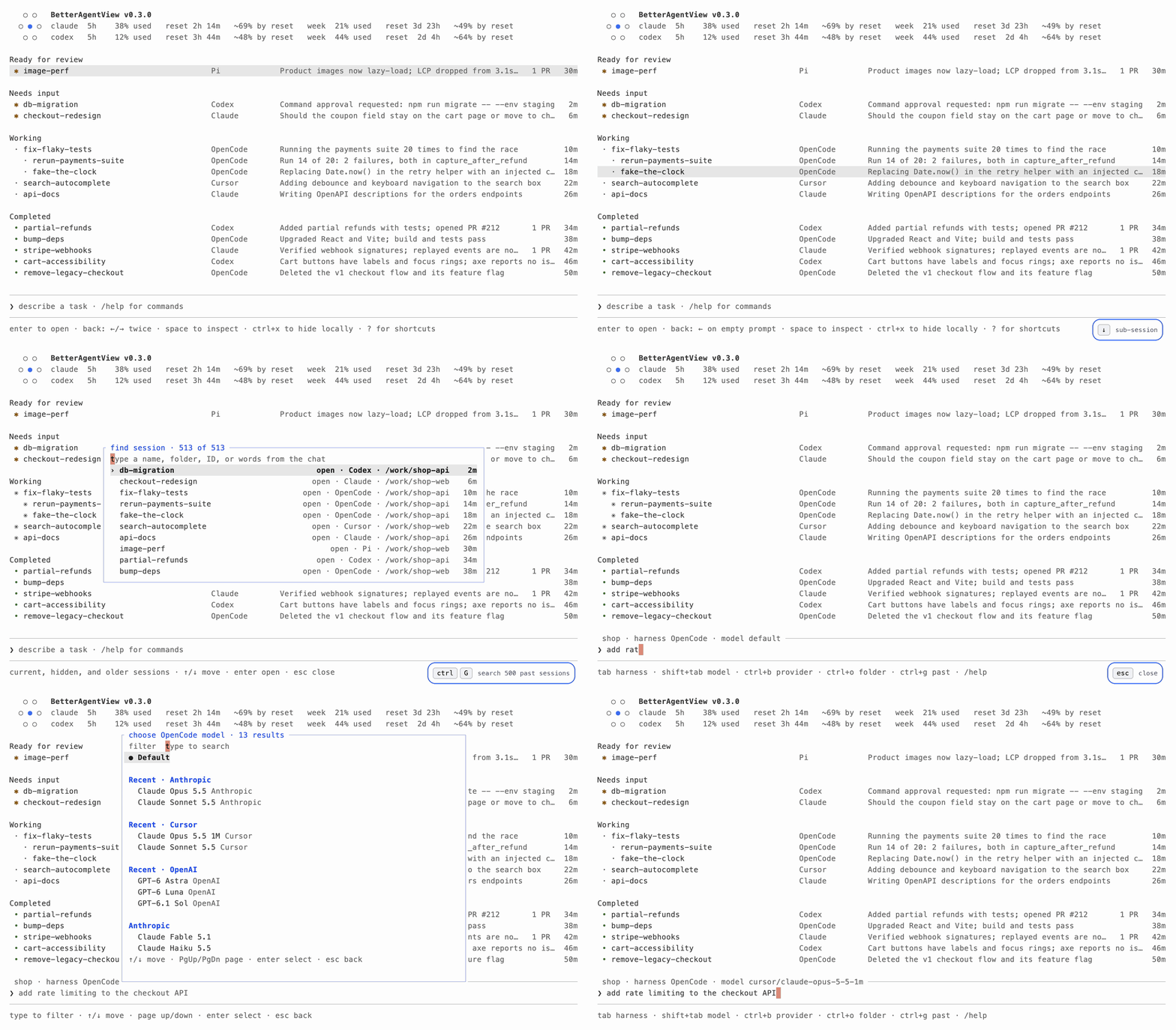
Pick up where you left off.CtrlG searches message text across Claude Code, Codex and OpenCode history. Read the matching snippets and resume the exact session. A closer look at history search, nested sessions and the model picker.
Keep delegated work together.OpenCode sub-sessions stay beneath the session that started them. Move the conversation.Migrate to another harness with /migrate, or move folders with F6, via session-migrate. Start in any folder.Pick a folder, choose a harness and model, and send your task. Multi-line pastes and clipboard images stay one draft. Bring the tools you already use. 18 coding harnesses.
And plain shell jobs.
One dashboard doesn’t mean one model or one provider. Each harness keeps its own login, tools and history. Compare feature support ↗
Keep your hands on the keyboard. A few keys.
No tab hunting.Use the agent’s native CLI, then return to your projects. Press ? in the dashboard for every shortcut.
| Move through sessions | ↑↓ |
| Open the selected session | Enter |
| Return to BetterAgentView | F7 |
| Find a past conversation | CtrlG |
| Toggle status / directory grouping | CtrlS |
| Move a session to another folder | F6 |
On Mac keyboards with media keys, hold Fn for F6 and F7. One command to get started. Get your agents
in one place.Install once, then run betteragentview (or av). Free and open source. No BetterAgentView account required.
$curl -fsSL https://raw.githubusercontent.com/moritzWa/betteragentview/main/install.sh | bash
Full install guide ↗
|
 Claude Code
 Codex
 OpenCode
 Cursor
 Copilot



 Pi
 Antigravity
 Mistral Vibe
 Muse Code
 Qwen Code
 Kimi Code
 Oh My Pi
 Grok
 Kilo Code
 OpenHands
 Hermes Agent
 MastraCode
 Devin
 Terminal