GV

GeezerVison

The World Wide Web, restored to 800 pixels of glory.

Home|About|Gaming cabinet|Archives|How it works|Starter sites

On this site

  • Described and Captioned Media Program
  • Log In
  • Sign Up
  • Browse Media
  • Learn More
  • Visit Learning Center
  • Captioning Key
  • Description Key
  • Help Center
  • See All eLearning Resources
  • See QuickClasses
  • See Workshops
  • See Student Courses
  • Learn More

This view

  • Original page
  • New address

GeezerVison is showing dcmp.org — Learning Center

Learning Center

Filtering by tag: technology

  • DCMP Create: Online Accessibility Tool Beta Testing

    DCMP Create: Online Accessibility Tool Beta Testing

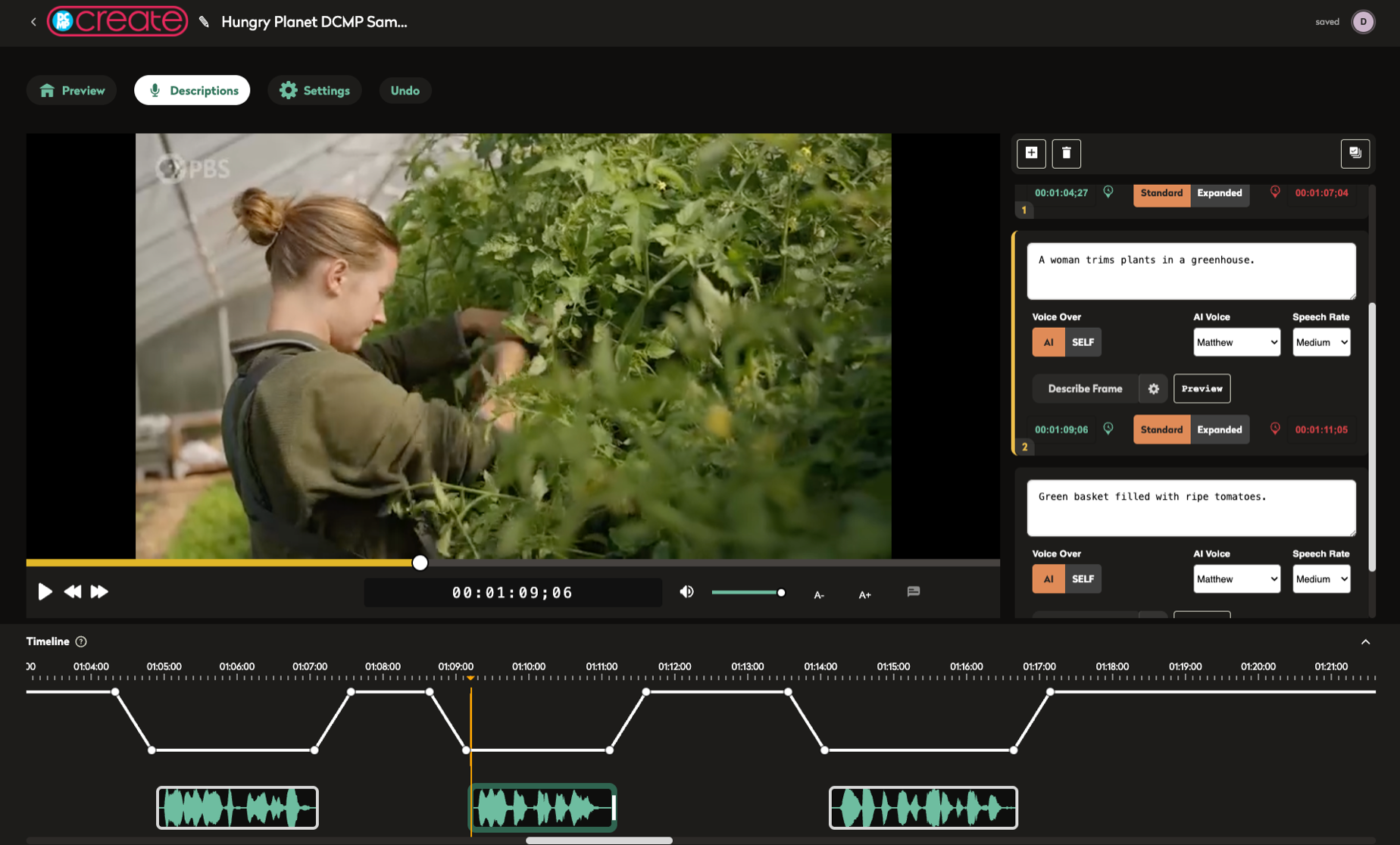
    DCMP Create is a new online accessibility tool which allows users to easily create captions, audio description, and American Sign Language (ASL) for videos they create.

    From about description, captioning, technology, ASL
  • DCMP's AI Scene Description Tool

    DCMP's AI Scene Description Tool

    DCMP operates the nation’s largest fully-accessible educational video platform, with a library of 18,000 videos designed for use by early learner through Grade 12 students with disabilities. Our development team has been working on ways to use artificial intelligence (AI) to help with accessibility challenges, including those that might be considered “impossible.” We’re excited to present “AI Scene Description,” a new tool for students who are blind and have low vision that can describe the visual elements of any frame within a paused video.

    From DCMP Help Center
  • Major Upgrades for DCMP's ASL Pop-Up Player

    Major Upgrades for DCMP's ASL Pop-Up Player

    We’re excited to announce important upgrades in our ASL Pop-Up, a secondary video player that provides American Sign Language interpretation of video content. While we’ve been busy adding ASL to thousands of videos in the DCMP streaming library, we’ve also been developing new ways to improve the user experience for our members.

    From DCMP Help Center
  • Domains and Ports That Must Be Accessible to Use DCMP

    Domains and Ports That Must Be Accessible to Use DCMP

    In order to use DCMP services within your school's network, your browser needs to be able to access a number of required domains and ports. If you are having problems with playing DCMP media, please send this page to your IT department at your school or district and request these domains be allowed through your firewall. If you cannot access domains listed below, you will experience issues using DCMP services. All services communicate over ports 80 and 443. If you have additional questions please contact us at [email protected].

    From DCMP Help Center
  • How to Access Audio Description on Your TV and Through DCMP

    How to Access Audio Description on Your TV and Through DCMP

    Television, movies, and videos are made accessible to people who are blind or visually impaired through the addition of audio description. Audio description is a secondary audio track with additional narration that describes important visual information in a video. It can be accessed in a number of ways, including through your TV remote through a button or voice controls, and DCMP's accessible video player. Instructions specific to many television providers and television sets can be found at the following link on the Audio Description Project (ADP) website:

    From about description, consumers, technology, producers-and-distributors
  • First Educational Series Utilizing YouTube’s New Native Audio Description Support

    First Educational Series Utilizing YouTube’s New Native Audio Description Support

    SPARTANBURG, SC, August 6, 2021 – The Described and Captioned Media Program (DCMP) is excited to announce the debut of Emily Graslie’s “Art Lab,” the first educational video series on YouTube to feature audio description through a new pilot program. Audio description is a secondary audio track with additional narration that describes vital visual information for people who are blind and visually impaired.

    From about description, dcmp, producers-and-distributors, technology, blindness, partners
  • Classroom, Remote, and Hybrid Learning With DCMP Accessible Videos

    Classroom, Remote, and Hybrid Learning With DCMP Accessible Videos

    Teachers and parents across the country are taking advantage of DCMP's resources for classroom, remote, and hybrid learning. For educators who have at least one student with a disability, DCMP can help ensure that educational videos are accessible for students learning in the classroom and at home.

    From DCMP Help Center
  • DCMP Year in Review

    DCMP Year in Review

    The Described and Captioned Media Program promotes and provides equal access to communication and learning through described and captioned educational media. We invite you to read our current Year in Review to discover our progress and accomplishments in the areas of COVID-19 Response, Content Creation, Media Delivery, Outreach, Technology, and User Feedback.

    From about description, captioning, dcmp, research, technology
  • Bringing Video Description into the 21st Century Webinar

    Bringing Video Description into the 21st Century Webinar

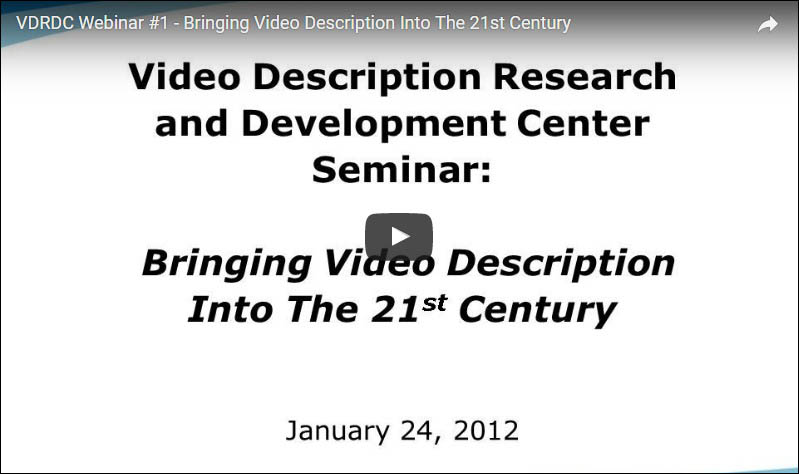
    This an archive video of the Video Description Research and Development Center webinar #1 - Bringing Video Description Into The 21st Century. The webinar occurred January 24, 2012. Topics in this webinar include: (1) A teachers' guide to using video description; (2) A comprehensive overview of resources for obtaining described materials; and (3) A sneak peak at the description technologies of the future being developed at the VDRDC. Presenters included Dr. Joshua Miele, Director of the VDRDC; Jim Stovall, President of Narrative TV Network; Jason Stark, Director of the Described and Captioned Media Program; Joel Snyder, Director of the Audio Description Project at the American Council of the Blind; and Emily Bell, Multimedia Manager at CaptionMax.
    about description, educators, technology, webinar
  • Web Captioning and Education

    Web Captioning and Education

    Captioning web multimedia is one of the biggest accessibility issues faced in education. Current technology and cost limitations make captioning, especially of live events, prohibitive for many in education. This article provides an overview of captioning technologies, implications for education, and ideas for future development. The National Center on Disability and Access to Education (NCDAE), 2006.

    about captioning, technology
  • Digital Beginnings: Young Children's Use of Popular Culture, Media and New Technologies

    Digital Beginnings: Young Children's Use of Popular Culture, Media and New Technologies

    This report presents the findings of a study that took place from September 2004 to July 2005. The study explored young children's (aged from birth to six) use of popular culture, media, and new technologies in the home through a survey of 1,852 parents and caretakers of children.

    about research, parents, technology
  • Microcomputer Activities of the Special Materials Project

    Microcomputer Activities of the Special Materials Project

    This article was originally written by Leonard Novick in 1983, published in the September 1983 edition of the American Annals of the Deaf, and presented at the Nebraska (Lincoln) Symposium. Mr. Novick was then Director of the Special Materials Project (SMP), a contracted activity of the U.S. Department of Education with the Associations for Education of the Deaf. To support the task of the SMP to circulate Educational Captioned Films nationwide through 58 depositories, he describes two microcomputer-based systems to enhance the cost-effectiveness of the project. FILMSHARE, an inter-depository loan system, made it possible for depositories to draw on one another's film collections for bookings they would otherwise be unable to make. BICS made it possible for SMP to manage a floating inventory of educational captioned films in each region of the United States. Both activities were extremely innovative for their time.

    about history, dcmp, technology
  • Learning with Technology: Evidence that Technology Can, and Does, Support Learning

    Learning with Technology: Evidence that Technology Can, and Does, Support Learning

    "We've wired the schools—now what?" This question resonates with educators and troubles them at the same time. After countless local and national efforts have boosted the infrastructure of our schools, the significant issues now arise. Should we continue to pump money into educational technology for our schools? Do computers really help students learn? How can students and teachers best learn from the World Wide Web and its contents? James M. Marshall, Ph.D., touches upon these questions and many more. May 2002.

    about research, technology
  • Assistive Listening Technology and the Captioned Media
Program

    Assistive Listening Technology and the Captioned Media Program

    Captioning is a vitally important way of making information available to people with a hearing loss. Another method of providing access that can also be used with captioning is assistive listening technology.

    From Dana Mulvaney, MSW about technology, captioning, educators
  • Videodisc Update

    Videodisc Update

    The Media Development Project for the Hearing Impaired (MDPHI) has been involved in the design and production of "videodisc" programs since December 1978. In this 1980 paper, George Propp, Gwen Nugent, and Casey Stone examine the use of videodiscs to promote education. The disc is designed to be used with an educational/industrial player for individualized use, much like a book. A student can view the materials at his or her own pace in a sequence either predetermined by the teacher or selected by the user. Discs would include teachers' guides, quizzes, and various exercises. Includes studies on the use of the discs by students.

    about history, educators, technology
Apply for a Free Membership
IDEA Logo

Major funding provided by the Department of Education

You are visitor 01402503 — GeezerVison does not store the pages you look up.
Best viewed with Netscape Navigator 4.7 or Internet Explorer 6 at 800×600. No cookies required.