What are themes?
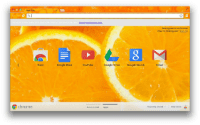
A theme is a special kind of extension that changes the way the browser looks. Themes are packaged like regular extensions, but they don't contain JavaScript or HTML code.
Themes are uploaded to the Chrome Web Store using the same procedure as an extension. During upload, you'll be asked to select a category. You'll find a list of theme categories in Chrome Web Store documentation under Best practices.
You can find and try a bunch of themes at the Chrome Web Store.


Manifest
Here is an example manifest.json file for a theme:
{
  "manifest_version": 3,
  "version": "2.6",
  "name": "camo theme",
  "theme": {
    "images" : {
      "theme_frame" : "images/theme_frame_camo.png",
      "theme_frame_overlay" : "images/theme_frame_stripe.png",
      "theme_toolbar" : "images/theme_toolbar_camo.png",
      "theme_ntp_background" : "images/theme_ntp_background_norepeat.png",
      "theme_ntp_attribution" : "images/attribution.png"
    },
    "colors" : {
      "frame" : [71, 105, 91],
      "toolbar" : [207, 221, 192],
      "ntp_text" : [20, 40, 0],
      "ntp_link" : [36, 70, 0],
      "ntp_section" : [207, 221, 192],
      "button_background" : [255, 255, 255]
    },
    "tints" : {
      "buttons" : [0.33, 0.5, 0.47]
    },
    "properties" : {
      "ntp_background_alignment" : "bottom"
    }
  }
}
colors
Colors are in RGB format. To find the strings you can use within the "colors" field, see
kOverwritableColorTable.
images
Image resources use paths relative to the root of the extension. You can override any of the images
that are specified by the strings in kPersistingImages. All images must be stored in PNG
format or they will not render properly.
properties
This field lets you specify properties such as background alignment, background repeat, and an
alternate logo. To see the properties and the values they can have, see kDisplayProperties.
tints
You can specify tints to be applied to parts of the UI such as buttons, the frame, and the
background tab. Google Chrome supports tints, not images, because images don't work across platforms
and are brittle in the case of adding new buttons. To find the strings you can use within the
"tints" field, see kTintTable.
Tints are in Hue-Saturation-Lightness (HSL) format, using floating-point numbers in the range 0 - 1.0:
- Hue is an absolute value, with 0 and 1 being red.
- Saturation is relative to the currently provided image. 0.5 is no change, 0 is totally desaturated, and 1 is full saturation.
- Lightness is also relative, with 0.5 being no change, 0 as all pixels black, and 1 as all pixels white.
You can alternatively use -1.0 for any of the HSL values to specify no change.