GV

GeezerVison

The World Wide Web, restored to 800 pixels of glory.

Home|About|Gaming cabinet|Archives|How it works|Starter sites

On this site

  • Docs
  • Web Platform
  • Isolated Web Apps (IWA)
  • Capabilities
  • Automation and testing
  • ChromeDriver
  • Extensions
  • Chrome Web Store
  • Chromium
  • Web on Android
  • Origin trials
  • Release notes
  • DevTools
  • Lighthouse

This view

  • Original page
  • New address

GeezerVison is showing developer.chrome.com — Lighthouse | Chrome for Developers

Stay organized with collections Save and categorize content based on your preferences.

Lighthouse

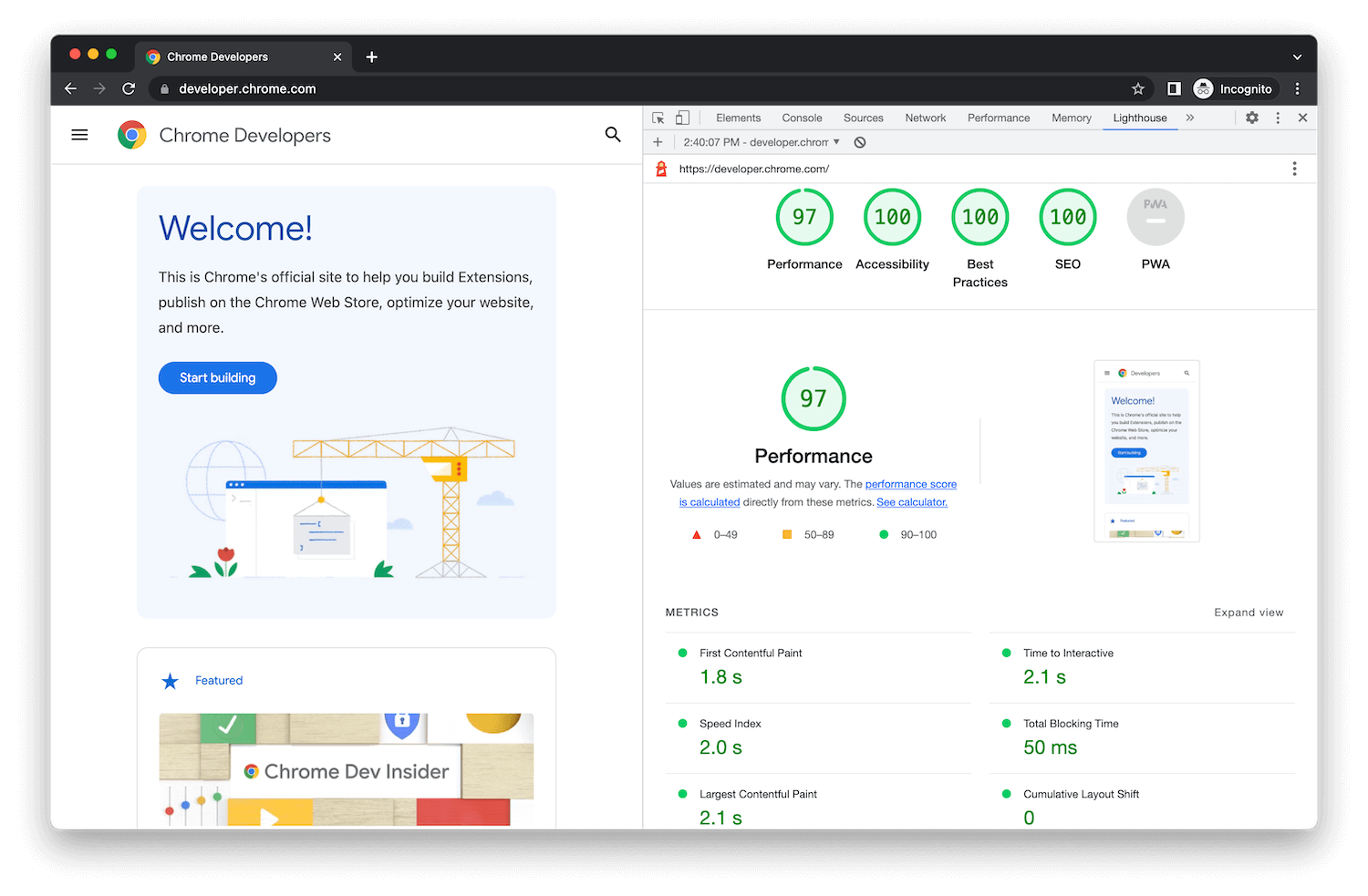
Lighthouse has audits for performance, accessibility, progressive web apps, SEO, and more. You can run Lighthouse against any web page, public or requiring authentication.

You can run Lighthouse as part of PageSpeed Insights, in Chrome DevTools, from the command line, or as a Node module. You give Lighthouse a URL to audit, it runs a series of audits against the page, and then it generates a report on how well the page did. From there, use the failing audits as indicators on how to improve the page.

Each audit has a reference document explaining why the audit is important, as well as how to fix it.

Test a site Overview
bolt

Performance audits

Measure performance and find opportunities to speed up page loads.
Get started
accessibility

Accessibility audits

Determine if all users access content and navigate your site effectively.
Get started
star

Best Practices audits

Improve code health of your web page following these best practices.
Get started
search

SEO audits

Ensure that your page is optimized for search engine results ranking.
Get started
You are visitor 01402503 — GeezerVison does not store the pages you look up.
Best viewed with Netscape Navigator 4.7 or Internet Explorer 6 at 800×600. No cookies required.