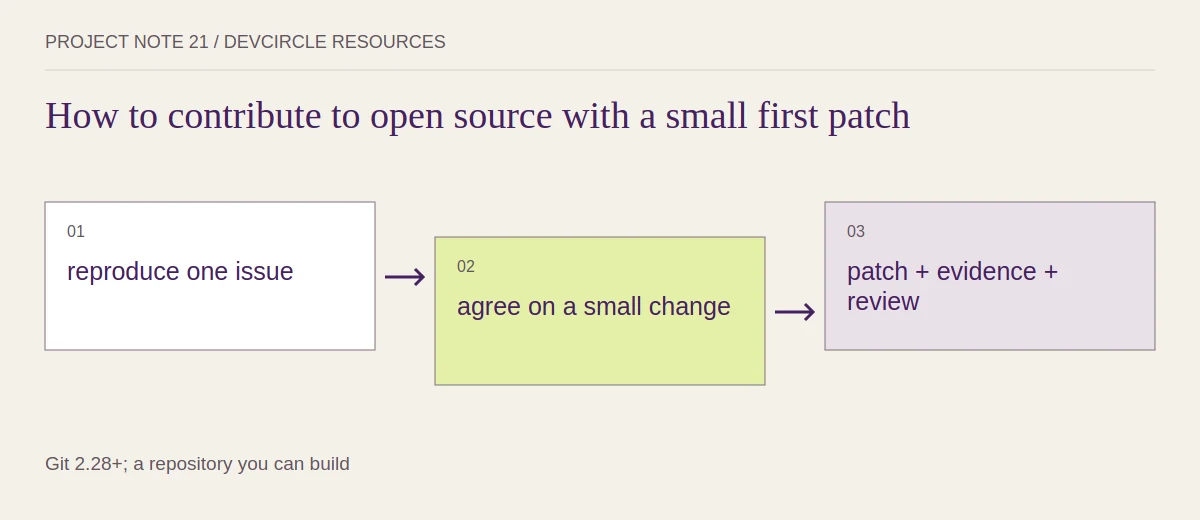
A strong first contribution often starts with a problem you can reproduce in software you already use. That gives you context, lets you judge whether a fix actually helps, and makes it less likely that you will propose a change nobody needed.
Choose a project you can actually run
Begin by reviewing the repository’s README, license, code of conduct, contributor guide, and recent issue threads to confirm that maintainers welcome the type of patch you have in mind. Active maintainer replies and recently merged pull requests tell you far more about bandwidth for newcomers than a high star count ever could.
Follow the documented setup in a clean environment and write down the runtime version, the operating system, the exact command, and the first output that fails. A setup that does not work may point to a worthwhile documentation contribution, though you should first rule out a prerequisite you overlooked.
Never run an unfamiliar dependency installer with root or administrator rights just to bypass a setup failure. Inspect the installation script first and rely on proper environment isolation—remembering that a Python virtual environment only separates library files, not network calls or filesystem writes.
Reduce the issue to an observable difference
Write a short private note with three fields:
Scroll sideways if the columns extend beyond the frame.
| Field | Useful example |
|---|---|
| Current behavior | The documented command fails from a fresh clone because the fixture file is absent. |
| Expected behavior | The quickstart creates or downloads the fixture before invoking the command. |
| Smallest change | Add the fixture-creation step and verify the quickstart from an empty directory. |
Treat this as a hypothetical documentation example and substitute what you really observed. A guess you have not tested should never be reported as a confirmed bug.
Discuss before doing a large amount of work
Trivial typo fixes can usually follow the repository’s standard workflow right away. Before investing effort in a new feature or behavioral change, search open and closed issues and ask whether the maintainers actually want it; a brief proposal up front spares everyone a wasted review cycle.
Even when an issue carries a newcomer label, read the discussion and check who is assigned. The label does not set the issue aside for you. Ask before taking over work someone else is actively doing, and skip the generic “please assign me” comment unless it shows you understand the task.
Prepare a patch someone else can review
Start from a focused branch scoped to a single concern, include a test whenever runtime behavior changes, and execute the project’s verification suite. Before opening your pull request, read every line of the diff and strip out stray formatting edits, build artifacts, secrets, or personal config files.
A good pull-request description covers the problem, the new behavior, and how you verified it. For example: “The quickstart referenced a CSV that does not exist. This adds a command that generates the sample before the parser runs. Verified from a fresh clone with Python 3.11.” Borrow that structure only if you actually ran those checks.
Scroll sideways if the columns extend beyond the frame.
| Pre-submission check | Command or action to run | Problem it prevents |
|---|---|---|
| Diff scope inspection | git diff --stat and git status --short |
Catching stray lockfile edits, editor swap files, .env files, or unrelated reformatting |
| Line-by-line patch review | git diff origin/main...HEAD for committed branch changes; git diff and git diff --staged for local edits |
Review the complete proposed patch, including debug output or experiments already committed; substitute the project’s actual base branch for origin/main. |
| Clean test execution | Run the repository’s documented test command (pytest, npm test, etc.) |
Submitting a change that breaks existing behavior or fails CI on arrival |
| Commit history check | git log --oneline origin/main..HEAD |
Catching merge commits or noisy “fix typo” commits when the project expects a clean commit |
| License and DCO rules | Check CONTRIBUTING.md for Signed-off-by (git commit -s) or CLA requirements |
Blocking review on governance checks before a maintainer can read the code |
Respond to review as a conversation about the patch
Remember that maintainers balance code review against bug triage, release prep, and their own development tasks, so keep follow-up updates easy to read. When feedback seems ambiguous, explain how you interpreted the note and ask a targeted clarifying question before refactoring large blocks of code. When you believe a suggested approach breaks an edge case you already tested, share the exact input and output that illustrate the problem.
Before you rewrite branch history during review, look up the repository’s policy. Some projects favor incremental fixup commits while discussion continues, so reviewers can inspect just what changed since their last pass and squash at merge time. Others ask contributors to rebase and force-push using git push --force-with-lease, where the lease verifies that the remote branch still points to the commit you expect. When you omit an explicit target commit, Git falls back to your remote-tracking reference, which an editor’s background fetch can silently advance before you inspect the upstream changes. Always review any commits a maintainer added before rewriting history, and anchor the lease check to the exact reviewed commit when you need that safeguard. A lease cannot judge whether overwriting someone else’s work is warranted.
Sometimes a maintainer declines a well-written patch because it widens the maintenance surface, brings in a dependency, or falls outside the project’s scope. Read that as clarity about where the project’s boundaries lie. Keep what you learned in your own notes, and next time choose a smaller task that fits the roadmap.
Close the loop
Once a patch lands, check the live or merged docs to confirm the change renders as intended. If maintainers turn a proposal down, respect the decision rather than lobbying across multiple channels; clear bug reproductions, fixed examples, and thoughtful reviews are valuable contributions in their own right.
To rehearse the mechanics, work through a merge-conflict fixture, and use the tutorial template to turn something you discovered during setup into reusable instructions.
References: project evaluation and collaboration practices draw from Open Source Guides: how to contribute, while lease mechanics and background-fetch caveats come from the Git push documentation. Always defer to each repository’s own contributor guidelines.
Keep building
- Resolve a Git merge conflict without guessing
Reproduce a conflict in a disposable repository, choose the intended result, and verify the final history.
- Pytest tutorial: test the edges of a small parser
Test a price parser with normal input, invalid input, and a temporary file instead of checking only the happy path.
- Git branches: make one change you can review
Create a branch, stage only the intended change, inspect its diff, and merge a small finished patch.