GeezerVisonThe World Wide Web, restored to 800 pixels of glory. |
| Home|About|Gaming cabinet|Archives|How it works|Starter sites |
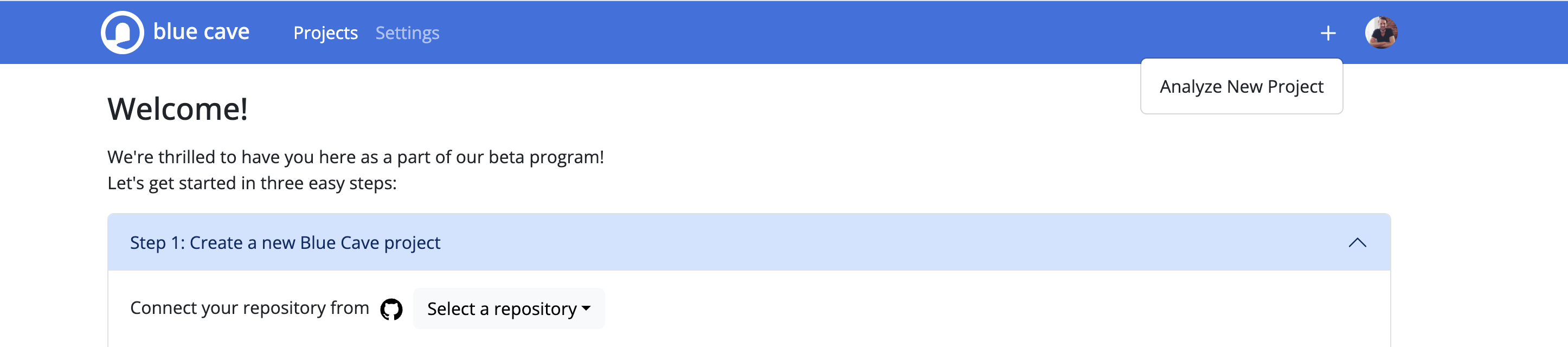
GeezerVison is showing docs.bluecave.io — Getting Started IntroductionBlue Cave is a developer tool that brings static code analysis, test coverage, and critical path detection into your CI workflow such as GitHub Workflows. It helps developers catch bugs, flag risky code, and enforce quality standards automatically through our critical issues, touch-ups and coverage analysis. Our goal is to help you simply keep your code beautiful without slowing down development. At its heart, Blue Cave was built with a focus on large monorepos in mind, and is designed to scale to any project size, without compromising on developer iteration speed. Analyzing your RepositoryThis guide helps you get Blue Cave up and running on your repository in GitHub for static analysis, coverage, and critical path detection. Using another repository provider? Please reach out to us at [email protected].
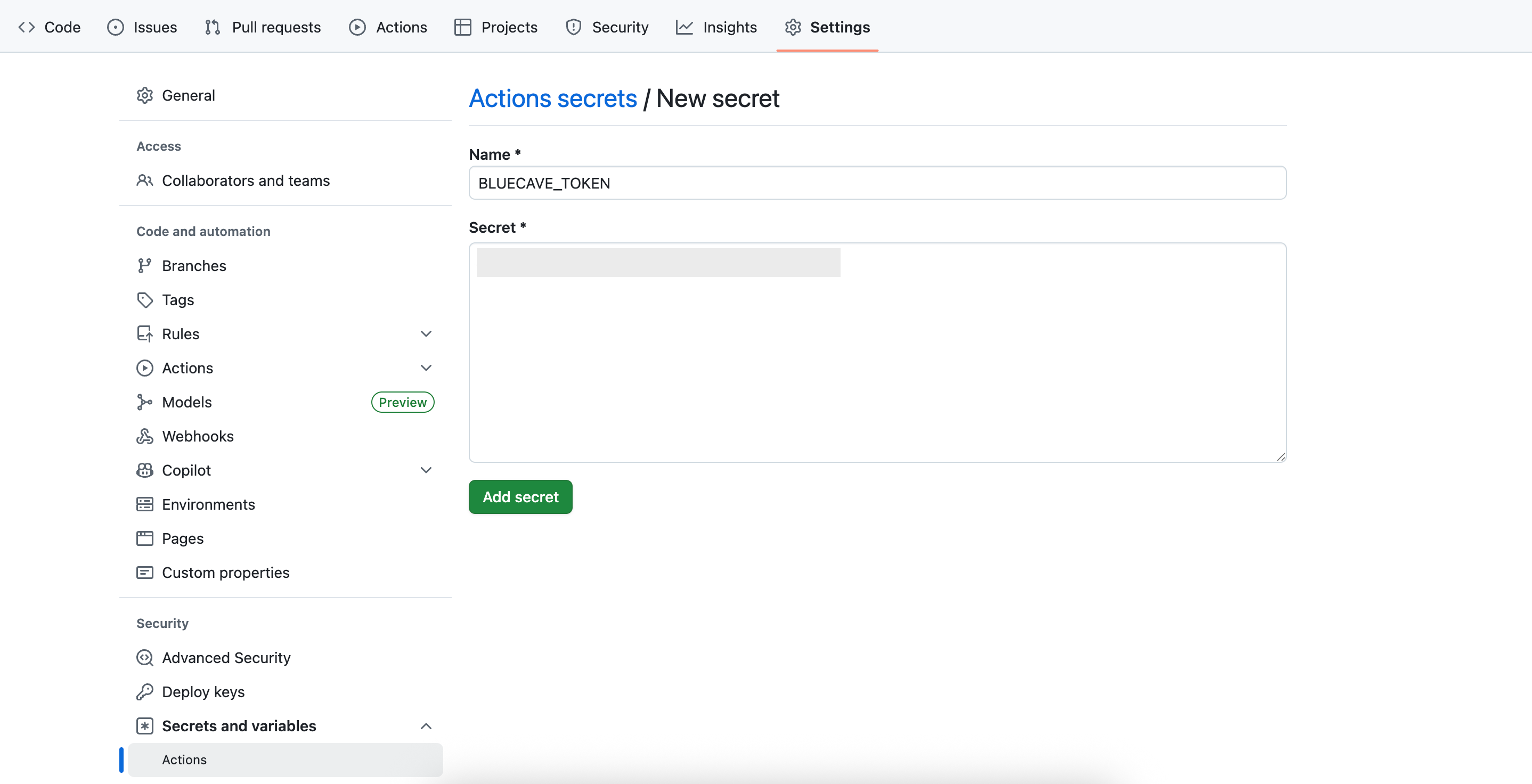
Add your project tokenCopy the project token under your project (Step 2), and add it to GitHub Secrets (or other CI) for your repository as Settings → Secrets and variables → Actions → New repository secret
Analyze and report coverageFollow the instructions for your language:
Blue Cave includes critical path detection as part of analysis, helping surface the most impactful code paths for quality and risk review. If you run into any trouble, please open an issue 😃 Update your CIHere's an example of updating your CI to run Blue Cave, if using GitHub Actions: See a complete working example of a GitHub workflow here. Switching ProjectsTo switch between projects, follow the following steps:
|
| You are visitor 01402775 — GeezerVison does not store the pages you look up. Best viewed with Netscape Navigator 4.7 or Internet Explorer 6 at 800×600. No cookies required. |