Getting started
ntfy lets you send push notifications to your phone or desktop via scripts from any computer, using simple HTTP PUT or POST requests. I use it to notify myself when scripts fail, or long-running commands complete.
Step 1: Get the app



To receive notifications on your phone, install the app, either via Google Play, App Store or F-Droid. Once installed, open it and subscribe to a topic of your choosing. Topics don't have to explicitly be created, so just pick a name and use it later when you publish a message. Note that topic names are public, so it's wise to choose something that cannot be guessed easily.
For this guide, we'll just use mytopic as our topic name:
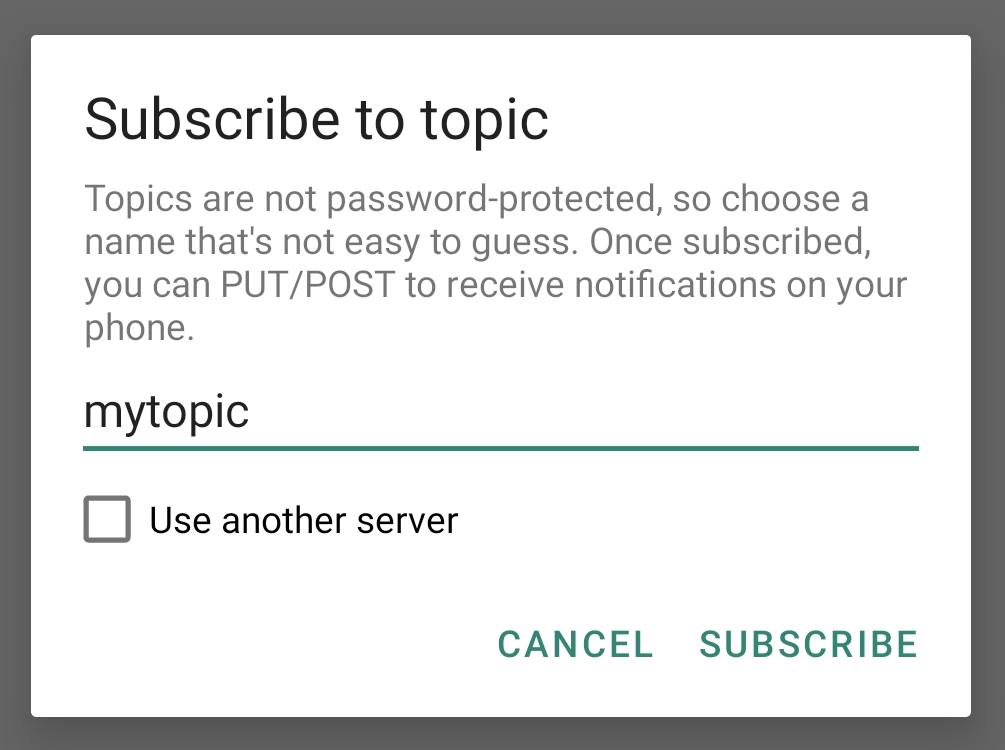
That's it. After you tap "Subscribe", the app is listening for new messages on that topic.
Step 2: Send a message
Now let's send a message to our topic. It's easy in every language, since we're just using HTTP PUT/POST, or with the ntfy CLI. The message is in the request body. Here's an example showing how to publish a simple message using a POST request:
curl -d "Backup successful 😀" ntfy.sh/mytopic
ntfy publish mytopic "Backup successful 😀"
POST /mytopic HTTP/1.1
Host: ntfy.sh

Backup successful 😀
fetch('https://ntfy.sh/mytopic', {
    method: 'POST', // PUT works too
    body: 'Backup successful 😀'
})
http.Post("https://ntfy.sh/mytopic", "text/plain",
   strings.NewReader("Backup successful 😀"))
requests.post("https://ntfy.sh/mytopic",
    data="Backup successful 😀".encode(encoding='utf-8'))
file_get_contents('https://ntfy.sh/mytopic', false, stream_context_create([
    'http' => [
        'method' => 'POST', // PUT also works
        'header' => 'Content-Type: text/plain',
        'content' => 'Backup successful 😀'
    ]
]));
This will create a notification that looks like this:
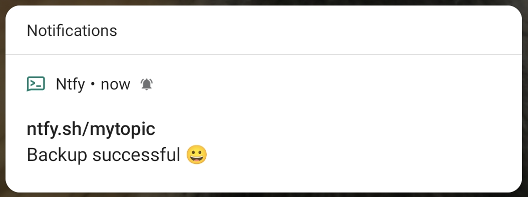
That's it. You're all set. Go play and read the rest of the docs. I highly recommend reading at least the page on publishing messages, as well as the detailed page on the Android/iOS app.
Here's another video showing the entire process: