GeezerVisonThe World Wide Web, restored to 800 pixels of glory. | ||||||||||||||||||||||||||||||||||||||||
| Home|About|Gaming cabinet|Archives|How it works|Starter sites | ||||||||||||||||||||||||||||||||||||||||
GeezerVison is showing docs.wxpython.org — wx.Notebook — wxPython 4.3.2 Docs
|


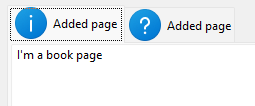
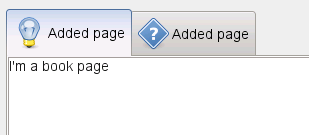
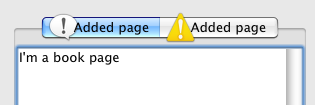

Constructs a notebook control. |
|
Changes the selection to the given page, returning the previous selection. |
|
Creates a notebook control. |
|
Returns the image index for the given page. |
|
Returns the string for the given page. |
|
Returns the number of rows in the notebook control. |
|
Returns the currently selected page, or |
|
This is a convenience function mapping |
|
Return the rectangle of the given page tab in window coordinates. |
|
If running under Windows and themes are enabled for the application, this function returns a suitable colour for painting the background of a notebook page, and can be passed to |
|
Inserts a new page at the specified position. |
|
Sets the amount of space around each page’s icon and label, in pixels. |
|
Sets the image index for the given page. |
|
Sets the text for the given page. |
|
Sets the selection to the given page, returning the previous selection. |
 Properties Summary

See |
|
See |
|
 Class API

- class wx.Notebook(BookCtrlBase)
Possible constructors:
Notebook() -> None

Notebook(parent, id=ID_ANY, pos=DefaultPosition, size=DefaultSize,
         style=0, name=NotebookNameStr) -> None
This class represents a notebook control, which manages multiple windows with associated tabs.
Methods
- __init__(self, *args, **kw)
 Overloaded Implementations:
__init__ (self)
Constructs a notebook control.
- Return type:
None
__init__ (self, parent, id=ID_ANY, pos=DefaultPosition, size=DefaultSize, style=0, name=NotebookNameStr)
Constructs a notebook control.
Note that sometimes you can reduce flicker by passing the
wx.CLIP_CHILDRENwindow style.- Parameters:
parent (wx.Window) – The parent window. Must be non-null.
id (wx.WindowID) – The window identifier.
pos (wx.Point) – The window position.
size (wx.Size) – The window size.
style (long) – The window style. See wx.Notebook.
name (string) – The name of the control.
- Return type:
None
- ChangeSelection(self, page)
Changes the selection to the given page, returning the previous selection.
This function behaves as
SetSelectionbut does not generate the page changing events.See User Generated Events vs Programmatically Generated Events for more information.
- Parameters:
page (int)
- Return type:
int
- Create(self, parent, id=ID_ANY, pos=DefaultPosition, size=DefaultSize, style=0, name=NotebookNameStr)
Creates a notebook control.
See wx.Notebook for a description of the parameters.
- static GetClassDefaultAttributes(variant=WINDOW_VARIANT_NORMAL)
- Parameters:
variant (WindowVariant)
- Return type:
- GetPageImage(self, nPage)
Returns the image index for the given page.
- Parameters:
nPage (int)
- Return type:
int
- GetPageText(self, nPage)
Returns the string for the given page.
- Parameters:
nPage (int)
- Return type:
str
- GetRowCount(self)
Returns the number of rows in the notebook control.
- Return type:
int
- GetSelection(self)
Returns the currently selected page, or
NOT_FOUNDif none was selected.Note that this method may return either the previously or newly selected page when called from the
EVT_BOOKCTRL_PAGE_CHANGEDhandler depending on the platform and sowx.BookCtrlEvent.GetSelectionshould be used instead in this case.- Return type:
int
- GetTabOrientation(self)
This is a convenience function mapping
wx.BK_TOPetc styles to one of the Direction enum elements.- Return type:
Added in version 4.3/wxWidgets-3.3.0.
- GetTabRect(self, page)
Return the rectangle of the given page tab in window coordinates.
This function always returns the rectangle for the specified tab, even if the tab is currently not visible.
If page is invalid, an assert failure is triggered and an empty rectangle is returned.
- Parameters:
page (int)
- Return type:
Added in version 4.3/wxWidgets-3.3.0.
Note
Currently only available in Univ and MSW and always asserts in the other ports.
- GetThemeBackgroundColour(self)
If running under Windows and themes are enabled for the application, this function returns a suitable colour for painting the background of a notebook page, and can be passed to
SetBackgroundColour.Otherwise, an uninitialised colour will be returned.
- Return type:
- InsertPage(self, index, page, text, select=False, imageId=NO_IMAGE)
Inserts a new page at the specified position.
- Parameters:
index (int) – Specifies the position for the new page.
page (wx.Window) – Specifies the new page.
text (string) – Specifies the text of the new page. Note that it may contain mnemonic characters, see
SetPageTextfor more information.select (bool) – Specifies whether the page should be selected.
imageId (int) – Specifies the optional image index for the new page.
- Return type:
bool
- Returns:
Trueif successful,Falseotherwise.
Note
Do not delete the page, it will be deleted by the book control.
See also
- SetPadding(self, padding)
Sets the amount of space around each page’s icon and label, in pixels.
- Parameters:
padding (wx.Size)
- Return type:
None
Note
The vertical padding cannot be changed in wxGTK.
- SetPageImage(self, page, image)
Sets the image index for the given page.
image is an index into the image list which was set with
SetImageList.- Parameters:
page (int)
image (int)
- Return type:
bool
- SetPageText(self, page, text)
Sets the text for the given page.
The text may contain mnemonics, i.e. accelerator characters preceded by the ampersand (
&) character. If you need to include a literal ampersand in the text, you need to float it, i.e. use&&.- Parameters:
page (int)
text (string)
- Return type:
bool
- SetSelection(self, page)
Sets the selection to the given page, returning the previous selection.
Notice that the call to this function generates the page changing events, use the
ChangeSelectionfunction if you don’t want these events to be generated.- Parameters:
page (int)
- Return type:
int
See also
Properties
- RowCount
See
GetRowCount
- Selection
See
GetSelectionandSetSelection
- TabOrientation
- ThemeBackgroundColour

Best viewed with Netscape Navigator 4.7 or Internet Explorer 6 at 800×600. No cookies required.