The full context, automatically
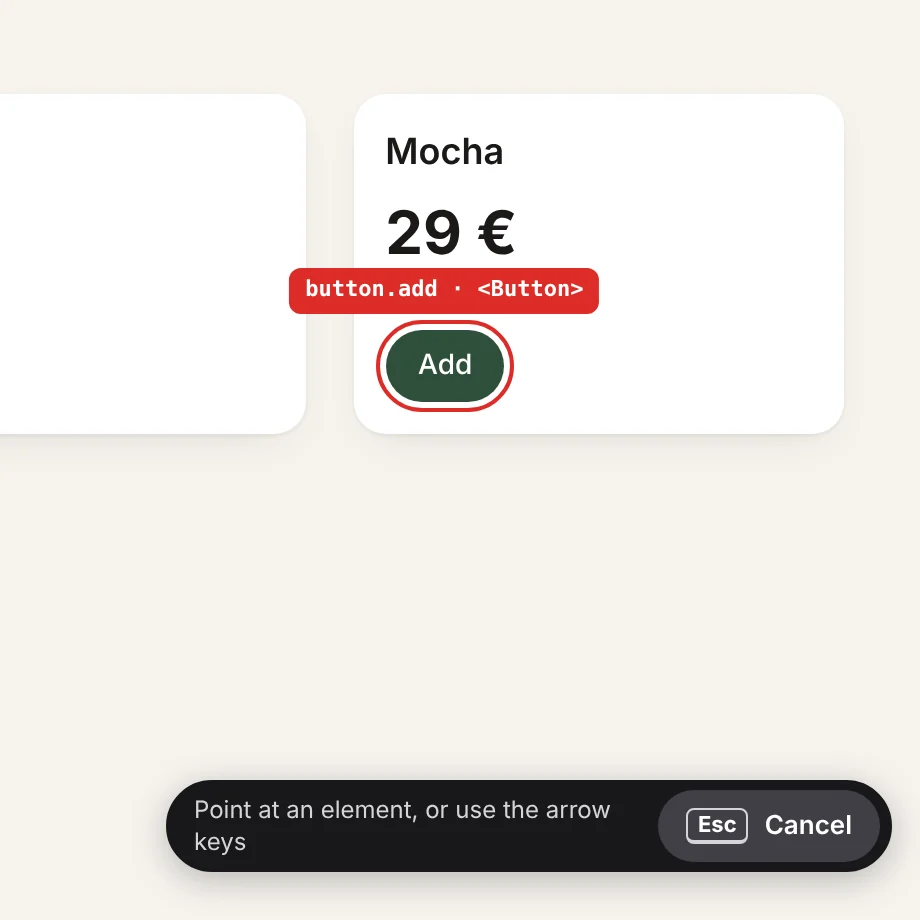
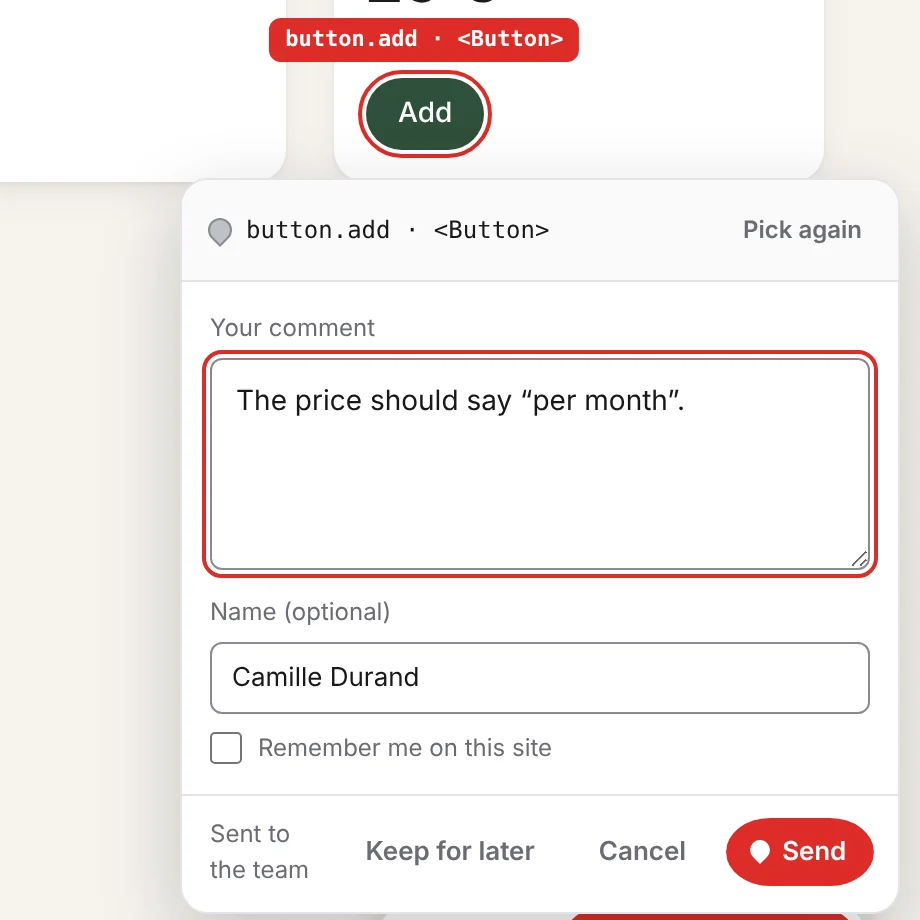
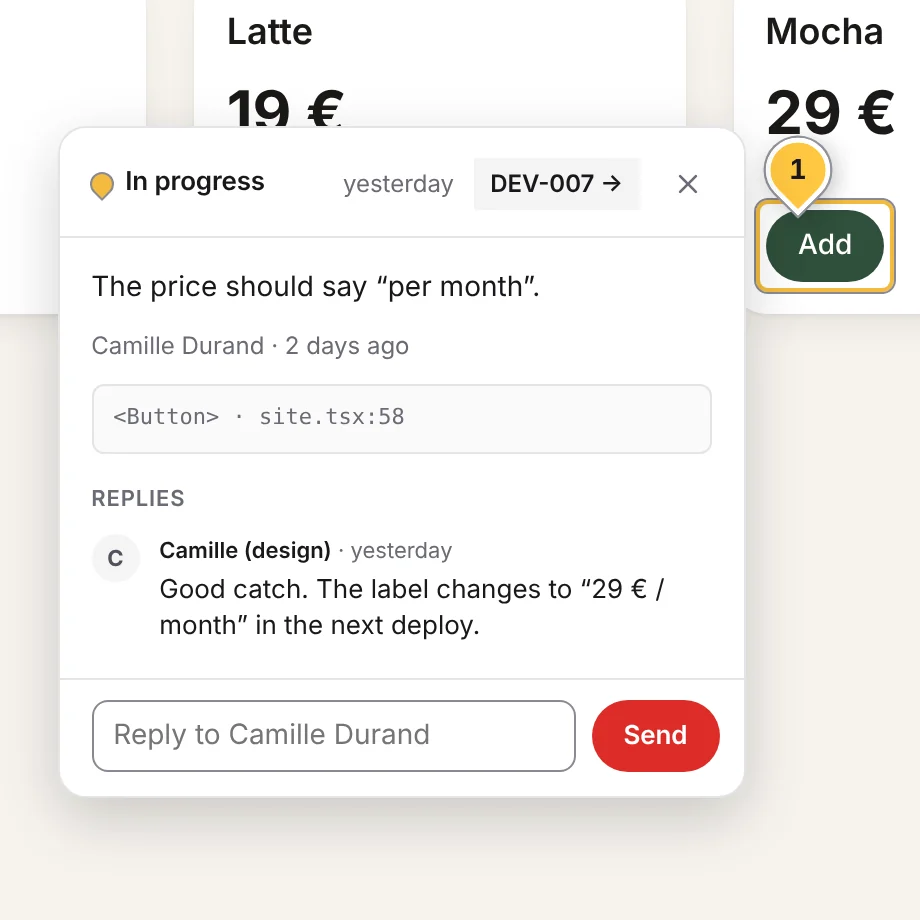
Page, screen size and CSS selector come with every note. The React component and its source file come too, when the build exposes them.
GeezerVisonThe World Wide Web, restored to 800 pixels of glory. | ||||||||||||||||||||||||||||||||||
| Home|About|Gaming cabinet|Archives|How it works|Starter sites | ||||||||||||||||||||||||||||||||||
GeezerVison is showing fruitback.com — Fruitback · visual feedback on a live site Open source · Cloud or self-hosted Leave a note on the page. Find it in your tracker.Your clients point. Your team fixes. No access to the site’s code? Add the extension to Chrome or Firefox. The Cloud is free during the beta and runs in Europe. On a public site, visitors leave a note with no account. 
staging.acme.dev/blends
Acme roastersBlends Subscriptions Our blends
Espresso9 €Dark, short, a little bitter.Add
3
Latte19 €Round and milky.Add
1
Mocha29 €Chocolate notes, for the afternoon.Add
2
In progress FRU-128 → The Add button is almost invisible until you hover it.
Marc: fix in review · 2 replies
"The blue button, top right, on the other page." Never again.Without
With Fruitback
How it works Three moves. Nobody leaves the page.

The five stages and their colours. Each site can rename its statuses, recolour them, or add its own on top of these stages. Product Small on the page. Precise in the ticket.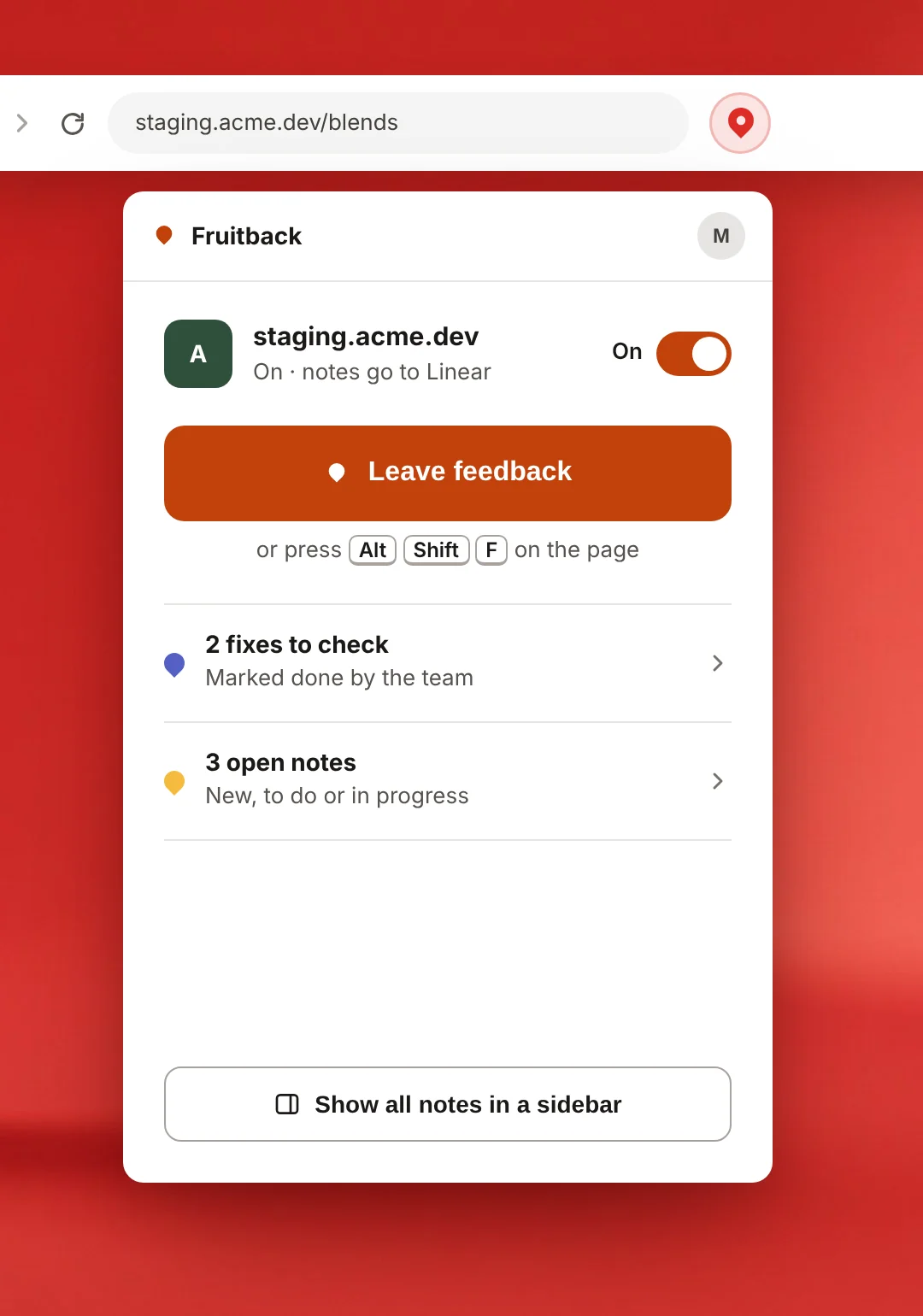
The full context, automaticallyPage, screen size and CSS selector come with every note. The React component and its source file come too, when the build exposes them. Pins that follow the ticketCome back to the page and see what is new, in progress or done, right where it was reported. Every note in a listThe notes of the page, filtered by stage. The extension's side panel shows the whole site, with the team's replies. Sites you cannot touchThe browser extension, for Chrome and Firefox, adds Fruitback to a client's site that will never install a script. Add it to Chrome or Edge · Add it to Firefox · Other browsers Guests and rolesInvite a client to the sites you choose. They sign in with an emailed link, comment and follow up, and never see your tracker. Fits the host siteThe site can set the colours. Light and dark follow the visitor's system, and the words their browser: English and French included. Built for the people who review websitesClient review without the email back and forthSend your client the staging link. They point at what to change, you get clean issues, they see what is done.
Setup for this case
QA on your own stagingDesigners, PMs and QA review the staging site and file bugs where they see them.
Setup for this case
A "report a problem" button that means somethingLet visitors flag a broken element on your live site, with the context your developers need to fix it.
Setup for this case
Connectors Your tracker stays the source of truthConnect a tracker once for the whole workspace. Each site picks where its notes go. The status of a Linear or GitHub issue is read back each time the page loads.
Jira, GitLab, Trello and Notion are not available yet. Statuses, set per siteEvery tracker names its states its own way. Each one lands on one of five stages, and a site can rename, recolour or re-stage them. Linear, by default:
Or your own endpointFruitback posts each note as signed JSON, and keeps it too: your team sets its status in Fruitback. Pricing Same product. You choose who runs it.CloudQuickestWe run the server in Europe. You sign in, connect your tracker and add a site. Free during the beta Create a workspace
Self-hostedOpen sourceOne compose file on your server: the worker, its PostgreSQL and the console. Free MIT and AGPL-3.0 Read the install guide
Self-hosted, in three commands
Fill the five lines Your clients' sites, treated with careIsolated from the pageThe widget lives in its own shadow root. It does not restyle the site, and the site's styles stay out. Clear about dataNotes land in your tracker or stay in your workspace. Tracker keys are stored encrypted, and the Cloud runs in Europe. Every field, listed. AccessibleUsable with the keyboard alone, and checked with axe in light and dark. Open sourceRead every line on GitHub. The widget is MIT; the server, the console and the extension are AGPL-3.0. QuestionsDo my clients need an account?Not on a public site: a visitor leaves a note with no account, and can add a name. On a site only your team reads, invite the client as a guest: they sign in with a link sent by email. What if I cannot add a script to the client's site?Use the browser extension, for Chrome and Firefox. It adds Fruitback for the people who switch it on, and nothing changes on the site. It is in beta, on the Chrome Web Store for Chrome and Edge, and on addons.mozilla.org for Firefox. In another browser you load it by hand, as the reviewer's guide shows. Which trackers are supported?Linear and GitHub Issues, plus any HTTPS endpoint of yours. A site with no tracker keeps its notes in the workspace. Jira, GitLab, Trello and Notion are not available yet. Where is my data stored?In your tracker, or in the PostgreSQL of the instance: in Europe for the Cloud, on your server when you host it. Tracker keys are stored encrypted. What the widget collects lists every field. Does it slow the site down?
The script loads with The guides
The codeThe source is on GitHub, under the MIT licence for the five published packages and AGPL-3.0-only for the worker, the console and the browser extension. The decisions folder holds the per-ticket histories: the measurements, the first versions that failed, and the reviews that caught them. Get the first note on your staging site this afternoon | ||||||||||||||||||||||||||||||||||
| You are visitor 01402775 — GeezerVison does not store the pages you look up. Best viewed with Netscape Navigator 4.7 or Internet Explorer 6 at 800×600. No cookies required. |