GV

GeezerVison

The World Wide Web, restored to 800 pixels of glory.

Home|About|Gaming cabinet|Archives|How it works|Starter sites

On this site

  • Sign in
  • ActionsCI/CD and automation
  • CodespacesCloud development environments
  • All Features
  • Documentation
  • Training
  • Certifications
  • Build with Copilot
  • Customize Copilot
  • Integrations
  • Trending repos
  • GitHub Sponsors
  • Developer articles
  • Enterprises

This view

  • Original page
  • New address

GeezerVison is showing github.com — GitHub - 10pem/r0chrome

BranchesTags
Open more actions menu


Latest commit


History

7 Commits
7 Commits

Folders and files

NameName
Last commit message
Last commit date
fingerprint_change_code
 
 
monitor_change_code
monitor_change_code
 
 
README.md
README.md
 
 
proxy.js
proxy.js
 
 
screenshot.png
screenshot.png
 
 
screenshot1.jpg
screenshot1.jpg
 
 
screenshot2.jpg
screenshot2.jpg
 
 
screenshot3.jpg
screenshot3.jpg


Repository files navigation

  • r0chrome

    • r0chrome是一款对chromium源码进行定制的浏览器,支持爬虫/JS逆向工程师进行辅助分析网页
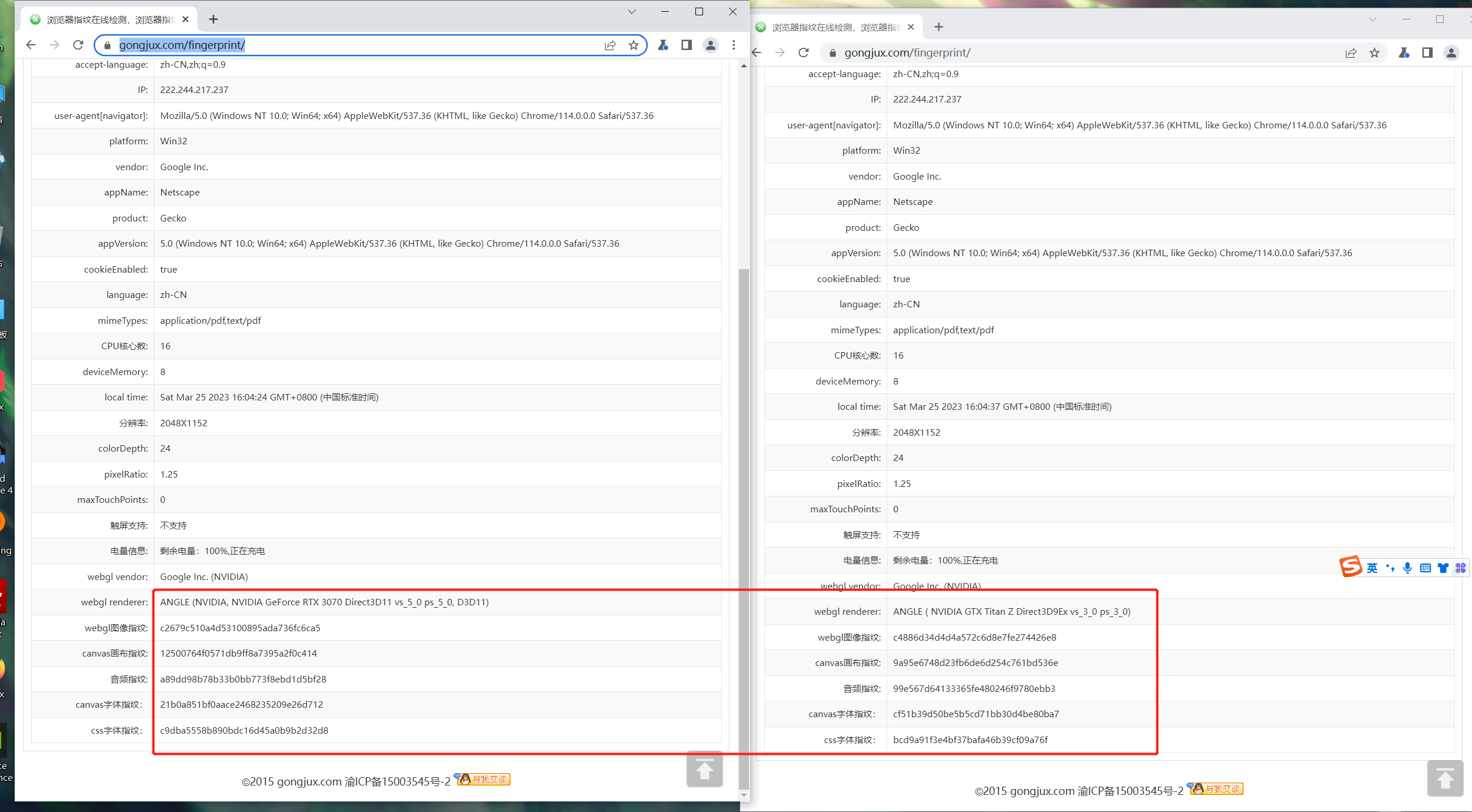
    • 浏览器随机指纹模块

      • 实现功能:

      gpu信息随机
      webgl图像指纹随机
      canvas画布指纹随机
      音频指纹随机随机
      canvas字体指纹随机
      css字体指纹随机
      屏幕分辨率随机
      elements大小随机
      
      • 效果

        screenshot
        • 测试网站
          • https://gongjux.com/fingerprint/
      • 源码

        • 修改的源代码在finger_change_code文件夹下
        • 修改的代码上面有// add 的注释
      • 安装包

        • Win版本
          • http://www.dtasecurity.cn:20080/chrome.win.7z
          • 安装方法:
            • 使用7z解压文件,在文件夹下打开chrome.exe即可使用
        • Linux版本
          • http://www.dtasecurity.cn:20080/chromium-browser-unstable_103.0.5045.0-1_amd64.deb
          • 安装方法
            • 在ubuntu命令行中输入
              • sudo dpkg -i chromium-browser-unstable_103.0.5045.0-1_amd64.deb
            • 然后在软件中或者命令行下即可打开浏览器
    • 浏览器环境自吐模块

      • 实现功能(后续会增加更多的对象监控)

      window 对象监控
      navigator 对象监控
      document 对象监控
      history 对象监控
      screen 对象监控
      
      • 原理简介

        • 对chromium源码中全局对象定义进行修改/添加,使得全局对象变得可以覆盖,从而使用JS的代理器对全局对象进行监控
      • 源码

        • 修改的源代码在monitor_change_code文件夹下
        • 修改的代码上面有// add 和// change 的注释
      • 使用方法

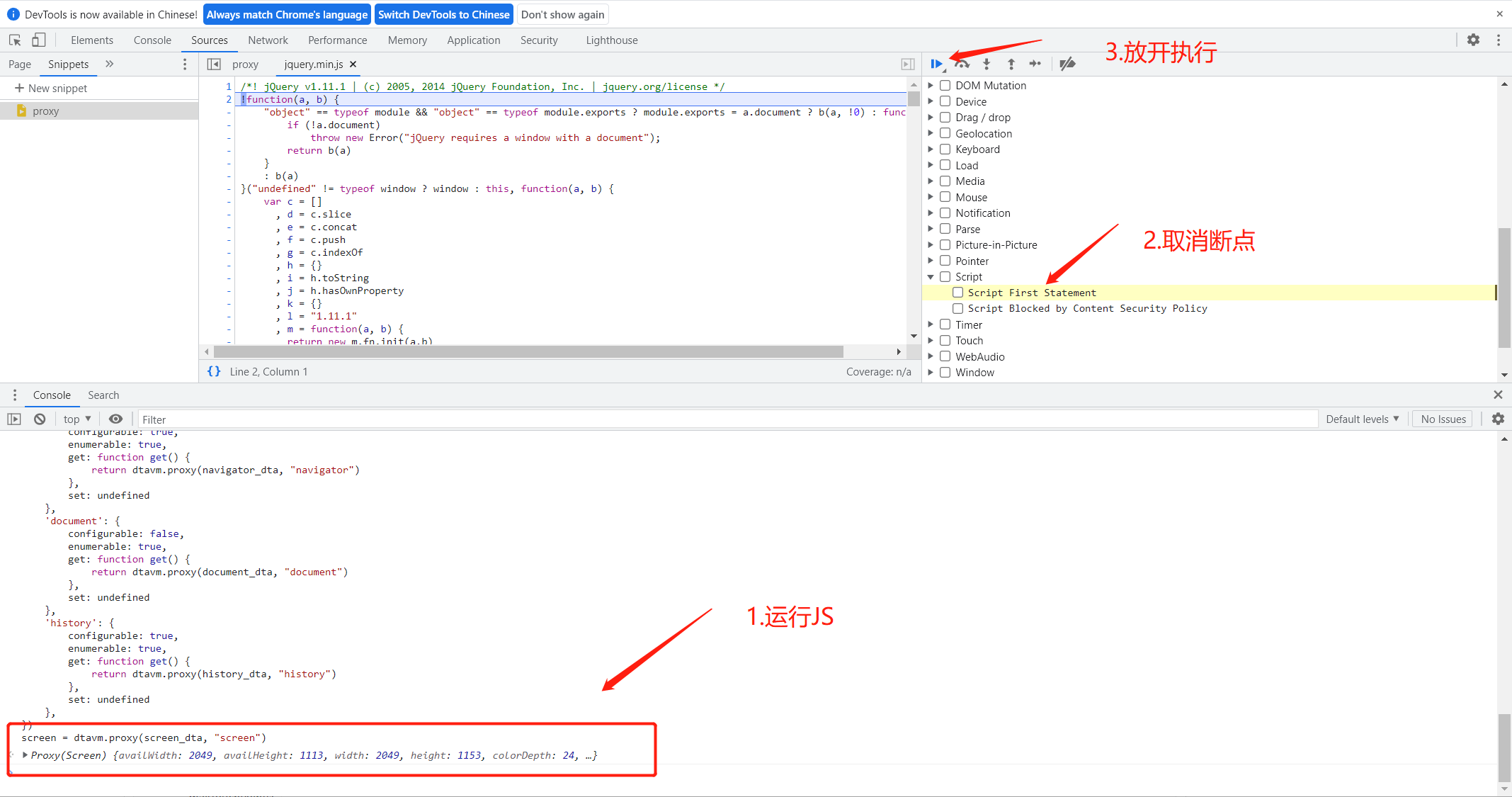
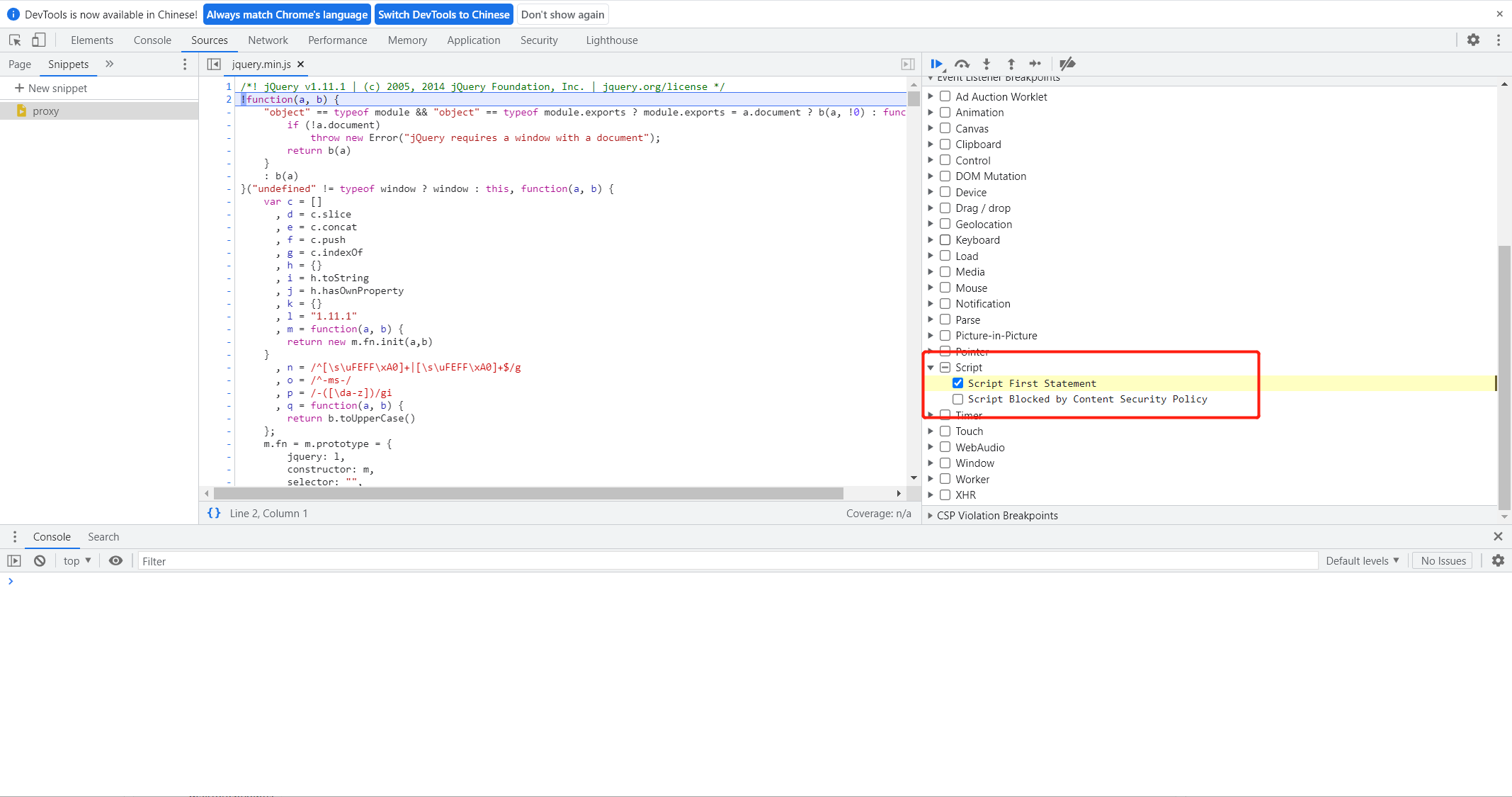
        • 在浏览器控制台中执行proxy.js的代码(推荐在JS最先执行的时机断点(事件侦听器断点->脚本->脚本的第一条语句)然后运行js代码,最先取得全局对象的控制权)
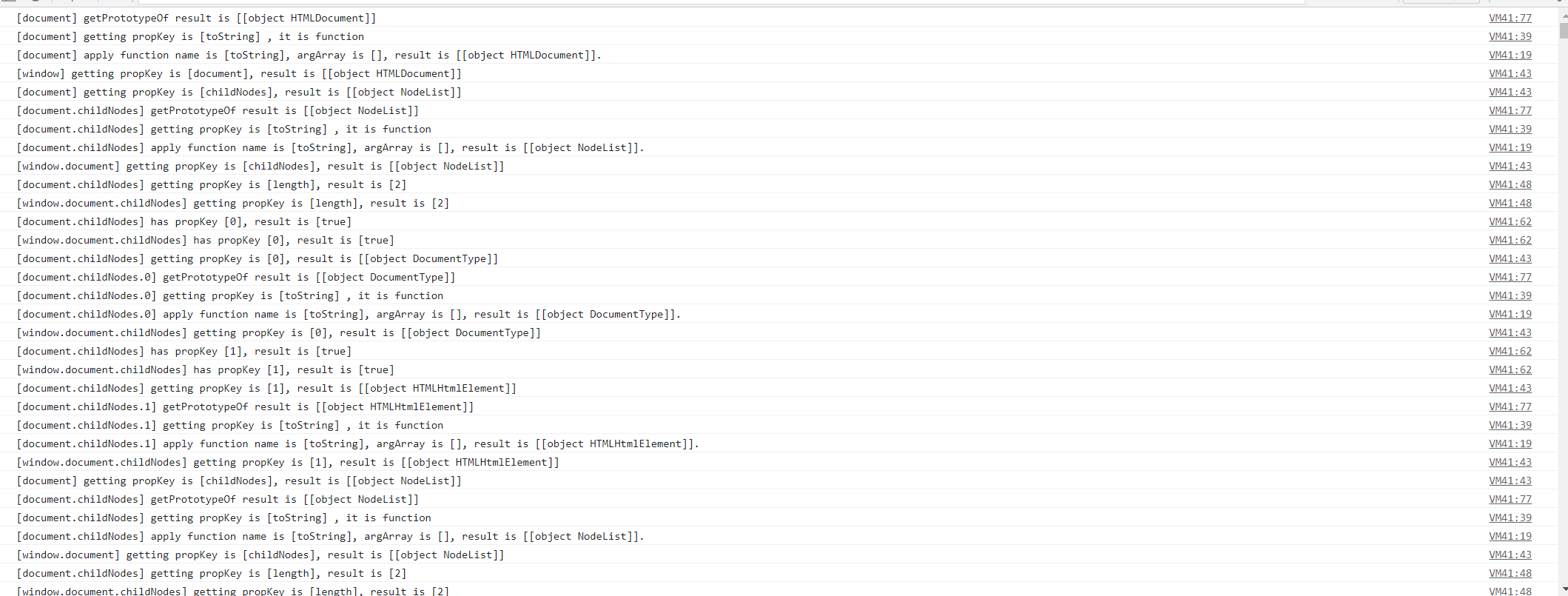
        • 然后在网页上正常操作即可在控制台得到打印的对象信息,进行环境监控,辅助JS补环境
      • 使用方法以及效果

        • 先设置断点 然后刷新网页 即可在JS最先执行的时机停下(需要注意安装油猴后,会对此方法产生影响导致proxy.js脚本不生效) screenshot
        • 执行proxy.js后取消断点 然后执行网页js screenshot
        • 成功监控对象 screenshot
      • 安装包

        • Win版本
          • http://www.dtasecurity.cn:20080/chrome.win.7z
      • Tips

        • 碰到不需要打印的信息可以在proxy.js中修改代码进行过滤
  • 联系我们

    • 加v:r0ysue 进浏览器指纹随机定制群

  • 后续会推出其他定制浏览器的功能

About

No description, website, or topics provided.

Resources

Readme
Activity

Stars

0 stars

Watchers

0 watching

Forks

0 forks
Report repository

Releases

Packages

Contributors

Languages

You are visitor 01402775 — GeezerVison does not store the pages you look up.
Best viewed with Netscape Navigator 4.7 or Internet Explorer 6 at 800×600. No cookies required.