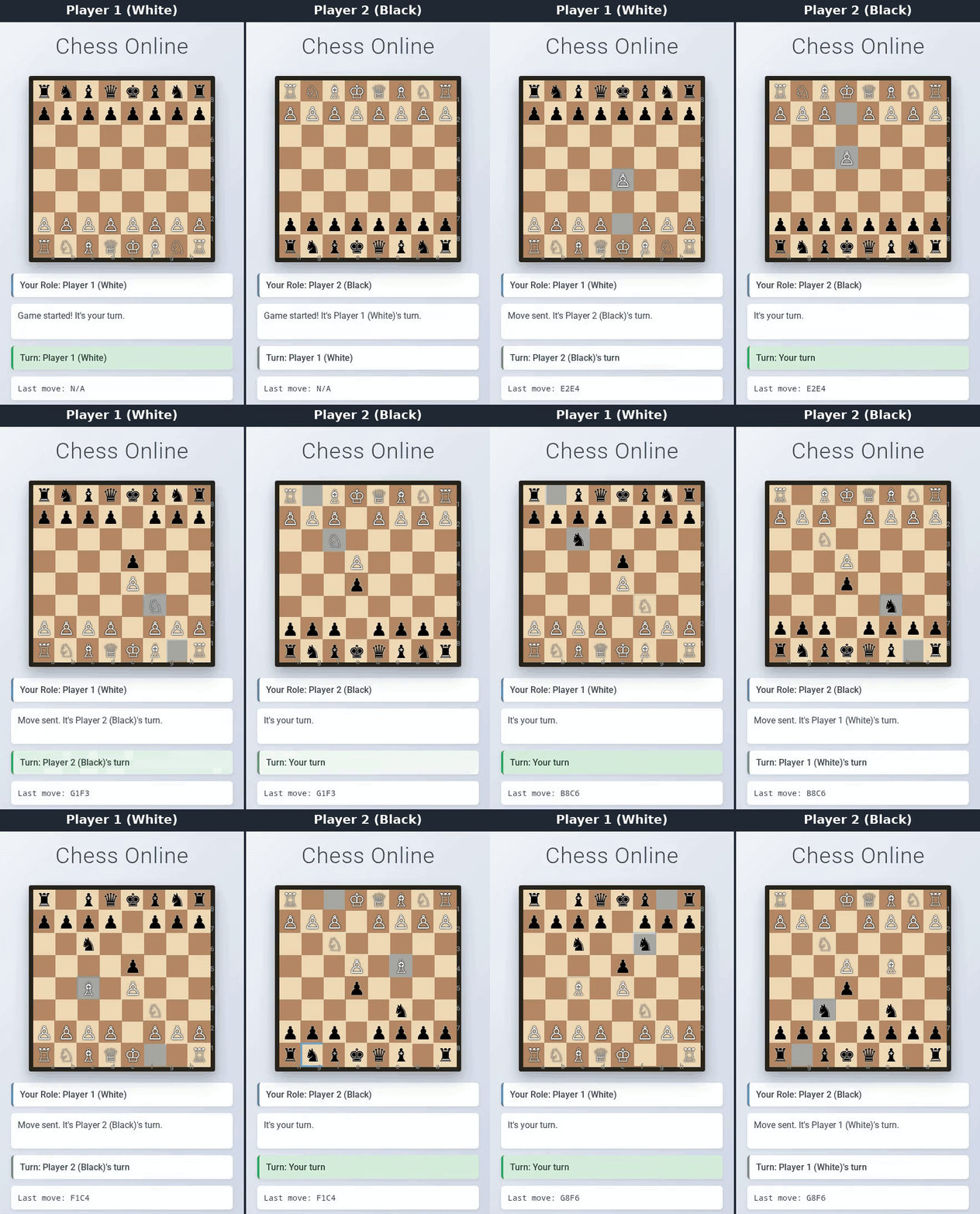
Two separate browser sessions play the first six moves of a chess game; each move goes through the JSocket server and appears on the other board right away. Click for the full-quality MP4.

JSocket provides a simple WebSocket implementation in Java with no external dependencies. It is useful for learning WebSocket internals, building custom real-time features, or adding WebSocket support to existing Java applications.
- Beginner-friendly code structure with extensive documentation
- RFC 6455 compliant WebSocket implementation
- Concurrent client handling with dedicated reader/writer threads
- Event-driven architecture via simple listener interface
- Working Chess game demo showcasing real-time capabilities
- Zero external dependencies: only the Java standard library
Requires a JDK (8 or newer). From a terminal:
git clone https://github.com/AceAtDev/JSocket--java-simple-websocket
cd JSocket--java-simple-websocket

# Compile everything into out/
javac -d out $(find javaWebsocketChess -name "*.java")

# Start the chess server (default port 8080; pass another port as an argument)
java -cp out javaWebsocketChess.chess.ChessServerMain
Then open javaWebsocketChess/chess/clientApp/index.html in two browser tabs or windows. The first one to connect plays White, the second plays Black. If you started the server on a different port, add it to the page URL, for example index.html?port=8765.
The GIF above was recorded with docs/demo/record_demo.py. It compiles and starts the server, plays six moves in two Playwright browser sessions, and builds the MP4 and GIF with ffmpeg:
pip install playwright && playwright install chromium
python docs/demo/record_demo.py            # or: --port 8765 if 8080 is busy
1️⃣ Copy the core files from javaWebsocketChess/websocketCore/ into your project (the classes use the package javaWebsocketChess.websocketCore.src.main.java.com.jSocket.websocket, so keep that folder layout or update the package and import lines)
2️⃣ Create your handler:
public class MyWebSocketHandler implements WebSocketListener {
    @Override
    public void onOpen(ClientHandler connection) {
        connection.sendMessage("Welcome!");
    }

    @Override
    public void onMessage(ClientHandler connection, String message) {
        System.out.println("Received: " + message);
        connection.sendMessage("You said: " + message);
    }

    @Override
    public void onClose(ClientHandler connection, int code, String reason, boolean remote) {
        System.out.println("Connection closed: " + reason);
    }

    @Override
    public void onError(ClientHandler connection, Exception ex) {
        ex.printStackTrace();
    }
}
3️⃣ Start the server:
public static void main(String[] args) {
    WebSocketServer server = new WebSocketServer(8888, new MyWebSocketHandler());
    try {
        server.start();
        System.out.println("WebSocket server running on port 8888");
    } catch (IOException e) {
        e.printStackTrace();
    }
}
JSocket has five main parts:
WebSocketServer: Manages TCP connections and handshakesClientHandler: Manages WebSocket connection lifecycleWebSocketDataReader/Writer: Handle frame reading/writingWebSocketFrame: Represents WebSocket protocol framesWebSocketListener: Interface for your application logic
- Learning WebSocket internals without complex dependencies
- Real-time chat applications
- Multiplayer games (like the included Chess demo)
- Live dashboards and monitoring tools
- Adding WebSocket capability to existing Java applications
For more detailed information:
- how it works - Detailed description of classes and methods
Contributions are welcome! Whether it's bug reports, feature requests, or code contributions:
- Fork the repository
- Create your feature branch:
git checkout -b feature/amazing-feature - Commit your changes:
git commit -m 'Add some amazing feature' - Push to the branch:
git push origin feature/amazing-feature - Open a Pull Request
JSocket is MIT licensed.
Special thanks to the amazing python-websockets/websockets project for their wonderful documentation, which was invaluable in creating this repository.