GeezerVison is showing github.com — GitHub - Ahmed310/MapTool_Unity
Folders and files
| Name | Name | Last commit message | Last commit date |
|---|
| | | |
| | | |
| | | |
| | | |
| | | |
|
Repository files navigation

- Open Map Editor window [Tools/MapEditor]
- Create New Map or load existing map to edit
- Left mouse button click to paint a block
- Right mouse button click to erase a block
- Continues[fast] draw mode, hold shift key & hover mouse cursor over grid it will paint the selected block
- Continues[fast] erase mode, hold control key & hover mouse cursor over blocks it will remove the block
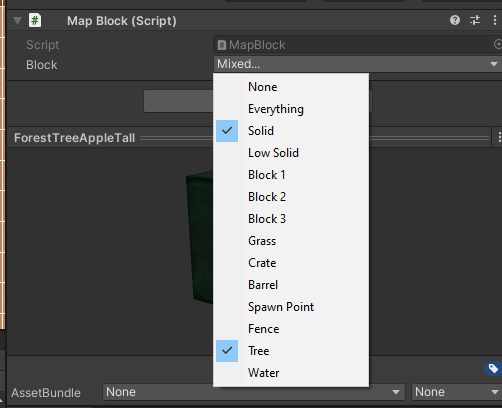
- Attach MapBlock script to your tile & put it under Resouces/TileSet folder
- Map is saved as xml file under Resources/Maps folder
- Map grid botton left corner is aligned to Zero position world
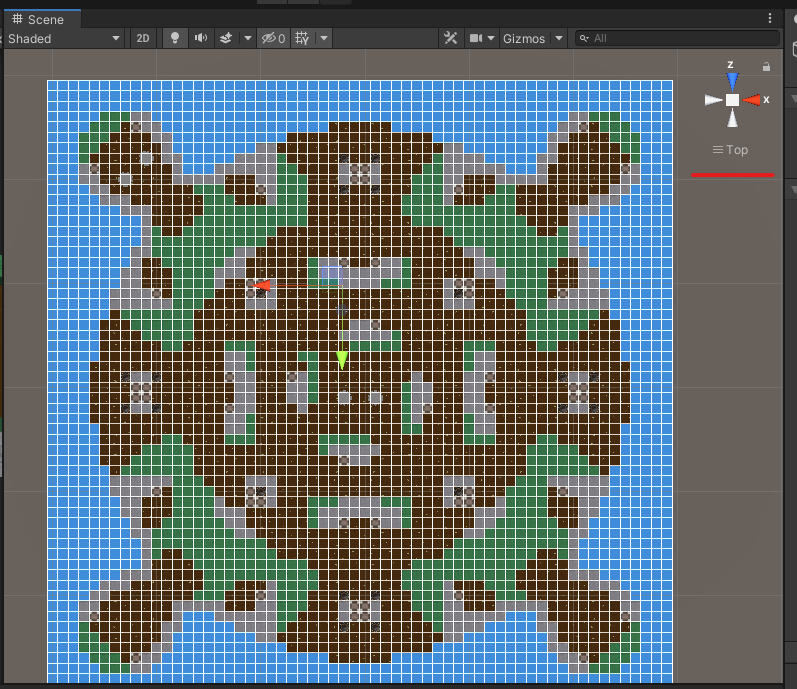
Note: set scene view to top & ISO (otherwise mouse clicks will not work)
Attach MapBlock script to your tile prefab
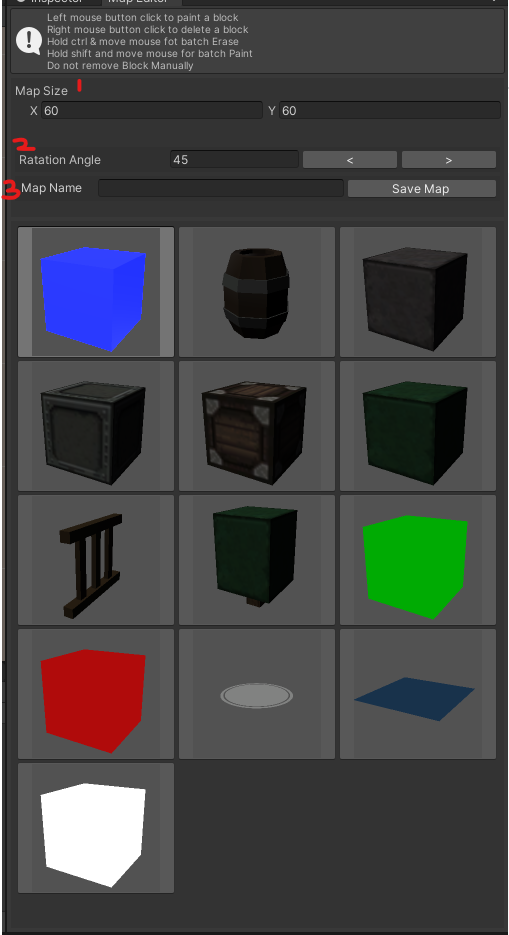
- 1: Define map dimensions
- 2: Rotate Last spawned or selected block
- 3: Type a map name and save it
About
No description, website, or topics provided.
Resources
Stars
4 stars
Watchers
1 watching
Forks


