GV

GeezerVison

The World Wide Web, restored to 800 pixels of glory.

Home|About|Gaming cabinet|Archives|How it works|Starter sites

On this site

  • Sign in
  • ActionsCI/CD and automation
  • CodespacesCloud development environments
  • All Features
  • Documentation
  • Training
  • Certifications
  • Build with Copilot
  • Customize Copilot
  • Integrations
  • Trending repos
  • GitHub Sponsors
  • Developer articles
  • Enterprises

This view

  • Original page
  • New address

GeezerVison is showing github.com — GitHub - HTMLElements/smart-button: Smart Button Custom HTML Element

BranchesTags
Open more actions menu

Latest commit


History

46 Commits
46 Commits

Folders and files

NameName
Last commit message
Last commit date
demos
demos
 
 
LICENSE
LICENSE
 
 
README.md
README.md
 
 
bower.json
bower.json
 
 
package.json
package.json
 
 
smart-button.gif
smart-button.gif


Repository files navigation

Smart Button Element Tweet

 Slack Price npm GitHub package version License: APACHE Published on webcomponents.org

<smart-button>

Live Demo ↗ | Documentation ↗ | Installation ↗

<smart-button> is a Custom HTML Element providing an alternative of the standard button, part of the Smart HTML Elements.

<smart-button class="material">Click Me</smart-button>
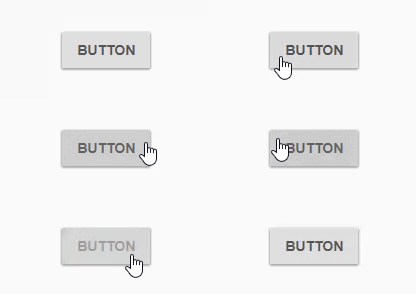
Screenshot of smart-button, using the Material theme

Getting Started

Smart HTML Elements components documentation includes getting started, customization and api documentation topics.

Getting Started Documentation | CSS Documentation | API Documentation

The file structure for Smart HTML Elements

  • source-minified/

    Javascript files.

  • source-minified/styles/

    Component CSS Files.

  • demos/

    Demo files

Running demos in browser

  1. Fork the Smart-HTML-Elements-Core repository and clone it locally.

  2. Make sure you have npm installed.

  3. When in the Smart-HTML-Elements-Core directory, run npm install and then bower install to install dependencies.

  4. Run a localhost or upload the demo on a web server. Then run:

  • /demos/smart-button/smart-button-overview.htm

Following the coding style

We are using ESLint for linting JavaScript code.

Creating a pull request

  • Make sure your code is compliant with ESLint
  • Submit a pull request with detailed title and description
  • Wait for response from one of our team members

License

Apache License 2.0

About

Smart Button Custom HTML Element

www.htmlelements.com/

Topics

buttonbutton-web-componentbuttonscustom-button-elementcustom-elementscustomelementsdemoeslinthtml-buttonhtml-button-elementhtmlelementssmart-buttonui-buttonweb-componentswebcomponents

Resources

Readme
License
Activity
Custom properties

Stars

8 stars

Watchers

1 watching

Forks

2 forks
Report repository

Releases

Packages

Used by

Contributors

You are visitor 01402775 — GeezerVison does not store the pages you look up.
Best viewed with Netscape Navigator 4.7 or Internet Explorer 6 at 800×600. No cookies required.