

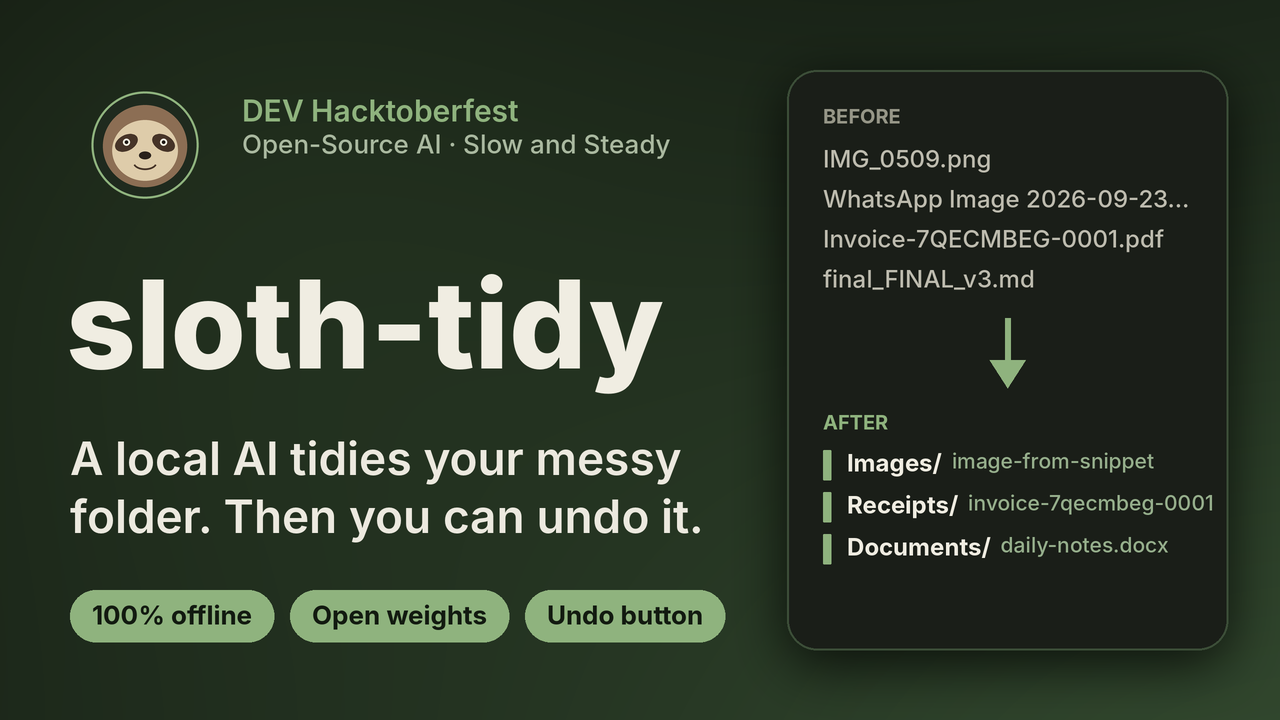
A small open-weight model running in Ollama reads each file's name and a short snippet,
picks a category and a clean file name, and moves it. Nothing leaves your machine.
▶ Watch the 2-minute demo
Built for the DEV Hacktoberfest Open-Source AI Challenge, Week 3: Slow and Steady. Started and finished inside the challenge window (Oct 19 to Oct 25, 2026).
| 🧠 Reads, not just sorts | A rule engine only sees the extension. The model also sees the file's name and, for text files, its first lines, so an invoice can land in Receipts/ with a readable name. |
| 🔒 Private by construction | Files are read by a model on your own machine. No API key, no upload, works offline. |
| 👀 Look before it moves | Dry run by default. You get a plan grouped by category and can untick anything. |
| ↩️ Undo button | Every run is logged. One click puts every file back where it was. |
| 🖱️ Click or type | A small browser UI (gui), a CLI, and a watch mode that tidies a folder in the background. |
| 🪶 Zero dependencies | One Python file, standard library only. Swap the model or the prompt in seconds. |

The review screen, from a real run: 13 files, decided by llama3.2:3b. Untick anything you disagree with, then move.
You need Python 3.9+ and Ollama.
# 1. get a small model (about 2 GB, once)
ollama pull llama3.2:3b

# 2. get the code
git clone https://github.com/Hasalawa/sloth-tidy.git
cd sloth-tidy

# 3. open the app
python3 sloth_tidy.py gui        # on Windows: python sloth_tidy.py gui
Your browser opens on http://127.0.0.1:8765. Pick a folder, press Take a look, review the plan, press Move the selected files. Changed your mind? Undo last tidy.
Want a folder to practise on? python3 make_mess.py ./messy creates one full of clutter.
flowchart LR
    A[📁 Messy folder] --> B[🔎 Read top-level files]
    B --> C{🤖 Ollama available?}
    C -->|Yes| D[🧠 Classify and rename]
    C -->|No| E[🧩 Extension rules]
    D --> F[✅ Validate and sanitise]
    E --> F
    F --> G[👀 Show dry-run plan]
    G --> H{Apply?}
    H -->|No| I[🛑 Leave files unchanged]
    H -->|Yes| J[📦 Move without overwriting]
    J --> K[📝 Write undo log]
    K --> L[↩️ Undo latest run]
- For each file, the name, size and the first 600 characters (text-like files only) go to Ollama's
POST /api/chat. - Ollama's structured output (
format= a JSON schema, withcategoryas an enum) forces the reply to be{category, new_name}. That is what makes a 3B model dependable enough for this job. - The reply is treated as untrusted advice: it is validated and sanitised, then planned, shown, and optionally applied.
Swap the model, edit the category list or the prompt at the top of sloth_tidy.py, and the behaviour changes. That is the point of using open weights.
python3 sloth_tidy.py tidy  ./messy             # dry run: shows the plan only
python3 sloth_tidy.py tidy  ./messy --apply     # do it
python3 sloth_tidy.py undo  ./messy             # put the last run back
python3 sloth_tidy.py watch ~/Downloads --every 600   # tidy forever, slowly
python3 sloth_tidy.py --no-ai tidy ./messy      # skip the model, extension rules only
python3 sloth_tidy.py --model qwen2.5:3b gui    # use any model you have pulled
All options
| Flag | Meaning |
|---|---|
--model NAME |
Any Ollama model you have pulled (default llama3.2:3b) |
--host URL |
Ollama address (default http://localhost:11434) |
--no-ai |
Skip the model, use extension rules only |
--apply |
tidy only: actually move files (default is a dry run) |
--port N |
gui only: port for the web UI (default 8765) |
--no-browser |
gui only: don't open a browser tab automatically |
--every N / --settle N |
watch only: nap length in seconds, and ignore files newer than N seconds |
Global flags (--model, --host, --no-ai) go before the command, e.g. python3 sloth_tidy.py --model qwen2.5:3b gui.
- Dry run by default. You see the plan before anything moves.
- Undo. Every real run is logged to
.sloth-tidy-log.jsoninside the folder;undoreverses the latest run, even if some files were skipped. - No overwrites. Name collisions get
-1,-2suffixes. - The model cannot choose paths. It returns JSON constrained to a fixed list of categories plus a name; the name is slugified, so
../../evilbecomesevil. Unknown categories are discarded. - Locked files are skipped, not fatal. A file open in another program is left where it is, reported, and everything else still moves and stays undoable.
- Leaves alone: sub-folders, dotfiles, unfinished downloads (
.crdownload,.part,.tmp), Office lock files (~$...),desktop.ini,Thumbs.db, and Windows hidden or system files. - Graceful degradation. If Ollama is down, or the model returns junk for a file, that file falls back to simple extension rules.
- Local UI, locked down. The web UI listens on loopback only, rejects requests for other host names, needs a per-session token, and re-validates every move it is asked to make.
The dropdown says "Ollama not detected" / everything is tagged rule
Ollama isn't running or isn't on the default address. Start the Ollama app (or ollama serve), check ollama list shows your model, and if it listens elsewhere pass --host http://your-address:11434.
It's slow
On a laptop CPU, llama3.2:3b took about a minute for 13 files in the demo. Each file is one model call. Options: use a smaller model, run watch in the background instead of waiting, or use --no-ai for instant extension-rule sorting.
"Skipped … (is it open in another program?)"
Windows won't move a file that another program has open. Close it and run again; everything else was already moved and can still be undone.
The AI gave my photos generic names
The model only sees a file's name and (for text files) its first 600 characters, never the pixels, so IMG_0509.png becomes something like image-from-snippet.png. That is why there is a review step. A bigger model, or a vision model with a tweaked prompt, would do better.
python3 -m unittest -v
The 20 tests run against a fake Ollama server, so they need no GPU and no model. They cover apply/undo, path traversal, name collisions, garbage model output, Ollama being offline, one slow file, locked files, unfinished downloads, Windows reserved names, and tampered requests to the web UI.
.github/workflows/ci.ymlruns on every push and PR: syntax check, the tests on Python 3.9, 3.11 and 3.13, and a dry-run/apply/undo smoke test of the CLI..github/workflows/release.ymlruns when you push a tag likev1.0.0: it re-runs the tests, builds a zip and publishes a GitHub release.
git tag v1.0.0 && git push origin v1.0.0| Path | What |
|---|---|
sloth_tidy.py |
The whole tool: CLI, planner, undo log, and the local web UI |
test_sloth_tidy.py |
Tests, using a fake Ollama server |
make_mess.py |
Makes a messy practice folder |
assets/ |
README images |
.github/workflows/ |
CI and release automation |
MIT © H.T.Kehan Hasalawa