Editor utility to generate assets in Unity Editor via self-hosted & managed Stable Diffusion installations
- Setup Stable Diffusion on your local machine - https://github.com/CompVis/stable-diffusion (skip if you will use managed services)
- Add package in Packages/manifest.json:
"com.konh.stable-diffusion-unity-tools": "https://github.com/KonH/StableDiffusionUnityTools.git?path=Packages/com.konh.stable-diffusion-unity-tools" - Click SD Tools/Setup, it creates settings file
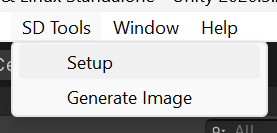
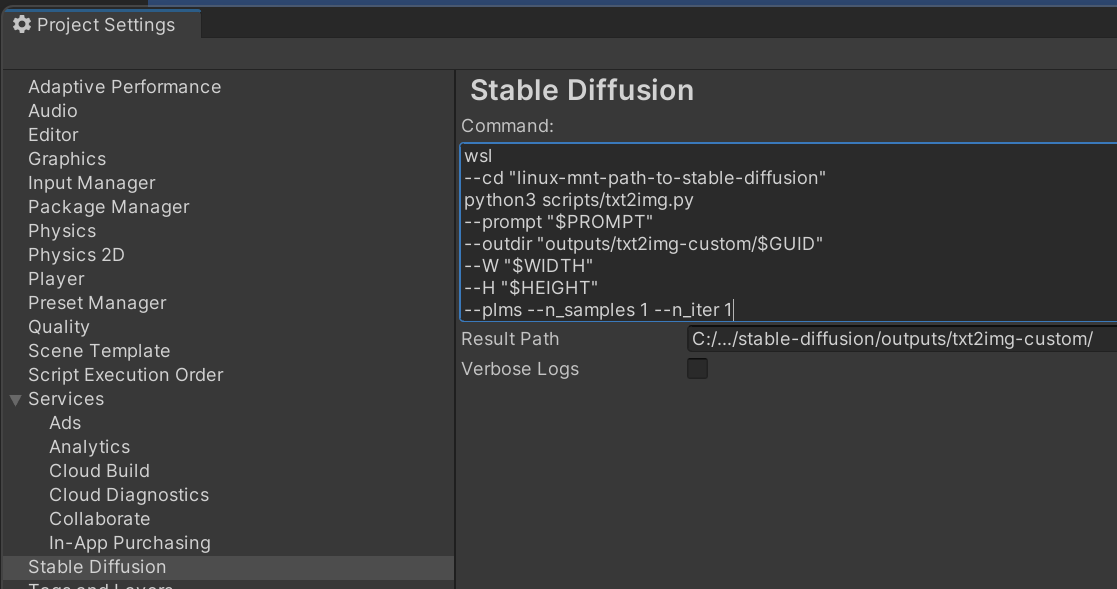
- Open settings at Edit/Project Settings/Stable Diffusion and configure:
- Command - command to execute stable diffusion:
- Should contain required placeholders:
$PROMPTfor generation prompt,$OUT_DIRfor destination directory,$WIDTHand$HEIGHTfor image dimensions (these arguments assigned at generation process) - Could be multiline for better usability, line breaks are ignored
- Windows WSL example (in that case paths should be related to Linux file system):
wsl --cd "linux-mnt-path-to-stable-diffusion" python3 scripts/txt2img.py --prompt "$PROMPT" --plms --n_samples 1 --n_iter 1 --outdir "outputs/txt2img-custom/$GUID" - If you want to use managed service - write custom script which communicate with it and store results on file system in txt2img.py compatible format
- Should contain required placeholders:
- ResultPath - full path to directory with generated files on local file system (in case of WSL - Windows host machine)
- Command - command to execute stable diffusion:
- Additionally, you could add Assets/StableDiffusionUnityTools to .gitignore (it's related to current machine, unfortunately we can't use UserSettings for that)


Now you can use SD Tools/Generate Image to generate images, it provide you ability to tweak settings for next generation:
- Required settings: Prompt, Directory, Width, Height
- Optional settings: Name (if not assigned, GUID is used)
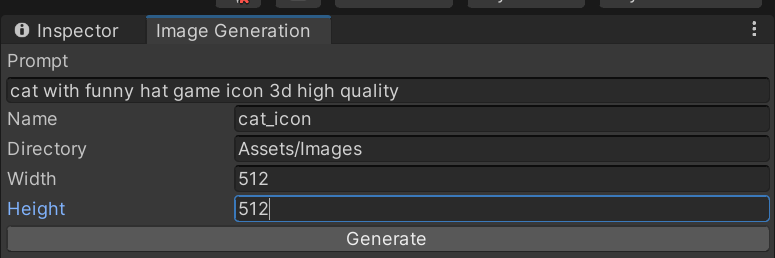

When generation finished, you will see result in given directory
