


Snug is a self-hosted data room for early-stage founders. You run it on your own server and use it to share a pitch deck or a due-diligence folder with named investors.
- Each investor gets their own link, and proves they can read the inbox it was sent to.
- You can see who opened what, page by page, and revoke a link at any time.
- Their email address is on each page they read and in each PDF or Office file they download.

Snug is open source, published by Negroni Venture Studios. Your documents, and the record of who read them, stay on your server and in your own encrypted backups.
Founders raising a seed or Series A round who want more than a shared Drive folder, without paying monthly for a hosted data room or putting their most sensitive documents on someone else's servers.
- Documents. PDFs, read page by page; Word documents, PowerPoint presentations, and Excel workbooks (.docx, .pptx, and .xlsx), downloaded as the working file, and read in the browser too if you install LibreOffice (docs/office.md); and MP4 videos, watched in the browser with the viewer's watermark over them. Links show the latest version of each document.
- Rooms. Collections of documents, with one level of folders. A document can be in any number of rooms.
- Links. For one person, several, or everyone at a firm's email domain, each reading under their own address, to a document or a room, with an optional message from you. You can block one person on a link while it keeps working for the rest. Email verification (on by default), optional expiry that you can extend later without sending a new link, downloads (on by default), and immediate revocation. The Links page filters by status and searches by address, note, reference, or what a link shares.
- UK-only mode. A link, or a whole room, can open only for visitors in the UK, Jersey, Guernsey, and the Isle of Man, judged by their internet address against a country database kept on your server.
- An NDA. One click-through agreement for your instance, versioned, which you can require before a room or a single-document link opens. Snug records who accepted which text, and when.
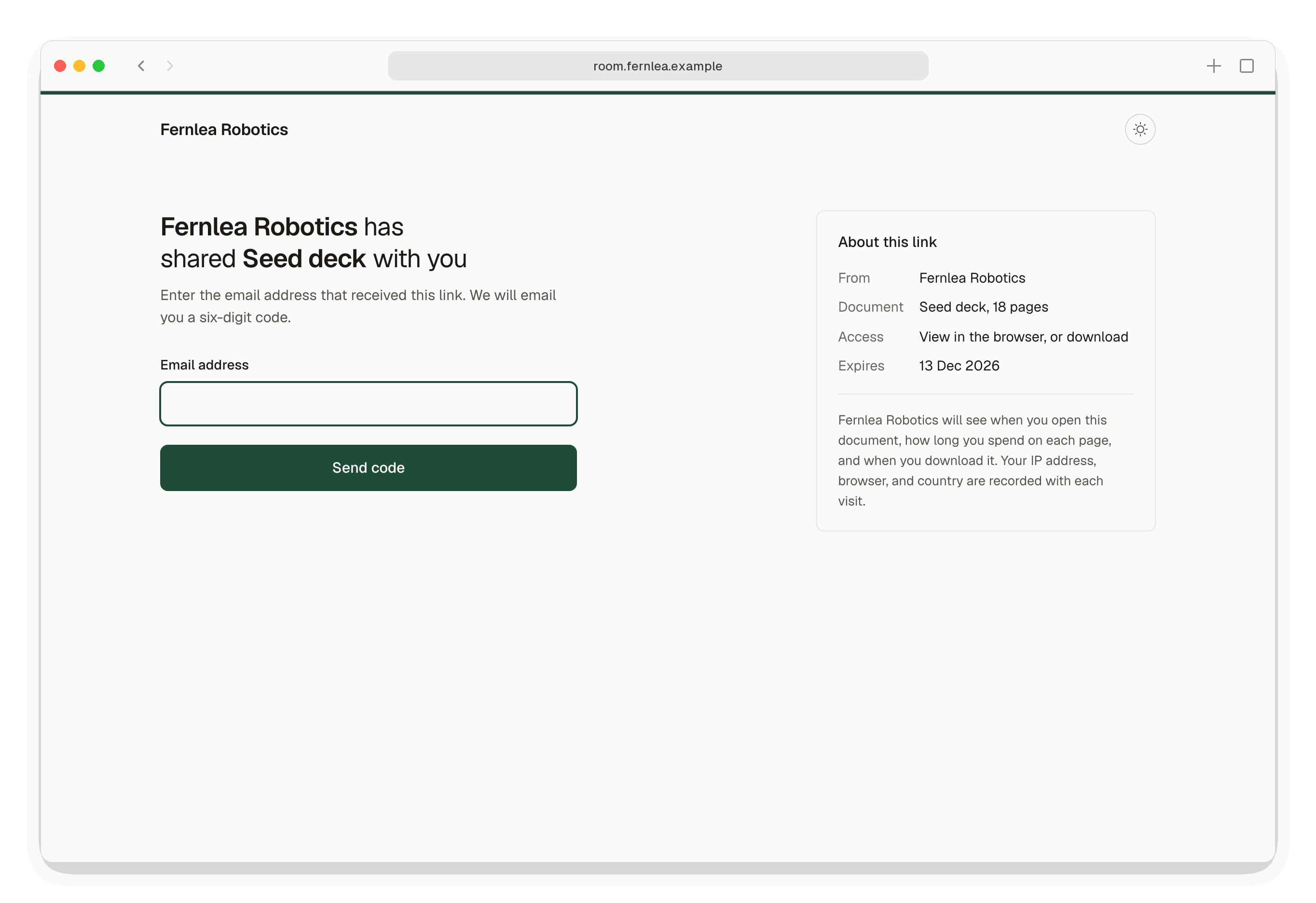
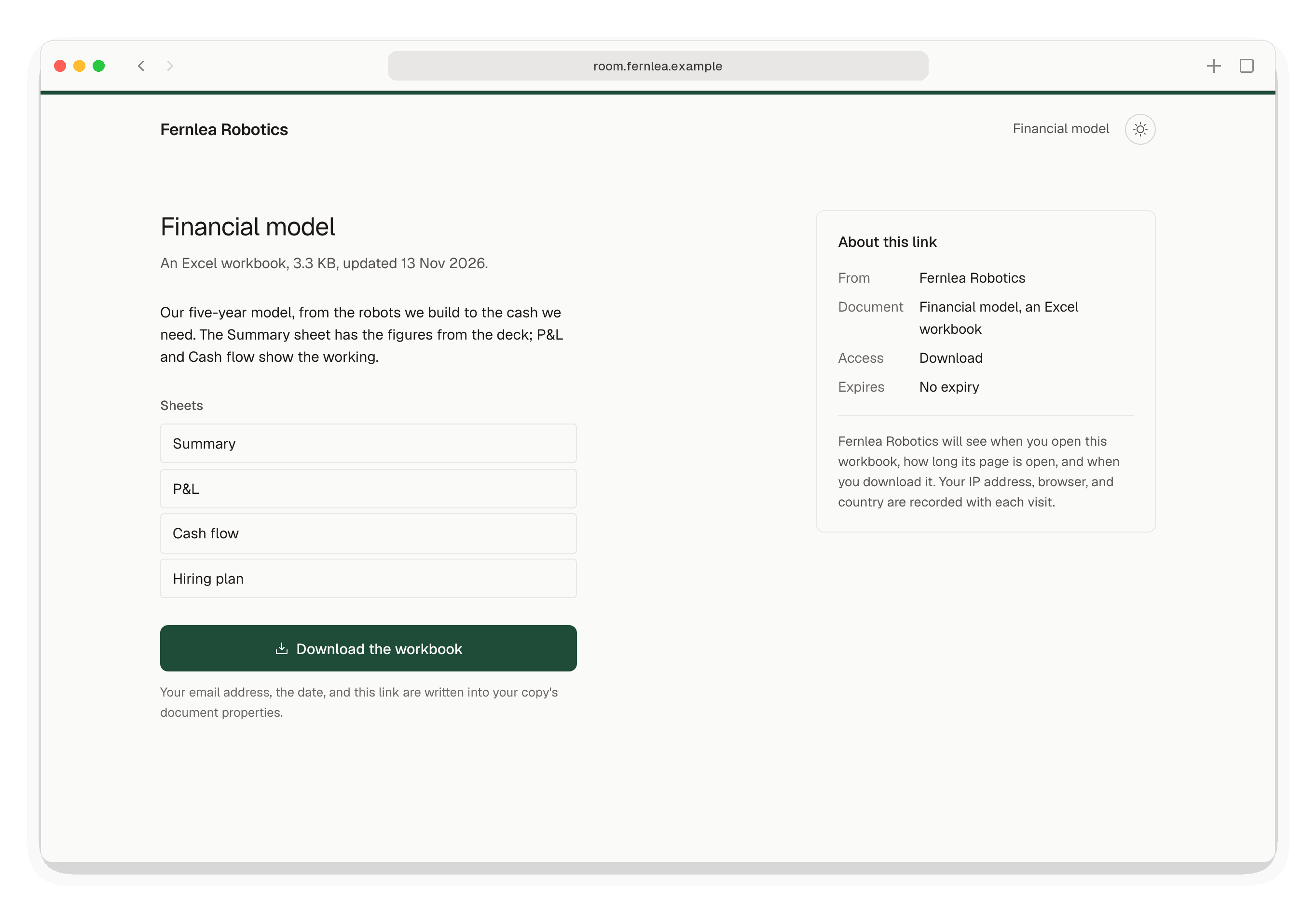
- The reader. Pages are rendered on your server and shown one at a time, watermarked with the reader's email address, the date, and the link. A download is the original PDF, stamped with the same details, so its text stays searchable. A video plays in the browser with the same details drawn over it. With LibreOffice, a Word, PowerPoint, or Excel file is read page by page in the same way; without it, the file has a card with your description, and a workbook's card lists its sheets. Either way, a download is the file itself, with the same details in its document properties.
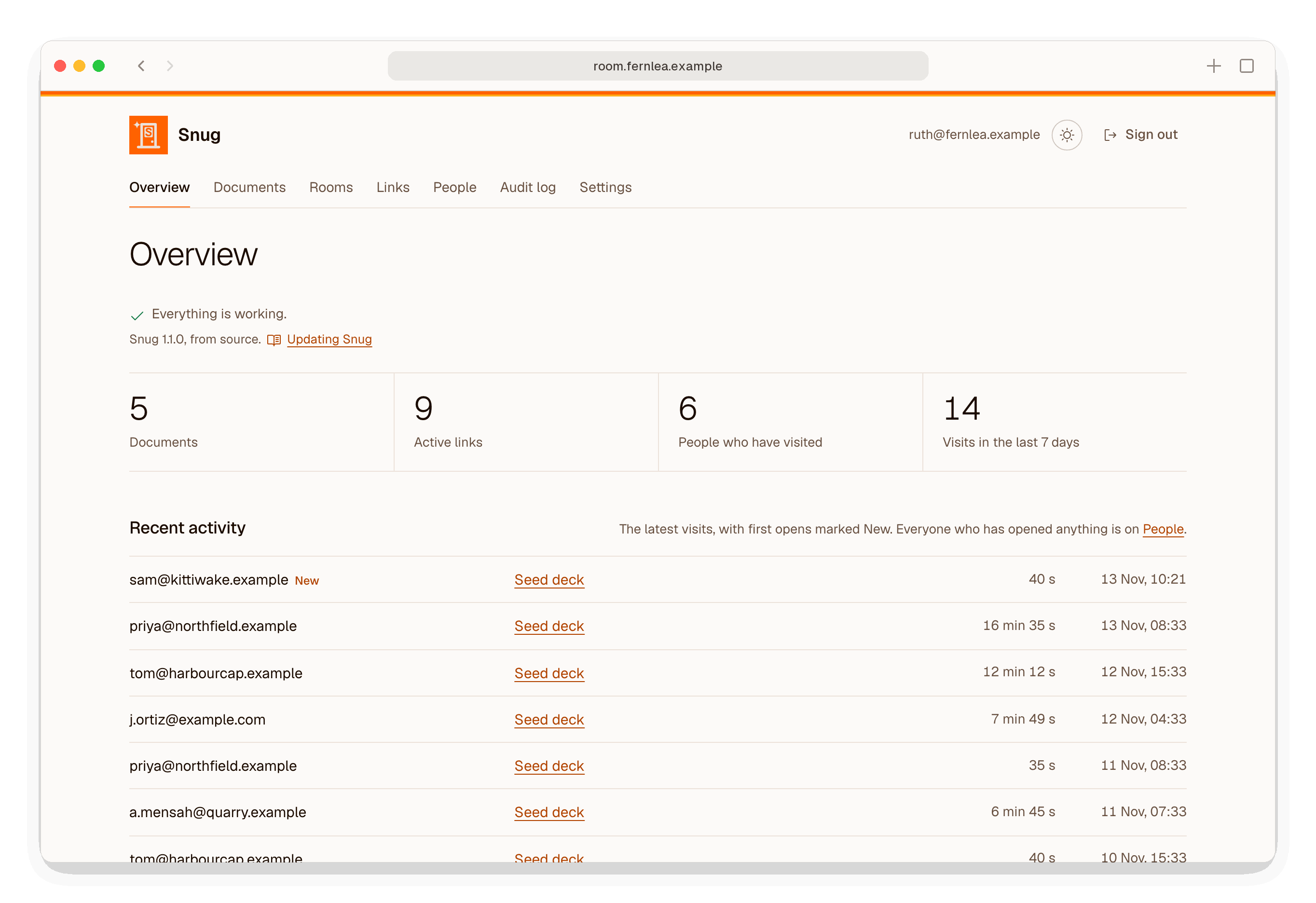
- Analytics. Who opened each document, how long they spent on each page (or on each 10 seconds of a video), and how often they downloaded it, on an Overview, each document's page, and a People page. Every admin is emailed the first time each person opens a link, unless they turn it off, and can choose a weekly summary every Monday morning. The Documents list shows each document's active links and when it was last viewed. Reading data is deleted 12 months after a link ends, or after a period you set.
- An audit log of admin actions and viewer access, with each viewer's country, filterable and exportable as CSV.
- Email through Google Workspace, as a mailbox on your domain over the Gmail API, or any provider over SMTP. It is set up in Settings in numbered steps, ending with a test email, and can be cleared there.
- Admin accounts with a password and an authenticator app, recovery codes, invitations by email, and an email to every admin whenever the admins change.
- Running it. Docker Compose with Caddy for HTTPS; continuous backups to a storage bucket of your own, encrypted on your server with a key only you hold, with the last copy shown in Settings;
snug doctor, which checks the server and reports what to fix, and a status line on the Overview showing the same, with the running version beneath it;snug update, which moves the server to the newest release and adds or removes LibreOffice; andsnug restore.
You see who opened what on the Overview, and each person's reading on People:

An investor enters a code sent to their inbox, then reads, or downloads a workbook:
More screenshots are in Using Snug.
- No preview of Word, PowerPoint, or Excel files without LibreOffice. LibreOffice is optional, and runs in a container of its own (docs/office.md); without it, investors download these files to read them.
- No older Office formats or image files. Save .doc, .ppt, and .xls files in the newer formats, and export images to PDF. Video must be MP4 with H.264.
- No way to stop screen capture. Anyone can photograph a screen or record a video as it plays, and a downloaded video has no watermark.
- No e-signatures. The NDA is a click-through agreement, and Snug records who accepted it.
- No export control. UK-only mode goes by internet address, and a VPN gets round it.
- No hosted version. You run Snug on your own server, and one installation serves one company.
- No comments, single sign-on, investor updates, or AI features.
Version 1.4.0 is the latest release, with the container image ghcr.io/negroni-venture-studios/snug:1.4.0. It adds links for several people or a whole firm's email domain, each person reading under their own address, with blocking of one person on a link. Since 1.3.0, links can be extended and filtered, and admins can get a weekly digest; since 1.2.0, snug update checks what it downloads. Since 1.1.0, Snug takes Word and PowerPoint files, and has an optional LibreOffice converter that shows Office files in the browser.
What Snug protects against sets out the limits of its watermarks, the NDA record, and UK-only mode. Planned work is in the issues labelled enhancement.
Snug runs on a Linux server, and you and your investors use it in a web browser, on Windows, macOS, Linux, or a phone.
To try Snug on a Mac or a Linux computer, follow Trying Snug on your own computer. It takes about fifteen minutes, starting with installing Docker Desktop on a Mac or Docker Engine on Linux. Snug has not been tried on Windows, though Docker Desktop runs there too.
To put Snug on a server, follow Putting Snug on DigitalOcean, from an empty DigitalOcean account to Snug at your own address. The deployment reference covers other servers. Email is set up afterwards in Settings, through Google Workspace or another provider. The backups guide covers checking the backups and restoring from them.
Python and Django, with SQLite in WAL mode, server-rendered pages, and very little JavaScript. PDFs are read and rendered with pypdfium2 in a separate process, limited in memory and time and confined by Linux Landlock and a filter that blocks network access and any reach into other processes, so a hostile PDF cannot reach your data. The same process checks Word, PowerPoint, and Excel files and MP4 videos, with the standard library alone; it never decodes a video, which the viewer's browser plays. The optional LibreOffice converter makes a PDF of an Office file in a container of its own under gVisor, with no network, restarted after each file, and the confined process then reads that PDF. Snug is one container image, run beside Caddy, Litestream, rclone, and the converter's image if you install it. How Snug works explains the code, with diagrams, and docs/design.md the decisions behind it.
UK-only mode uses IP geolocation by DB-IP, licensed CC BY 4.0, which your server downloads once a month.
- CONTRIBUTING.md explains how to set up, test, and propose changes.
- Please report vulnerabilities privately, as described in SECURITY.md.
- AGENTS.md holds the working rules for AI coding agents.
MIT; see LICENSE. The Snug name and icon identify this project; if you ship a fork as your own product, please see TRADEMARKS.md.