GeezerVisonThe World Wide Web, restored to 800 pixels of glory. |
| Home|About|Gaming cabinet|Archives|How it works|Starter sites |
GeezerVison is showing github.com — JavaScript Server Events Client JavaScript Server Events Client
Demis Bellot edited this page
This page has moved to docs.servicestack.netLike ServiceStack's other JavaScript interop libraries, the client bindings for ServiceStack's Server Events is in ServiceStack's JavaScript client bindings /js/ss-utils.js that's embedded in <script src="/js/ss-utils.js"></script> To configure Server Sent Events on the client create a native EventSource object with: var source = new EventSource( '/event-stream?channel=channel&t=' + new Date().getTime());
As this is the native source.addEventListener('error', function (e) { console.log("ERROR!", e); }, false); The ServiceStack binding itself is just a thin jQuery plugin that extends $(source).handleServerEvents({ handlers: { onConnect: function (subscription) { console.log("You've connected! welcome " + u.displayName); }, onJoin: function (user) { console.log("Welcome, " + user.displayName); }, onLeave: function (user) { console.log(user.displayName + " has left the building"); }, //... Register custom handlers }, receivers: { //... Register any receivers }, // fired after every message success: function (selector, msg, json) { console.log(selector, msg, json); }, }); ServiceStack Server Events has 3 built-in events sent during a subscriptions life-cycle:
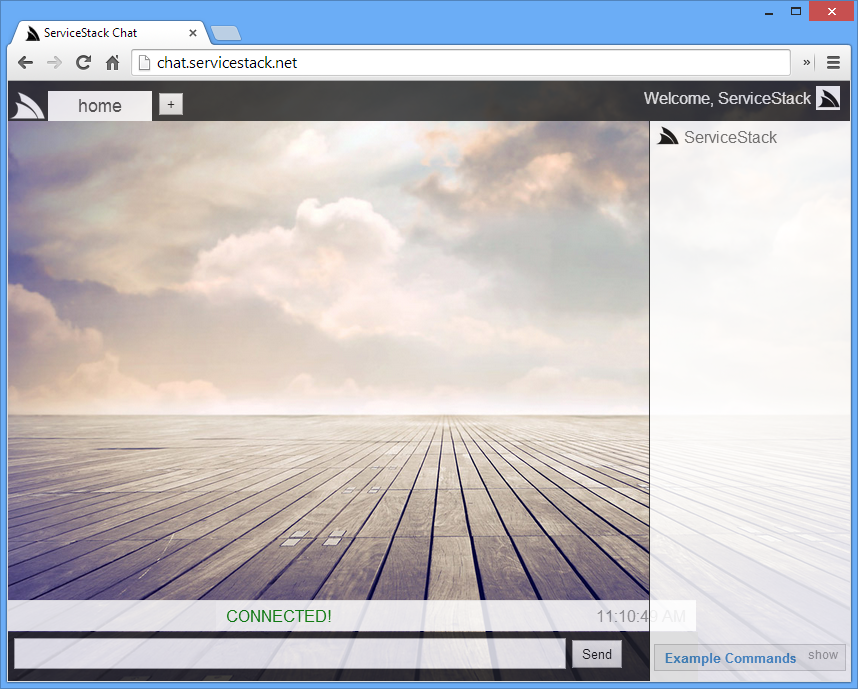
A selector is a string that identifies what should handle the message, it's used by the client to route the message to different handlers. The client bindings in /js/ss-utils.js supports 4 different handlers out of the box: To recap Declarative Events allow you to define global handlers on a html page which can easily be applied on any element by decorating it with The example below first invokes the $(document).bindHandlers({ paintGreen: function(){ $(this).css("background","green"); }, paintRed: function(){ $(this).css("background","red"); }, }); <button id="btnPaint" data-click="paintGreen" data-focusout="paintRed"> Paint Town </button> The selector to invoke a global event handler is: Where function paintGreen(msg /* JSON object msg */, e /*SSE Event*/){ this // HTML Element or document.body $(this).css("background","green"); }, All As they're prefixed with $(source).handleServerEvents({ handlers: { CustomType: function (msg, e) { ... }, SetterType: function (msg, e) { ... } }, }); Which will be called when messages are sent without a selector, e.g: public class MyServices : Service { public IServerEvents ServerEvents { get; set; } public void Any(Request request) { ServerEvents.NotifyChannel("home", new CustomType { ... }); ServerEvents.NotifyChannel("home", new SetterType { ... }); } } All server event handler options also support a postfix jQuery selector for specifying what each handler should be bound to with a A concrete example for calling the above API would be: Which will bind
As it's a popular use-case Server Events also has native support for modifying CSS properties on any jQuery with: Where the message is the property value, which roughly translates to: When no jQuery selector is specified it falls back to Some other examples include: A popular approach in building loosely-coupled applications is to have components interact with each other by raising events. It's similar to channels in Pub/Sub where interested parties can receive and process custom events on components they're listening on. jQuery supports this model by simulating DOM events that can be raised with $.trigger(). You can subscribe to custom events in the same way as normal DOM events, e.g: $(document).on('customEvent', function(event, arg, msgEvent){ var target = event.target; }); The selector to trigger this event is: Where if no jQuery selector is specified it defaults to $(document).trigger('customEvent', 'arg') $("#btnPaint").trigger('customEvent', 'arg') In programming languages based on message-passing like Smalltalk and Objective-C invoking a method is done by sending a message to a receiver. This is conceptually equivalent to invoking a method on an instance in C# where both these statements are roughly equivalent: // Objective-C [receiver method:argument] // C# receiver.method(argument) Support for receivers is available in the following format: Registering a receiver can be either be done by adding it to the global $.ss.eventReceivers = { "window": window, "document": document }; Once registered you can set any property or call any method on a receiver with: Where if The alternative way to register a receiver is at registration with: $(source).handleServerEvents({ ... receivers: { tv: { watch: function (id) { if (id.indexOf('youtu.be') >= 0) { var v = $.ss.splitOnLast(id, '/')[1]; $("#tv").html(templates.youtube.replace("{id}", v)).show(); } else { $("#tv").html(templates.generic.replace("{id}", id)).show(); } }, off: function () { $("#tv").hide().html(""); } } } }); This registers a custom As receivers are maintained in a simple map, they can be disabled at anytime with: $.ss.eventReceivers["window"] = null; and re-enabled with: $.ss.eventReceivers["window"] = window; Whilst Named Receivers are used to handle messages sent to a specific namespaced selector, the client also supports registering a Global Receiver for handling messages sent with the special You can use any of the APIs below in the ss-utils JavaScript library to update an active Subscriptions Channels: $.ss.updateSubscriber({ SubscribeChannels: "chan1,chan2", UnsubscribeChannels: "chan3,chan4" }); $.ss.subscribeToChannels(["chan1","chan2"], response => ..., error => ...); $.ss.unsubscribeFromChannels(["chan3","chan4"], response => ..., error => ...); Gistlyn is a C# Gist IDE for creating, running and sharing stand-alone, executable C# snippets.
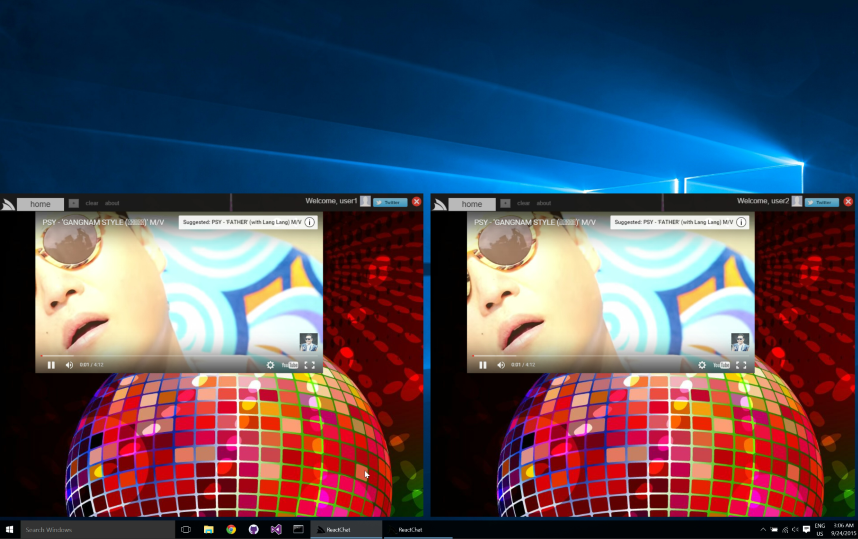
React Chat is a port of ServiceStack Chat ES5, jQuery Server Events demo into a TypeScript, React and Redux App:
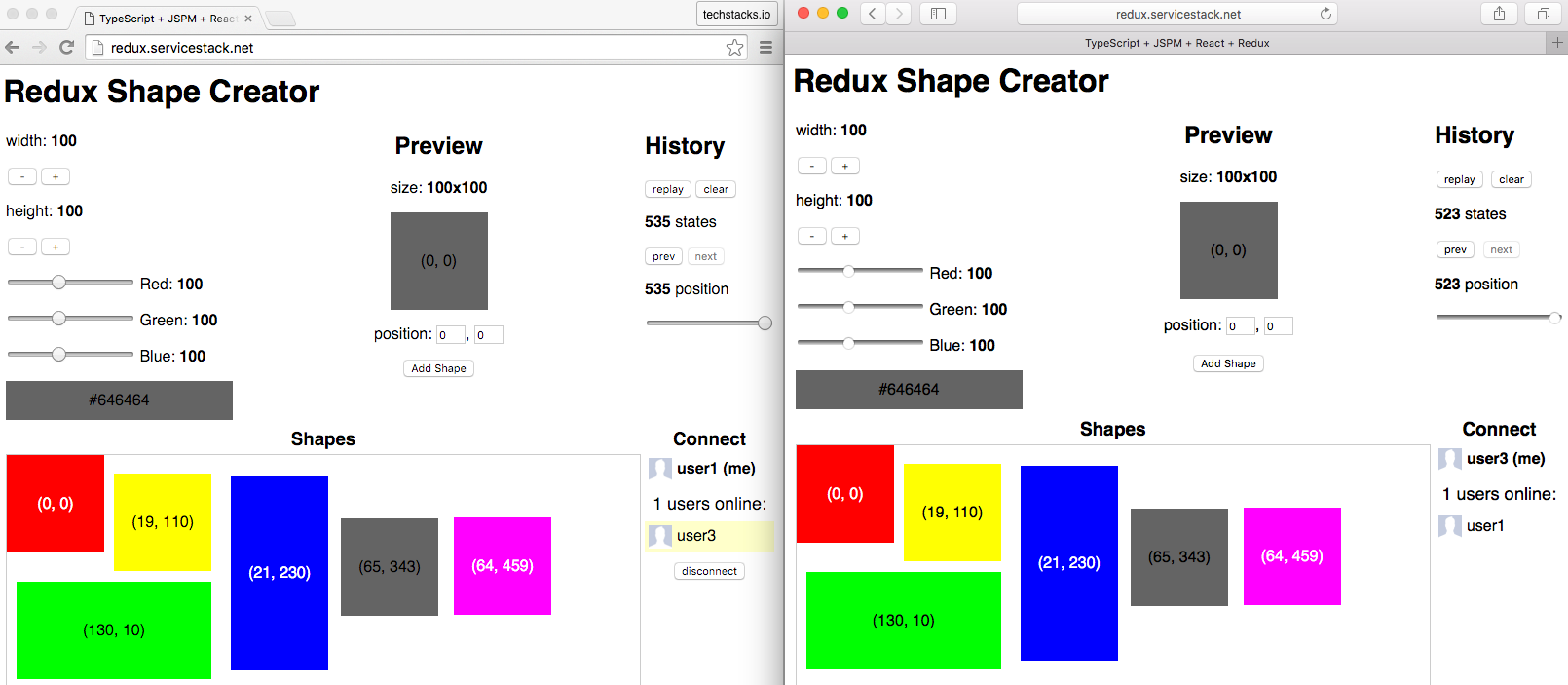
A network-enhanced version of the stand-alone Time Traveller Shape Creator that allows users to connect to and watch other users using the App in real-time similar to how users can use Remote Desktop to watch another computer's screen:
Clone this wiki locally |
| You are visitor 01402775 — GeezerVison does not store the pages you look up. Best viewed with Netscape Navigator 4.7 or Internet Explorer 6 at 800×600. No cookies required. |