GeezerVisonThe World Wide Web, restored to 800 pixels of glory. | ||||||||
| Home|About|Gaming cabinet|Archives|How it works|Starter sites | ||||||||
GeezerVison is showing github.com — Postman Postman
Demis Bellot edited this page
This page has moved to docs.servicestack.net/postmanThe Postman Rest Client is a very popular and easy to use HTTP Request composer that makes it easy to call web services, similar to Fiddler's Composer. It also provides as an alternative for autogenerating API documentation to ServiceStack's Swagger support that makes it easier to call existing services but does require users to install the Postman Rest Client. Support for Postman is built into ServiceStack and can be enabled by registering the Plugins below: Plugins.Add(new PostmanFeature()); Plugins.Add(new CorsFeature());
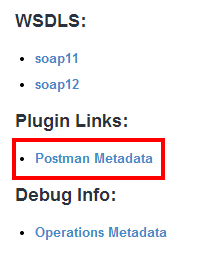
Once enabled, a link with appear in your metadata page:
By default the link to the Postman JSON metadata collection is at
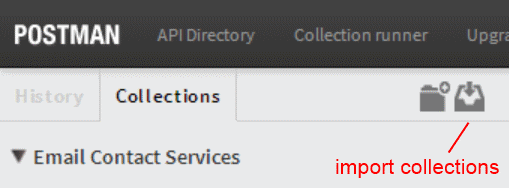
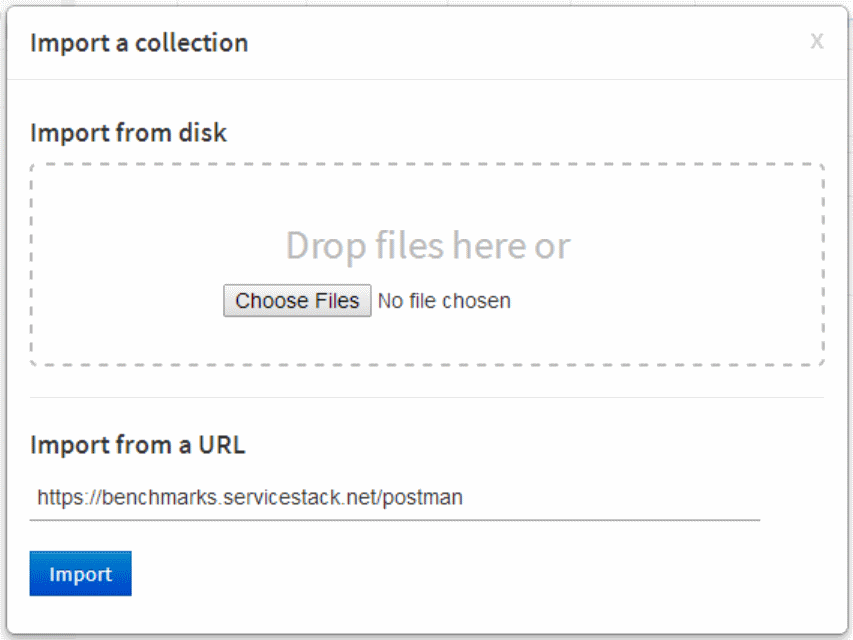
This will open up the import dialog, where you can paste the metadata url and click Import:
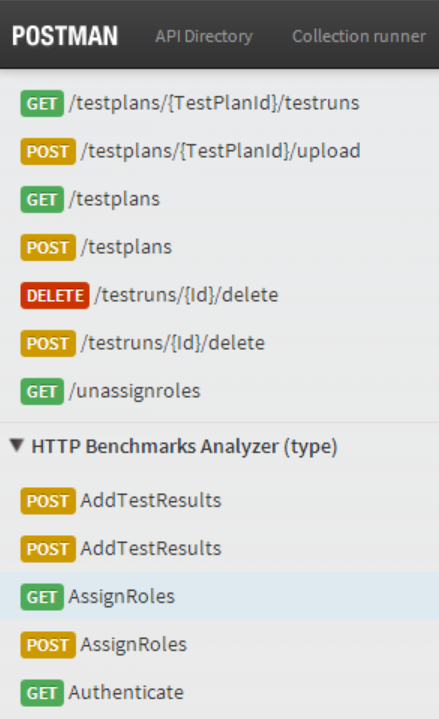
Once imported it will populate a list of available operations that can be selected and easily called from within the Postman UI. Just like the Swagger Support the list of operations returned respects the Restriction Attributes and only shows the operations each user is allowed to see. The operations returned also favour custom user-defined routes, when none exists it will fallback to use the pre-defined routes. The label for each operation can be further customized using the
The screenshot above shows an example of importing the same service with the different label styles below: The Here are some examples using the example definition below: [Route("/contacts/{Id}")] public class GetContact { ... }
The default label format can also be configured when registering the Postman plugin, e.g: Plugins.Add(new PostmanFeature { DefaultLabelFmt = new List<string> { "type:english", " ", "route" } }); Calling Services is as easy as selecting the service you want to call, filling in the parameters you want to call it with then clicking Send. At a mimimum you want to specify values for all the path variables in the
The Path Info variables appear first in the list of available URL params for each service, as seen with TestPlanId above. By default each variable is seeded with its type. Any variables defined on the /pathinfo are sent on the pathinfo whilst other variables in a Calling authentication-only services can be done with the This lets you replace your session cookies with the session ids on the url, effectively allowing you to take over someone elses session, in this case telling Postman to make requests on your behalf using your authenticated session cookies. As this functionality is potentially dangerous it's only enabled by default in DebugMode but can be overridden with: Plugins.Add(new PostmanFeature { EnableSessionExport = true }); Like other ServiceStack plugins the available options for each Feature can be configured on the Plugin itself at registration: Use Plugins.Add(new PostmanFeature { AtRestPath = "/alt-postman-link" //default /postman }); Use Plugins.Add(new PostmanFeature { Headers = "Accept: application/json\nX-Custom-Header: Value", }); The default is The names of the type for Request DTO Property Types displayed can also be customized by adding them to the Plugins.Add(new PostmanFeature { FriendlyTypeNames = { {"DateTime", "Date"} }, });
Clone this wiki locally | ||||||||
| You are visitor 01402775 — GeezerVison does not store the pages you look up. Best viewed with Netscape Navigator 4.7 or Internet Explorer 6 at 800×600. No cookies required. |