In the name of God

▶ Try it online · Install · Run locally · Guide · Developing · Desktop app (C#)

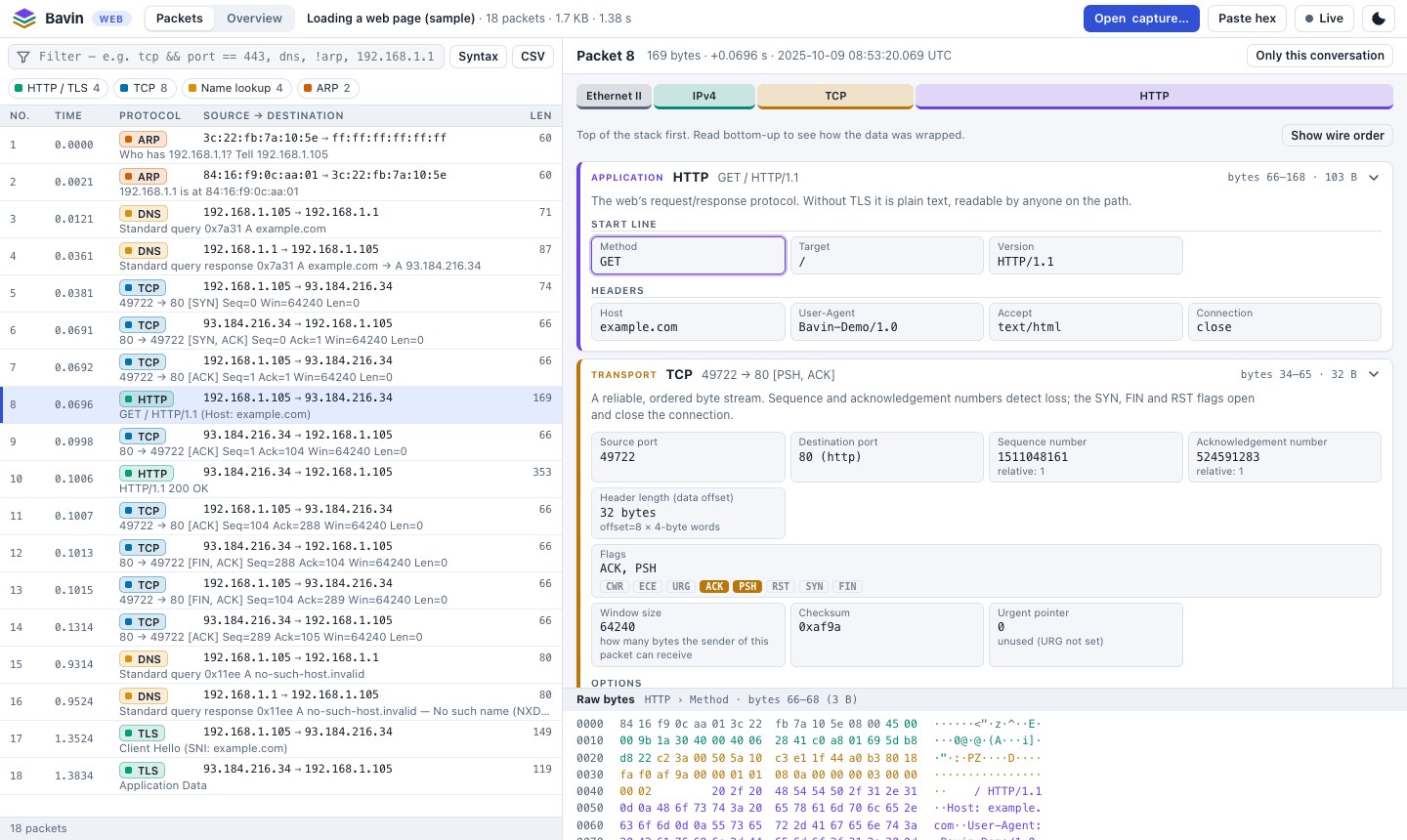
Bavin is a packet analyzer in the spirit of Wireshark, built for learning TCP/IP. Instead of a wall of columns, it shows each packet as a stack of protocol layers — Ethernet, IP, TCP or UDP, then the application on top — with every field linked to the exact bytes it came from, so you can read what is happening the way the RFCs describe it.
Goal — help everyone understand the TCP/IP protocols in action, based on the IETF specifications, through a stacked protocol view of the headers of each well-known protocol.

| Then — the Windows desktop app (C#) | Now — the web app |
 |
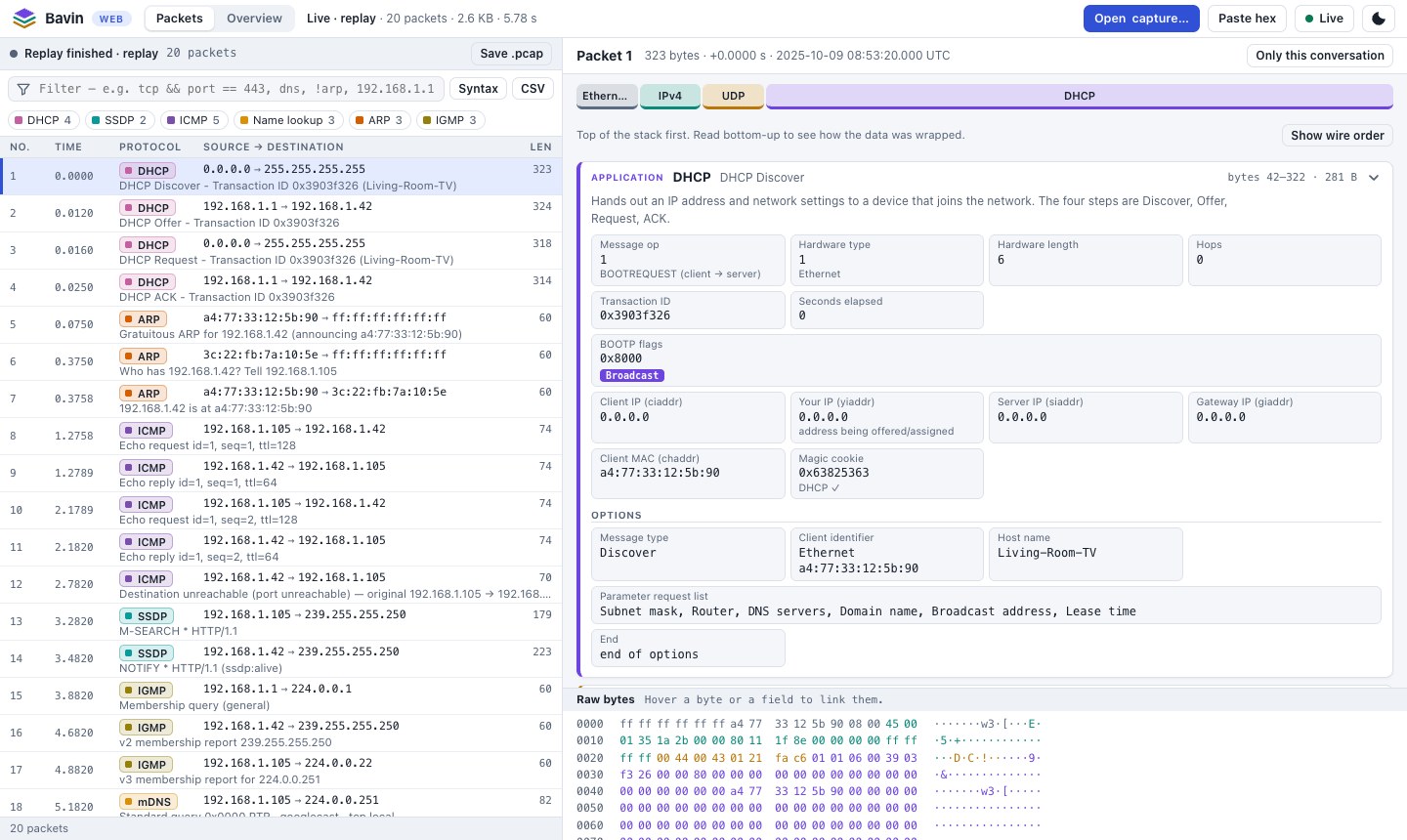 |


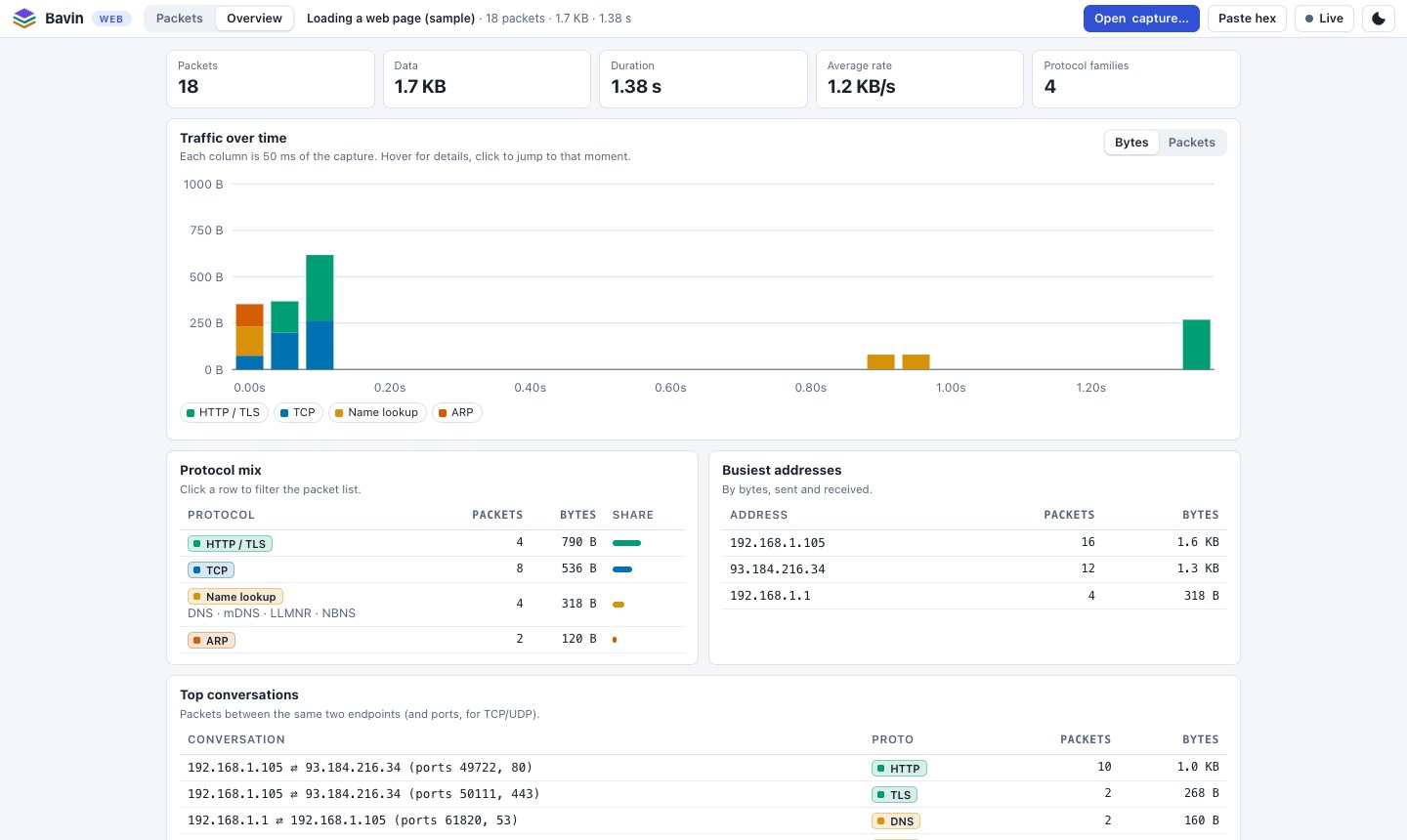
Online — open https://seyyedkhandon.github.io/bavin/, click a built-in sample (or drop in a .pcap / .pcapng), and click around. Nothing is uploaded.
Install it — in Chrome or Edge, press Install in the top bar (iPhone/iPad: Share → Add to Home Screen). It then opens in its own window and works offline.
Run it locally — it is plain static files, no build step:
git clone https://github.com/SeyyedKhandon/bavin.git && cd bavin
python3 -m http.server -d web 8000        # then open http://localhost:8000
Capture your own traffic — record a file with sudo tcpdump -i en0 -w capture.pcap (or Wireshark) and open it, or capture live with the local agent below.

A browser cannot open a network card, so live capture uses a small helper that runs on your computer:
sudo node web/agent/bavin-agent.js # prints a link — open it, press Live → StartWant the online site to use it? Tell the agent to trust that site:
curl -O https://seyyedkhandon.github.io/bavin/agent/bavin-agent.js     # read it first: it runs with admin rights
sudo node bavin-agent.js --origin https://seyyedkhandon.github.io/bavin/
Then just open the link the agent prints — the Live dialog opens and connects by itself. Nothing to copy or paste.
The agent listens on 127.0.0.1 only, requires a private token, and checks Host and Origin. No privileges? --replay some.pcap streams a file as if it were live. Everything is explained in the guide.

| Guide | Install, read a packet, three guided labs with the built-in samples, filter cookbook, capturing your own traffic, live capture, deploying, troubleshooting |
| Developing | Architecture, adding a protocol, the agent protocol, tests and CI, and regenerating these panels |
web/README.md |
Reference for the web version: files, security model, deployment |
Windows desktop version — requirements and how to run
The original Bavin is a real-time packet analyzer for Windows that decodes every in/out packet from a network interface into a readable stacked TCP/IP view. It lives in PacketAnalyzer/ and is still the way to sniff live traffic on Windows without installing Node.js.
Protocols (15): Ethernet, IP, IPv6, ARP, ICMP, UDP, TCP, HTTP, DNS, NBNS, LLMNR, SSDP, IGMP, ICMPv6, DHCP.
Requirements
- Windows
- Install .NET Framework 4
- Install the WinPcap library (an installer is included:
PacketAnalyzer/WinPcap_4_1_3.exe)
How to run — open the app, select one interface, and it listens to all in/out packets and shows them to you.
| Step 1 — program started | Step 2 — select a network card | Step 3 — listening |
|---|---|---|
 |
 |
|
Also in that folder: a command-line analyzer (CLIPacketAnalyzer/) and the C source of the capture DLL. See the readmes there for build notes.
© 2026 SeyyedKhandon. The web version in web/ is MIT-licensed (web/LICENSE). The original desktop app in PacketAnalyzer/ is MIT-licensed (PacketAnalyzer/LICENSE) by its original author; the repository's root LICENSE is GPL-2.0.
Typography in the panels is Inter (SIL Open Font License 1.1), embedded as a subset.