GeezerVisonThe World Wide Web, restored to 800 pixels of glory. |
| Home|About|Gaming cabinet|Archives|How it works|Starter sites |
GeezerVison is showing github.com — Strings Usage Strings Usage
Efra Espada edited this page
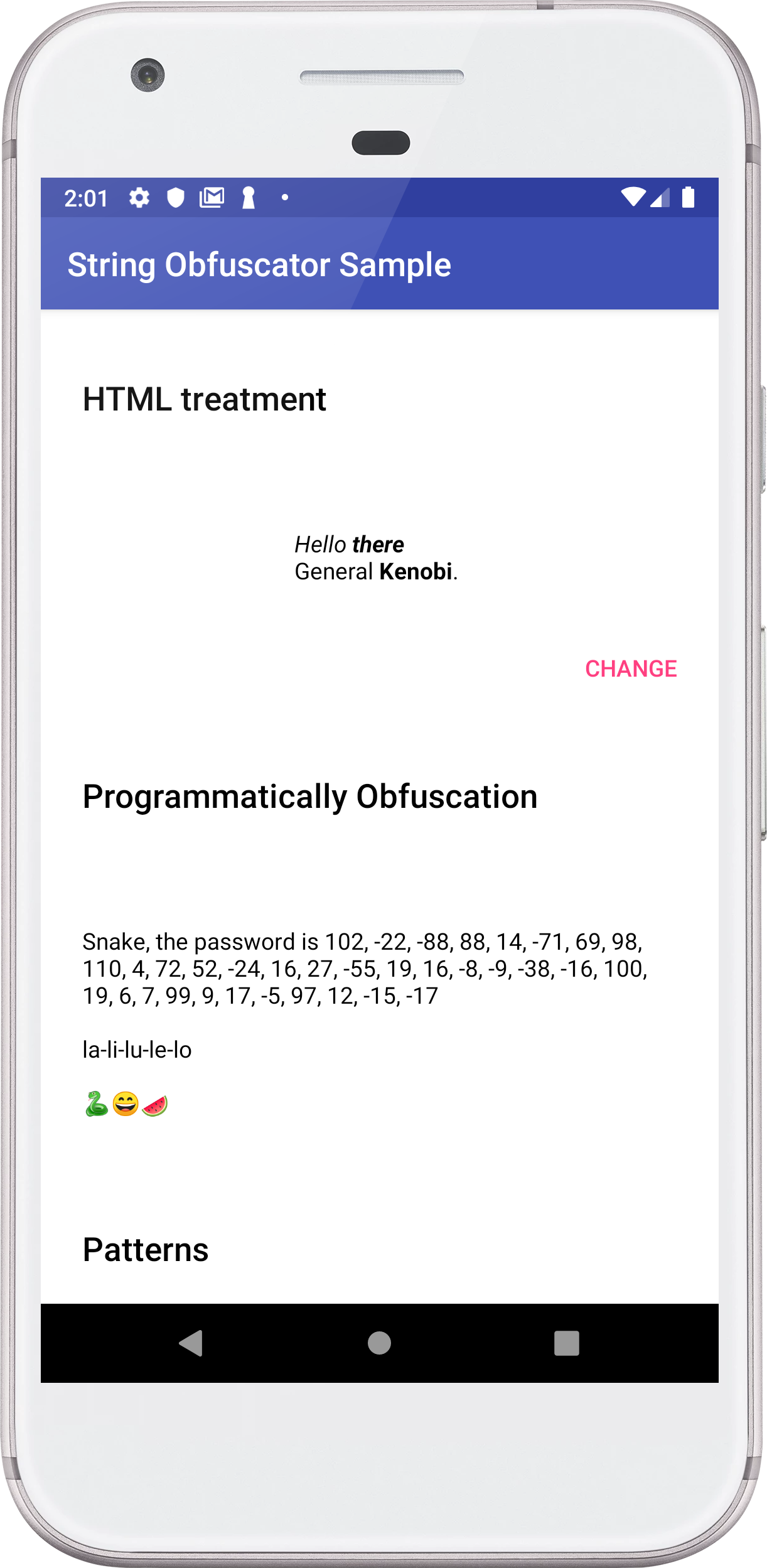
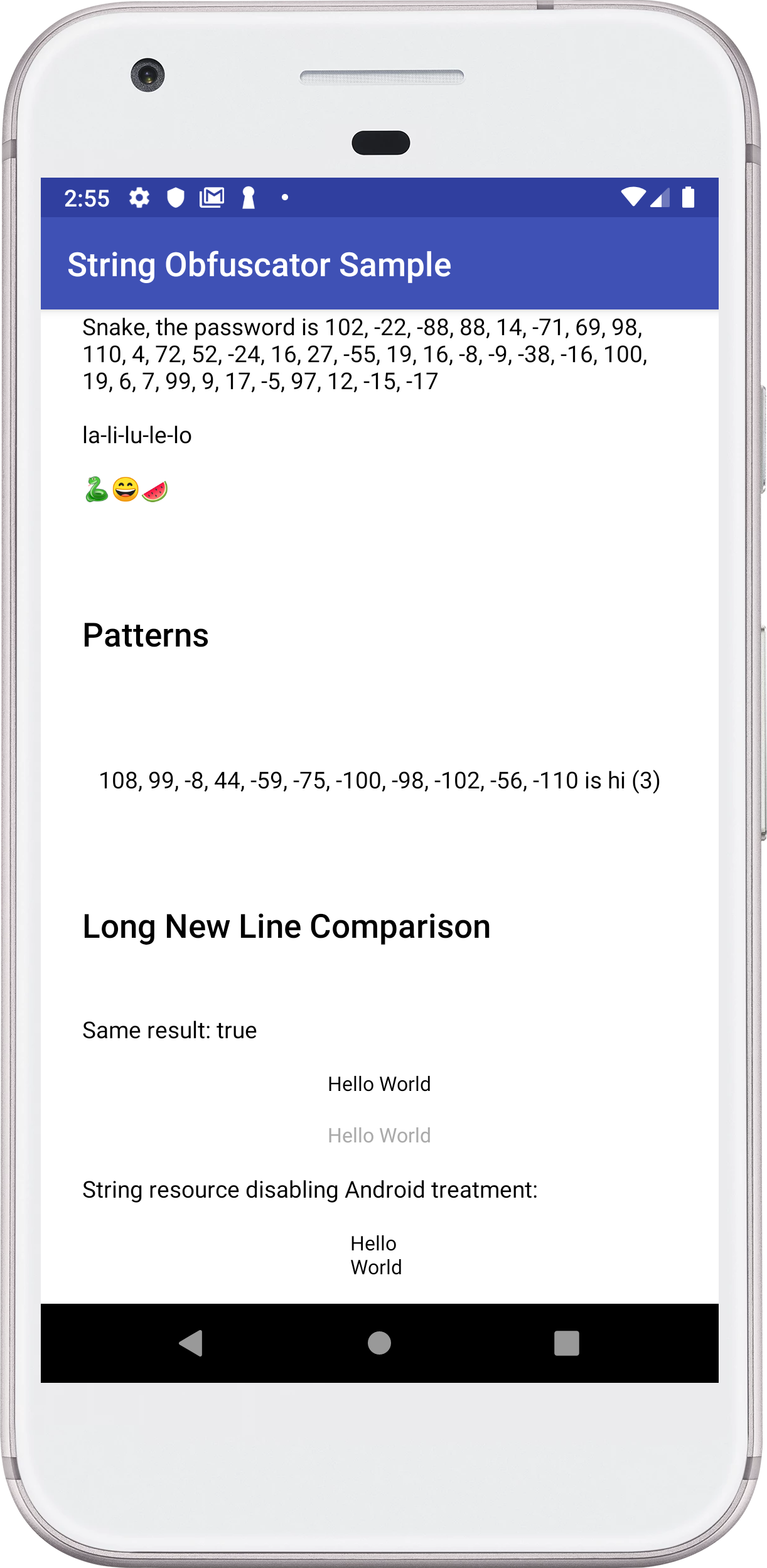
The plugin will obfuscate all string tags with <?xml version="1.0" encoding="utf-8"?> <resources> <string name="app_name">String Obfuscator Sample</string> <string name="hello" hidden="true" androidTreatment="false" containsHtml="true"> <i>Hello <strong>there</strong></i><br></br> General <strong>Kenobi</strong>. </string> <string name="pattern" hidden="true">%1$s (%2$d)</string> <string name="snake_msg_hidden" hidden="true">\n\nla-li-lu-le-lo\n\n🐍😄🍉</string> <string name="hello_world_a">Hello World </string> <string name="hello_world_b" hidden="true">Hello World </string> <string name="hello_world_c" hidden="true" androidTreatment="false">Hello World </string> </resources> Use the String hello = SC.reveal(R.string.hello); // Hello there String pattern = SC.reveal(R.string.pattern, "hi", 3); // hi (3) With Kotlin functions: val hello = R.string.hello.reveal() // Hello there val pattern = R.string.pattern.reveal("hi", 3); // hi (3) You can also expose strings directly on layout: <com.stringcare.library.SCTextView android:text="@string/hello" app:reveal="true"/>
StringCare can be used for obfuscating data programmatically and read the original string where you want: String obfuscated = SC.obfuscate("hello there"); String original = SC.reveal(obfuscated); With Kotlin: val obfuscated = "hello there".obfuscate(); val original = obfuscated.reveal() <string name="hello" hidden="true" containsHtml="true"> <i>Hello <strong>there</strong></i><br></br>General <strong>Kenobi</strong>. </string> For printing directy on layout: <com.stringcare.library.SCTextView android:text="@string/hello" app:htmlSupport="true" app:reveal="true"/> The <string name="hello_world_a">Hello World </string> <string name="hello_world_b" hidden="true">Hello World </string> The plugin can process the strings unescaping text: <string name="hello_world_c" hidden="true" androidTreatment="false">Hello World </string> For printing directy on layout: <com.stringcare.library.SCTextView android:text="@string/hello_world_c" app:androidTreatment="true" app:reveal="true"/> For use on code: // SC.reveal(int resId, boolean androidTreatment) String value = SC.reveal(R.string.hello_world_c, false); For use with Kotlin: val value = R.string.hello_world_c.reveal(false) SC.init(getApplicationContext()); String password = getString(R.string.snake_msg_hidden); String original = SC.reveal(password, Version.V3); String message = "Snake, the password is " + password + original; ((TextView) findViewById(R.id.programmatically_obfuscation)).setText(message); String numbers = getString(R.string.pattern, "hi", 3) + " is " + SC.reveal(R.string.pattern, "hi", 3); ((TextView) findViewById(R.id.pattern)).setText(numbers); final SCTextView tvAuto = findViewById(R.id.auto_tv); findViewById(R.id.btn_change).setOnClickListener(v -> { // button logic if (tvAuto.isHtmlEnabled()) { tvAuto.setHtmlSupport(!tvAuto.isHtmlEnabled()); } else if (tvAuto.isRevealingValue()){ tvAuto.setRevealed(!tvAuto.isRevealingValue()); } else if (!tvAuto.isRevealingValue()){ tvAuto.setRevealed(!tvAuto.isRevealingValue()); tvAuto.setHtmlSupport(!tvAuto.isHtmlEnabled()); } }); boolean equals = SC.reveal(R.string.hello_world_b).equals(getString(R.string.hello_world_a)); String areEquals = "Same result: " + equals; ((TextView) findViewById(R.id.same_value)).setText(areEquals);
|
| You are visitor 01402503 — GeezerVison does not store the pages you look up. Best viewed with Netscape Navigator 4.7 or Internet Explorer 6 at 800×600. No cookies required. |