uniOS is a freestanding x86-64 operating system written in C++20. It boots through the in-tree Meridian UEFI bootloader and starts a native desktop userspace session.
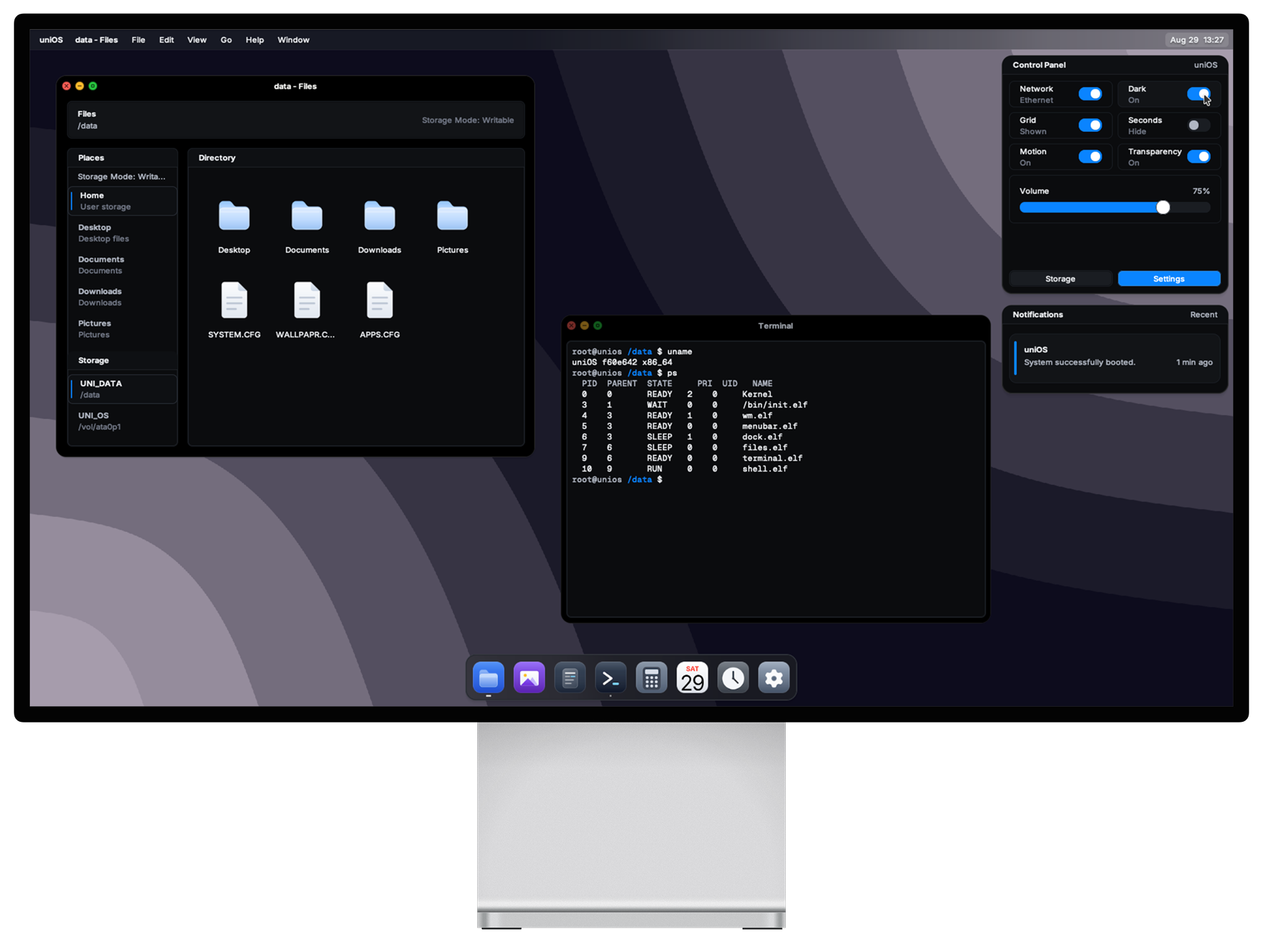
- Boot: Meridian, an in-tree UEFI loader, hands off a
BootInfostructure to the kernel. - Kernel: Paging, heap, preemptive SMP scheduling with per-core idle contexts, RESCHED IPIs, sequence-acknowledged TLB shootdowns, syscalls, and a VFS.
- Userspace: Native ELF programs under
src/usr/— libc subset, GUI library, shell, terminal, and desktop apps launched by/bin/init.elf. - Filesystems: Boot content from
unifs.img; persistent data from a FAT32UNI_DATAvolume mounted at/data. - Drivers: PCI, ACPI/APIC, PS/2, USB (xHCI, HID, mass storage), e1000, RTL8139, AC97, HDA, framebuffer display.
- Network: IPv4, UDP, TCP (windowed send with congestion control and RTT estimation), DHCP, DNS.
| Path | Contents |
|---|---|
src/bootloader/ |
Meridian UEFI bootloader |
src/kernel/, src/mm/, src/fs/, src/net/, src/drivers/ |
Kernel and subsystems |
src/usr/ |
Userspace: libc, GUI library, shell, window manager, desktop services, apps |
include/ |
Kernel, driver, boot, and UAPI headers |
rootfs/ |
Runtime files and config templates staged into unifs.img |
appicons/, assets/, cursors/ |
Source assets consumed by the asset tools |
docs/reference/ |
Documentation source (rendered to the wiki) |
tools/ |
Image, filesystem, rootfs staging, asset, and QEMU helper scripts |
toolchains/ |
Meson cross-file configuration |
Requirements:
meson,ninjaclang,clang++,ld.lld,llvm-ar,llvm-stripnasmqemu-system-x86_64with OVMF UEFI firmwarepython3withPillowandCairoSVG
Important
The build is a Meson cross build and hard-errors without the LLVM cross file. Always pass --cross-file toolchains/llvm.ini.
meson setup build/release --cross-file toolchains/llvm.ini --buildtype release
meson compile -C build/release boot-disk iso
For a debug build (kernel tests and boot logs enabled), use build/debug with --buildtype debug, then run the smoke suite:
meson test -C build/debug --suite smoke --print-errorlogsmeson compile -C build/release run # standard QEMU run meson compile -C build/release run-serial # with serial console meson compile -C build/release run-headless # without VGA output meson compile -C build/release run-usb # USB storage boot meson compile -C build/release run-qemu-net # with network devices meson compile -C build/release run-qemu-full # USB + network + serial
Developer checks:
meson compile -C build/debug lint      # cppcheck
meson compile -C build/debug analyze   # clang-tidy
boot.img— raw disk image with an EFI system partition and a writableUNI_DATAFAT32 partition. Recommended for most uses.uniOS.iso— UEFI-bootable ISO9660 image for CD/DVD or VM ISO boot testing.
Both images use the same Meridian loader and kernel. The ISO media is read-only, but uniOS discovers and mounts any accessible UNI_DATA partition for persistent storage.
Caution
Writing boot.img to a USB drive overwrites the entire drive. Double-check the target device before flashing.
Persistent state lives on the FAT32 UNI_DATA volume mounted at /data:
| Path | Purpose |
|---|---|
/data/SYSTEM.CFG |
System settings (fallback /etc/system.conf) |
/data/WALLPAPR.CFG |
Wallpaper settings (fallback /etc/wallpaper.conf) |
/usr/share/wallpapers/default.uowp |
Default wallpaper, generated from assets/wallpapers/ |
Runtime assets use generated binary formats: .uoic (icons), .uocu (cursors), .uof (fonts), .uowp (wallpapers). See Asset formats.
Full documentation lives at unionyxx.github.io/uniOS/wiki, generated from docs/reference/.
Note
Render the wiki locally with meson compile -C build/debug wiki.
MIT