
Click to go to Contents here
Broker Buddy is a website designed to assist users and individuals who are skilled in the complex field of stock investing. It is a platform that is motivated by financial growth and aims to streamline the path to long-term investment success. Whether the user is a seasoned investor or a novice, the platform is committed to helping users achieve financial growth by streamlining the path to long-term investment success. With a user-friendly interface and a vast array of powerful tools, Broker Buddy is a one-stop shop for all things related to stock investing.
-
The main goal of financial stock investing is to achieve capital growth over time.
It is for users and investors who aim to increase the value of their investment portfolio by purchasing stocks with the potential for appreciation. Capital growth can be realized through the increase in the market value of individual stocks or the overall performance of the stock market. This objective aligns with the long-term strategy of building wealth and achieving financial goals, such as funding education, retirement, or major life events.
-
To generate a steady stream of income through dividends and other income-generating stocks.
-
The website has a landing page where users can log in and access the market stocks. It also has an About page that provides users with insight into Brokers Buddy and its team. There is a Contact page that users can use to get in touch with the company representative for further services. Additionally, there is a Login page for user access. Each page is designed with aesthetics in mind to provide users with a visually stimulating and easy-to-use interface. Users will also experience a unique end animation.
-
The website is tailored for individuals who aspire to delve into stock market investments with a focus on achieving financial growth. It is meticulously designed to cater to the needs and preferences of users seeking a visually captivating and user-friendly platform for their investment journey.
-
Individuals who are eager to initiate their journey into stock market investing, looking for a platform that provides comprehensive resources, guidance, and a user-friendly interface.
-
Investors who prioritize long-term financial growth and wealth accumulation through strategic stock market investments.
-
Users who appreciate and engage more effectively with visually striking and well-designed interfaces.
-
Users comfortable with technology and keen on utilizing a modern and well-designed platform for their stock market investments.


- To be able to view the site on a range of device sizes.
- To facilitate simultaneous navigation for users while trading.
- To ensure that users experience high-performance interactivity while investing and trading.
- I want to find out about the Broker Buddy if I can access the stock market.
- I want to easily navigate the site and access different parts of the platform.
- I would like to know about the trading capital of investment.
- I want to know what improvements have been made in the stock market.
- I want to invest in different stocks.
- I want to recommend the Broker Buddy to friends.

The colors are: Navy Blue, Sky Blue, Teal, Crimson, Dark Grey, and Off-White. These colors are all reflected in the background image.
-
A background image with stock candles theme was added to the webpage to give a 3D effect and make the heading area look more interactive. As users might expect, they want to feel immersed in the trading market atmosphere, so the team opted for a background that is visually appealing and gives the right impression.
-
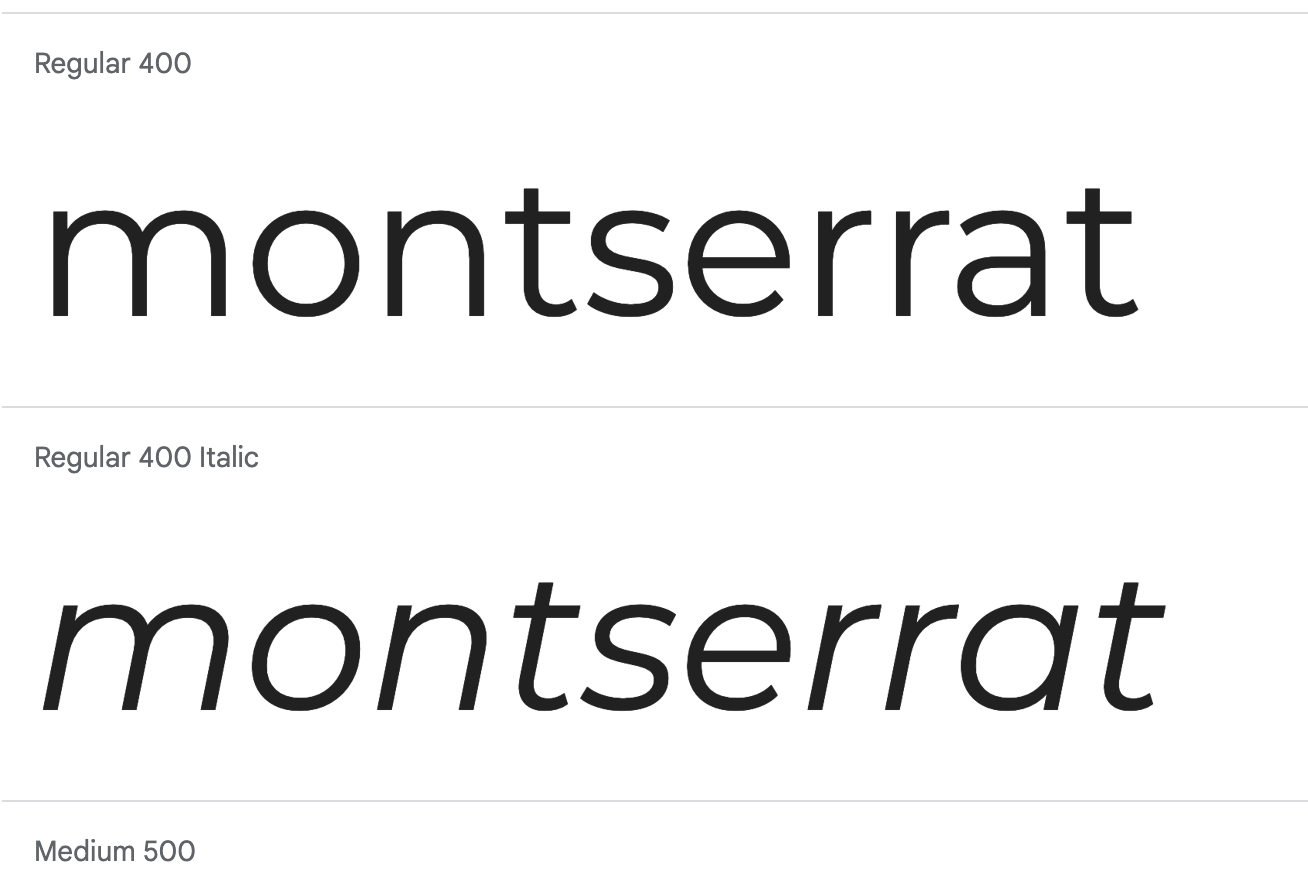


The chosen fonts for the website were imported using Google Fonts.
After careful consideration, the team decided to use the fonts Roboto, Montserrat, and Sans-serif as a fallback font for the text on screens of all sizes. We believe that these fonts offer a great combination of aesthetic appeal and readability, and will help to enhance the overall user experience.
The website is organized into three distinct web pages such as the Landing page, the About Page, Contact page and the Login page. The website has a landing page where users can log in and access the market stocks. It also has an About page that provides users with insight into Brokers Buddy and its team. There is a Contact page that users can use to get in touch with the company representative for further services. Additionally, there is a Login page for user access.
-
HTML | was used to build the structure of the website.
-
CSS | was used to add style the website.
-
JavaScript | was used to add dynamism and interactivity to the website.
-
BootStrap | was used to add positioning and responsiveness to the website.
-
VS Code | was used as the IDE to write, edit, merge, and push codes.
-
Git | was used for the version control of the website.
-
GitHub | was used to host the code of the website and for deployment.
-
Pixabay | was used to get favicon for website.
-
Canva | was used to edit images for website.
-
Font Awesome | was used to select icons for website.
-
I Am Responsive | was used to check website responsiveness on all devices.
-
Tiny | was used to optimise images for website.
-
Color Name | was used to detect color names.
-
MS Word | used to correct the grammar.
- Find the repository you want to fork
- Find the 'Fork' button to create a new fork
- When creating the fork, the name and description can be changed
- Click 'Create fork'
- Go to the repository you want to clone
- Click 'code' and copy the URL
- Open a new workspace in your IDE
- In a new terminal use the command '$ git clone [your-fork-repository-url]'
- Create an Upstream branch to be able to sync with main version of the project
- Use command '$ git remote add upstream [main-repository-url]'
- To sync, use commands '$ git fetch upstream' and '$ git merge upstream/main'
Sandra Bergstrom - frontend and design
Kim Bergstrom - backend and API
Emmanue Oluwadarel - frontend and documentation
Vernell Clark - frontend and project presentation
Darren Tuohy - frontend and content
Katerina Elistratova - backend and scrum master