Local replica of the GENIE.AI framework, optimized to run on consumer hardware with limited VRAM (6GB), for development and testing purposes.
It has added scripts for the setup/running and observability/monitoring of the platform, and implements an AI trainable Chatbot (with Romanian localizations and public institutions services example), with a full RAG (Retrieval Augmented Generation) pipeline using OPEA microservices, ArangoDB, and vLLM.
- RAG Pipeline: ChatQnA backend with ArangoDB vector store.
- Optimized Models:
- LLM: TinyLlama-1.1B (Context window: 1024/2048 tokens).
- Embeddings: BGE-Base-En-v1.5.
- Reranker: BGE-Reranker-Base.
- Custom Dataprep: Enhanced ingestion service supporting recursive chunking and graph linking.
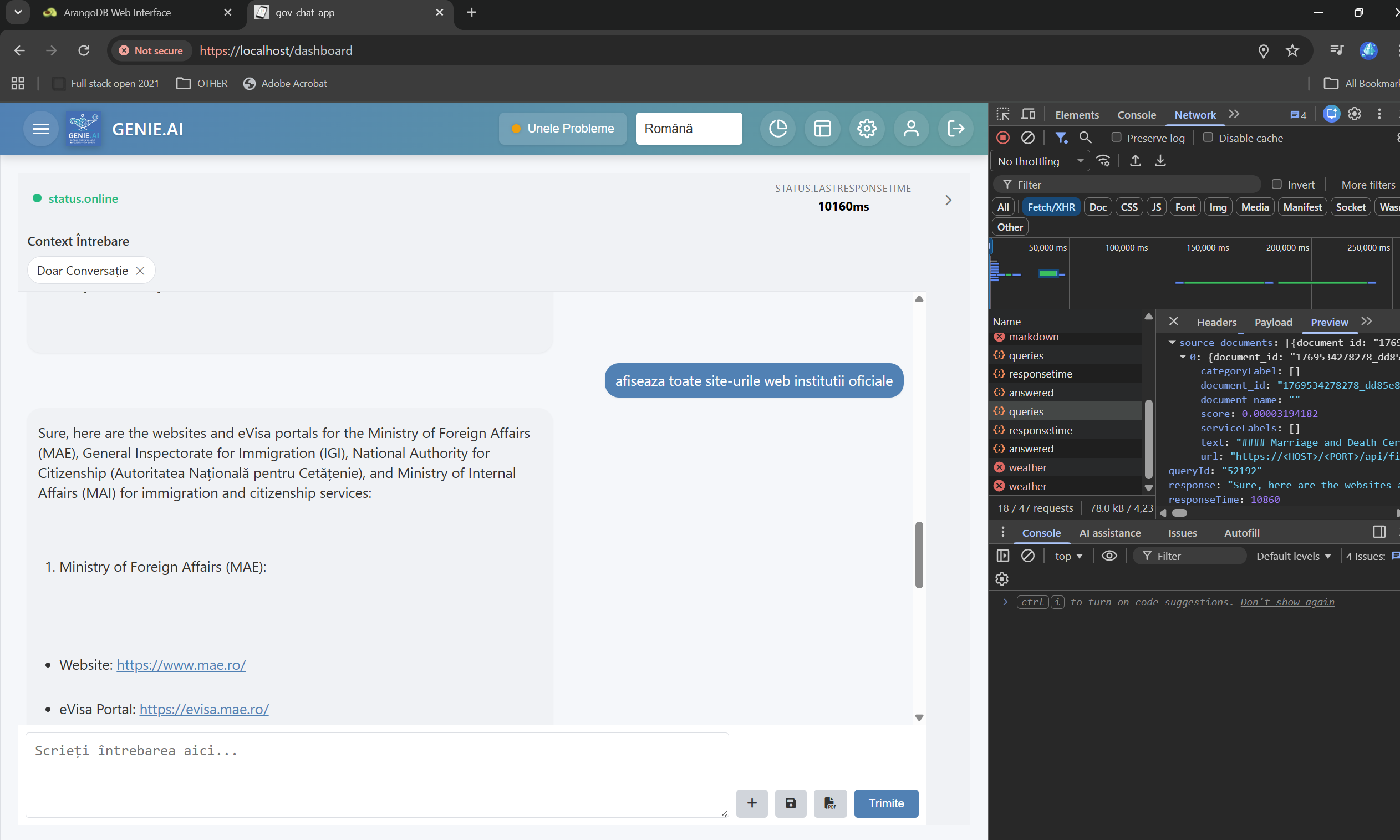
- Interactive UI: User Chat Interface.
- Linux OS (tested on Ubuntu WSL).
- Docker.
- NVIDIA GPU (min 6GB VRAM) with NVIDIA CUDA Container Toolkit installed.
jqandcurl(for scripts).
Use the optimized start script to launch all services in the correct order:
./start-6gb-gpu.sh
Allows ~2-3 minutes for the first launch as models may need to be downloaded (internally) and services initialized.
Follow docs in .md text files for more information on initialization and usage.
Make sure the infrastructure services are started and configured as in: GENIE.AI-Installation-Configuration-Guide.md : Step 4 -> Step 7, or run the setup_genie_env.sh script.
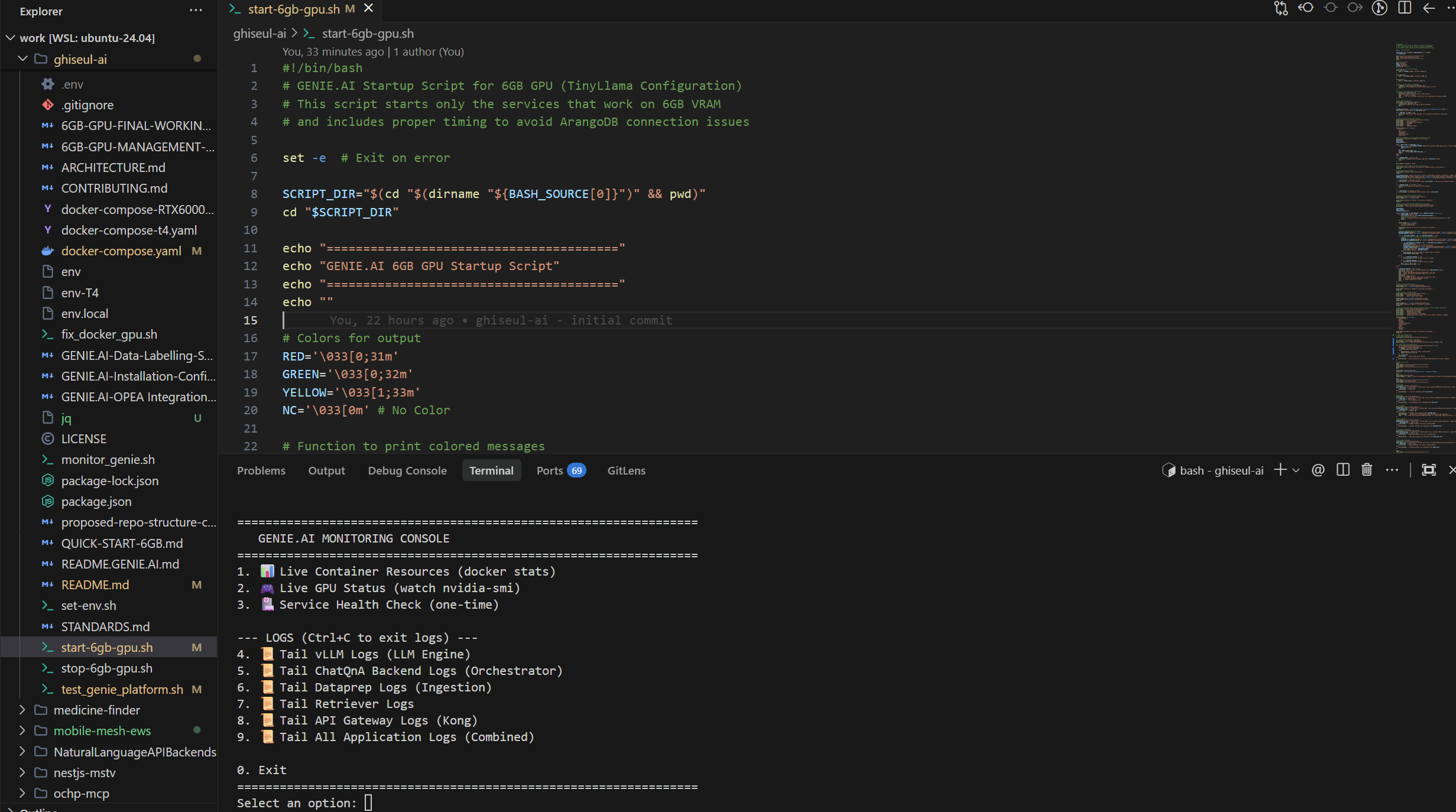
Launch the interactive monitoring console to check container health, GPU usage, and logs:
./monitor_genie.sh
- Frontend UI: http://localhost:5173
- Backend API: http://localhost:8888/v1/chatqna
- ArangoDB Dashboard: http://localhost:8529 (User:
root, Pass:test)
To gracefully stop all containers:
./stop-6gb-gpu.sh
Run the automated test suite to verify the entire pipeline (Ingestion -> Retrieval -> Generation):
./test_genie_platform.sh
genie-ai-overlay/- Custom source code overlaying standard OPEA components.dataprep/- Custom ingestion logic.core/- Shared protocols.
docker-compose.yaml- Main service orchestration..env- Configuration variables (Optimized for 6GB VRAM).- check the original GENIE.AI documentation for more information
- LLM context window is limited to 1024/2048 tokens. Long documents should be ingested with smaller chunks (current
chunk_size=150). - Ingestion uses a simplified flow (no LLM-based graph extraction).
- Advanced guardrails and translation services are disabled to save VRAM.
- It is not optimized for production and may have limitations and security vulnerabilities.
If queries fail or services hang:
- Check VRAM usage with
./monitor_genie.sh(Option 2). - Tail logs for vLLM:
./monitor_genie.sh(Option 4). - Restart specific services:
docker-compose restart <service_name>.
Apache License 2.0
- Andrei Besleaga Nicolae
- UNICC-ITU Genie AI
- OPEA
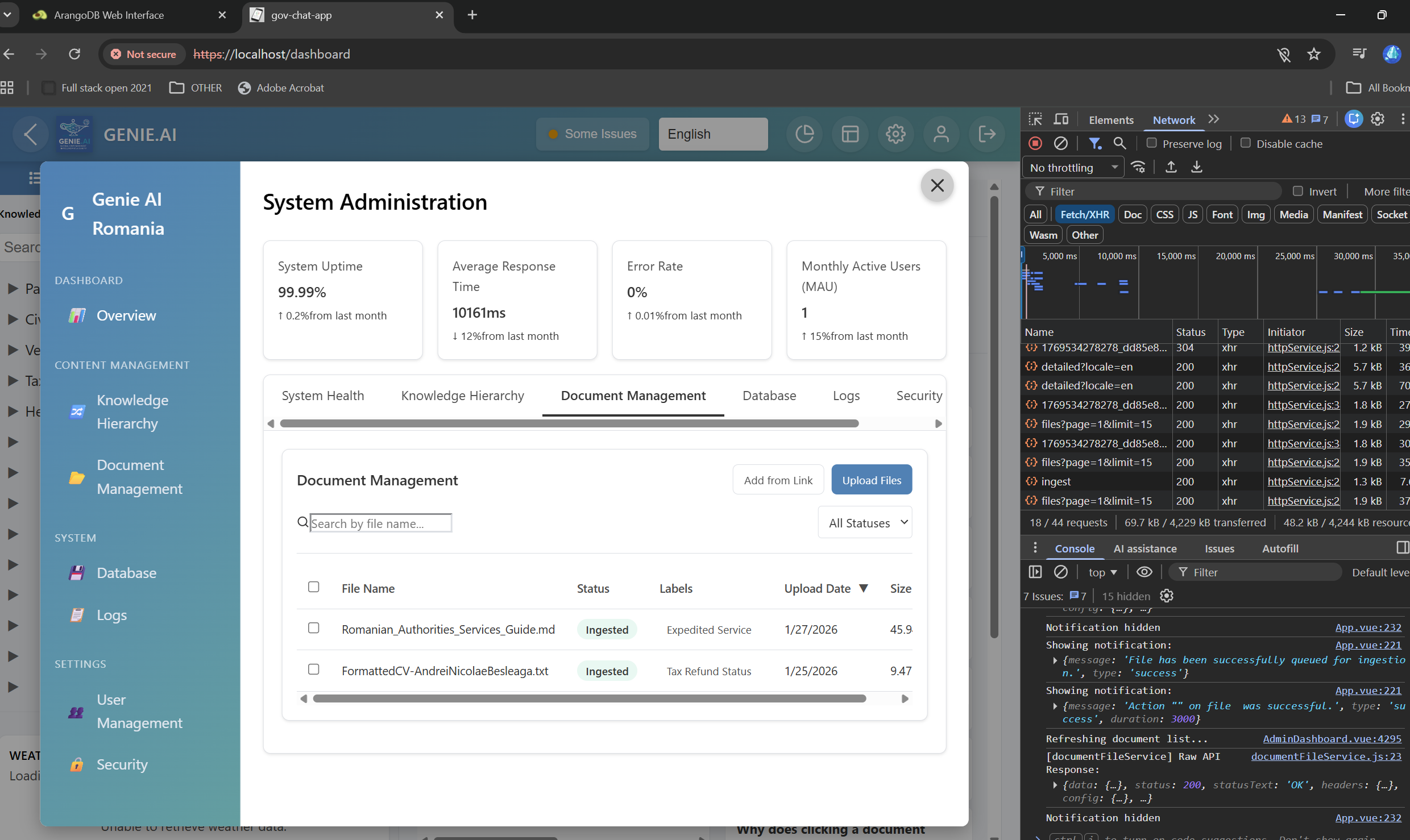
- Document ingestion (learning) UI:
- Enduser UI Interface:
- System monitoring / logs / observability: