
Google's MediaPipe: https://github.com/google/mediapipe
- Currently hand landmarks detection and selfie segmentation only!
This repo represents fixes and instructions needed to sucessfully build latest MediaPipe for Jetson Nano with CUDA support. It additionally provides python wheel (aarch64) for immediate installation.
Binary (v0.8.9) is available in https://github.com/anion0278/mediapipe-jetson/tree/master/dist.
### Preparing pip
$ sudo apt update
$ sudo apt install python3-pip
$ pip3 install --upgrade pip
### Remove previous versions of Mediapipe (if it was installed):
$ pip3 uninstall mediapipe
### Install from wheel with (run commands from mediapipe dir):
$ pip3 install protobuf==3.19.4 opencv-python==4.5.3.56 dataclasses mediapipe-0.8.9_cuda102-cp36-linux_aarch64.whl
### Note: Building wheel for newer version of opencv-python may take quite some time (up to few hours)!
Instructions are inspired by PINTO0309's notes avaliable at Verification of mediapipe's GPU-enabled .pbtxt processing method. ...Work In Progres...
### Do not forget set g++8:
$ sudo update-alternatives --config g++

### CUDA paths
export PATH=/usr/local/cuda-10.2/bin${PATH:+:${PATH}}
export LD_LIBRARY_PATH=/usr/local/cuda/extras/CUPTI/lib64,/usr/local/cuda-10.2/lib64${LD_LIBRARY_PATH:+:${LD_LIBRARY_PATH}}
sudo ldconfig
export TF_CUDA_PATHS=/usr/local/cuda:/usr/lib/aarch64-linux-gnu:/usr/include


### Build:
$ pip3 uninstall -y mediapipe && sudo python3 setup.py gen_protos && sudo python3 setup.py bdist_wheel && python3 -m pip install dist/mediapipe-0.8.9_cuda102-cp36-cp36m-linux_aarch64.whl
Please note, that official selfie segmentation example from https://google.github.io/mediapipe/solutions/selfie_segmentation.html requires changes in order to make it work:
### skip 3rd dimension in resulting mask
output_image = np.where(condition[:,:,0,:], fg_image, bg_image)
### and the same for video input example
output_image = np.where(condition[:,:,0,:], image, bg_image)
Inspired by jiuqiant's mediapipe_python_aarch64 and PINTO0309's mediapipe-bin. You are awesome guys!
MediaPipe offers cross-platform, customizable ML solutions for live and streaming media.
 |
 |
|---|---|
| End-to-End acceleration: Built-in fast ML inference and processing accelerated even on common hardware | Build once, deploy anywhere: Unified solution works across Android, iOS, desktop/cloud, web and IoT |
 |
 |
| Ready-to-use solutions: Cutting-edge ML solutions demonstrating full power of the framework | Free and open source: Framework and solutions both under Apache 2.0, fully extensible and customizable |
| Face Detection | Face Mesh | Iris | Hands | Pose | Holistic |
|---|---|---|---|---|---|
 |
 |
 |
 |
 |
 |
| Hair Segmentation | Object Detection | Box Tracking | Instant Motion Tracking | Objectron | KNIFT |
|---|---|---|---|---|---|
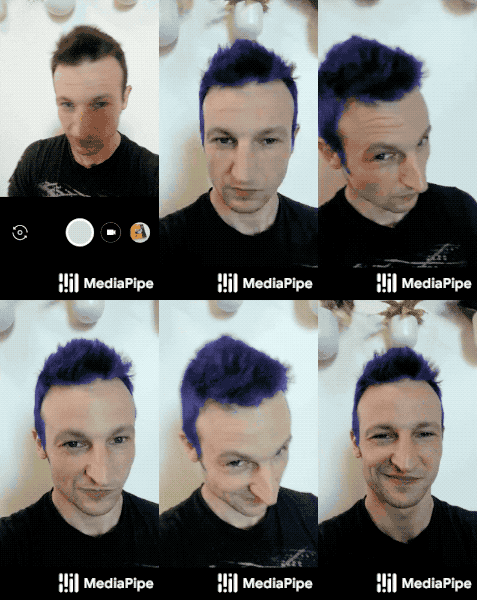 |
 |
 |
 |
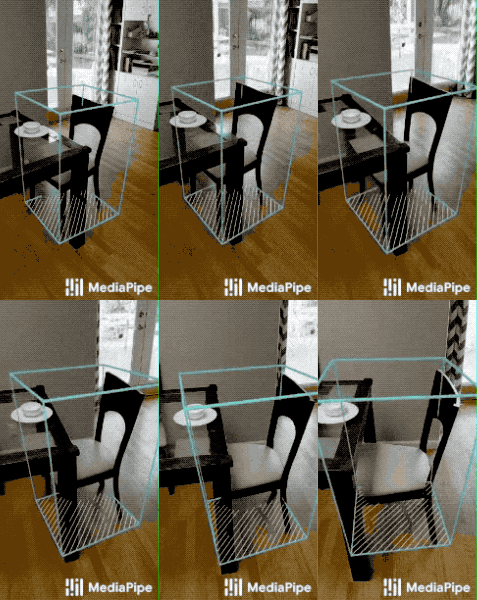 |
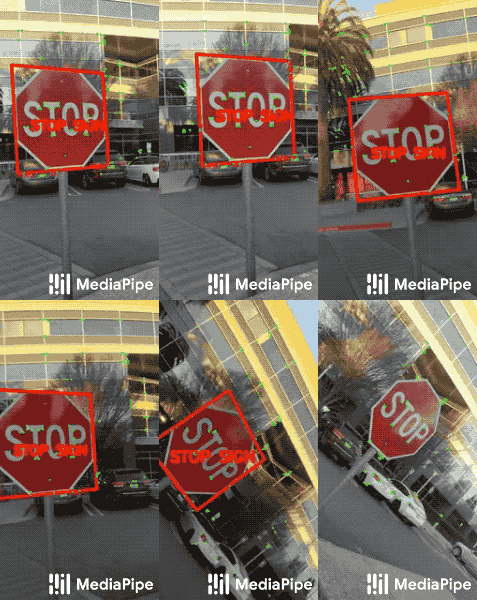 |
| Android | iOS | C++ | Python | JS | Coral | |
|---|---|---|---|---|---|---|
| Face Detection | ✅ | ✅ | ✅ | ✅ | ✅ | ✅ |
| Face Mesh | ✅ | ✅ | ✅ | ✅ | ✅ | |
| Iris | ✅ | ✅ | ✅ | |||
| Hands | ✅ | ✅ | ✅ | ✅ | ✅ | |
| Pose | ✅ | ✅ | ✅ | ✅ | ✅ | |
| Holistic | ✅ | ✅ | ✅ | ✅ | ✅ | |
| Selfie Segmentation | ✅ | ✅ | ✅ | ✅ | ✅ | |
| Hair Segmentation | ✅ | ✅ | ||||
| Object Detection | ✅ | ✅ | ✅ | ✅ | ||
| Box Tracking | ✅ | ✅ | ✅ | |||
| Instant Motion Tracking | ✅ | |||||
| Objectron | ✅ | ✅ | ✅ | ✅ | ||
| KNIFT | ✅ | |||||
| AutoFlip | ✅ | |||||
| MediaSequence | ✅ | |||||
| YouTube 8M | ✅ |
See also MediaPipe Models and Model Cards for ML models released in MediaPipe.
To start using MediaPipe solutions with only a few lines code, see example code and demos in MediaPipe in Python and MediaPipe in JavaScript.
To use MediaPipe in C++, Android and iOS, which allow further customization of the solutions as well as building your own, learn how to install MediaPipe and start building example applications in C++, Android and iOS.
The source code is hosted in the MediaPipe Github repository, and you can run code search using Google Open Source Code Search.