GV

GeezerVison

The World Wide Web, restored to 800 pixels of glory.

Home|About|Gaming cabinet|Archives|How it works|Starter sites

On this site

  • Sign in
  • ActionsCI/CD and automation
  • CodespacesCloud development environments
  • All Features
  • Documentation
  • Training
  • Certifications
  • Build with Copilot
  • Customize Copilot
  • Integrations
  • Trending repos
  • GitHub Sponsors
  • Developer articles
  • Enterprises

This view

  • Original page
  • New address

GeezerVison is showing github.com — GitHub - beizhedenglong/leetcode-site-generator: Generate your personal LeetCode website with one command!
BranchesTags
Open more actions menu

Latest commit


History

64 Commits
64 Commits

Folders and files

NameName
Last commit message
Last commit date
.github
.github
 
 
.vscode
.vscode
 
 
images
images
 
 
packages/leetcode-site-base
 
 
src
src
 
 
.eslintrc.js
.eslintrc.js
 
 
.gitignore
.gitignore
 
 
LICENSE
LICENSE
 
 
README.md
README.md
 
 
package.json
package.json
 
 
yarn.lock
yarn.lock


Repository files navigation

LeetCode Site Generator

Generate your personal LeetCode website with one command!

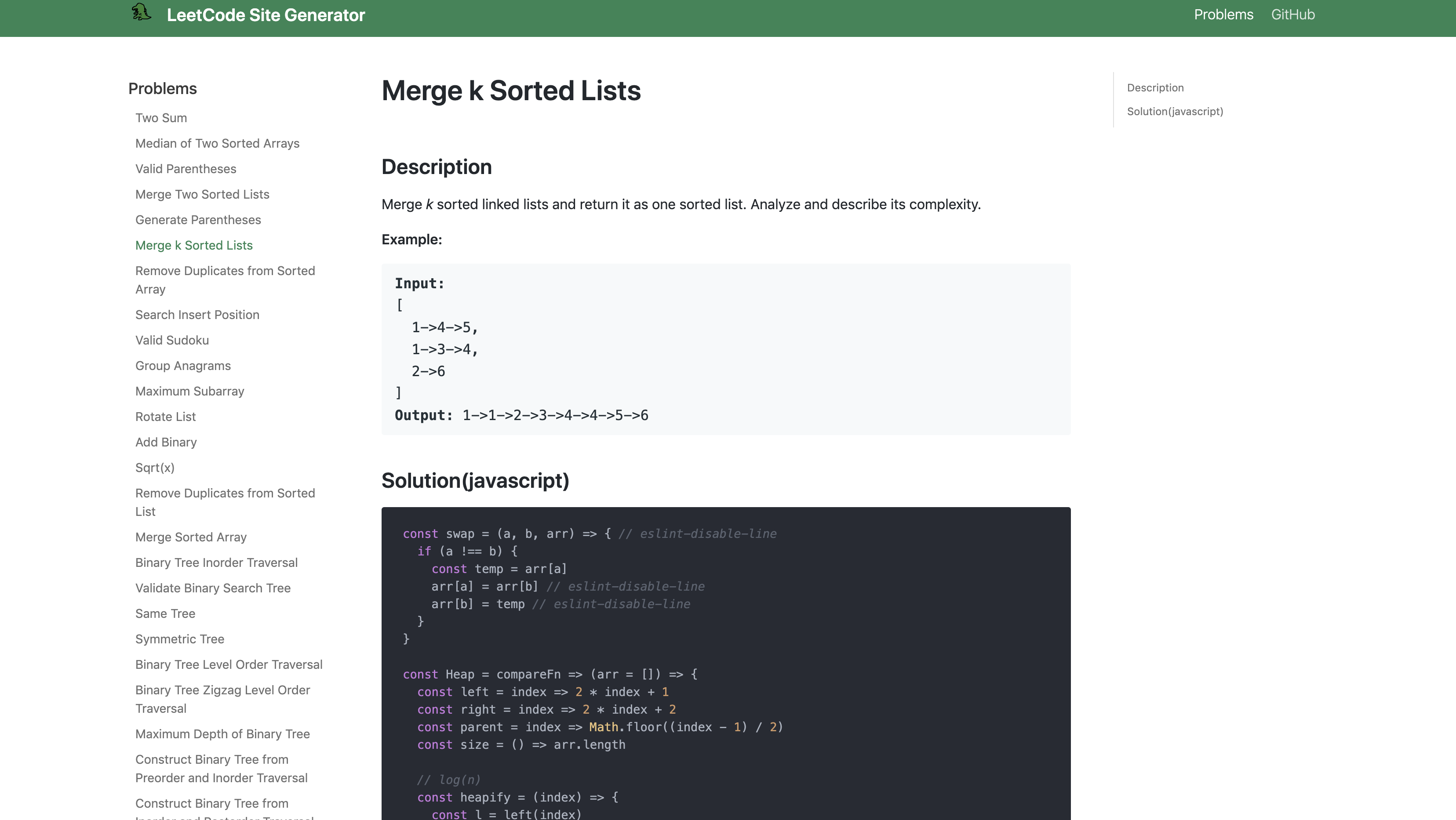
Example Website

leetcode-solutions

screenshot

Requirements

  • Make sure you have the recent version of node.js installed.
  • yarn(optional), you can use npm.

Features

  • Support both leetcode.com and leetcode-cn.com accounts.

Installation

yarn global add leetcode-site-generator or npm i -g leetcode-site-generator

Usage

  1. Run installation script: leetcode-site init, This will create a project called leet-site-base on your current directory.
  2. Go to the website directory of leet-site-base, run yarn download. It will open a popup window and ask you to input your LeetCode username and password. login
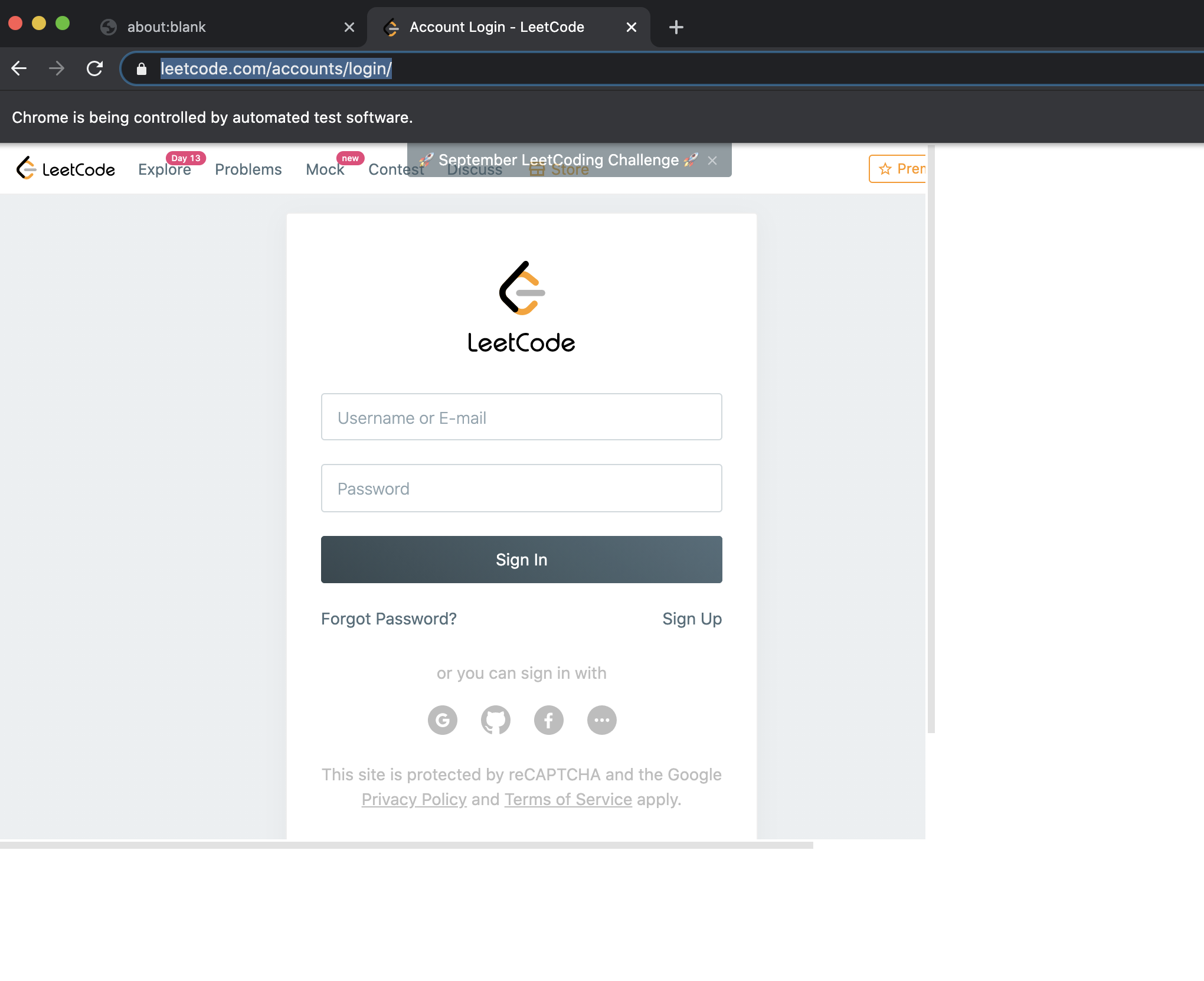
  3. Waiting for downloading process finished, then run yarn & yarn start.

Publish to Github pages

  1. Change the following keys in siteConfig.js
 const siteConfig = {
   // ...
   url: 'https://beizhedenglong.github.io', // Your website URL
   baseUrl: '/leetcode-site-generator/', // Base URL for your project
   projectName: 'leetcode-site-generator', // Your project name
   organizationName: 'beizhedenglong', // Your github username
   // ...
 }
  1. Run GIT_USER=<your github username> CURRENT_BRANCH=master USE_SSH=true yarn run publish-gh-pages

List of commands

Usage: leetcode-site [options] [command]

Options:
  -V, --version       output the version number
  -h, --help          output usage information

Commands:
  download [options]  Download your new accepted code from LeetCode.
  init                Generate your personal LeetCode website.
  login               Log in to your Leetcode account.
  logout              Log out of current account.

download

Usage: download [options]

Download your new accepted code from LeetCode.

Options:
  -a, --all   Download all your accepted code from LeetCode.
  -h, --help  output usage information

About

Generate your personal LeetCode website with one command!

Topics

leetcodeleetcode-siteleetcode-site-generatorleetcode-solutionsleetcode-spider

Resources

Readme
MIT license
Activity

Stars

106 stars

Watchers

5 watching

Forks

13 forks
Report repository

Releases

Sponsor this project

Packages

Used by

Contributors

Languages

You are visitor 01402792 — GeezerVison does not store the pages you look up.
Best viewed with Netscape Navigator 4.7 or Internet Explorer 6 at 800×600. No cookies required.