
Live demo: try it in your browser. Drop in your own file or run the bundled sample with one click. The real package runs in the page with Pyodide, so files never leave your browser.
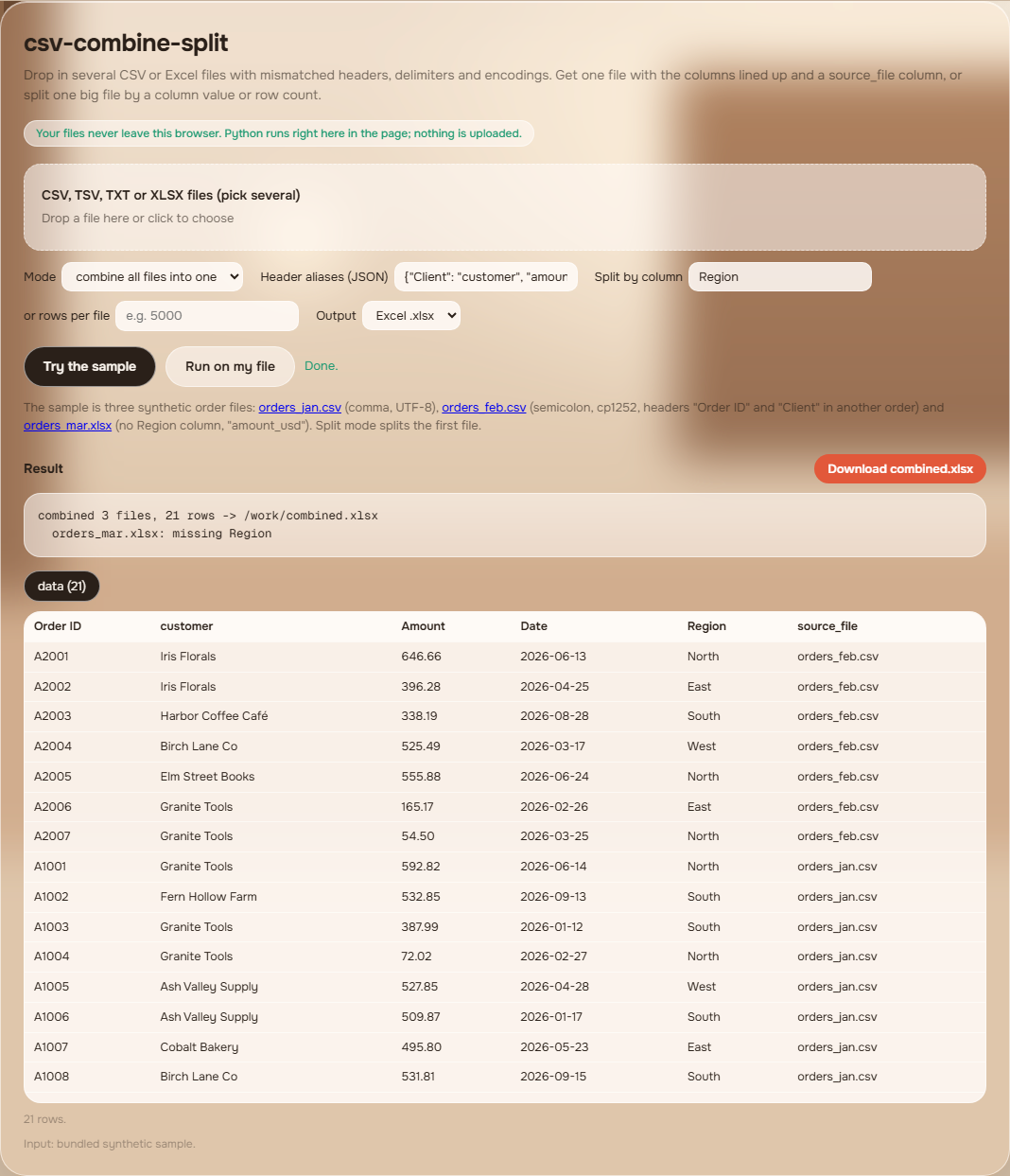
Combines a folder of CSV and Excel files into one file. Columns are lined up by name, so a different column order or a header like "Order ID" vs "order_id" still lands in the right place, and a JSON alias map handles renamed headers ("Client" means "customer"). Every row gets a source_file column, and files missing columns are listed. It also splits one big file into separate files by a column value or by row count. Encoding (utf-8, utf-8 with BOM, cp1252) and delimiter (comma, semicolon, tab, pipe) are detected per file. Everything runs offline.
Seeded fake order files with known contents were combined and every output cell was checked against the planted records. The table below is written by the benchmark script from a real run, not typed by hand. Method: BENCHMARK.md.
| Measure | Result |
|---|---|
| Input files (CSV utf-8, utf-8-sig, cp1252; comma, semicolon, tab, pipe; .xlsx) | 20 |
| Rows in / rows out | 100,000 / 100,000 |
| Rows with every column aligned to truth | 100.0% (100,000 of 100,000) |
| Output columns | 6 (Date, Order ID, amount, customer, Region, source_file) |
| Files reported with differing columns | 6 of 6 planted |
| Split by region: rows kept | 100,000 in 4 files |
| Split by 7,000 rows: rows kept | 100,000 in 15 files |
| Combine speed | 56,088 rows/sec (1.78 s) |
The planted files are clean apart from the variations listed, so this is a best case. LIMITATIONS.md lists what a real file can do to it.
Windows (on macOS or Linux use .venv/bin/ in place of .venv\Scripts\):
python -m venv .venv
.venv\Scripts\pip install -e .
.venv\Scripts\csvcs combine folder/ -o all.xlsx
.venv\Scripts\csvcs combine folder/ -o all.csv --aliases aliases.json
.venv\Scripts\csvcs split big.csv --by region -o out/
.venv\Scripts\csvcs split big.csv --rows 50000 -o out/ --format xlsx
aliases.json maps a header variant to the name you want:
{"Client": "customer", "amount_usd": "amount", "OrderNo": "order_id"}Header matching also ignores case, spaces, dashes and underscores without any alias.
.venv\Scripts\pip install -e ".[dev]"
.venv\Scripts\python -m ruff check .
.venv\Scripts\python -m mypy
.venv\Scripts\python -m pytest --cov
.venv\Scripts\python -m benchmark.run
MIT, Chase Builds.
- address-normalizer: Messy US mailing addresses to standardized, split fields, with duplicates grouped. (live demo)
- table-export-extension: Export any web table to Excel. No data leaves the browser. (live demo)
- spreadsheet-diff: Compare two versions of a spreadsheet, cell by cell. (live demo)