

Batch convert static and animated images to .webp format using Google’s libwebp engine.
This lightweight Python tool uses the native binaries from WebP’s official releases, bundled inside the project (in the webp_convert folder). The latest included version is libwebp 1.5.0
-
Batch convert images to WebP
-
Supports static and animated formats
-
Includes Windows binaries (via libwebp)
-
Outputs a detailed report, including warnings for unsupported formats
-
Works with png, jpeg, jpg, tiff, gif, and webp
-
CLI-based, lightweight, and dependency-free (except for Python and Pillow)
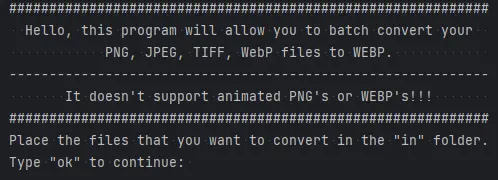
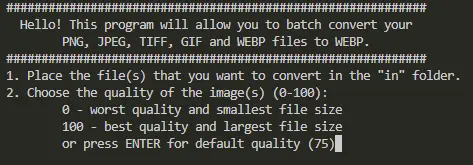
Click on the images bellow to see the tool in action:
(in order of appearance: Old demo, New demo)
🪟 Windows:
(fully supported out of the box)
🐧 Linux / macOS:
You can adapt the config by modifying config.py to use system-installed WebP binaries or adjust paths accordingly.
- Clone the repository
git clone https://github.com/chebishev/imageToWepbBatchConvert.git
cd imageToWepbBatchConvert- (Optional) Activate a virtual environment:
python -m venv .venv
.venv\Scripts\activate # or source .venv/bin/activate for Linux
- Install dependencies
pip install -r requirements.txt
- Run the script
python main.py
-
Files not in the supported list will still be attempted, but you’ll get a warning in the report if output might be unusable.
-
For animated GIFs, ensure the input file is valid and properly formatted.
.
├── webp_convert/               # Contains extracted libwebp binaries (Windows)
├── config.py                   # You can set the libwebp path, default quality, input/ouput folders)
├── main.py                     # Main entry point
├── messages.py                 # all strings used in the main.py and initial_message.py
├── new_webp_batch_convert.webp # new demo thumbnail
├── requirements.txt            # Python dependencies
└── webpbatchconvert.webp       # old demo thumbnail
MIT License © Atanas Chebishev