GV

GeezerVison

The World Wide Web, restored to 800 pixels of glory.

Home|About|Gaming cabinet|Archives|How it works|Starter sites

On this site

  • Sign in
  • ActionsCI/CD and automation
  • CodespacesCloud development environments
  • All Features
  • Documentation
  • Training
  • Certifications
  • Build with Copilot
  • Customize Copilot
  • Integrations
  • Trending repos
  • GitHub Sponsors
  • Developer articles
  • Enterprises

This view

  • Original page
  • New address

GeezerVison is showing github.com — GitHub - chrishunt/desktop: A decent way to change your desktop image

BranchesTags
Open more actions menu

Latest commit


History

126 Commits
126 Commits

Folders and files

NameName
Last commit message
Last commit date
bin
bin
 
 
img
img
 
 
lib
lib
 
 
test
test
 
 
.gitignore
.gitignore
 
 
.travis.yml
.travis.yml
 
 
CHANGELOG.md
CHANGELOG.md
 
 
CONTRIBUTING.md
CONTRIBUTING.md
 
 
Gemfile
Gemfile
 
 
LICENSE.txt
LICENSE.txt
 
 
README.md
README.md
 
 
Rakefile
Rakefile
 
 
desktop.gemspec
desktop.gemspec


Repository files navigation

Desktop

A decent way to change your desktop image.

Since the introduction of Spaces in Mac OS X, changing the desktop image has been a chore for those of us who enjoy the same image on all spaces and monitors; each has its own image that must be updated individually. Lucky for you, a recent breakthrough in technology had made changing your desktop drag-n-drop easy.

desktop lets us update the desktop image on every space and monitor at the same time from the command line.

Installation

desktop can be installed from RubyGems.

$ gem install desktop

Usage

Usage can be seen from the command line:

$ desktop help
Commands:
  desktop help [COMMAND]  # Describe available commands or one specific command
  desktop set IMAGE_PATH  # Set all desktops to the image at IMAGE_PATH
  desktop version         # Show gem version

Desktop images can be set using a file path:

$ desktop set /path/to/image.jpg

Or a web URL:

$ desktop set http://desktops.amazing/image.jpg

The set command is optional:

$ desktop /path/to/image.jpg

Usage in your awesome app

Want to include the features of desktop in your awesome app? Please do!

Add the gem to your Gemfile:

gem 'desktop'

Require the library:

require 'desktop'

And use the same CLI interface that you already know:

Desktop::CLI.start %w[set path/to/image.jpg]

Where can I get desktops?

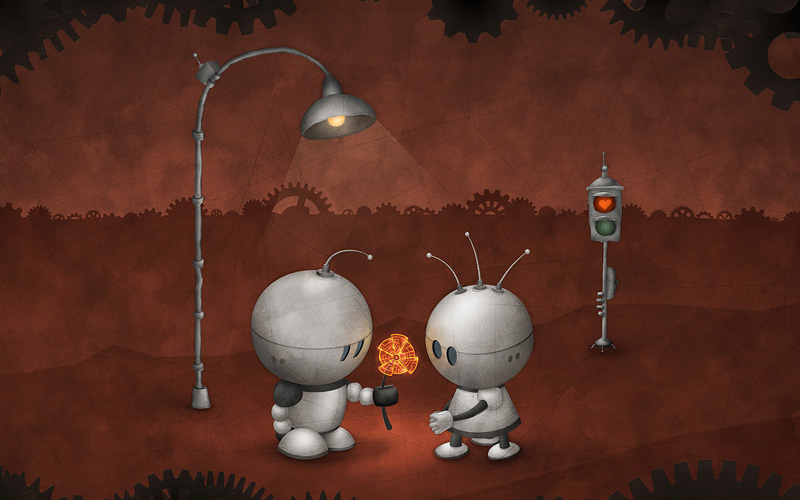
Simple Desktops - A collection of wallpapers curated by Tom Watson designed to make your computer beautiful without distraction.

Vladstudio - The project of Russian digital artist Vlad Gerasimov. He creates wallpapers for computers and mobile devices.
Contributing

Please see the Contributing Document

Changelog

Please see the Changelog Document

License

Copyright (C) 2014 Chris Hunt, MIT License

About

A decent way to change your desktop image

github.com/chrishunt/desktop

Resources

Readme
MIT license

Contributing

Contributing
Activity

Stars

246 stars

Watchers

8 watching

Forks

14 forks
Report repository

Releases

Packages

Used by

Contributors

Languages

You are visitor 01402520 — GeezerVison does not store the pages you look up.
Best viewed with Netscape Navigator 4.7 or Internet Explorer 6 at 800×600. No cookies required.