GeezerVisonThe World Wide Web, restored to 800 pixels of glory. |
| Home|About|Gaming cabinet|Archives|How it works|Starter sites |
GeezerVison is showing github.com — Color themes
This repository was archived by the owner on Oct 1, 2024. It is now read-only.
Color themes
jasonm23 edited this page
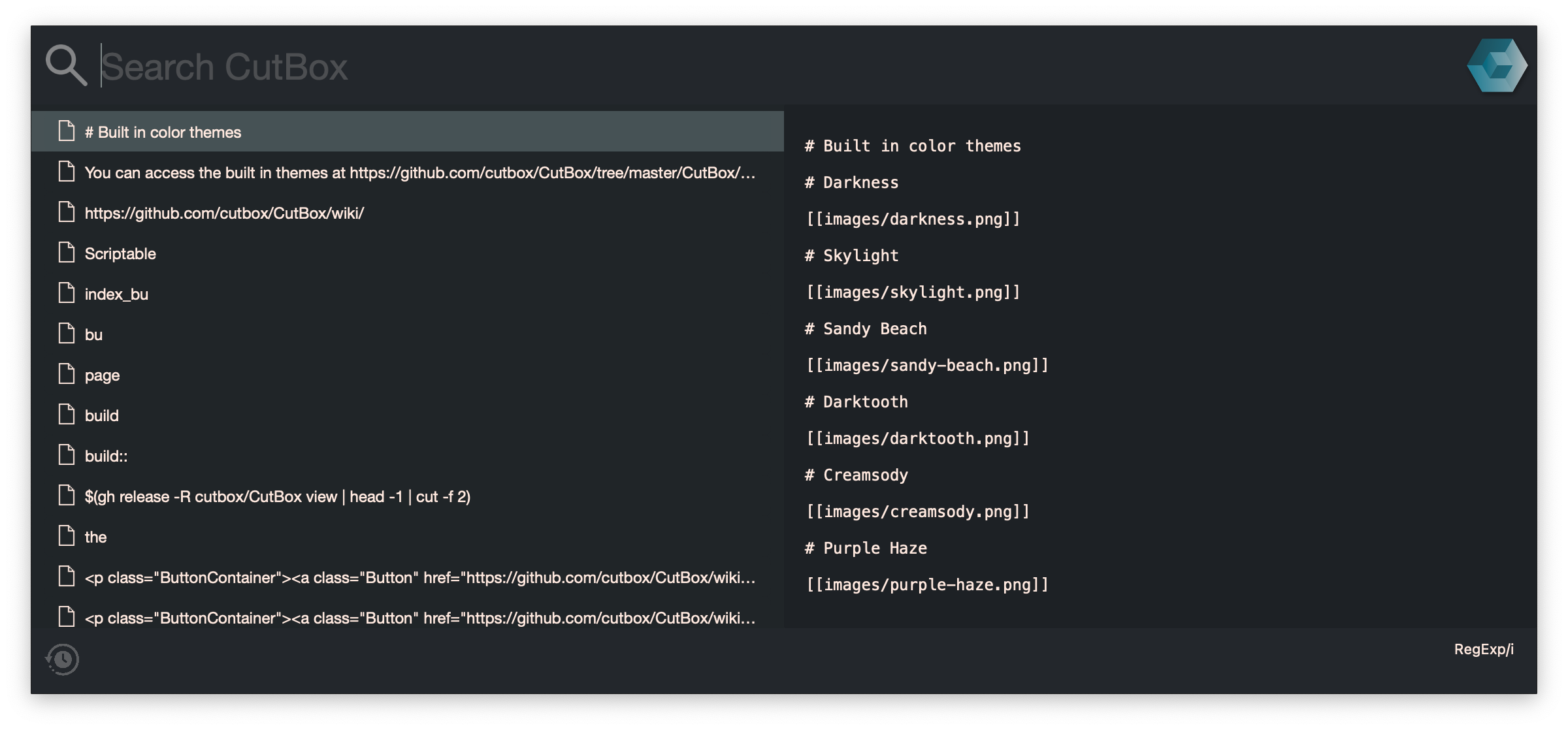
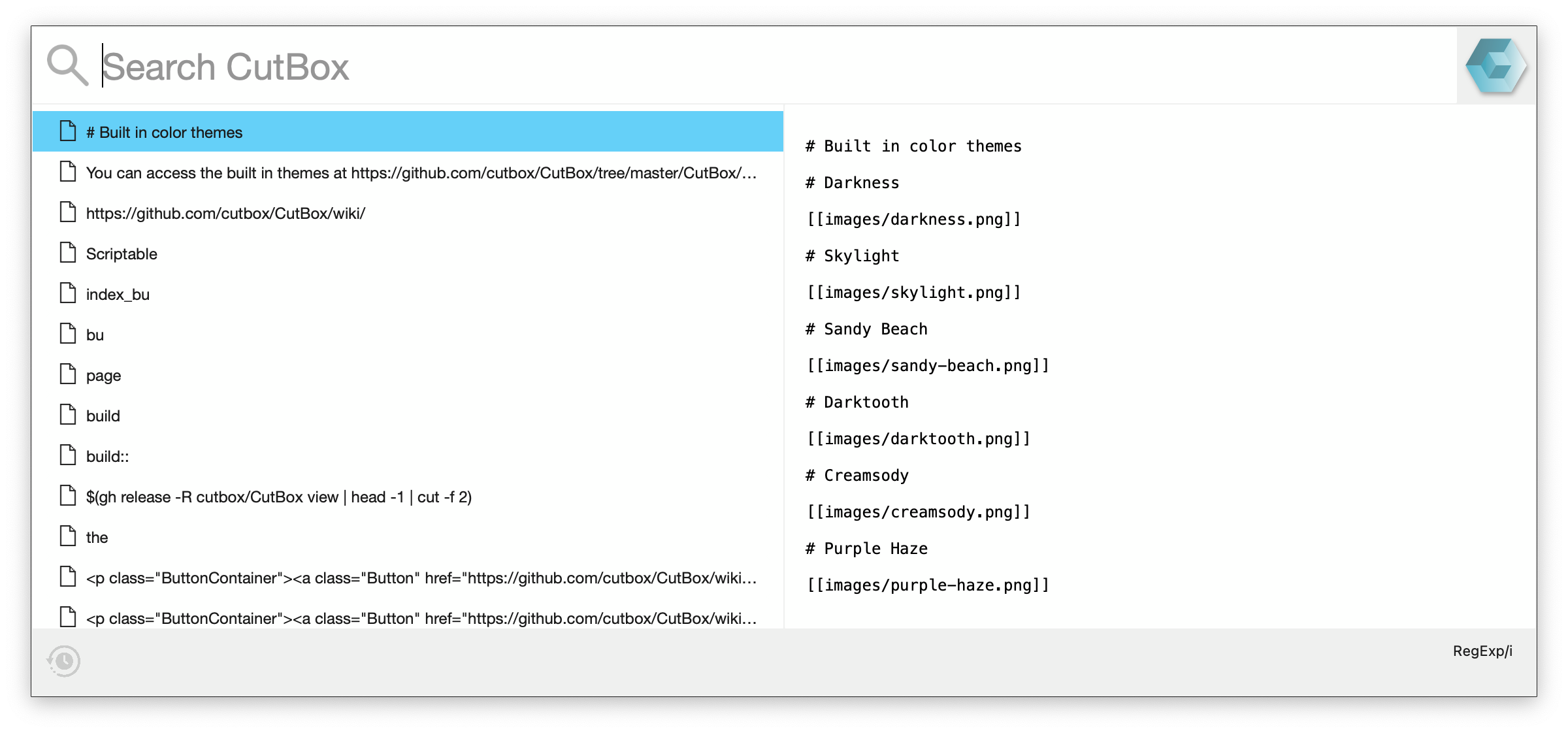
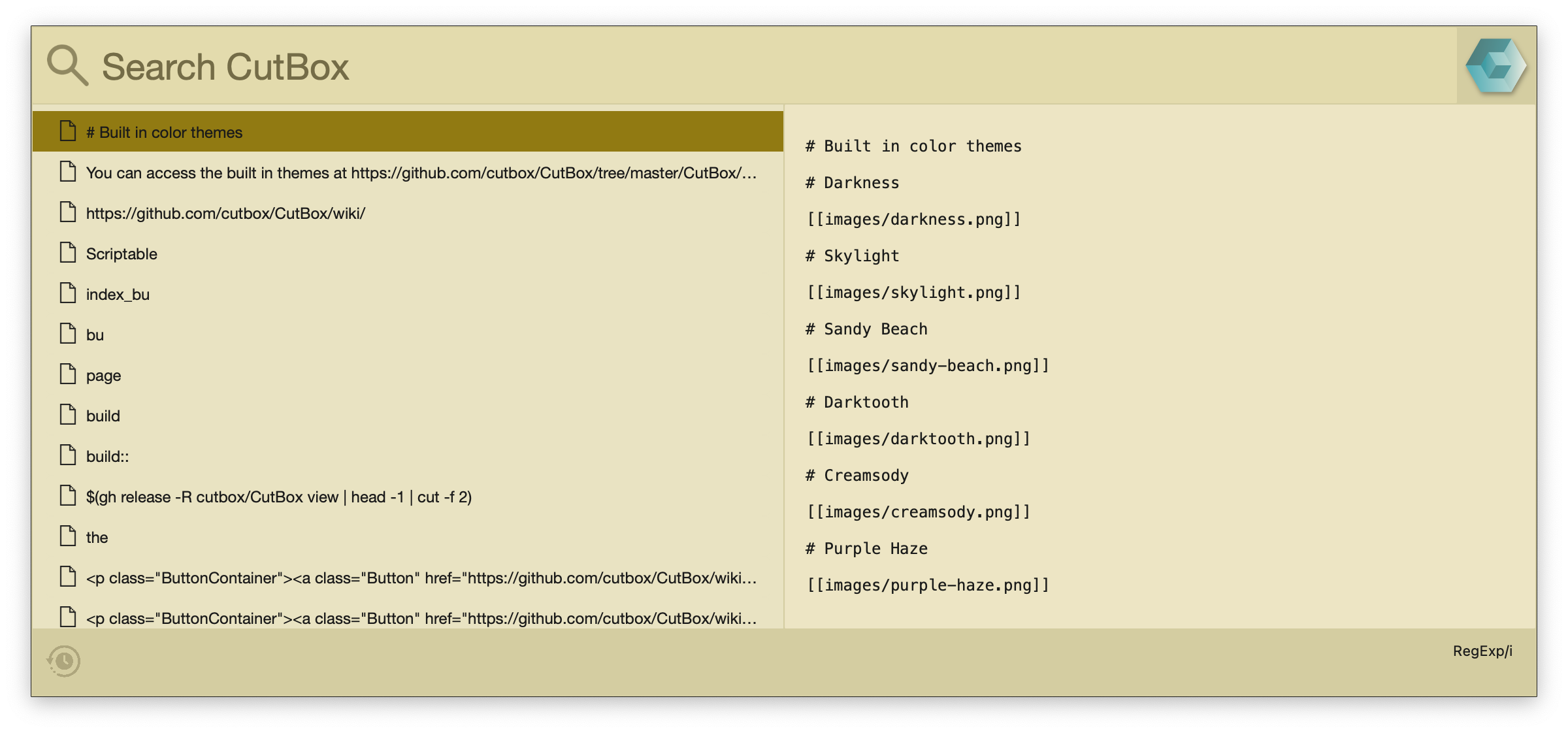
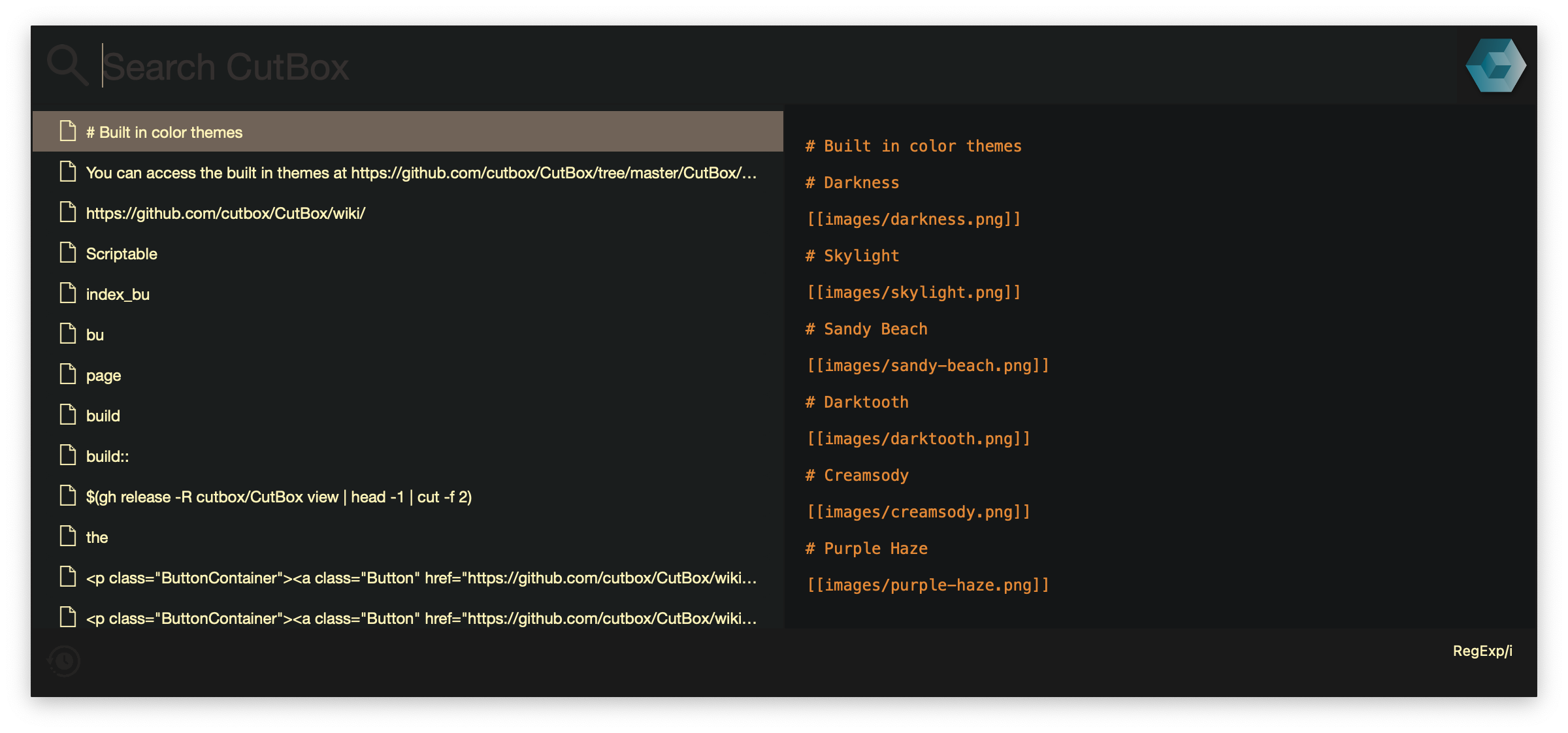
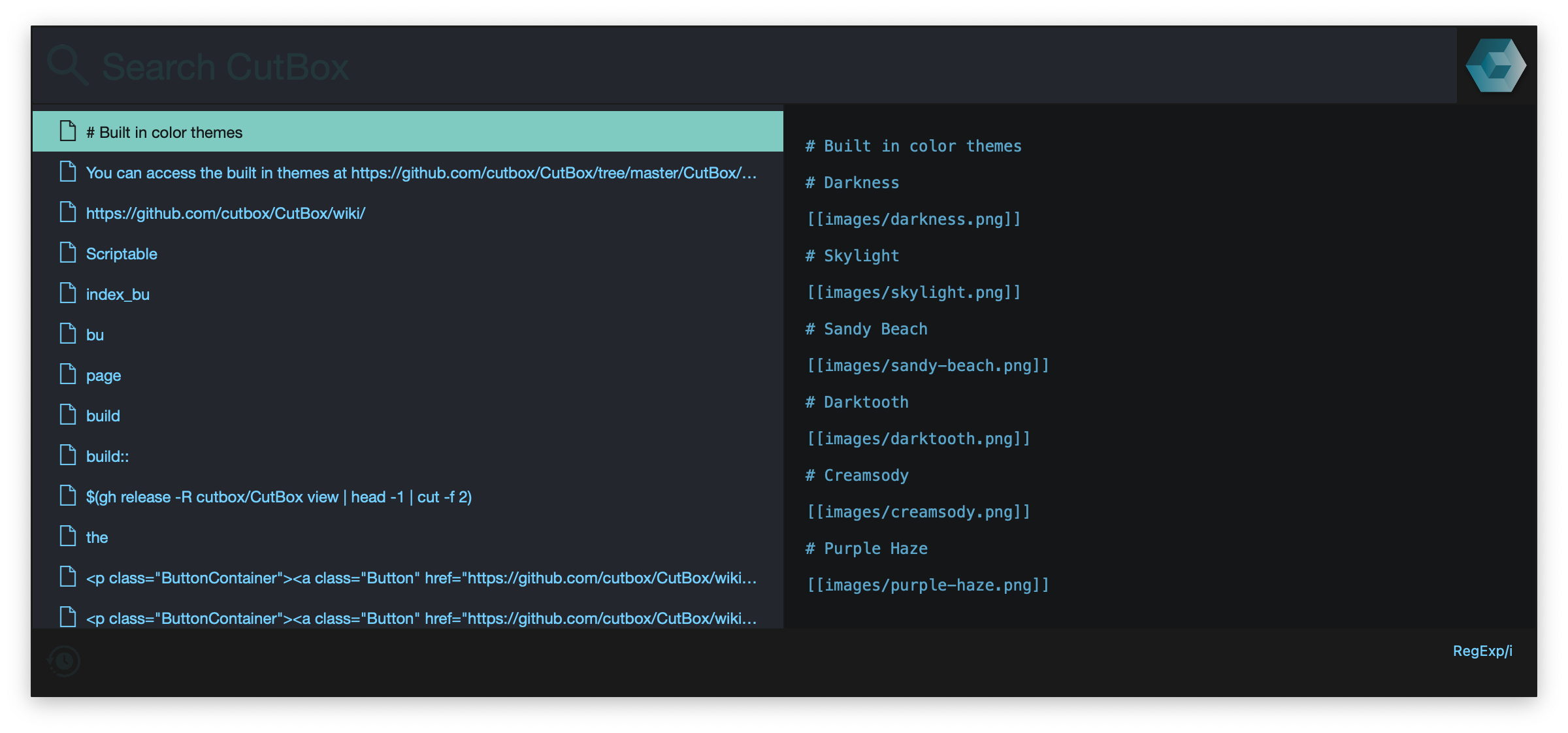
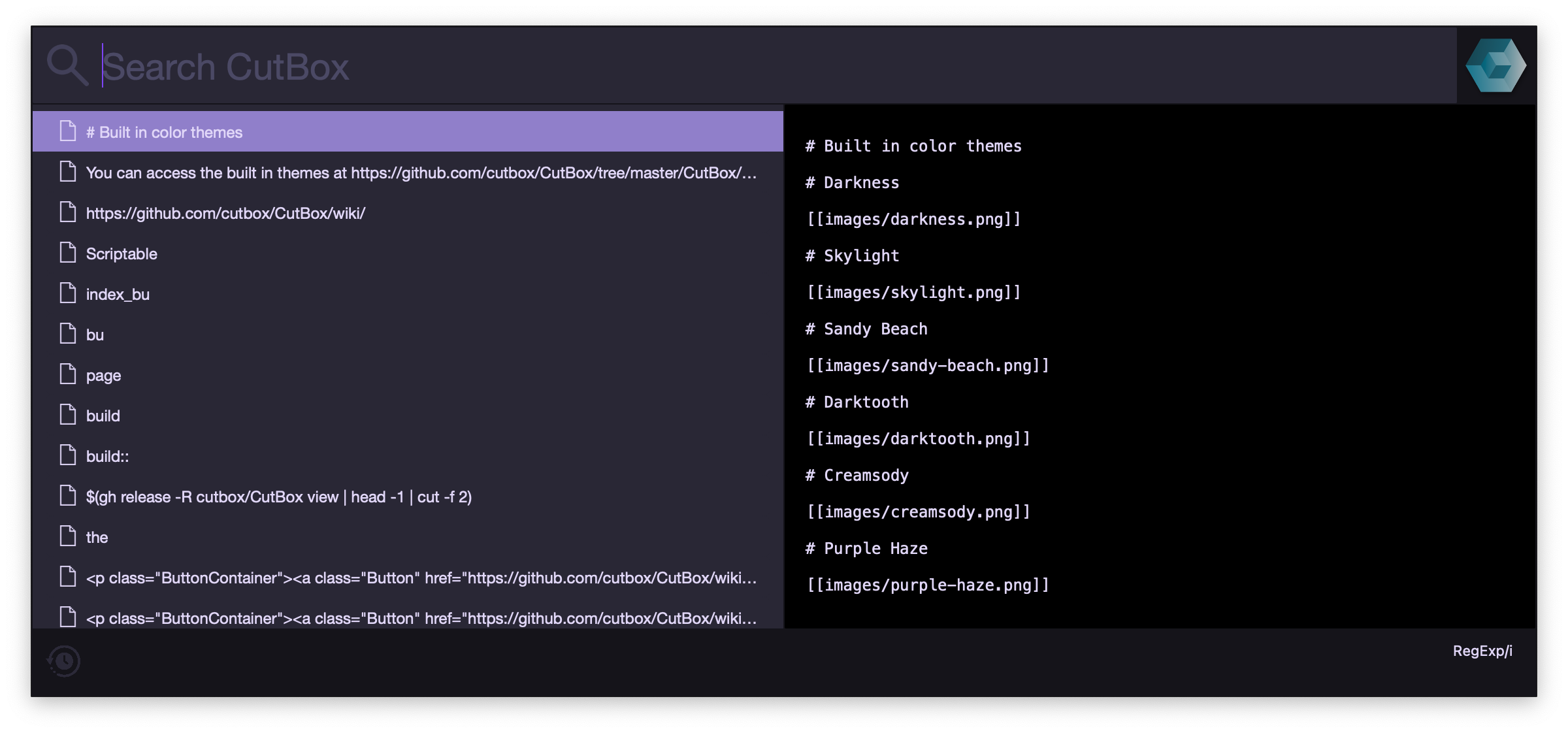
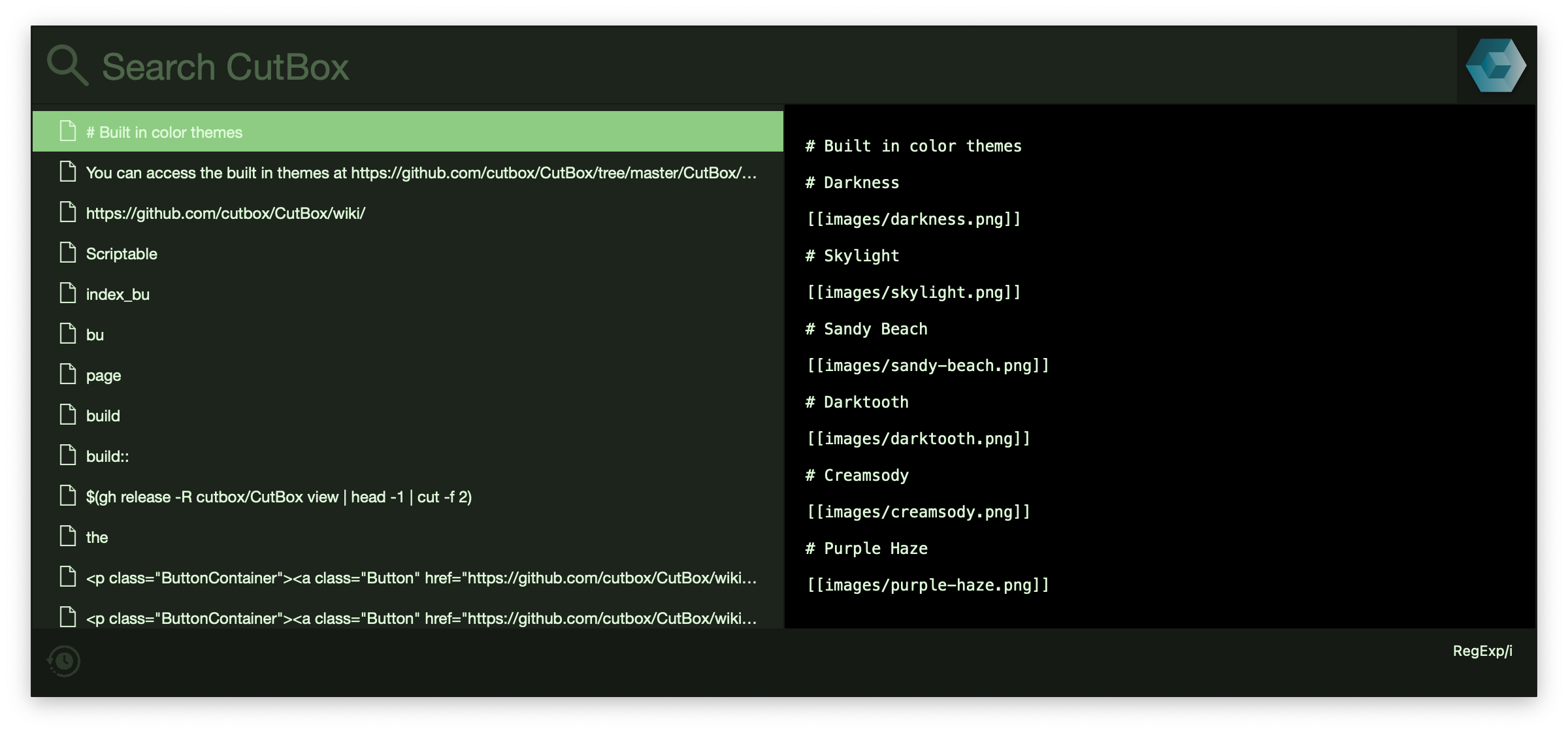
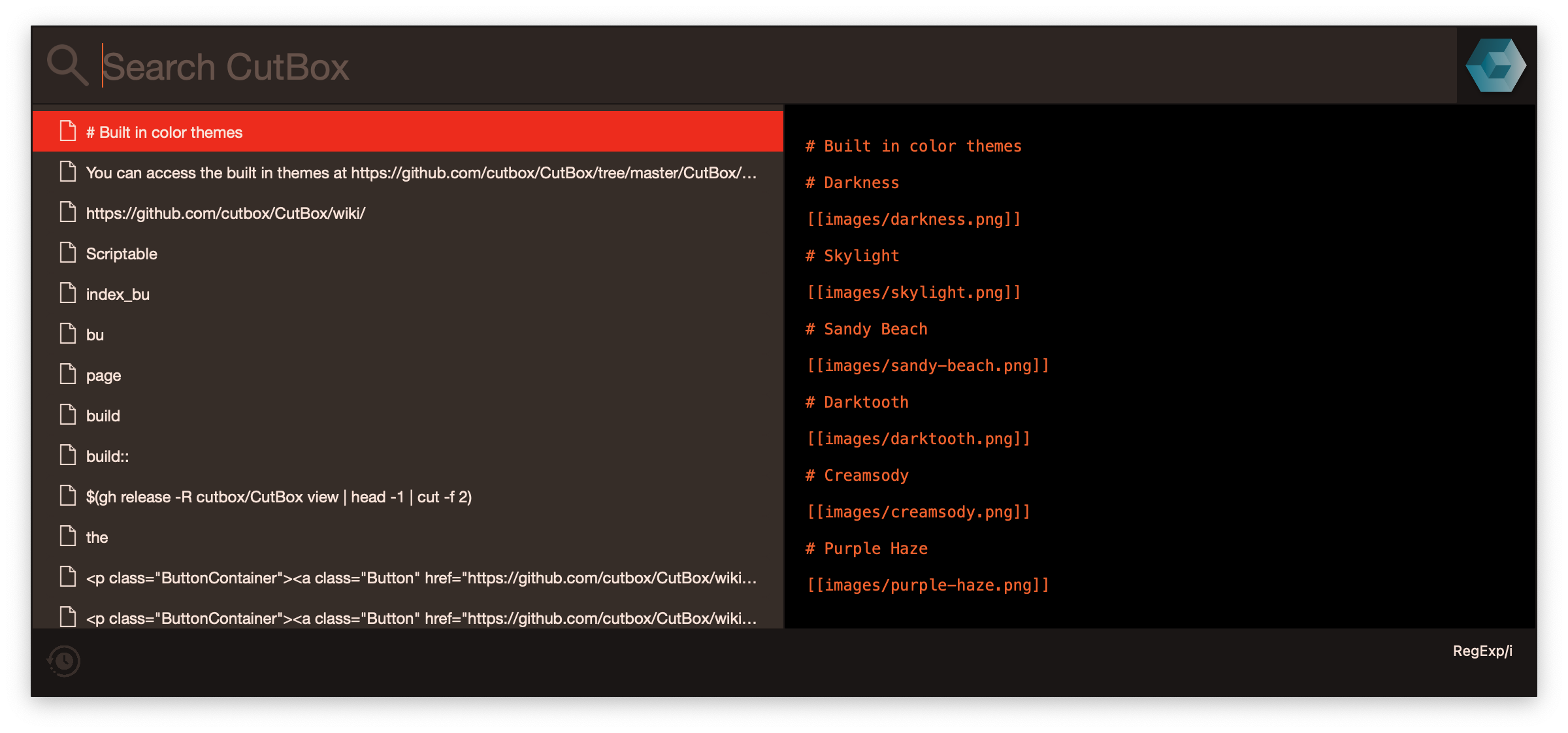
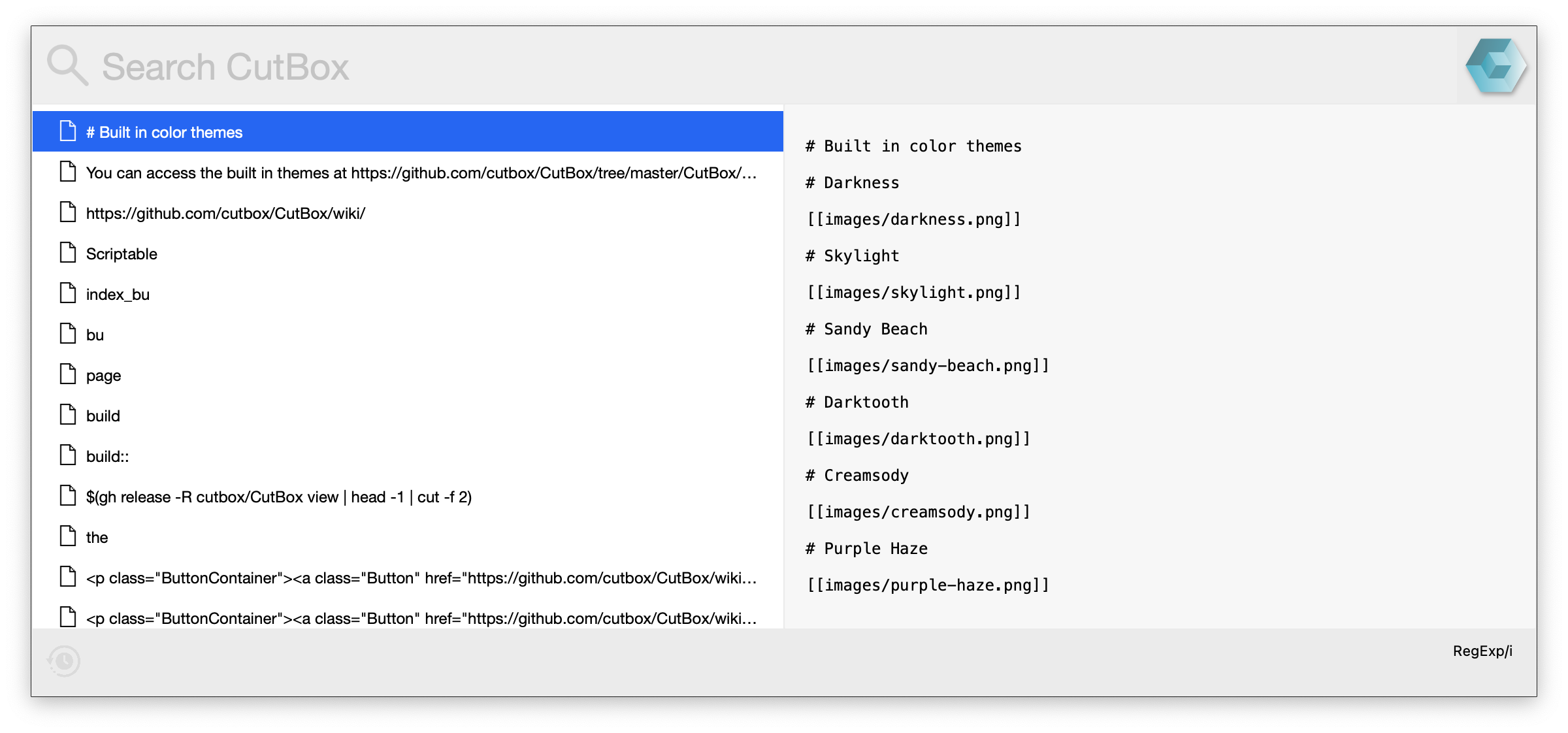
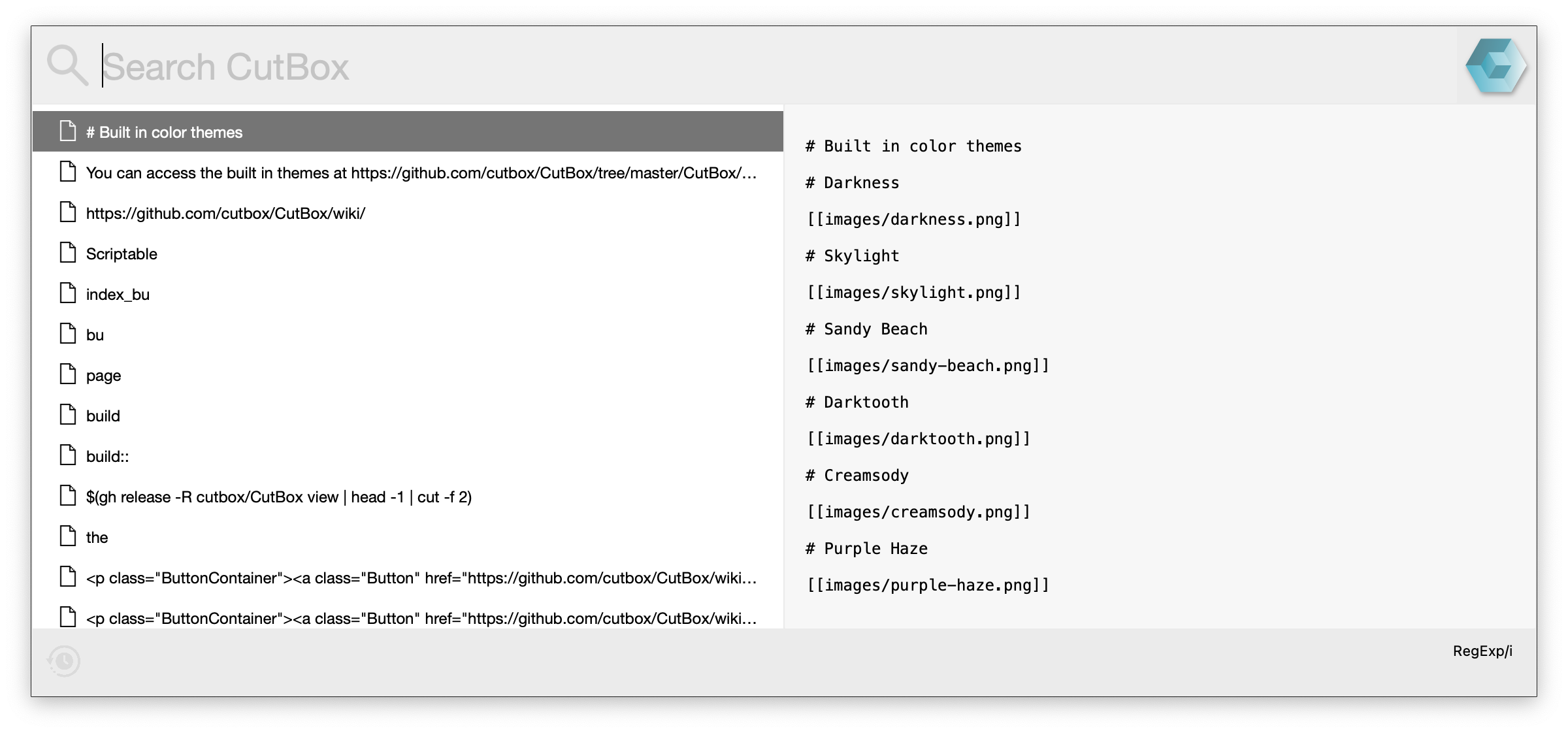
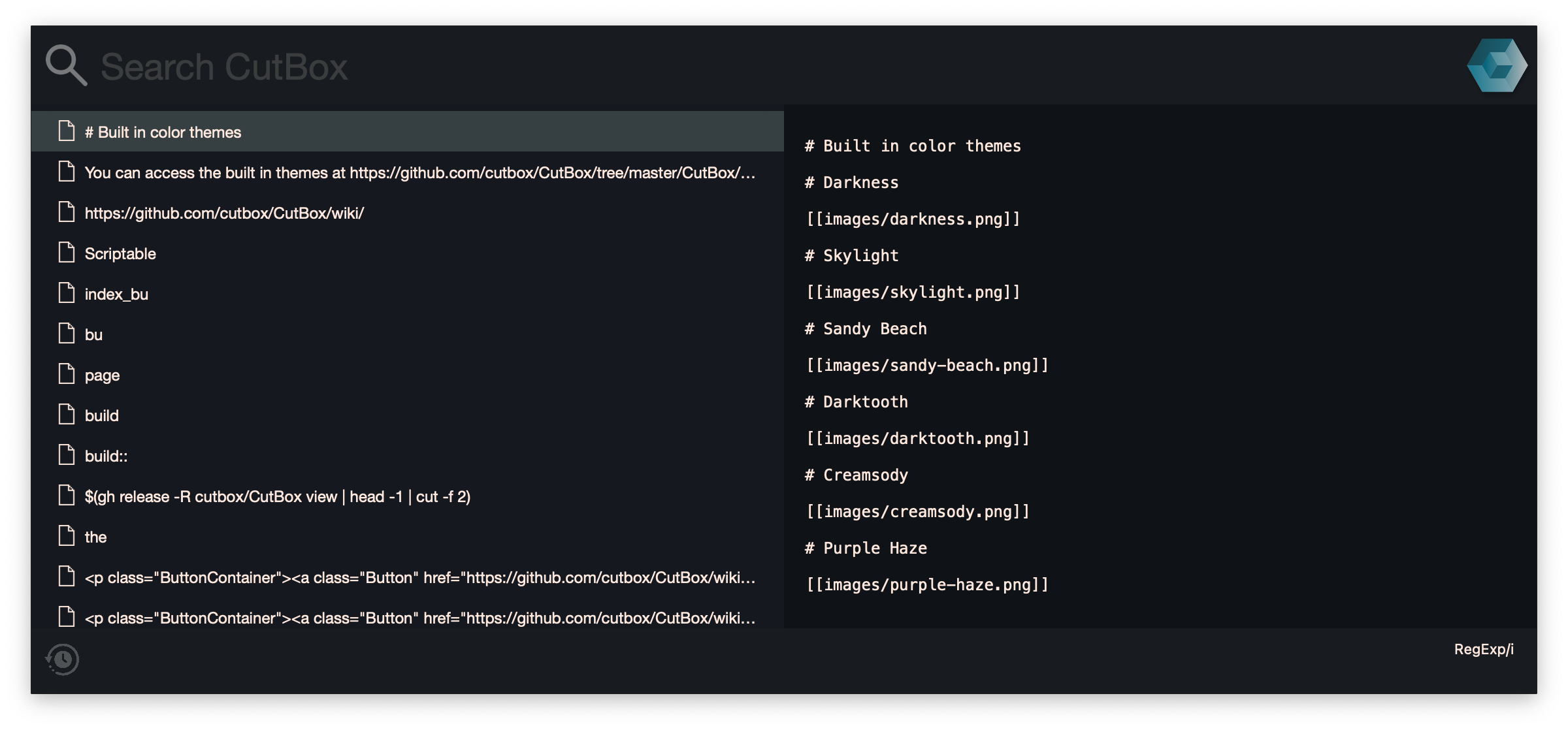
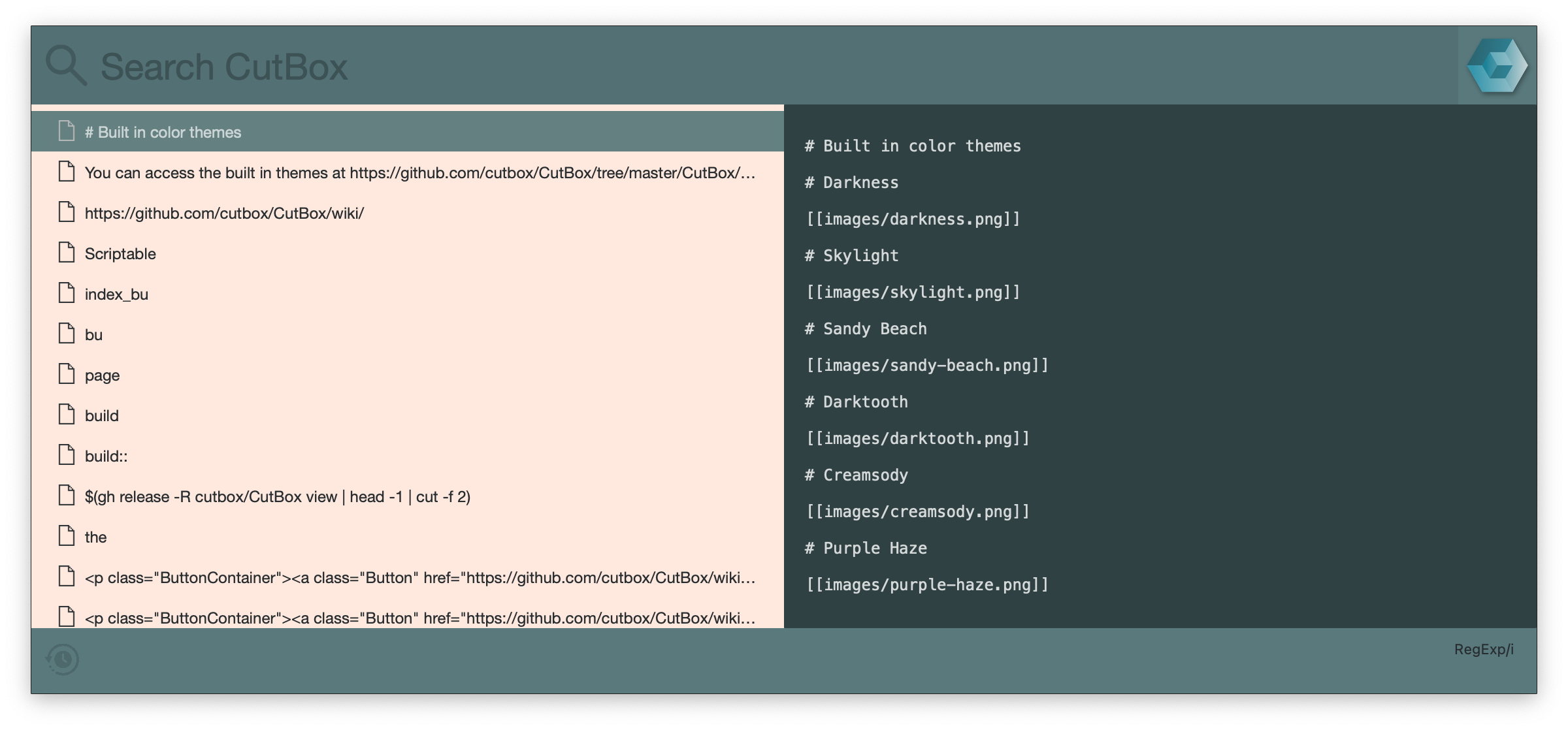
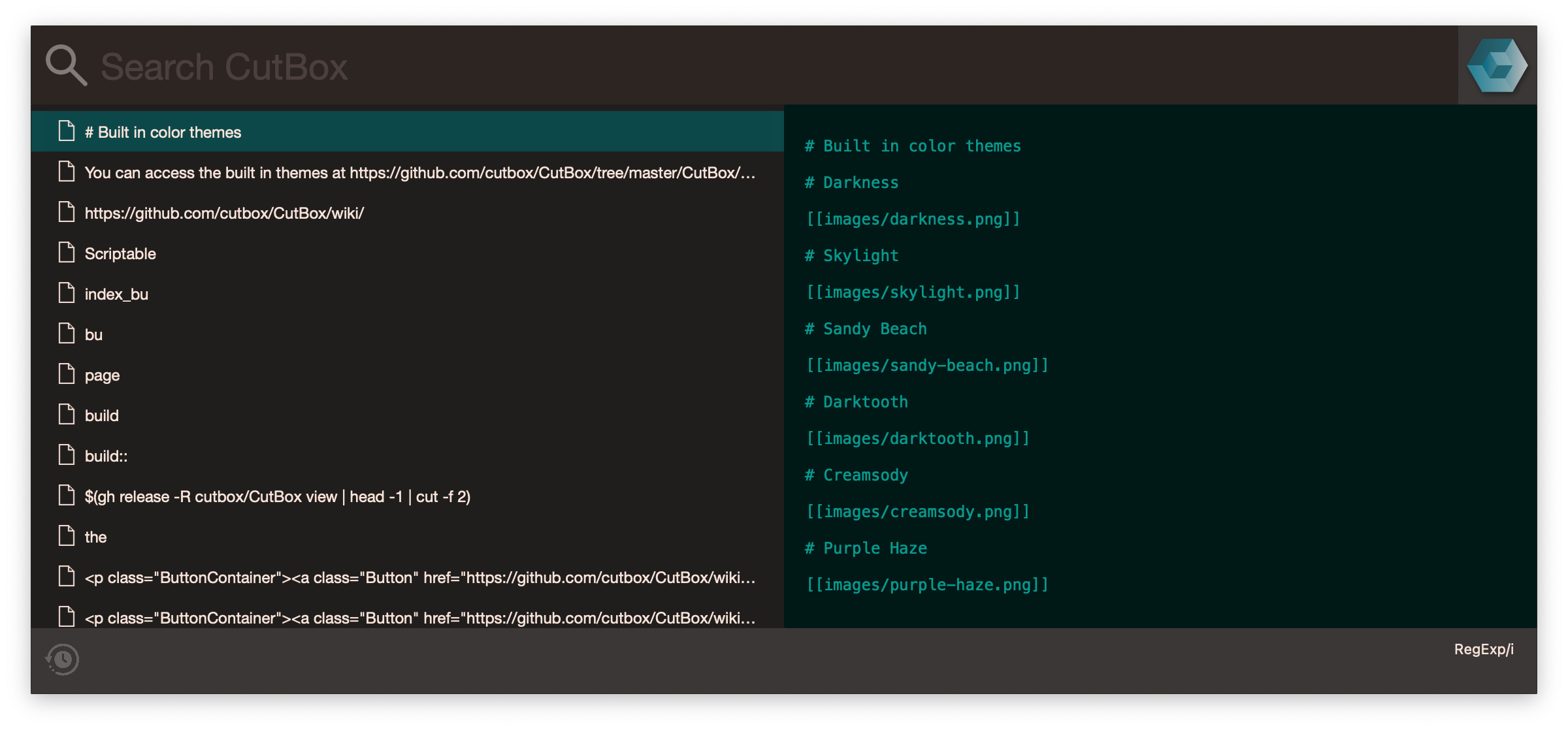
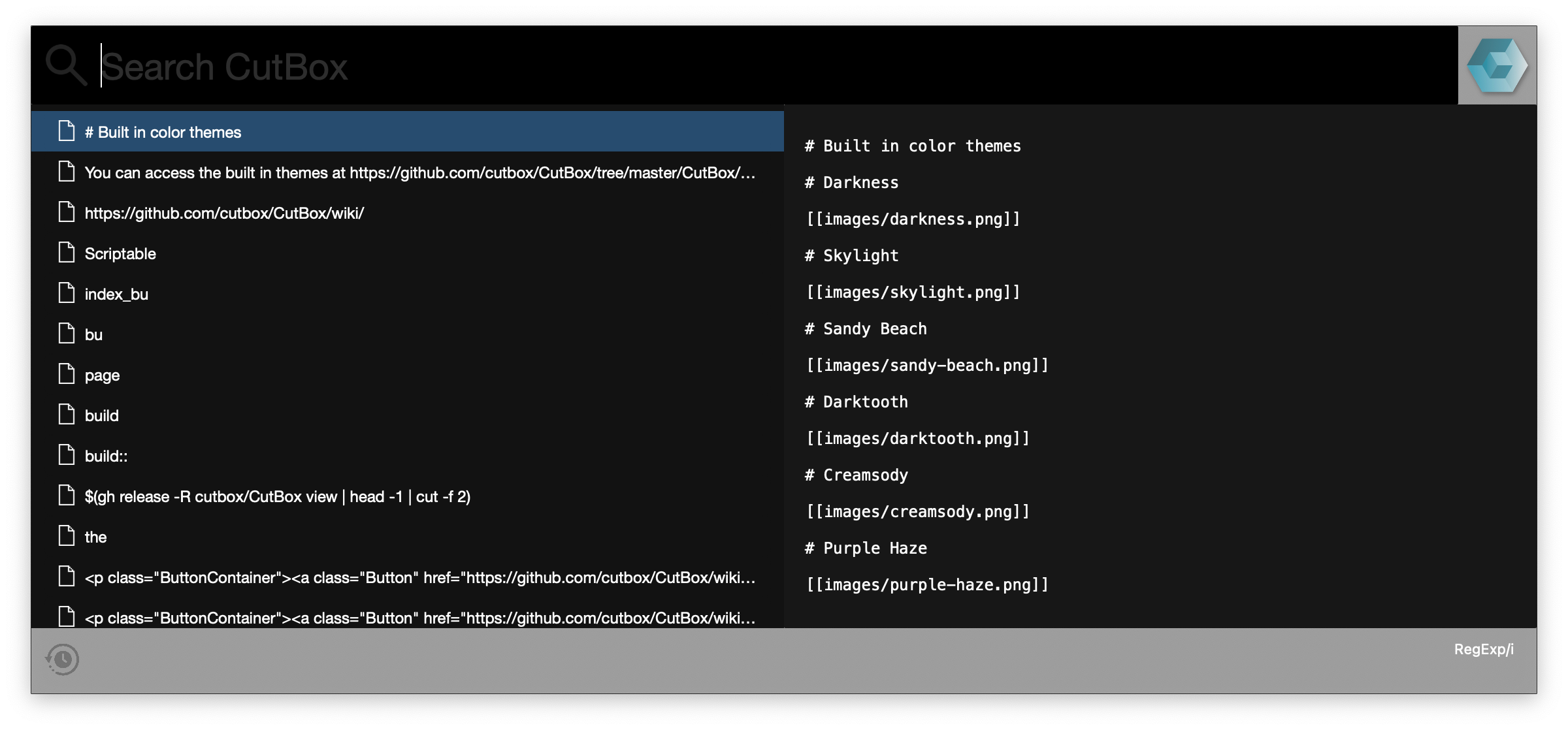
CutBox has several color themes to choose from, use Cmd + t to cycle through them or pick one in preferences. Standard replaces the old Darkness theme (Darkness can added to
From CutBox v 1.4.18 you can use custom themes. Themes are in a JSON format and stored in You can access the built in themes at https://github.com/cutbox/CutBox/tree/master/CutBox/CutBox/themes The JSON format is as follows. {
"name": "Darkness",
"popupBackgroundColor": "#163242AA",
"searchText": {
"cursorColor": "#0E1C20",
"textColor": "#0E1B21",
"backgroundColor": "#ECF3F6",
"placeholderTextColor": "#ADC3CC"
},
"clip": {
"backgroundColor": "#0E1B21",
"textColor": "#ACC0CA",
"highlightColor": "#033E60",
"highlightTextColor": "#ACC0CA"
},
"preview": {
"textColor": "#ADC2CC",
"backgroundColor": "#060707",
"selectedTextBackgroundColor": "#163242",
"selectedTextColor": "#000000"
},
"spacing": 1
}Color values are hex RGB style, hex RGBA is also usable... e.g. As with the color channels RGB, the A (alpha) channel is set with values from If there are errors in your theme, CutBox will not start up. To debug your theme, start CutBox from the terminal. Pay close attention to JSON formatting (validate with https://jsonlint.com/) and property names. Spacing values can be floating point or integer, setting them too large will look very bad. Between # open a terminal window...
/Applications/CutBox/Contents/MacOS/CutBoxCutBox will show error messages here.
{
    "name": "Olivetti Lettera",
    "popupBackgroundColor":            "#658487",
    "searchText": {
        "cursorColor":                 "#77777777",
        "textColor":                   "#000000DD",
        "backgroundColor":             "#00000011",
        "placeholderTextColor":        "#465C60"
    },
    "clip": {
        "backgroundColor":    "#FFECE3",
        "textColor":          "#2E3337",
        "highlightColor":     "#658487EE",
        "highlightTextColor": "#FFFFFFAA"
    },
    "preview": {
        "textColor":                   "#FFFFFFCC",
        "backgroundColor":             "#00000077",
        "selectedTextBackgroundColor": "#658487EE",
        "selectedTextColor":           "#20252980"
    },
    "spacing": 0
}
{
    "name": "Aquaman",
    "popupBackgroundColor":            "#332F2EEE",
    "searchText": {
        "cursorColor":                 "#31EFE277",
        "textColor":                   "#F9E6DDDD",
        "backgroundColor":             "#332A26",
        "placeholderTextColor":        "#70635E88"
    },
    "clip": {
        "backgroundColor":    "#23211F",
        "textColor":          "#F9E7DE",
        "highlightColor":     "#0B6F7599",
        "highlightTextColor": "#F9E7DE"
    },
    "preview": {
        "textColor":                   "#31EFE299",
        "backgroundColor":             "#001A18",
        "selectedTextBackgroundColor": "#009C9555",
        "selectedTextColor":           "#000000"
    },
    "spacing": 0
}Now the default theme for CutBox
{
    "name": "Standard",
    "popupBackgroundColor":            "#282C32",
    "searchText": {
        "cursorColor":                 "#F0FFFC77",
        "textColor":                   "#FFFFFFDD",
        "backgroundColor":             "#282C32",
        "placeholderTextColor":        "#7C7C7C88"
    },
    "clip": {
        "backgroundColor":    "#24292D",
        "textColor":          "#FFECE3",
        "highlightColor":     "#667578A9",
        "highlightTextColor": "#FFECE3"
    },
    "preview": {
        "textColor":                   "#FFECE3",
        "backgroundColor":             "#202529",
        "selectedTextBackgroundColor": "#66757830",
        "selectedTextColor":           "#EBF7FF80"
    },
    "spacing": 0
}
{
    "name": "Broken",
    "popupBackgroundColor": "#00000055",
    "searchText": {
        "cursorColor": "#FFFFFF",
        "textColor": "#FFFFFF",
        "backgroundColor": "#000000",
        "placeholderTextColor": "#333333"
    },
    "clip": {
        "backgroundColor": "#111111",
        "textColor": "#FFFFFF",
        "highlightColor": "#4175A7AA",
        "highlightTextColor": "#FFFFFF"
    },
    "preview": {
        "textColor": "#FFFFFF",
        "backgroundColor": "#000000DD",
        "selectedTextBackgroundColor": "#4175A7AA",
        "selectedTextColor":           "#000000"
    },
    "spacing": 0
}
CutBox a nice little pasteboard time-machine Clone this wiki locally |
| You are visitor 01402792 — GeezerVison does not store the pages you look up. Best viewed with Netscape Navigator 4.7 or Internet Explorer 6 at 800×600. No cookies required. |