GV

GeezerVison

The World Wide Web, restored to 800 pixels of glory.

Home|About|Gaming cabinet|Archives|How it works|Starter sites

On this site

  • Sign in
  • ActionsCI/CD and automation
  • CodespacesCloud development environments
  • All Features
  • Documentation
  • Training
  • Certifications
  • Build with Copilot
  • Customize Copilot
  • Integrations
  • Trending repos
  • GitHub Sponsors
  • Developer articles
  • Enterprises

This view

  • Original page
  • New address

GeezerVison is showing github.com — GitHub - grota/opencode: AI coding agent, built for the terminal.

BranchesTags
Open more actions menu


Latest commit


History

3,729 Commits
3,729 Commits

Folders and files

NameName
Last commit message
Last commit date
.github
.github
 
 
.husky
.husky
 
 
.opencode
.opencode
 
 
github
github
 
 
infra
infra
 
 
logs
logs
 
 
packages
packages
 
 
patches
patches
 
 
script
script
 
 
sdks/vscode
sdks/vscode
 
 
specs
specs
 
 
.editorconfig
.editorconfig
 
 
.gitignore
.gitignore
 
 
AGENTS.md
AGENTS.md
 
 
CONTRIBUTING.md
CONTRIBUTING.md
 
 
LICENSE
LICENSE
 
 
README.md
README.md
 
 
STATS.md
STATS.md
 
 
bun.lock
bun.lock
 
 
bunfig.toml
bunfig.toml
 
 
install
install
 
 
opencode.json
opencode.json
 
 
package.json
package.json
 
 
sst-env.d.ts
sst-env.d.ts
 
 
sst.config.ts
sst.config.ts
 
 
tsconfig.json
tsconfig.json
 
 
turbo.json
turbo.json


Repository files navigation

OpenCode logo

The AI coding agent built for the terminal.
Discord npm Build status

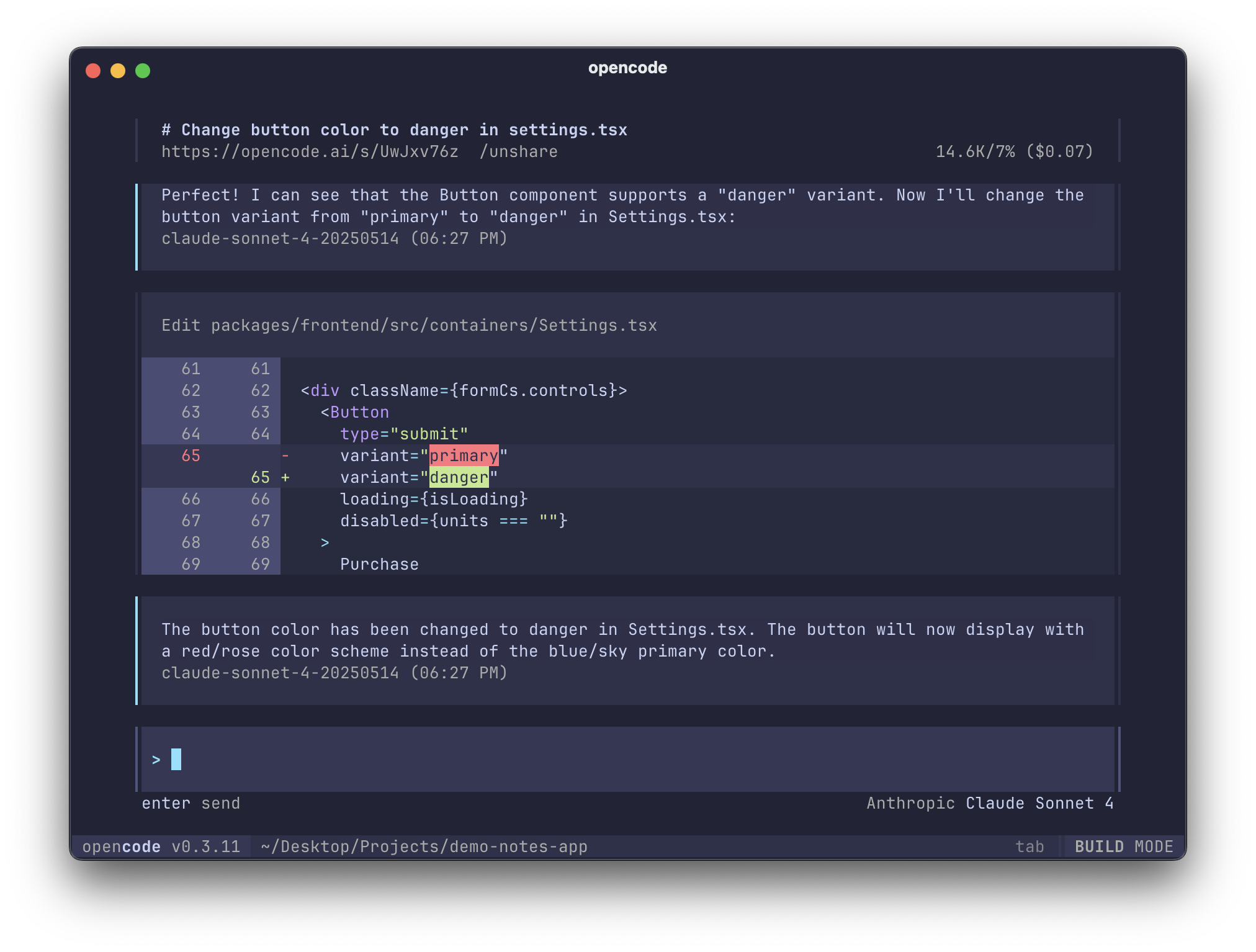
OpenCode Terminal UI


Installation

# YOLO
curl -fsSL https://opencode.ai/install | bash

# Package managers
npm i -g opencode-ai@latest        # or bun/pnpm/yarn
scoop bucket add extras; scoop install extras/opencode  # Windows
choco install opencode             # Windows
brew install opencode      # macOS and Linux
paru -S opencode-bin               # Arch Linux

Tip

Remove versions older than 0.1.x before installing.

Installation Directory

The install script respects the following priority order for the installation path:

  1. $OPENCODE_INSTALL_DIR - Custom installation directory
  2. $XDG_BIN_DIR - XDG Base Directory Specification compliant path
  3. $HOME/bin - Standard user binary directory (if exists or can be created)
  4. $HOME/.opencode/bin - Default fallback
# Examples
OPENCODE_INSTALL_DIR=/usr/local/bin curl -fsSL https://opencode.ai/install | bash
XDG_BIN_DIR=$HOME/.local/bin curl -fsSL https://opencode.ai/install | bash

Documentation

For more info on how to configure OpenCode head over to our docs.

Contributing

If you're interested in contributing to OpenCode, please read our contributing docs before submitting a pull request.

FAQ

How is this different than Claude Code?

It's very similar to Claude Code in terms of capability. Here are the key differences:

  • 100% open source
  • Not coupled to any provider. Although Anthropic is recommended, OpenCode can be used with OpenAI, Google or even local models. As models evolve the gaps between them will close and pricing will drop so being provider-agnostic is important.
  • Out of the box LSP support
  • A focus on TUI. OpenCode is built by neovim users and the creators of terminal.shop; we are going to push the limits of what's possible in the terminal.
  • A client/server architecture. This for example can allow OpenCode to run on your computer, while you can drive it remotely from a mobile app. Meaning that the TUI frontend is just one of the possible clients.

What's the other repo?

The other confusingly named repo has no relation to this one. You can read the story behind it here.


Join our community Discord | X.com

About

AI coding agent, built for the terminal.

opencode.ai

Resources

Readme
License

Contributing

Contributing
Activity

Stars

0 stars

Watchers

0 watching

Forks

0 forks
Report repository

Releases

Packages

Contributors

Languages

You are visitor 01402775 — GeezerVison does not store the pages you look up.
Best viewed with Netscape Navigator 4.7 or Internet Explorer 6 at 800×600. No cookies required.