A techno OS for the Akai MPC Sample
Drum machines, acid bass and kick synths with their own screens, on a 16-track groovebox OS built on Melodee by Kerem Kiliç (Ellic Studio). Currently on Melodee v0.10.0.
Download · Quickstart · User guide · The instruments

The HDSLAVE palette on Palette, Mixer, Step Edit and Deep Freeze (hdslaveOS 0.8.1).
hdslaveOS runs on the MPC Sample in place of the stock app, started from the
microSD card. It does not change anything on the MPC itself: choose
MPC APP on its Exit screen, or remove its autorun folder from the card,
and the stock app runs as before.
It keeps everything Melodee does: 16 tracks, kits, sampling, plug-ins, sequencing, Song, the looper and 41 effects (the full list). On top of that, hdslaveOS is set up for making and playing techno.
- Eleven instruments and effects of its own. The Complete SD Card Install comes with the hdslave plug-ins: a drum machine in the style of the 808, 909 and 606, a kick synth, a 303-style acid bass with a generative sequencer, a percussion synth and a hand drum with step sequencers, a 3D morphing filter, and more. Each one draws its own hardware-style page on the MPC's screen. The instruments
- The kick drives the sidechain. The master compressor's Sidechain can listen to a plug-in's second output. Foundry's SC Key bus carries its kick alone, so the mix ducks to the kick and nothing else.
- Plug-in sequencers stay in time. A plug-in that runs its own sequencer is woken when the transport starts or stops, is told when a song loops, and keeps its place while it sleeps or while its frozen track plays the print.
- Headroom for stacked synths. hdslaveOS removes idle and background work from the engine and the screen, and its audio stays bit-identical to Melodee's. CPU speed runs at Full unless you choose otherwise. Display refresh (a 20, 30 or 60 fps cap for built-in display updates), Dim after and Pad brightness save battery on a long set. optimization.md has the details.
- Old projects find their files. A project whose samples or plug-ins
are no longer where it saved them (the card under another name, samples
moved into
Melodee/Samples, a project folder or plug-in moved) finds them and plays, instead of playing silent. What it cannot find at once, it offers to search the card for. Moved files - Freeze keeps the tails. A printed track keeps its delay repeats, reverb tails and kit pad sends. Deep Freeze unloads the plug-ins too, and after a tempo change reloads them while the print plays.
- Long patterns, quickly. On Step Edit, SHIFT + encoder moves the caret a bar at a time, on the same step of the bar.
- Your own synth presets. SHIFT + SAMPLE SELECT saves a plug-in synth's sound as a user preset, and PRESETS › User Presets loads it in any project.
- One channel per pad. A MIDI track's CHANNEL can be Multi: each pad plays middle C on its own channel (pad 1 on channel 1, up to pad 16 on channel 16), with a step lane per pad. Use it for an external drum machine or a modular rig that takes one voice per channel.
- A screen for a dark room. Settings › SCREEN › Palette adds
HDSLAVE (a static purple flare on black with dark violet contours on
selected list rows, the default on new cards and on cards that used
NIGHT) and MONO (high-contrast black and white), both with square corners. Kit pads light as vividly as the screen shows their colours. - Its own boot film, the hdslave intro, in place of the default splash. The purple badge starts forming as the camera slides into place, then holds for a beat. The lower edge tears, tracking briefly settles, and the picture rolls once before the static breaks into a narrow strip and cuts to black. The interface fades in from there.
Eleven hdslave CLAP plug-ins come with the Complete SD Card Install, or on
their own from the
hdslave MPC Sample Synths & Drum Machines
collection. Each one draws its own interface on the MPC Sample through
Melodee's official melodee.screen/1 extension.
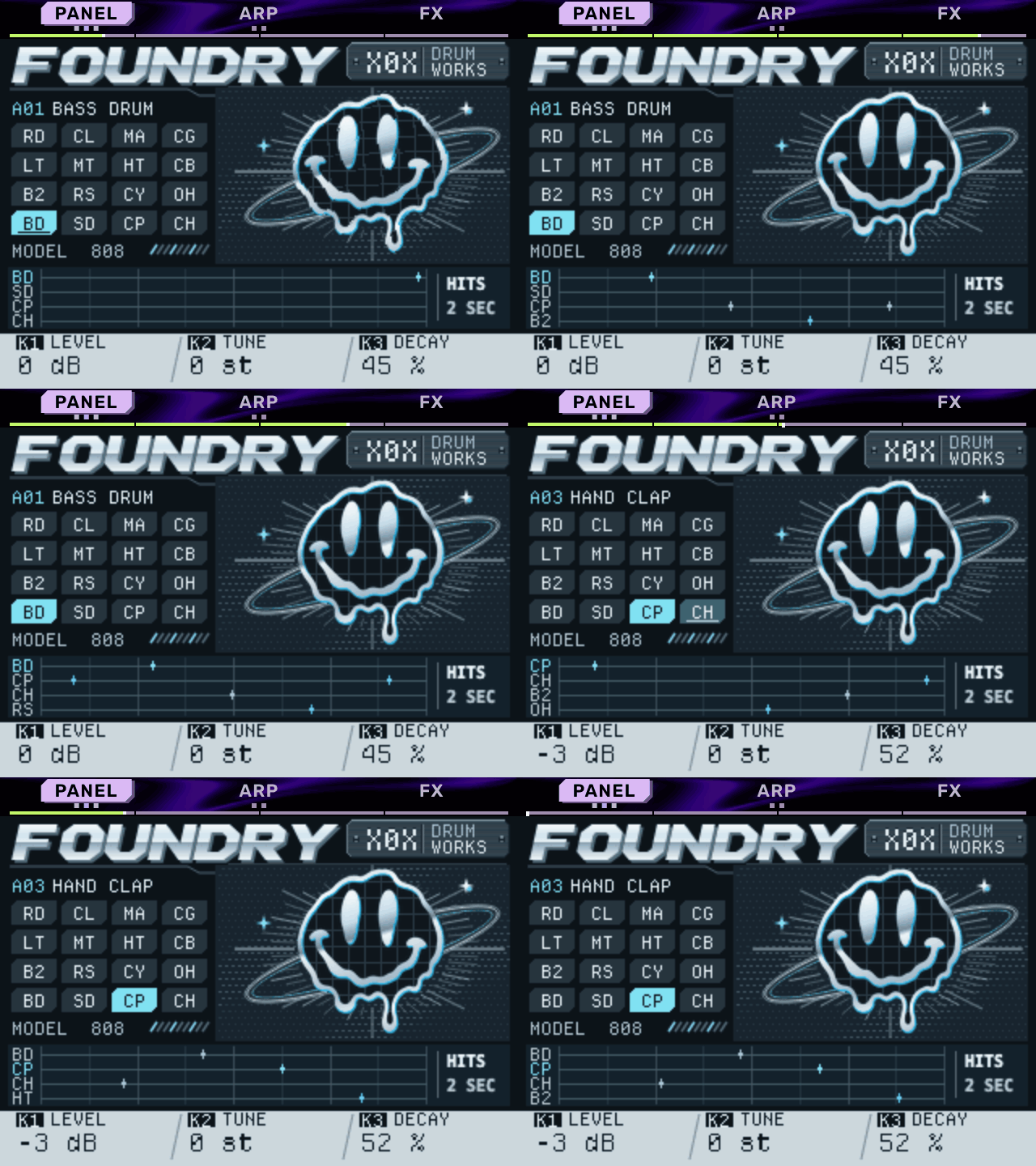 Foundry — 16-voice 808/909/606-style drum machine |
 MoonBass — kick drum synth |
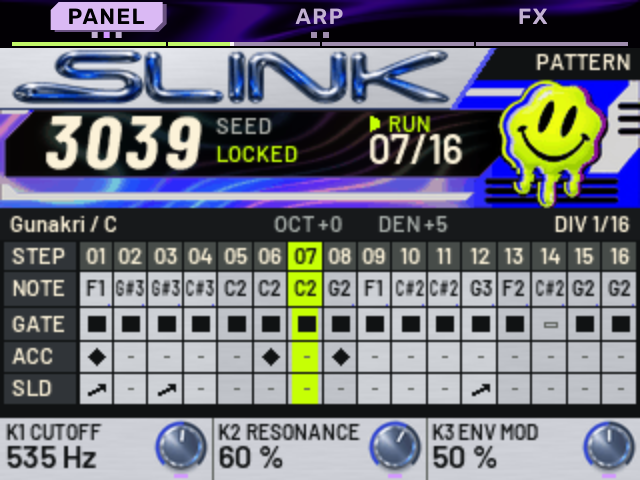
 Slink — 303-style acid bass with a generative sequencer |
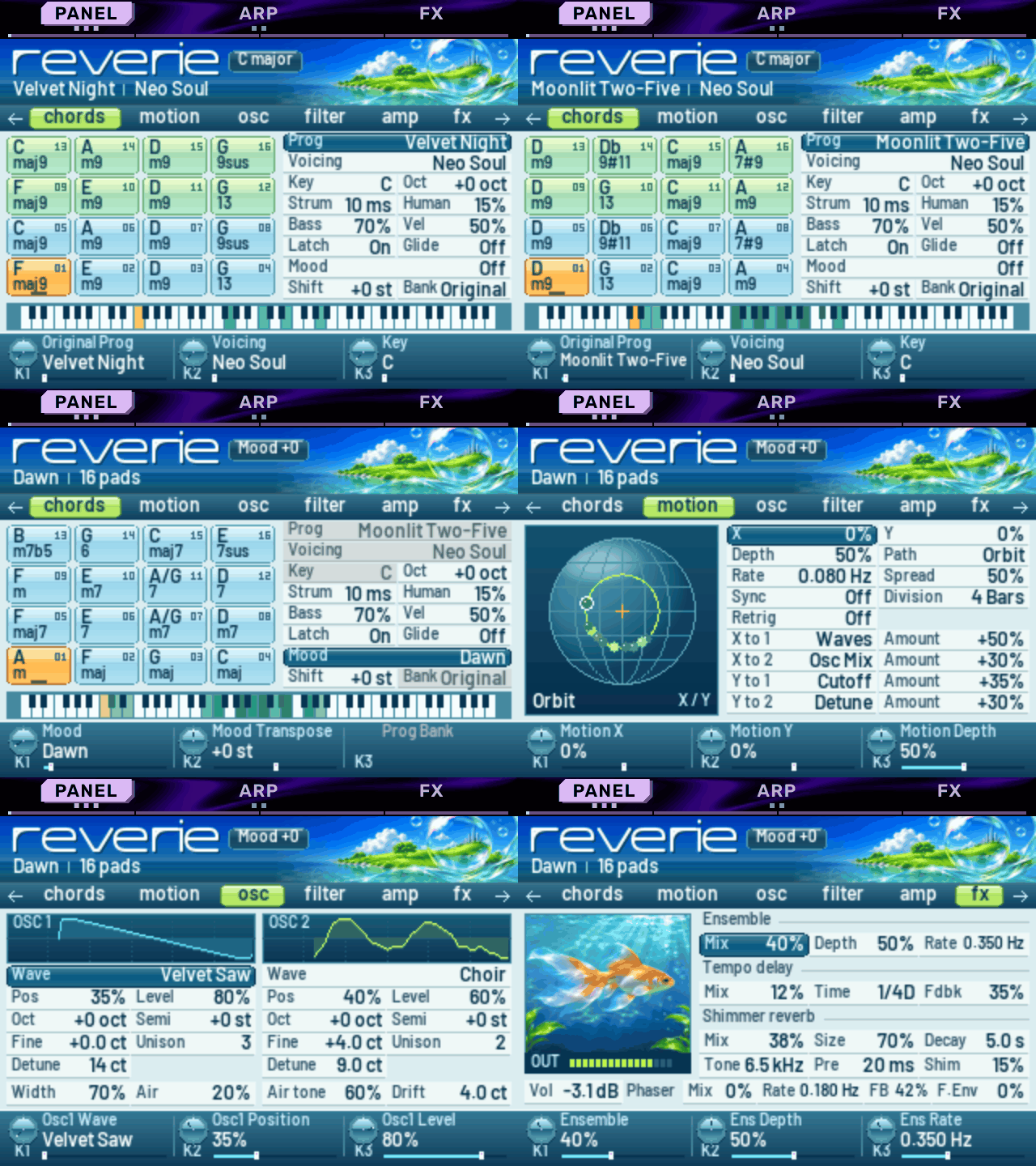 Reverie — pad and chord synth: the pads play chord progressions |
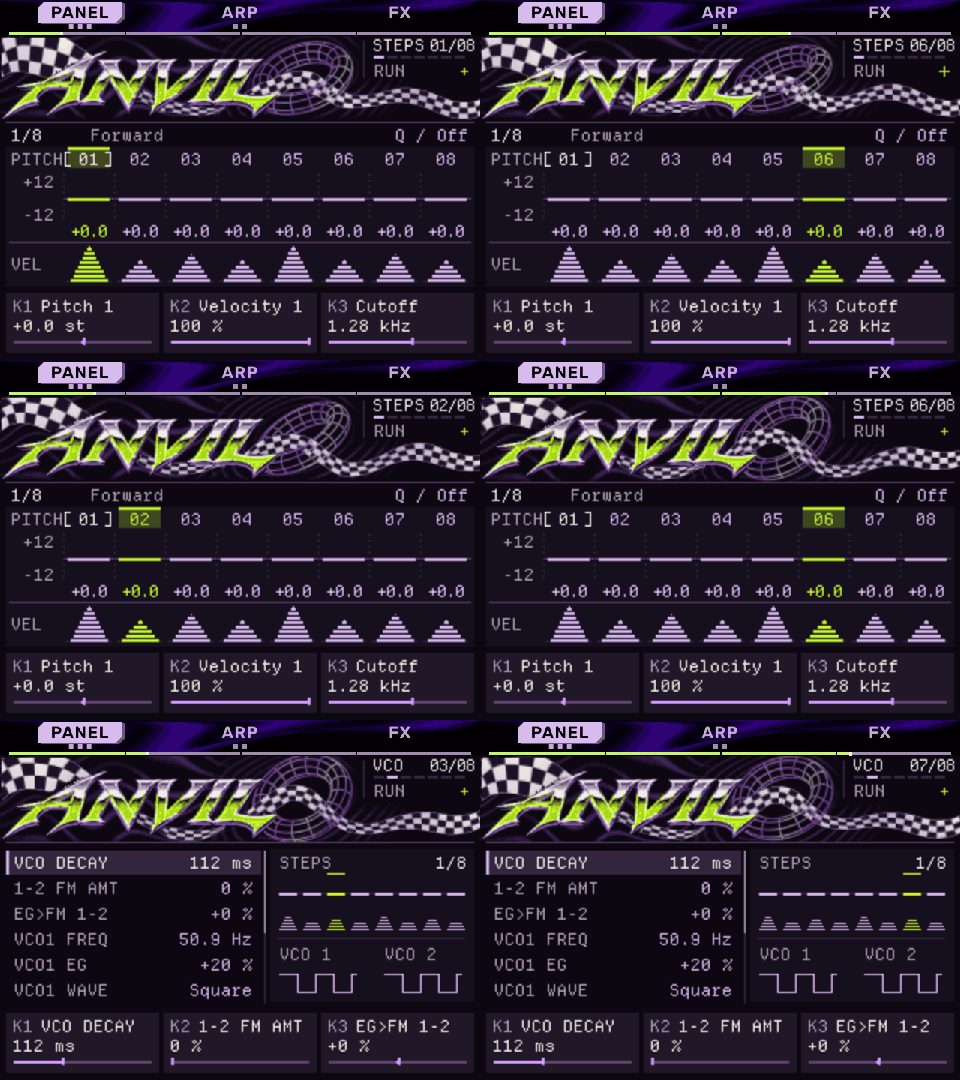 Anvil — percussion synth with an 8-step sequencer |
 Mystik — West Coast hand drum with a low-pass gate and a sequencer |
 Machine — multi-machine synth: FM, drums and kits |
 Psychic — generative synth with two corruptible sequencers |
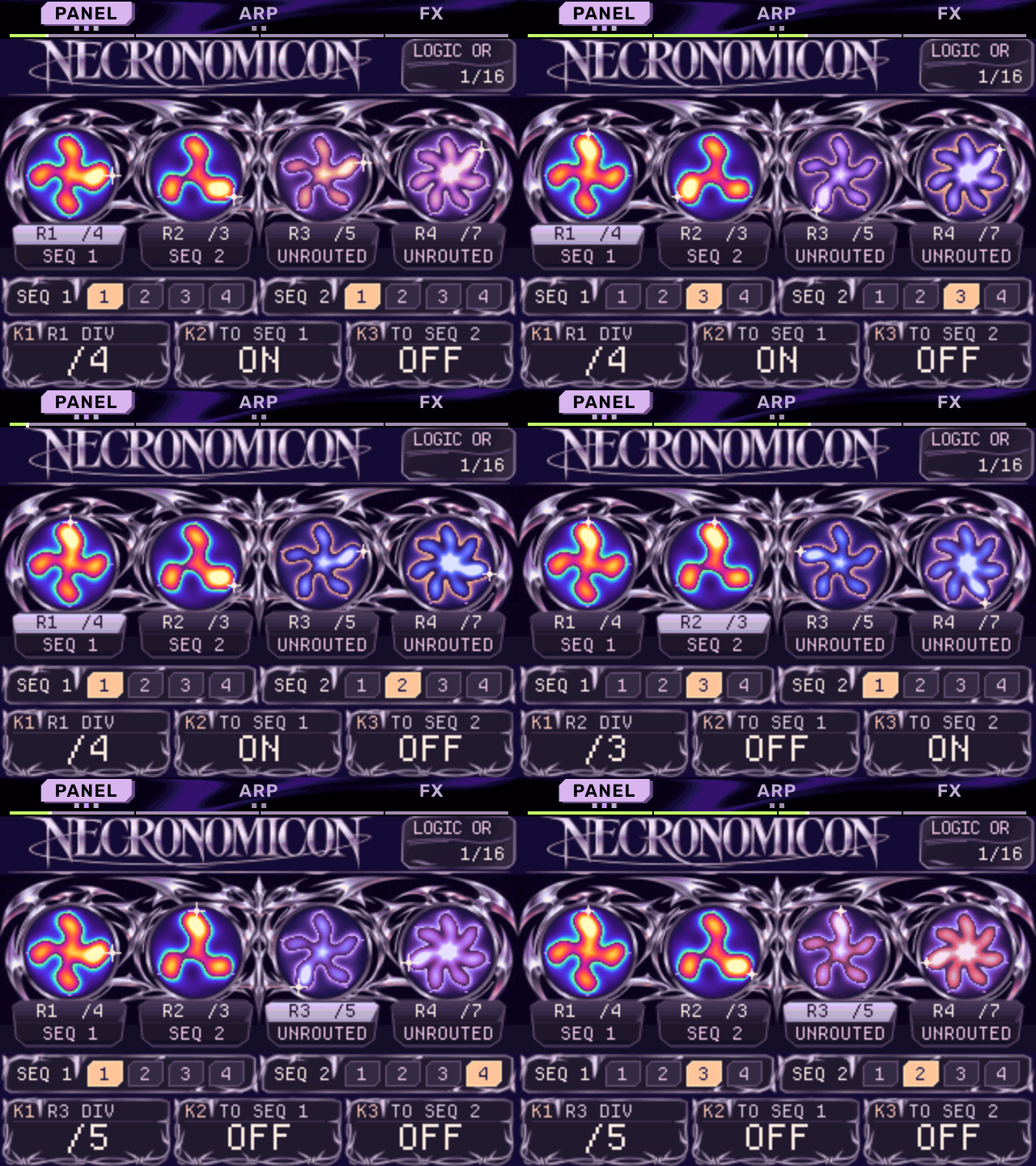 Necronomicon — polyrhythmic subharmonic synth |
 Nexus — multi-model macro oscillator synth |
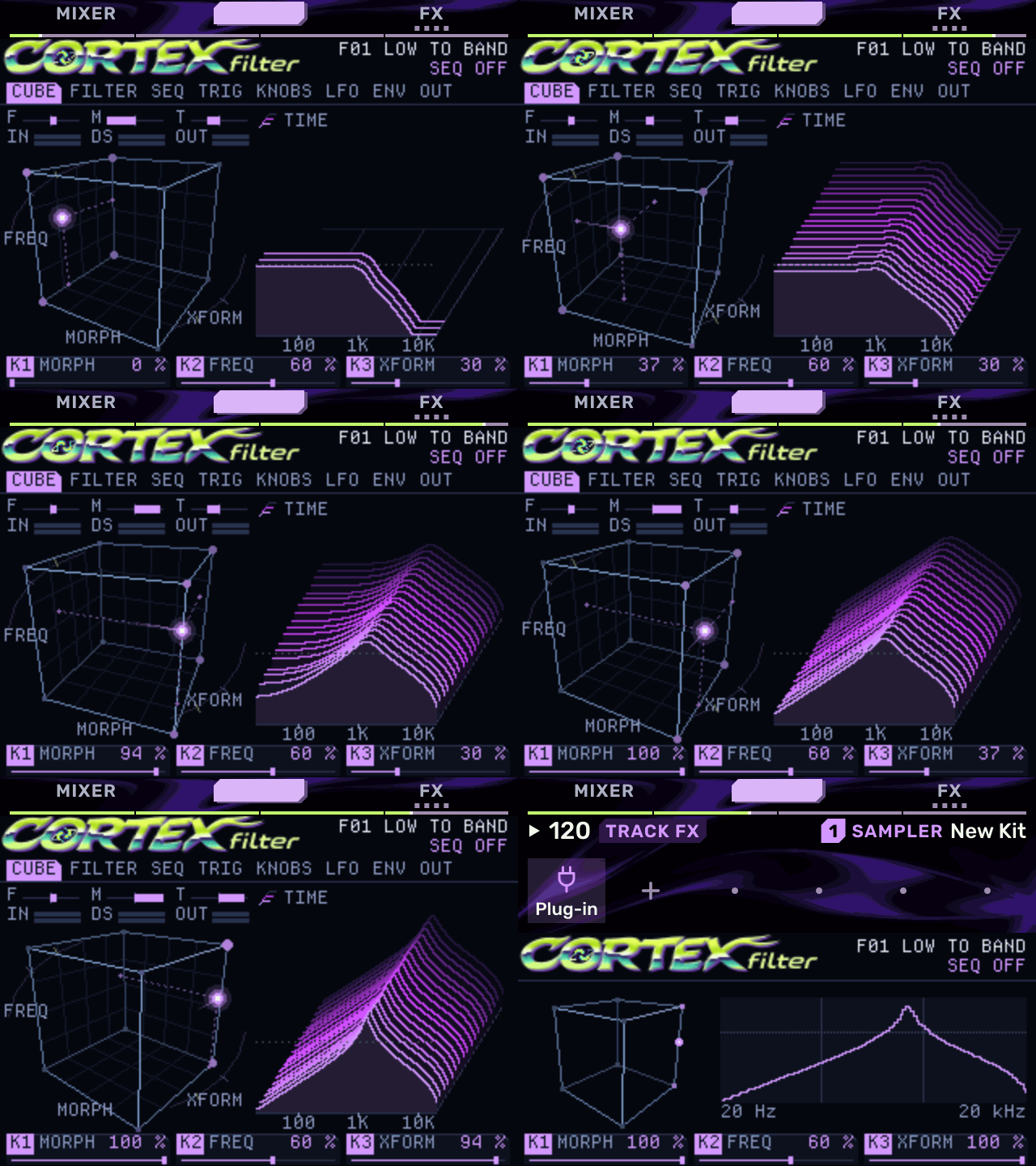 Cortex Filter — the effect: a stereo 3D morphing filter with a filter sequencer |
|
The hdslave MPC Sample Synths & Drum Machines hub collects all eleven, with one download for the set.
Desktop CLAP versions (macOS & Windows): Each plug-in repository also includes a separate desktop CLAP build in its
mac-clap/folder (for FL Studio and other desktop CLAP hosts) with all MPC screens on one interactive panel and MIDI Learn.
On an instrument track, press B1 on Stage to move from PRESETS to PANEL and open the plug-in’s custom screen. EDIT shows Melodee’s parameter pages. In an FX chain, select Cortex Filter to see its compact view. Push the encoder to open the full panel. B3 or Shift + Push returns to the chain, and Shift + B3 opens the slot sheet.
On a plug-in panel, K1–K3 follow the knob takeover setting when you select another step or change which parameters a row controls.

Mixer opens on the channel strips. Hold + to open the selected channel’s card and hold − to return to the strips. Tap + or − to move through the selected block.

Submix sends, insert effects, channel EQ, and compression.

MONO — high-contrast black-and-white dark palette across 16 pages.
hdslaveOS keeps all of Melodee, the 16-track groovebox for the Akai MPC Sample by Kerem Kiliç (Ellic Studio). Each pad is a track: a drum kit, a keygroup (a sampled instrument), a plug-in instrument, a MIDI track for external gear, or an audio track. Tracks play patterns, patterns make sequences and a song, and every track has a mixer strip and an effect chain that takes plug-in effects.
Back up your card before you install hdslaveOS.
New to hdslaveOS? Start with the quickstart. For every page and control, read the user guide.
- 16 tracks, one per pad. Hold PAD BANK and press a pad to select a track from any page.
- VST3, LV2, CLAP and VST2 plug-in host: load instruments and effects from the card. Use a plug-in instrument as a track's sound, and plug-in effects on track, bus, master and loop chains. Melodee runs 64-bit ARM Linux builds, Open MPC plug-ins, and 32-bit ARM plug-ins through a bridge. It loads each plug-in's presets, keeps its state in the project, plays drum machine plug-ins on pads, and compensates for plug-in latency.
- Melodee synths: three Open MPC instruments of its own, Melodee Poly (analog-style polysynth), Melodee PD (phase distortion) and Melodee Chip (chip voice), each with factory presets.
- Kits of 128 pads in 8 banks, with the stock Sample mode pages (Trim, Mix, Amp Env, Tune, Play, Filter, Filt Env) plus Layers, Follow (tempo follow), Cloud (granular) and a kit filter. Each pad has its own effects and sends to the four buses.
- Sampling: Chop (by hits, regions, beats, or by hand as the sample plays, up to 128 slices), Sample Record, Audio Recall, Resample and 16 Levels. Samples load from WAV, MP3, FLAC, Ogg Vorbis and AIFF files. A sample longer than 10 seconds plays from the card, up to 6 hours; a project holds as many samples as fit in memory.
- Stems: separate a pad's sample into drums, bass, music and vocals on four new pads, on the MPC itself.
- Sampled instruments: SFZ, MPC keygroup and drum programs (
.xpm,.xty), MPC expansions (.xpn), Logic EXS24 (.exs), SoundFont (.sf2) and DecentSampler (.dspreset), streamed from the card, on a keygroup track or a kit pad. Stock MPC Sample projects (.xpj) open too. - Auto sampler: samples a plug-in track, or an external instrument on a MIDI track, into an MPC keygroup program on a new keygroup track.
- Audio tracks: record the input into a pattern, as on the MPC 3. Each take has its level, start and end, fades, reverse and warp.
- MIDI tracks for external synths and drum machines over USB-C or the MIDI jacks, with program changes, CC knobs and SysEx.
- Chords: MPC 3 chord progressions on the pads, on any track, and a chord builder for your own.
- Sequencing: 128 patterns per track in 8 banks, up to 128 bars each. Step sequencer, piano roll, step entry, parameter locks, ratchets and trig conditions. Sequences keep their own track mutes. Copy a sequence with its patterns, or use sequence chains and follow actions.
- Song: an arrangement with a lane per track, markers and a tempo lane. Export a WAV mixdown, stems, a MIDI file, an MPC 3 project or an Ableton Live Set.
- Looper: four loops that follow the tempo, with overdub and undo.
- Effects: 41 effects. A six-slot chain on every track, four send buses and the master. Knob FX, Pad FX, Flex Beat and the master compressor work as on the stock app.
- Freeze: print a track to audio and play it from the card, or deep freeze it to unload its plug-ins too. Ring prints keep delayed repeats, reverb tails and kit pad sends, and follow changes to plug-in tails. Long tails stream as they overlap across successive passes of a frozen pattern. Changing the selection keeps the previous freeze playable if the new selection exceeds the memory available. Deep Freeze preserves playback if a new print is incompatible with the handoff or relaunch tempo. A later tempo change automatically reloads the plug-ins while the original print plays, then returns the track to live playback on its next pattern pass.
- Sync: MIDI clock and MTC in and out, and CV clock out.
- The Menu: hold the encoder on any page for the page's jobs with their shortcuts, and the 16 places laid out as the pads. Four short lessons run on the MPC itself.
- Basic and Full: Basic shows the stock app's pages plus tracks, plug-ins, the mixer and Song. Full shows every page. Melodee starts on Full.
- Web page: connect the MPC to a computer by USB-C and open http://melodee.local to install plug-ins, manage the card's files and read this guide. The MPC can also show up as a USB webcam with Melodee's screen.
- Akai MPC Sample with firmware 1.3.0.12, 1.4.0.7 or 1.4.0.8. On any other firmware hdslaveOS does not start and the stock app keeps running.
- On firmware 1.4: Developer Mode on, in the stock app's Settings on the DEV ENHANCEMENTS (BETA) page.
- A microSD card.
Download the Complete SD Card Install for hdslaveOS and all eleven MPC plug-ins, or the OS-only ZIP to update an existing install. Install the unsigned ZIP by hand. Latest hdslaveOS release
- Back up the card, then extract the ZIP on your computer. With the
complete installer, open
START-HERE.txtand use the files insideSD-Card/. - On a direct-boot card, back up the existing top-level
autorun/andautorun.shand replace both with the copies from the ZIP. On a SampleBoot card, keep its launcher and copy the contents of the ZIP'sautorun/into a newautorun/mods/hdslaveOS <version>/folder. Putautorun.jsondirectly inside that folder. - If you downloaded the plug-ins, copy the supplied files into
Melodee/Plugins/hdslave/on the card. Keep the supplied filenames so existing projects can find their plug-ins. - Start the MPC with the card inserted. On firmware 1.4, choose Yes at the autorun prompt. In SampleBoot, select the new hdslaveOS entry.
From hdslaveOS 0.9.1 on, the sequencer counts 960 ticks a quarter note, as
Melodee 0.9 does. Projects from earlier versions load with their timing
kept, but a project saved in 0.9.1 plays ten times too slow in hdslaveOS
0.8.3 and earlier. Back up Melodee/Projects before you update.
On firmware 1.4, Screen Mirror is not available and hdslaveOS runs at 44.1 kHz only: the firmware no longer lets apps load their own kernel drivers, and its audio driver takes 44.1 kHz alone.
The quickstart has the full steps, with screenshots.
Put plug-ins in Melodee/Plugins on the card (the Plugins folder inside
the Melodee folder at the top level), in any subfolders. hdslaveOS loads:
- VST3 bundles with a
Contents/aarch64-linux/build - LV2 bundles (
.lv2folders) built for 64-bit ARM Linux (aarch64) - CLAP plug-ins (
.clapfiles) built for 64-bit ARM Linux (aarch64) - Open MPC plug-in folders
- VST2
.sofiles built for 64-bit ARM (aarch64) or 32-bit ARM (armv7)
Plug-ins built only for Windows or macOS do not run on the MPC. The plug-in picker shows them dimmed, with the reason.
The latest complete installer and the standalone collection contain the same
eleven MPC plug-ins. The included MPC-PLUGINS.tsv lists the exact source
revisions and file hashes. Complete installer · 11-plug-in collection
The installer includes hdslave Slink 0.9.0. Select Slink and open Stage → Panel to see its silver panel. Standalone MPC download · Slink 0.9.11 for freesp16, macOS and Windows
Keep the supplied hdslave TB-MPC-3-P-0.clap filename for saved projects.
The Melodee synths are free downloads:
Melodee Poly, Melodee PD and
Melodee Chip. From each release, download the
-mpc-sample.zip, unzip it and copy the plug-in folder inside (for example
Ellic Studio - VST - Melodee Poly) into Melodee/Plugins. The synths also run on
MPC OS devices that load Open MPC plug-ins; those devices use the
-mpc-aarch64.zip or -mpc-armv7.zip.
| Document | What it covers |
|---|---|
| Quickstart | Install, first start, a first beat, saving |
| User guide | Every page and control, and a chapter for users of the stock app |
| Reference | The complete control reference, file formats and internals |
The design notes for the Looper and MIDI tracks record the choices made while each was built. They are for developers; the user guide covers both.
hdslaveOS is built for linux/arm64 in a Docker image. You need Docker and Python 3.
git clone --recurse-submodules -b hdslave https://github.com/hdslave/hdslaveOS.git
cd hdslaveOS
./build.sh
To make an unsigned package from a committed tree, build with the version,
strip as release.sh does, and package (release.sh itself makes Melodee's
signed releases and needs its author's key):
MELODEE_VERSION=v0.10.0-hdslave.1 ./build.sh
docker run --rm --platform linux/arm64 -v "$PWD:/work" sample-base-builder \
    sh -c 'strip -o build/melodee.release build/melodee && build/melodee.release --self-test build/release-test.wav'
python3 tools/package_unsigned.py v0.10.0-hdslave.1
This writes dist/hdslaveOS-MPC-Sample-<version>-unsigned.zip.
./build.sh builds build/melodee, then runs the tests, a sound
self-test, a monkey test and the page previews (build/melodee-preview/).
| Path | Contents |
|---|---|
src/melodee/ |
The app: pages, shell, plug-in hosts, design system |
src/main.cpp |
Connects Melodee to the sample-base runtime |
base/ |
sample-base (git submodule): drivers, runtime, build, install scripts |
core/ |
ellic-core (git submodule): the engine, model and shared files, with hdslaveOS's engine changes |
tests/ |
Engine, sequencer and shell tests, layout and release checks |
tools/make_release.py, release/ |
The SD card release zip |
To run a build on an MPC over SSH, use device.py (the base's device tool):
python3 device.py start
start copies Melodee into RAM and starts it. status, ctl and
screenshot talk to the running app. install-sd starts it from the card at
every boot.
Melodee's signed release zip (./release.sh VERSION,
dist/Melodee-MPC-Sample-<version>.zip) needs its author's key; hdslaveOS
makes the unsigned package above instead.
To move the base and the core to their latest commits (hdslaveOS uses the
hdslave branches of hdslave/sample-base,
whose main lacks hdslaveOS's CPU-speed commits, and of
hdslave/ellic-core, which carries
hdslaveOS's engine changes):
git -C base pull origin hdslave
git -C core pull origin hdslave
git add base core
Report a problem with hdslaveOS in this repository's issues, and a problem with an hdslave plug-in in that plug-in's repository. Please don't report them to Melodee.
Melodee is free. If you use hdslaveOS, you can support Melodee's author on Ko-fi.
hdslaveOS is made by hdslave. It is built on Melodee, which is made by Kerem Kiliç (Ellic Studio). hdslaveOS is an independent project: Ellic Studio does not make or support it.
Melodee and hdslaveOS are licensed under AGPL-3.0-only (LICENSE). They use JUCE under the AGPLv3, and the Rubik typeface and the other screen fonts under the SIL Open Font License 1.1 (THIRD_PARTY.md). hdslaveOS's boot film, the hdslave intro, is not covered by the AGPL (all rights reserved); it replaces Melodee's own boot art.
Neither Melodee nor hdslaveOS is affiliated with or endorsed by inMusic or Akai Professional. MPC and MPC Sample are trademarks of inMusic Brands.
You may use these plug-ins to make, perform, record and sell music, including paid client work, without royalties or credit to hdslave. You may share complete, unchanged official releases for free with their notices intact. Selling the software, including it in a paid product or subscription, or distributing a modified version requires prior written permission from hdslave. Third-party components keep their own licenses. Full plug-in license.