
It's Casey. Casey Cuddle.
This project is a command-line client for Kafka Connect. Relying on the idioms and semantics of kubectl, it allows you to register and examine connectors, delete them, restart them, etc. You can see what kcctl is about in this lightning talk from Devoxx:
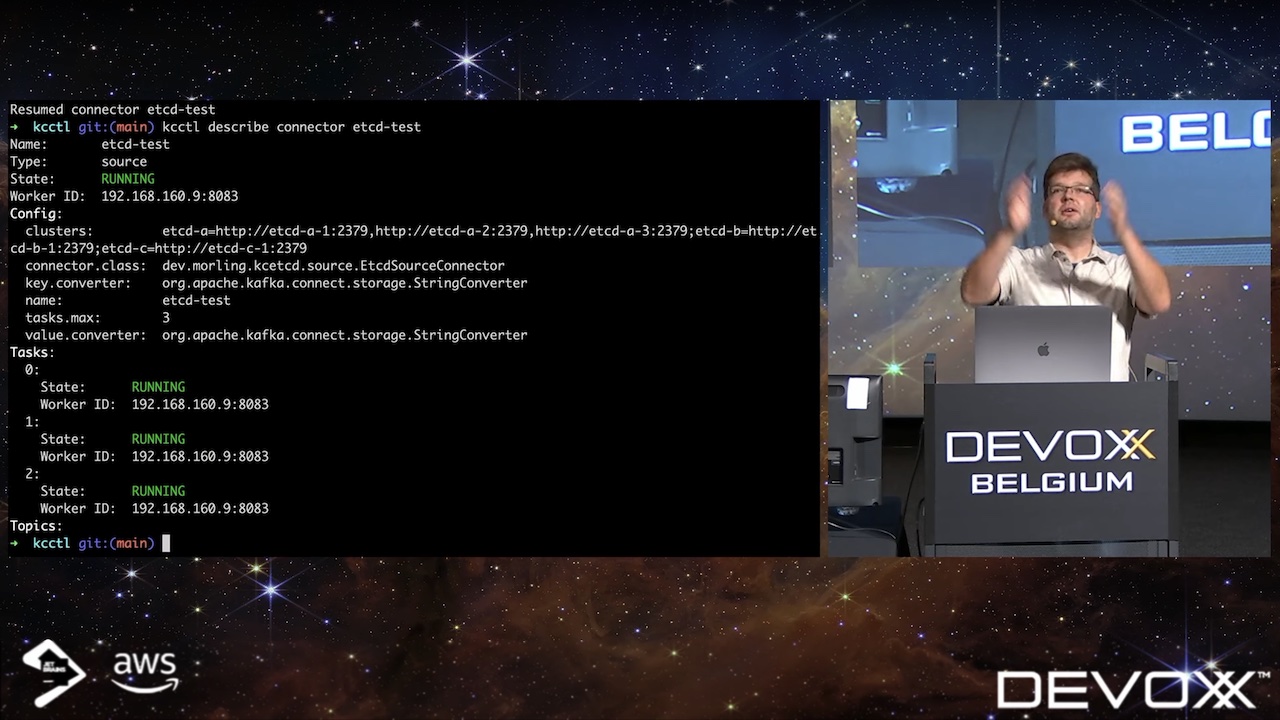
The latest stable release of kcctl for Linux (x86), macOS (x86 and AArch64), and Windows (x86) can be retrieved via SDKMan:
sdk install kcctl
You may also use Homebrew to install kcctl on Linux and macOS, by configuring our tap:
brew install kcctl/tap/kcctl
It is recommended to install the bash/zsh completion script kcctl_completion:
wget https://raw.githubusercontent.com/kcctl/kcctl/v<RELEASE>/kcctl_completion
. ./kcctl_completion
Alternatively, you can obtain early access binaries from here. This is a rolling release, new binaries are published upon each commit pushed to the kcctl repository.
Note: on macOS, you need to remove the quarantine flag after downloading, as the distribution currently is not signed:
xattr -r -d com.apple.quarantine path /to/kcctl-1.0.0-SNAPSHOT-osx-x86_64/
Before you can start using kcctl you need to create a configuration context. A configuration context is a set of configuration parameters, grouped by a name, describing one particular Kafka Connect environment. All subsequent commands will be executed using the currently active context.
To create a configuration context named local, with the Kafka Connect cluster URL set to
http://localhost:8083, issue the following command
kcctl config set-context local --cluster http://localhost:8083❗ Note that certain commands will require additional parameters, like bootstrap-servers and
offset-topic.
Type kcctl info to display some information about the Kafka Connect cluster.
The command will use the currently active context, local in this case, to
resolve the cluster URL.
Display the help to learn about using kcctl:
kcctl help
Usage: kcctl [-hV] [COMMAND]
A command-line interface for Kafka Connect
  -h, --help      Show this help message and exit.
  -V, --version   Print version information and exit.
Commands:
  info      Displays information about the Kafka Connect cluster
  config    Sets or retrieves the configuration of this client
  get       Displays information about connector plug-ins, connector offsets,
              created connectors, and loggers
  describe  Displays detailed information about the specified resources
  apply     Applies the given files or the stdin content for registering or
              updating connectors
  patch     Modifies connector offsets, connector configurations, or logger
              levels
  restart   Restarts some connectors or a task
  pause     Pauses connectors
  resume    Resumes connectors
  stop      Stops (but does not delete) connectors
  delete    Deletes connectors or their offsets
  help      Display help information about the specified command.
If your cluster enforces authentication, you may configure your username and password with the username and password parameters:
kcctl config set-context local --cluster http://localhost:8083 --username myusername --password mypassword❗ Note that setting user name and password via CLI may store those credentials in your terminal history. To work around this, you may set the username and password directly in your .kcctl file:
  "currentContext" : "local",
  "local" : {
    "cluster" : "http://localhost:8083",
    "username" : "myusername",
    "password" : "mypassword"
  }
Currently, only basic authentication is supported.
This project uses Quarkus, the Supersonic Subatomic Java Framework.
To build the project, make sure to the following things are installed:
- Java 25 (the project compiles to Java 21)
- Alternatively, for creating native binaries, GraalVM for JDK 25; run
etc/blocked-certificates.sh patchonce per GraalVM installation, so that the binary rejects the certificates listed inetc/blocked.certs - Docker must for running the integration tests (via Testcontainers)
The following build commands are commonly used:
# Build and run all the tests
./mvnw clean verify

# Build and skip integration tests
./mvnw clean verify -Dquarkus.test.profile.tags="basic"

# Format sources
./mvnw process-sources
You can run your application in dev mode that enables live coding using:
./mvnw compile quarkus:dev
To seed the command line arguments, pass the -Dquarkus.args option:
./mvnw compile quarkus:dev -Dquarkus.args='patch get connectors'In dev mode, remote debuggers can connect to the running application on port 5005.
In order to wait for a debugger to connect, pass the -Dsuspend option.
The application can be packaged using:
./mvnw package
It produces the quarkus-run.jar file in the target/quarkus-app/ directory.
Be aware that it’s not an über-jar as the dependencies are copied into the target/quarkus-app/lib/ directory.
The application is now runnable using java -jar target/quarkus-app/quarkus-run.jar.
You should define an alias kcctl:
alias kcctl="java -jar target/quarkus-app/quarkus-run.jar"
You can create a native executable using:
./mvnw package -Pnative
You can then execute your native executable with: ./target/kcctl-1.0.0-SNAPSHOT-runner
As above, either define an alias kcctl or rename the resulting executable accordingly.
Build the application in JVM mode. Then recreate the completion script:
java -cp "target/quarkus-app/app/*:target/quarkus-app/lib/main/*:target/quarkus-app/quarkus-run.jar" \
  picocli.AutoComplete -n kcctl --force org.kcctl.command.KcCtlCommand
Edit the completion script kcctl_completion, replace all the quotes around generated completion invocations with back ticks, making them actual invocations of kcctl:
--- local CONNECTOR_NAME_pos_param_args="kcctl connector-name-completions" # 0-0 values
+++ local CONNECTOR_NAME_pos_param_args=`kcctl connector-name-completions` # 0-0 values
Currently, three kinds of completions exist: connector-name-completions, task-name-completions, and logger-name-completions.
Two Docker Compose setups start a single Kafka broker with Kafka Connect for trying out kcctl by hand:
- docker-compose.basic-auth.yml: the Kafka Connect REST API requires HTTP basic authentication, with the user
testuserand the passwordtestpassword(see basic-auth/connect.password) - docker-compose.broker-auth.yml: the Kafka broker requires SASL/PLAIN authentication, which Kafka Connect and its connectors use; the REST API kcctl talks to is not secured
Both expose the REST API on port 8083, so only one of them can run at a time.
kcctl reads its configuration from .kcctl in the directory the user.home system property names, so the commands below keep their contexts out of your own ~/.kcctl by running kcctl through a shell function that points user.home to a directory of its own:
mkdir -p /tmp/kcctl-manual-test
kc() { kcctl -Duser.home=/tmp/kcctl-manual-test "$@"; }
Basic authentication on the REST API:
docker compose -f docker-compose.basic-auth.yml up -d

# Wait until Kafka Connect is up; without credentials it answers 401
until [ "$(curl -s "http://localhost:8083/" -o /dev/null -w '%{http_code}')" = "401" ]; do sleep 2; done

kc config set-context basic-auth --cluster=http://localhost:8083 --username=testuser --password=testpassword
kc config use-context basic-auth
kc info                                     # prints the Kafka Connect version
kc apply -f basic-auth/heartbeat.json       # registers the connector "heartbeat"
kc get connectors                           # lists "heartbeat" as RUNNING once its task has started
kc describe connector heartbeat
kc delete connector heartbeat

# The same without credentials is rejected
kc config set-context basic-auth-missing --cluster=http://localhost:8083
kc config use-context basic-auth-missing
kc info                                     # fails with an authentication error (HTTP 401)

docker compose -f docker-compose.basic-auth.yml down -v
SASL authentication on the broker:
docker compose -f docker-compose.broker-auth.yml up -d

# Wait until Kafka Connect is up
until curl -sf "http://localhost:8083/" -o /dev/null; do sleep 2; done

kc config set-context broker-auth --cluster=http://localhost:8083
kc config use-context broker-auth
kc info
kc apply -f broker-auth/heartbeat.json      # the connector authenticates against the broker itself
kc get connectors                           # lists "heartbeat" as RUNNING once its task has started
kc get offsets heartbeat                    # offsets are read from the broker by Kafka Connect
kc stop connector heartbeat
kc delete offsets heartbeat                 # requires a stopped connector
kc delete connector heartbeat

docker compose -f docker-compose.broker-auth.yml down -v
Afterwards, rm -r /tmp/kcctl-manual-test removes the contexts.
If Kafka Connect does not come up, docker compose -f <file> logs connect shows why; a connector that does not reach RUNNING shows its error in kc describe connector heartbeat.
- Picocli (guide): Develop command line applications with Picocli
- Quarkus native apps (guide): Develop native applications with Quarkus and GraalVM
This code base is available under the Apache License, version 2.