GV

GeezerVison

The World Wide Web, restored to 800 pixels of glory.

Home|About|Gaming cabinet|Archives|How it works|Starter sites

On this site

  • Sign in
  • ActionsCI/CD and automation
  • CodespacesCloud development environments
  • All Features
  • Documentation
  • Training
  • Certifications
  • Build with Copilot
  • Customize Copilot
  • Integrations
  • Trending repos
  • GitHub Sponsors
  • Developer articles
  • Enterprises

This view

  • Original page
  • New address

GeezerVison is showing github.com — GitHub - kitboy/learning: 学习强国浏览器插件,自动阅读、观看视频、每日答题、每周答题、专项答题,每日45分!

BranchesTags
Open more actions menu


Latest commit


History

42 Commits
42 Commits

Folders and files

NameName
Last commit message
Last commit date
answers
answers
 
 
images
images
 
 
release
release
 
 
.gitignore
.gitignore
 
 
FUNDING.yml
FUNDING.yml
 
 
README.md
README.md
 
 
release.crx
release.crx


Repository files navigation

学习

帮助一些成年人快乐地完成来自学习强国的学分,让更多时间思考人生的意义。

下载

  • 最新发布

安装方法

  • Chrome
    • 在地址栏输入 chrome://extensions 并回车,勾选 开发者模式 -> 加载已解压的扩展程序, 选择从 Source code 解压的 release 文件夹。
  • QQ 浏览器
    • 在地址栏输入 qqbrowser://extensions/manage 并回车,拖动 *.crx 文件到页面内。
  • 360 安全浏览器
    • 在地址栏输入 se://extensions 并回车,拖动 *.crx 文件到页面内。
  • 360 极速浏览器
    • 在地址栏输入 chrome://myextensions/extensions 并回车,拖动 *.crx 文件到页面内。
  • firefox
    • 搜索插件学习强国助手。

使用方法

  • 桌面浏览器
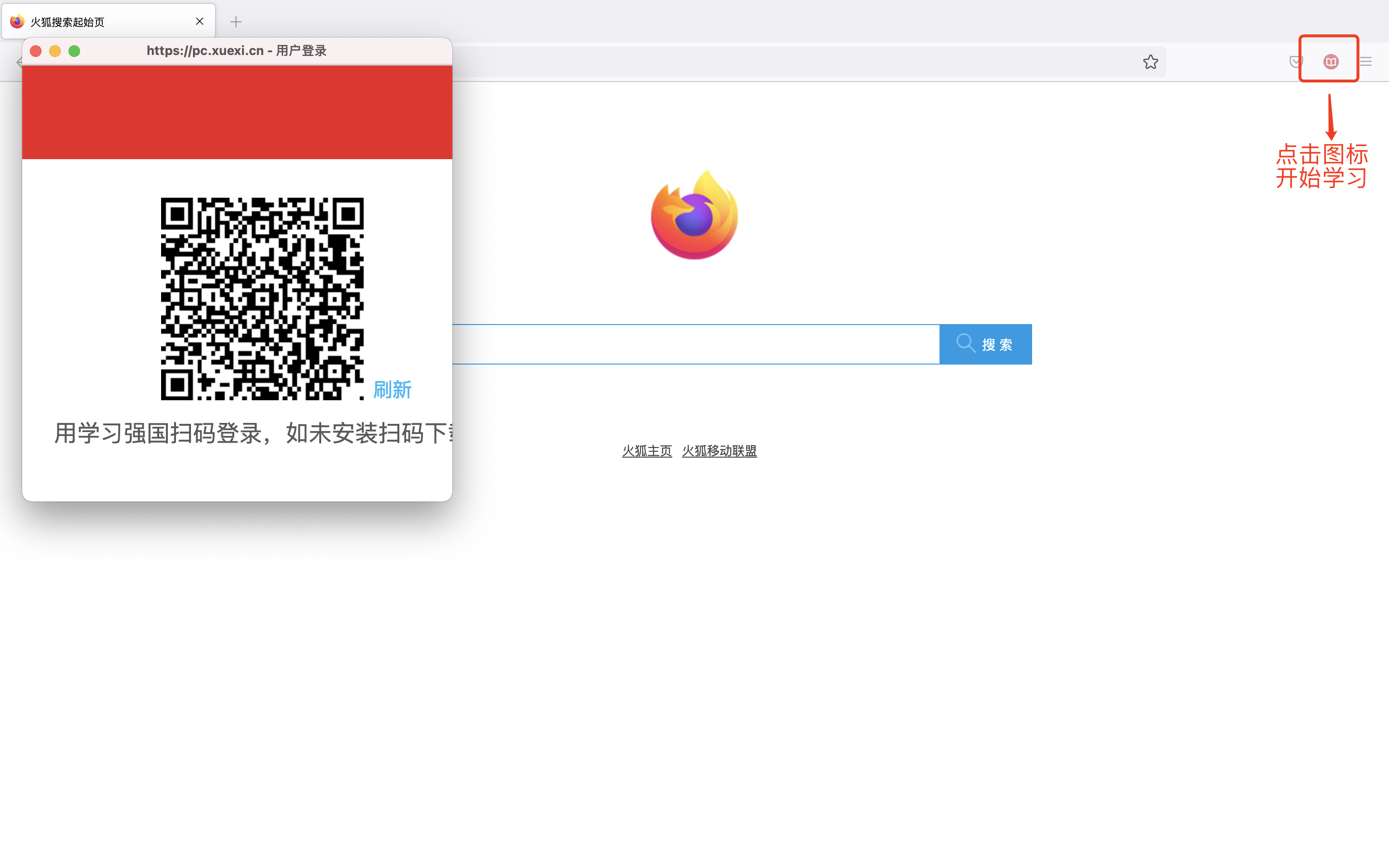
    • 在浏览器右上方的工具栏中,点击 iconv 按钮来启动程序。
    • 如果没有登录,请在打开的小窗口中进行登录。
    • 等待打开的小窗口中的程序完成“学习”,期间你可以用这台电脑做其他事情,但不要 最小化 或 关闭 那个窗口。
    • 运行时图片

多账号

  • 在Chrome中创建多个用户,使用不同的用户运行。
  • 或在多个不同的浏览器中运行。

许可

  • 本人长期使用,有问题提交 Issues
  • 本软件为公益性质,永久免费使用
  • 禁止各种形式的商用

About

学习强国浏览器插件,自动阅读、观看视频、每日答题、每周答题、专项答题,每日45分!

Resources

Readme
Activity

Stars

6 stars

Watchers

0 watching

Forks

0 forks
Report repository

Releases

Packages

Contributors

Languages

You are visitor 01402520 — GeezerVison does not store the pages you look up.
Best viewed with Netscape Navigator 4.7 or Internet Explorer 6 at 800×600. No cookies required.