- Install MikTeX;
- Update
MikTeXpackages:MikTeX Console -> Updates -> Check for updates;
- Update
- Install SumatraPDF viewer;
- Install TeXiFy IDEA plugin;
- Configure inverse-search in
Intellij IDEAfor SumatraPDF:Tools -> LaTeX -> Configure Inverse Search, which enables the user to jump from the pdf to the corresponding tex file source.
-
Create in root folder a new folder with the name of the subproject;
-
Go to settings.gradle.kts and add the new subproject with:
include(":subproject-name") -
Compile and build pdf, resolving any bibliographic references, with the Gradle task
buildPdfusing the Gradle Panel or the following command in the terminal:./gradlew :subproject-name:buildPdf
-
[Optional] Configure alternative names for the subproject directories and the main tex file in the
build.gradle.ktsfile:-
Create a
build.gradle.ktsfile in the subproject directory; -
Add the following code:
ext.set("variable", "value")
Variable Default value Description srcDirNamesrcname of the tex source file's directory outDirNameoutname of the output directory, where the pdf file will be generated to auxDirNameauxilname of the auxiliary directory, where the auxiliary files will be generated to mainTexFileNamemainname of the main tex file useBibtextrueuse bibtex to resolve bibliography references
-
-
[Optional] If no changes are made to the bibliography references in development, it is possible to speed up the compilation process by using IDEA's run configuration in the
<main>.texfile instead of the Gradle taskbuildPdf, as the latter has more compile iterations to resolve the bibliography references.- In the run configuration panel, edit the paths to the corresponding subproject directories:
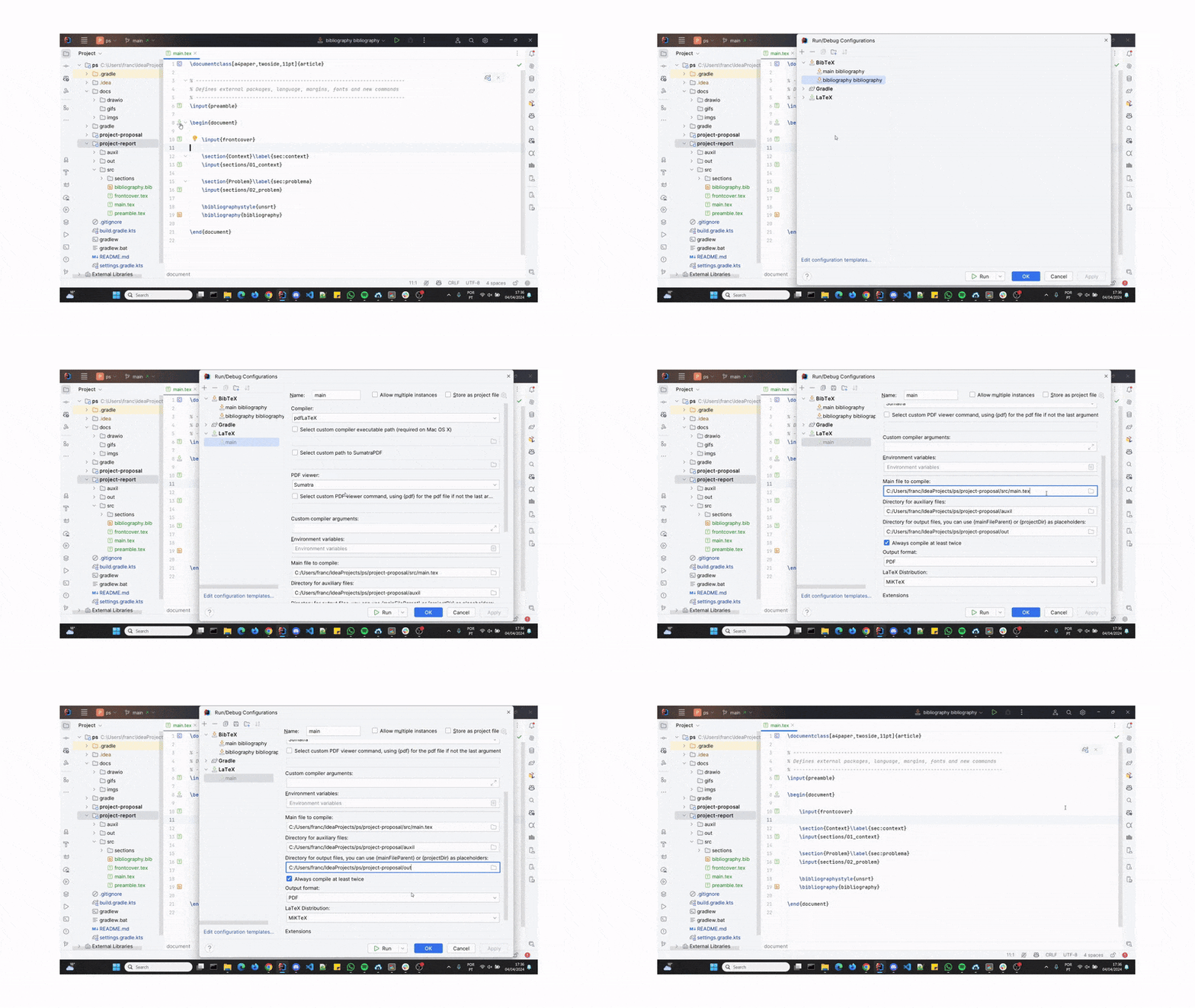
Edit Run Configuration - To compile the document use the shortcut
Shift + F10or the gutter iconRun.

Important
It is advised to not delete the generated auxiliary files as they can be used in subsequent compilations to speed up the process.
To compile and build all pdfs in all subprojects, use the Gradle task buildAllPdfs which can be found in the Gradle
Panel or by running the following command in the terminal:
./gradlew buildAllPdfs
A workflow using github actions is set up
to automatically compile
and build all pdfs in all subprojects when a pushis made to the repository in the main branch or from
a pull request.