GV

GeezerVison

The World Wide Web, restored to 800 pixels of glory.

Home|About|Gaming cabinet|Archives|How it works|Starter sites

On this site

  • Sign in
  • ActionsCI/CD and automation
  • CodespacesCloud development environments
  • All Features
  • Documentation
  • Training
  • Certifications
  • Build with Copilot
  • Customize Copilot
  • Integrations
  • Trending repos
  • GitHub Sponsors
  • Developer articles
  • Enterprises

This view

  • Original page
  • New address

GeezerVison is showing github.com — GitHub - lycing/TranslationPlugin: JetBrains IDE/Android Studio 翻译插件,支持中英互译、单词朗读

BranchesTags
Open more actions menu


Latest commit


History

315 Commits
315 Commits

Folders and files

NameName
Last commit message
Last commit date
.idea
.idea
 
 
images
images
 
 
libs
libs
 
 
resources
resources
 
 
src/cn/yiiguxing/plugin/translate
 
 
.gitignore
.gitignore
 
 
CHANGELOG.md
CHANGELOG.md
 
 
LICENSE
LICENSE
 
 
README.md
README.md
 
 
TranslationPlugin.iml


Repository files navigation

TranslationPlugin GitHub release Jetbrains Plugins

Version Downloads Downloads last month

JetBrains IDE/Android Studio 翻译插件,支持中英互译、单词朗读。

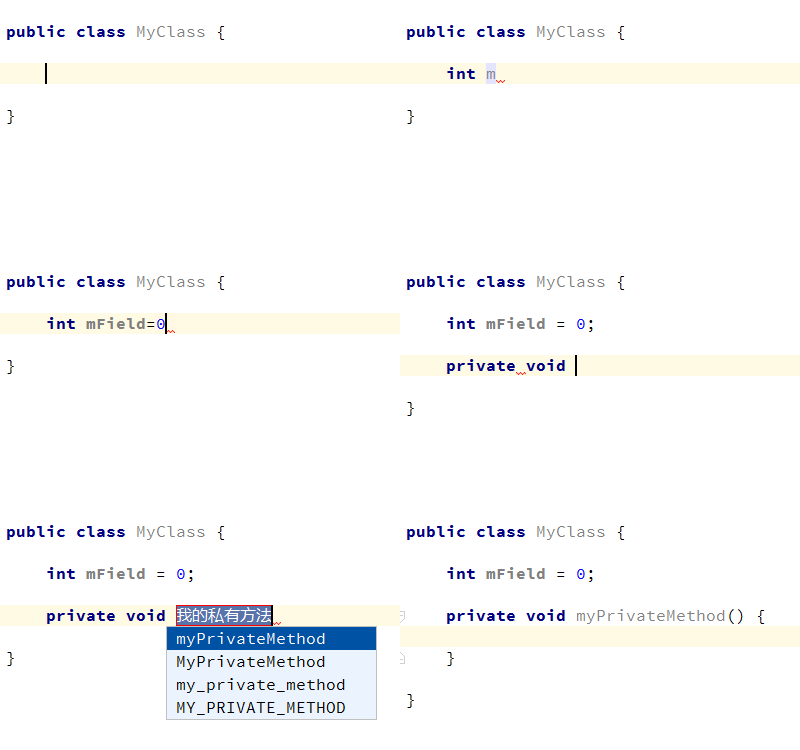
screenshots

截图1

安装

兼容除 MPS 外所有产品编译号为143以上的 Jetbrains IDE 产品。

支持的 IDE:

  • Android Studio
  • IntelliJ IDEA
  • IntelliJ IDEA Community Edition
  • PhpStorm
  • WebStorm
  • PyCharm
  • PyCharm Community Edition
  • RubyMine
  • AppCode
  • CLion
  • DataGrip
  • Rider

使用 IDE 内置插件系统:

  • Preferences(Settings) > Plugins > Browse repositories... > 搜索并找到"Translation" > Install Plugin

手动:

  • 下载最新发布的插件包 -> Preferences(Settings) > Plugins > Install plugin from disk...

重启IDE.

使用

  1. 申请有道智云翻译服务:

    • 注册有道智云帐号并登录到控制台页面
    • 创建一个翻译实例:控制台 > 自然语言翻译 > 翻译实例 > 创建翻译实例
    • 创建一个应用并绑定翻译服务:控制台 > 应用管理 > 我的应用 > 创建应用 > 绑定服务
    • 在插件中绑定应用——将上步骤的应用ID和应用密钥填写到插件设置页中相应的位置:Preferences(Settings) > [Other Settings] > Translation > 有道翻译

    注:请注意保管好你的应用密钥,防止其泄漏。如帐号欠费,将无法使用。

  2. 翻译编辑器中的文本:

    在编辑器中 选择文本或者鼠标指向文本 > 单击鼠标右键 > Translate
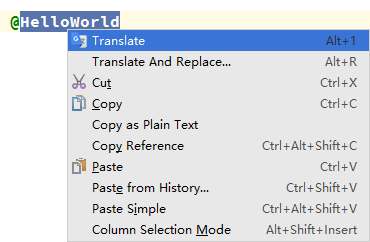
    翻译

    或者使用快捷键Alt + 1/2/3/T/R进行翻译(Mac下默认快捷键可能无效,需要自定义快捷键),详见 Actions

  3. 自定义快捷键(Mac下默认快捷键可能无效):

    Preferences(Settings) > Keymap > 搜索Translation。在需要添加快捷键Action上 右键 > add Keyboard Shortcut... 设置快捷键(按ESC键可关闭气泡和翻译对话框)。
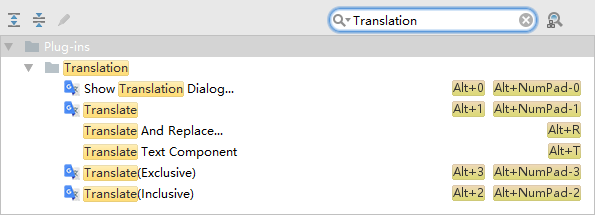
    keymap

Actions

  • Show Translation Dialog...: 打开翻译对话框。默认显示在工具栏上,默认快捷键为Alt + 0
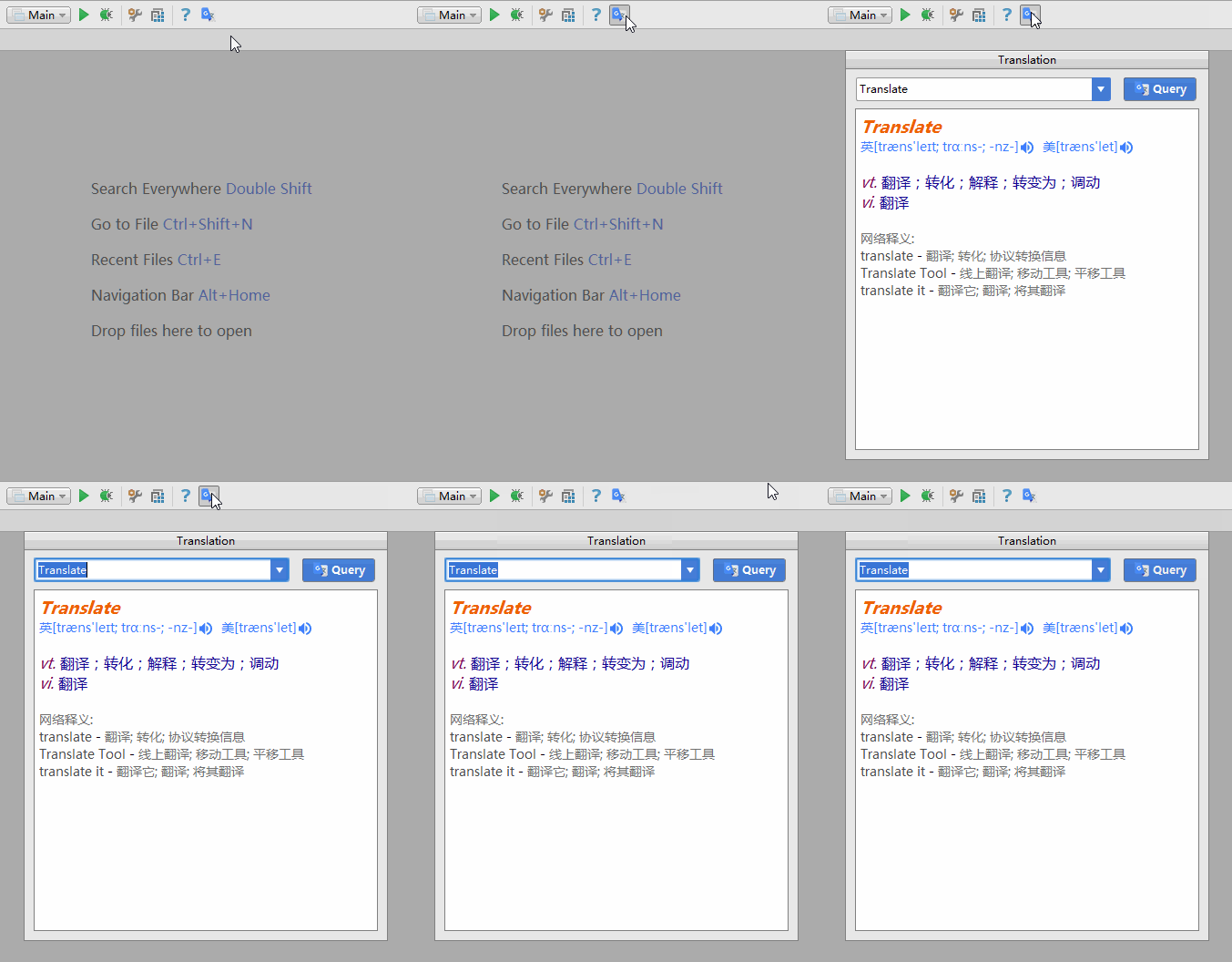
    Translate

  • Translate: 取词并翻译。如果有已选择的文本,优先从选择的文本内取词,否则默认以最大范围自动取词(该取词模式可在Settings中配置)。默认显示在编辑器右键菜单上,默认快捷键为Alt + 1
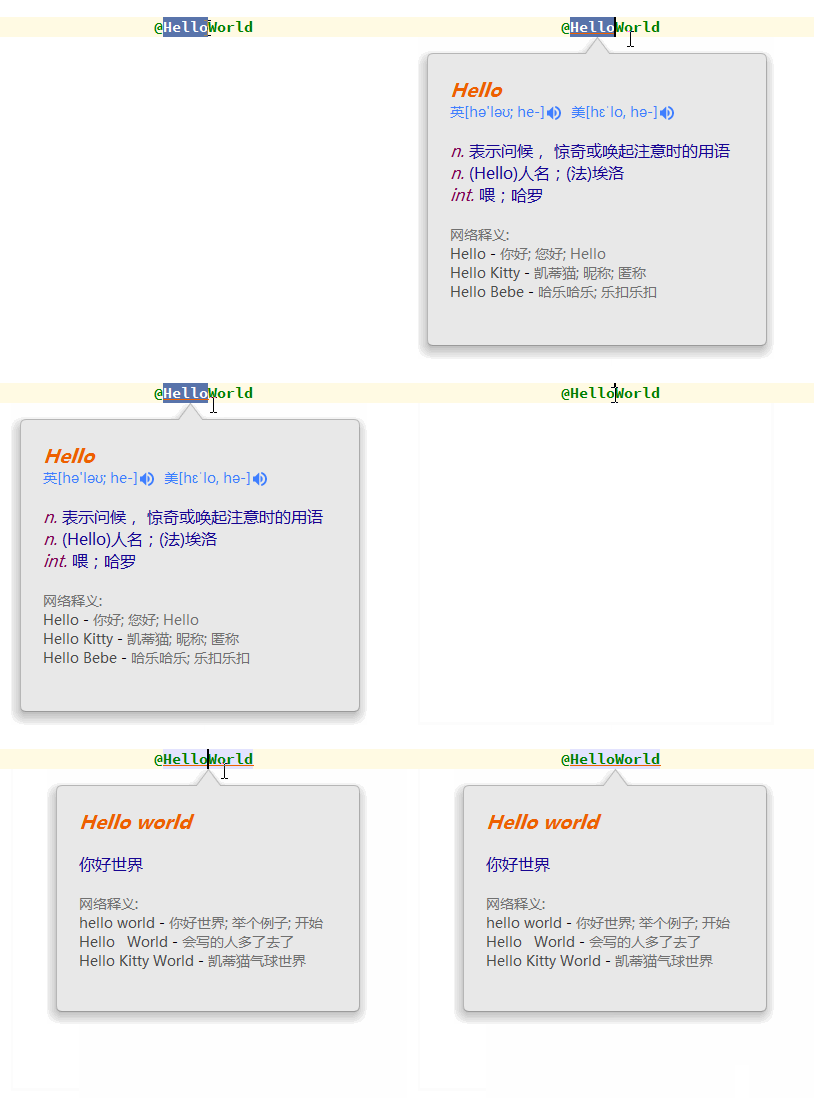
    Translate

  • Translate(Inclusive): 取词并翻译。自动以最大范围取最近的所有词,忽略手动选择的文本。默认快捷键为Alt + 2
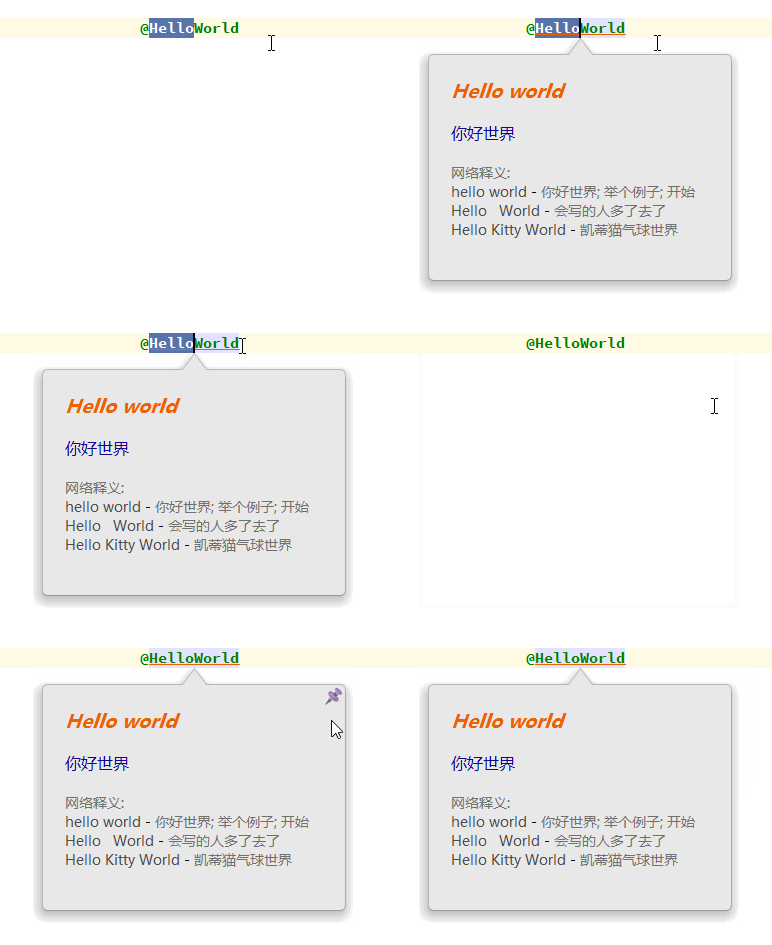
    Translate(Inclusive)

  • Translate(Exclusive): 取词并翻译。自动取最近的单个词,忽略手动选择的文本。默认快捷键为Alt + 3
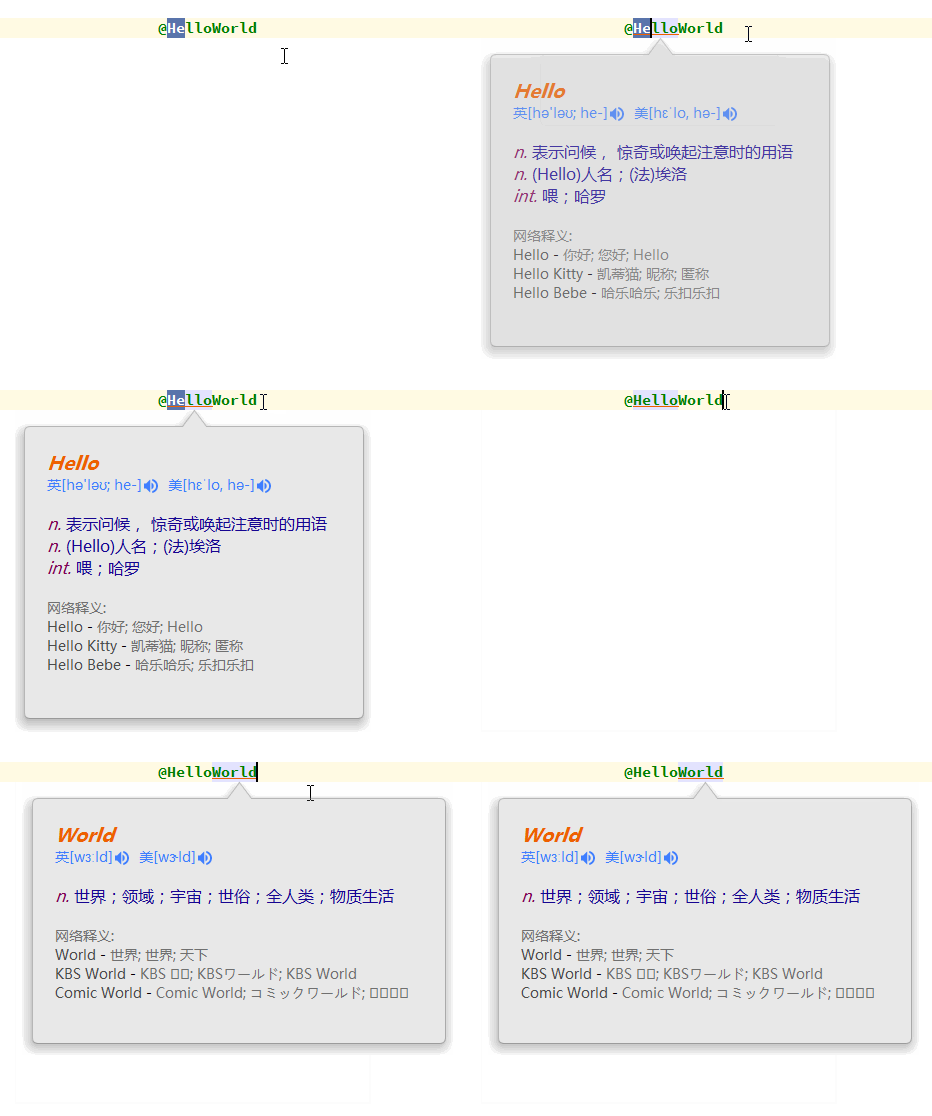
    Translate(Exclusive)

  • Translate And Replace...: 翻译并替换。取词方式同Translate操作。默认显示在编辑器右键菜单上,默认快捷键为Alt + R

    Translate(Exclusive)

  • Translate Text Component: 翻译一些文本组件(如快速文档、提示气泡、输入框……)中选中的文本。默认快捷键为Alt + T
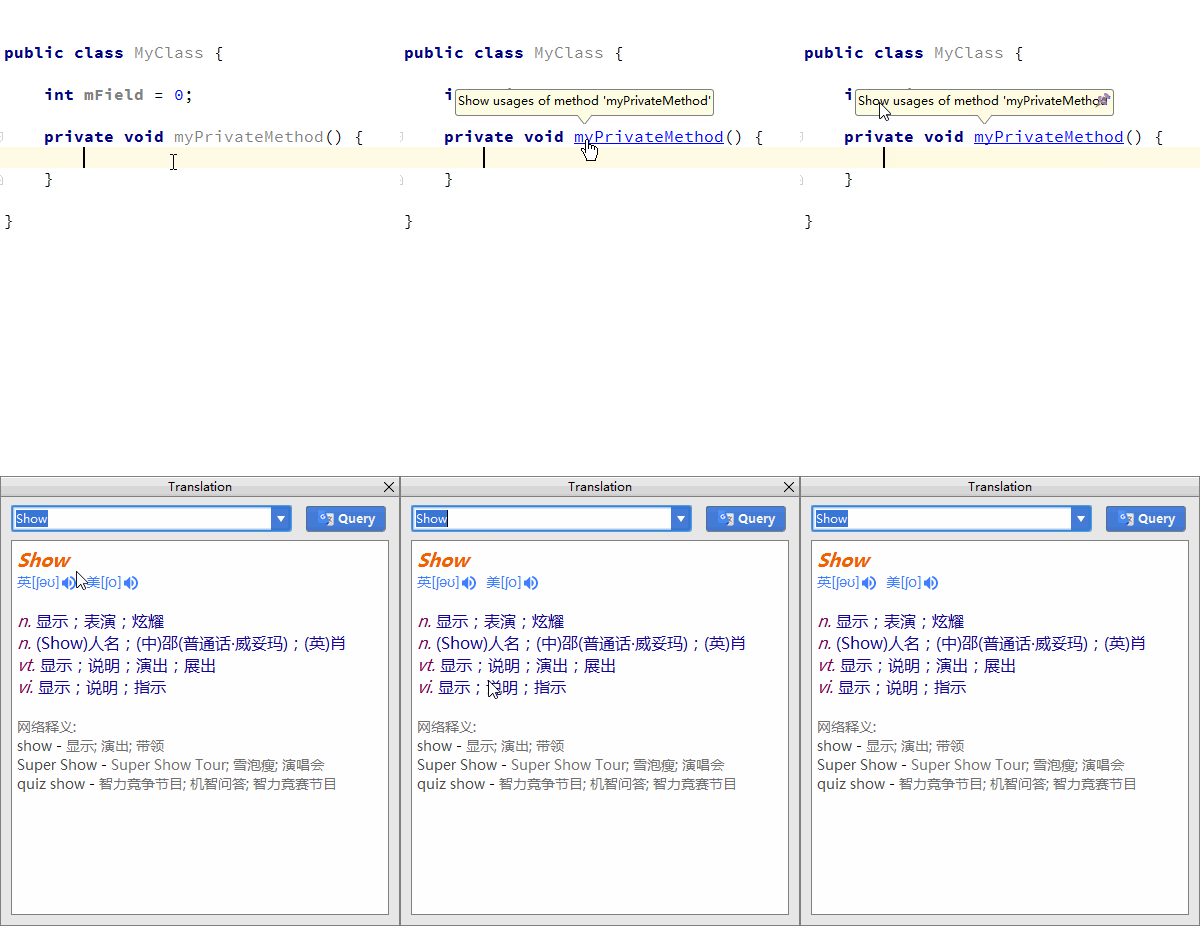
    Translate(Exclusive)

更新日志

v1.3.6 (2017-07-05)

  • Bug修复

完整的更新历史记录

About

JetBrains IDE/Android Studio 翻译插件,支持中英互译、单词朗读

yiiguxing.github.io/TranslationPlugin

Resources

Readme
MIT license
Activity

Stars

0 stars

Watchers

1 watching

Forks

0 forks
Report repository

Releases

Packages

Contributors

Languages

You are visitor 01402503 — GeezerVison does not store the pages you look up.
Best viewed with Netscape Navigator 4.7 or Internet Explorer 6 at 800×600. No cookies required.