GV

GeezerVison

The World Wide Web, restored to 800 pixels of glory.

Home|About|Gaming cabinet|Archives|How it works|Starter sites

On this site

  • Sign in
  • ActionsCI/CD and automation
  • CodespacesCloud development environments
  • All Features
  • Documentation
  • Training
  • Certifications
  • Build with Copilot
  • Customize Copilot
  • Integrations
  • Trending repos
  • GitHub Sponsors
  • Developer articles
  • Enterprises

This view

  • Original page
  • New address

GeezerVison is showing github.com — GitHub - matcracker/ServerTools: ServerTools is Pocketmine-MP plugin containing a set of tools that allows you to manage your server directly from the game!

BranchesTags
Open more actions menu

Latest commit


History

79 Commits
79 Commits

Folders and files

NameName
Last commit message
Last commit date
.github
.github
 
 
resources
resources
 
 
src/matcracker/ServerTools
 
 
.gitignore
.gitignore
 
 
.poggit.yml
.poggit.yml
 
 
LICENSE
LICENSE
 
 
README.md
README.md
 
 
composer.json
composer.json
 
 
composer.lock
composer.lock
 
 
phpstan.neon.dist
phpstan.neon.dist
 
 
plugin.yml
plugin.yml


Repository files navigation

Discord

ServerTools

ServerTools is PocketMine-MP plugin containing a set of tools that allows you to manage your server directly from the game!

Features

  • File Explorer
  • Cloning
  • Plugin Manager
  • Poggit Plugin Downloader
  • Restart Server

Menu UI example:

Main_Menu

Commands

  • /servertools (or alias: /st) - The main command of plugin (Permission (default OP) st.command.servertools)

File Explorer

Permission (default OP): st.ui.file-explorer
Permission to create/edit files and folders (default false): st.ui.file-explorer.write

It allows to:

  • Explore your server files and folder
  • Read your files (max file size is ~10.25 kB)
  • Create, rename, delete and edit files and folders (requires write permission)

FileExplorer

Reading file example

ReadFile

Editing file example

EditFile

Cloning

Permission (default false): st.ui.clone

It allows to clone your server using FTP (also available with SSL) or SFTP protocols.

Requirements

  • FTP: you need to have installed on your server the "ftp" PHP extension.
  • SFTP: you need to have installed on your server the "openssl" and "ssh2 (libssh2)" PHP extensions.

Steps

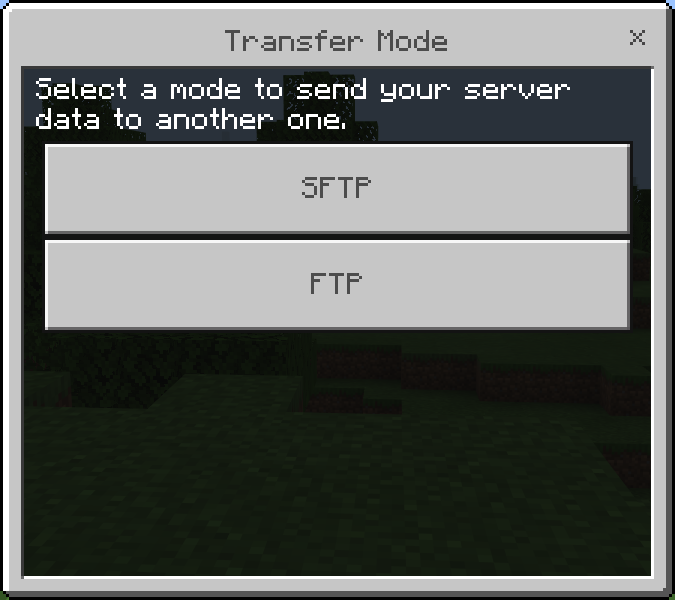
  1. Select the transfer mode.
    TransferMode

  2. Compile the information to login to your FTP/SFTP server.
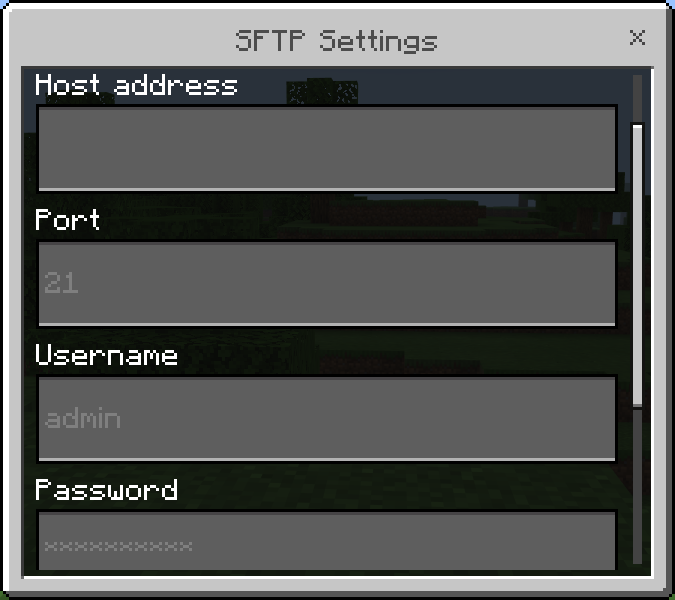
    FTP_Data

  3. Choose, if you want, some server folders/files to exclude from your clonation.
    ExcludeFiles

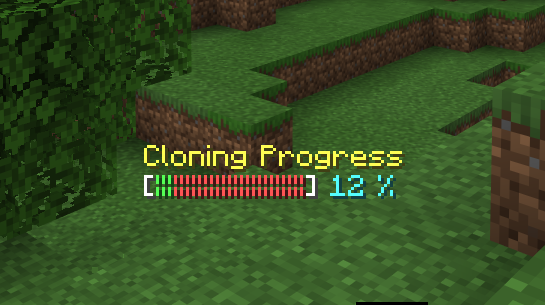
  4. Wait until the process is finished.
    Progress

Plugin Manager

Permission (default false): st.ui.plugin-manager

PluginManager

It allows to:

  • Enable/Disable plugins
    EnableDisablePlugin

  • Load a plugin from file (.phar)
    LoadPharPlugin

Poggit Plugin Downloader

Permission (default false): st.ui.poggit-downloader

It allows to search and download to your server a plugin from poggit website.

PoggitDownloader

Restart Server

Permission (default OP): st.ui.restart

It simply restarts your server.

F.A.Q.

  1. I get the message "You do not have permission to use this function" or similar, why?
  • Some functions of the plugin are very dangerous if given to all the operators of your server, because they could cause irreparable damage. To avoid this, the plugin disables the use of these functions and to be enabled you need to use a third-party plugin for managing permissions (e.g. PurePerms or similar) and add to yourself or whoever you trust the permissions of the various features of you need. The permission of each feature can be found in the respective chapter.

About

ServerTools is Pocketmine-MP plugin containing a set of tools that allows you to manage your server directly from the game!

Topics

clonerfile-explorerfile-managerpmmppmmp-pluginpmmp-pluginsserver-tools

Resources

Readme
GPL-3.0 license
Activity

Stars

25 stars

Watchers

3 watching

Forks

5 forks
Report repository

Releases

Packages

Used by

Contributors

Languages

You are visitor 01402503 — GeezerVison does not store the pages you look up.
Best viewed with Netscape Navigator 4.7 or Internet Explorer 6 at 800×600. No cookies required.