No more headaches with commit messages.
AI-Commit is a command line tool that uses OpenAI's ChatGPT model to generate commit messages for your Git repositories. As a result, you can write meaningful commit messages without having to think about them.
To use AI-Commit, you need to obtain an API key from OpenAI and set it as the value of the OPENAI_API_KEY environment variable.
export OPENAI_API_KEY=sk-xxxxxxxxxxxxxxxxxxxxxxxxxxxxxxxxxxxxxxxx
Sometime, the ChatGPT's response is not good (too long, too short, not meaningful). In that case, you can try custom the system prompt by set the AI_COMMIT_SYSTEM_PROMPT environment variable:
export AI_COMMIT_SYSTEM_PROMPT="You are a GitCommitGPT-4, You will help user to write commit message, commit message should be short (less than 100 chars), clean and meaningful. Only response the message."
By default, ai-commit use model gpt-3.5-turbo. You can change it by set the AI_COMMIT_MODEL environment variable:
export AI_COMMIT_MODEL="gpt-3.5-turbo"
Note: Using AI-Commit will result in charges from OpenAI for API usage, so be sure to understand their pricing model before use.
There are two ways to install AI-Commit:
go install github.com/nguyenvanduocit/ai-commit@latest
You can download prebuilt binaries for Linux, macOS, and Windows from the releases page
- Stage the changes you want to commit in Git.
- Run
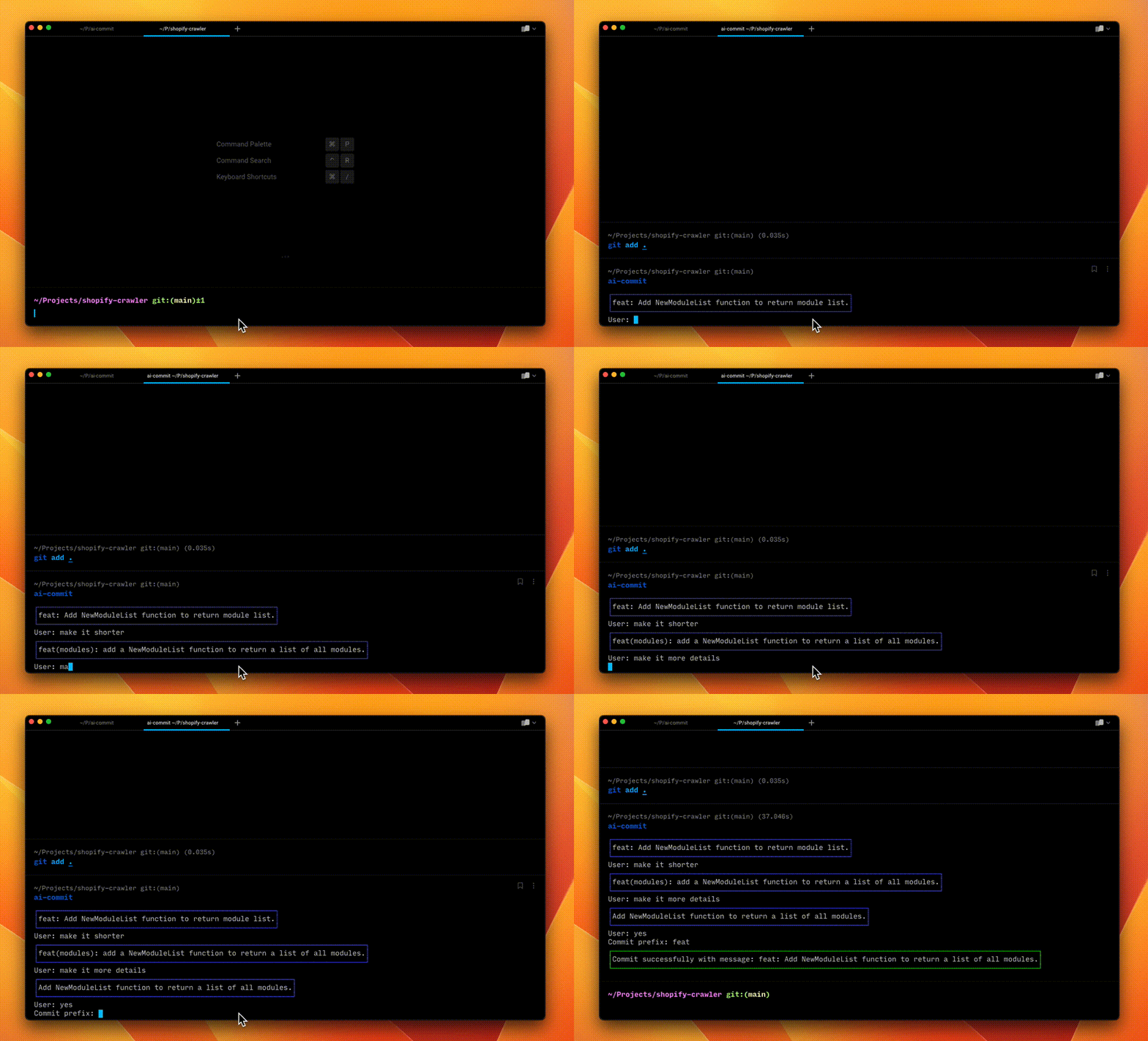
ai-commitcommand. - The tool will generate a commit message and print it to the console.
- Now you can chat with the AI to adjust the commit message. Press ctrl + c to stop.
- Finally, select the type of commit.
When use -a flag, ai-commit will auto stage all changes then commit with generated message.
ai-commit -a
When use -t flag, ai-commit will auto create tag based on the commit messages between the last tag and the HEAD.
ai-commit -t
When use -p flag, ai-commit will auto push to remote.
ai-commit -p
- Auto split changes in to multiple commits.
- Detect commit type.
- Auto tags?
AI-Commit is released under the MIT license. See LICENSE for more information.
Contributions are welcome! Please read the contribution guidelines first.