MITM proxy for Minecraft: Java Edition for bypass screenshares.
Allows you to connect from two Minecraft client to server with same account. Intended for use on two computers.
Support full IP interception so that clients connects to the real server IP.
Inspired by ViaProxy.
1. How to use
First of all, you must have two Wi-Fi adapters: for first and second computers. If you have a laptop, it should already have Wi-Fi.
-
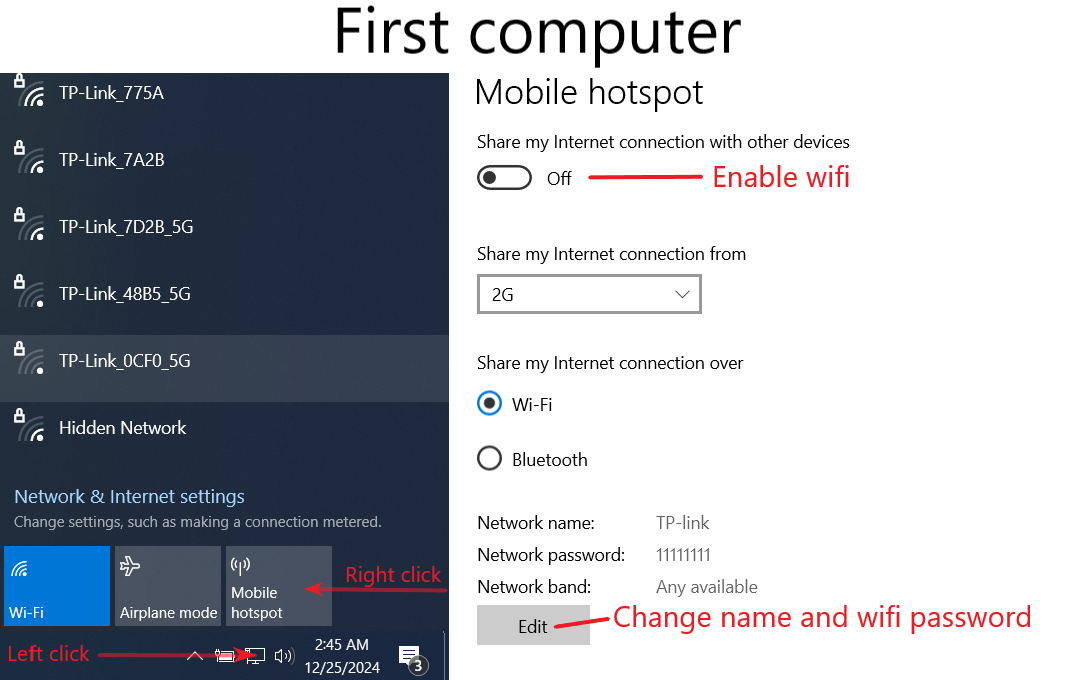
Setup and enable Wi-Fi mobile hotspot on first computer:
-
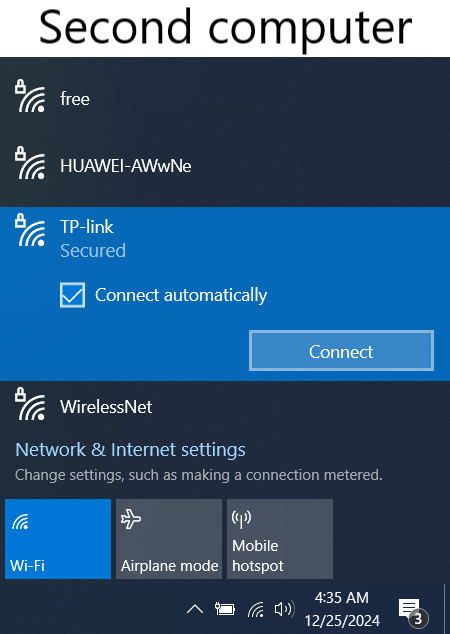
Connect from second computer to created Wi-Fi:
-
Run Faker on first computer. Download and run Faker on second computer is not needed.
-
Open
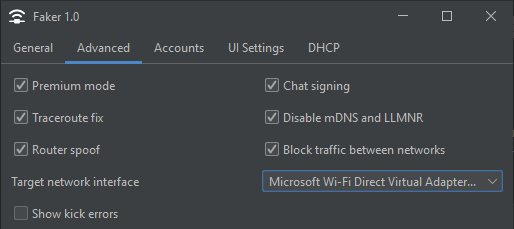
Advancedtab, Make sure thatTarget network interfaceis set to something likeMicrosoft Wi-Fi Direct Virtual Adapter...:
-
Select
Premium modeandChat singingif you want to play on premium servers. Also add Microsoft account onAccountstab. If you are going to play on a server without premium mode (no license) skip this step. -
General -> Start.
-
Run minecraft on both computers. Use same version of minecraft. etc.:
1.21.4 and 1.21.4orFeather 1.21.4 and Vanilla 1.21.4. -
Connect to the same server (etc.
mc.hypixel.net) from both computers. Minecraft will freeze on "Connecting..." until second client connects. You have about 20 seconds to connect the second client. -
Use your Minecraft client with "Utility mods" on first computer for playing.
-
Use your clean Minecraft client on second computer for pass screenshares.
-
To bypass more advanced screenshares, refer to How to bypass "faker detection scripts"


Faker detection scripts detect faker by scanning the clean PC for the default Windows Internet Connection Sharing (ICS) Gateway IP (192.168.137.1 or 192.168.137.x).
To bypass, we can use the built-in DHCP tab.
-
Setup and enable Wi-Fi mobile hotspot on first computer. Do not connect the second computer yet.
-
Run Faker on first computer. Do not download faker on second computer.
-
Open
Advancedtab, Make sure thatTarget network interfaceis set to something likeMicrosoft Wi-Fi Direct Virtual Adapter...:
-
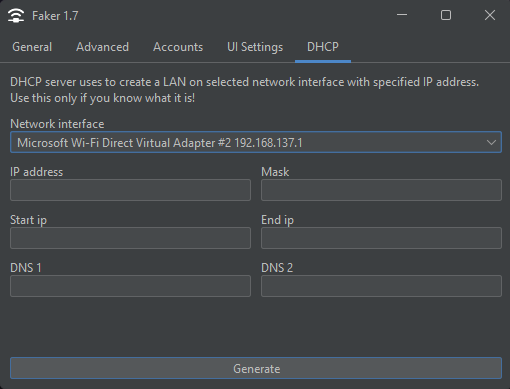
Open the DHCP Tab: Navigate to the DHCP tab at the top of Faker.
-
In the
Network interfacedropdown, choose yourMicrosoft Wi-Fi Direct Virtual Adapter(select the same asTarget network interfacein the above step). -
Generate a DHCP:
- Ensure the IP address field is blank/cleared.
- The button at the bottom will change to say Generate.
- Click Generate.
-
Start the DHCP Server: Click the Start button at the bottom.
-
Connect the Second Computer: Connect Computer 2 to your mobile hotspot Wi-Fi.
-
Follow instructions from step 5 of How to use

Tip: Do not name your Hotspot network name (SSID) with a common name (such as
iPhone,Android,Galaxy,Pixel, etc.)