

OpenHue CLI is a command-line interface for interacting with Philips Hue smart lighting systems. This tool provides a convenient way to control your Philips Hue lights and perform various tasks using the command line.
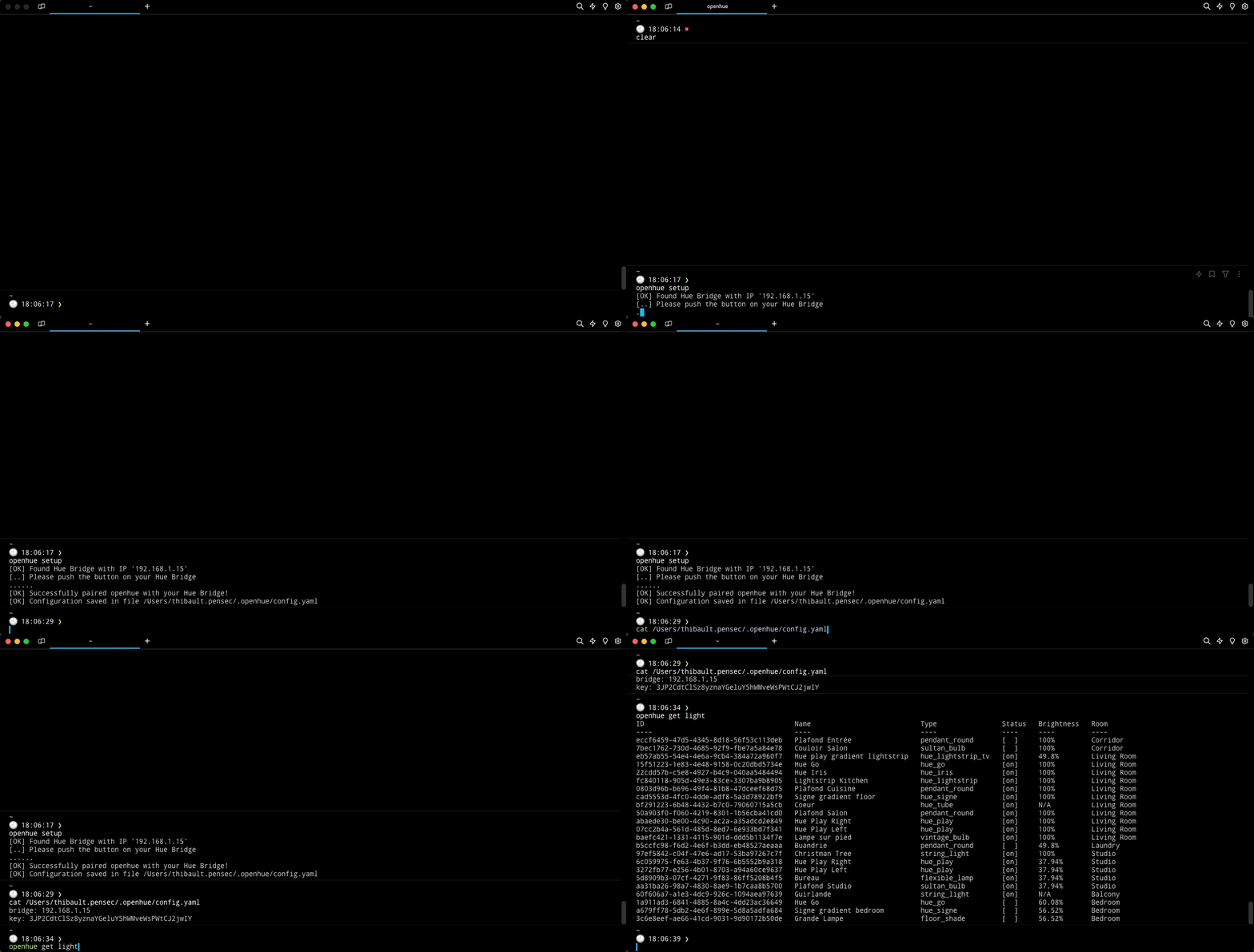
- Discover and connect to Philips Hue bridges.
- List available lights and their status.
- Control lights: on, off, brightness, and color.
- Create, update, export and delete scenes.
- List the buttons and rotary dials of your switches, and tune button settings.
- Schedule light actions.
# Save the current look of a room as a scene
openhue create scene Cozy --room "Living Room"

# Define each light (the real lights are not changed), with transitions, effects or gradients
openhue create scene Work -r Office --light "Desk:on,brightness=100,temperature=250" --light "Ceiling:off,transition=3s"
openhue create scene Strip -r Office --only-listed --light "Strip:gradient=#FF0000;#0000FF" --light "Lamp:effect=candle"

# Dynamic scene
openhue create scene Aurora -r Lounge --auto-dynamic --speed 30 --palette-color blue --palette-color "#00FF88"

# Edit a scene: unmentioned lights keep their stored values, removed lights are turned off in the scene
openhue update scene Cozy --light "Desk:brightness=20" --remove-light Ceiling
openhue update scene Cozy --name Relax

# Recall it, or delete it (irreversible: export it first if you want a copy)
openhue set scene Relax
openhue delete scene Relax
Large scenes can be written in a YAML file (sample) and versioned.
Flags override the file's values, and --from-file - reads the standard input. With update, the file is a patch:
what it does not mention is left untouched.
openhue create scene --from-file docs/examples/scene.yaml
openhue get scene Sunset --room "Living Room" --yaml > sunset.yaml   # export, edit, then...
openhue update scene Sunset --room "Living Room" --from-file sunset.yaml
The bridge requires every light of the room in a scene: with --only-listed and --remove-light, the other lights are turned off in the scene instead of being left out.
--dry-run prints the request instead of sending it. The export only covers the keys documented in the sample
file: other settings stored in the bridge are preserved by update, but not exported. Run
openhue create scene --help for the full list of flags and per-light settings.
Buttons and rotary dials of your switches, dimmers and dials are listed with the device and room they belong to.
# List all controls, or filter them
openhue get control
openhue get control --room "Living Room" --kind rotary
openhue get control --device "Hue dimmer switch" --json

# Change how often a button reports `repeat` events while held (a duration, or milliseconds)
openhue set control <controlId> --repeat-interval 800ms
openhue set control "Hue dimmer switch" --control 2 --repeat-interval 1s
Controls have no name: select one by ID, or by device with --control <n> (the control number shown by get control).
Rotary dials have no configurable settings.
get control also shows what each button does (Short press and Hold columns), and set control assigns scenes
to a button of an accessory already configured in the Hue app, as the app does:
# A short press recalls a scene; with --with-off a second press turns the lights off
openhue set control "Hue dimmer switch" --control 1 --scene Cozy --with-off

# Repeat --scene to cycle through scenes (--repeat-timeout restarts the cycle after some idle time)
openhue set control "Hue dimmer switch" --control 4 --scene Soho --scene Nebula --scene Dusk --repeat-timeout 10s

# Choose what holding the button does (dim-up, dim-down, dim-alternate, none), or remove the short-press action
openhue set control "Hue dimmer switch" --control 2 --on-hold dim-up
openhue set control "Hue dimmer switch" --control 3 --clear

# Print the configuration that would be sent to the bridge, without changing anything
openhue set control "Hue dimmer switch" --control 1 --scene Cozy --dry-run
Scenes are looked up (by name or ID) among the scenes of the room the button is bound to. Everything else in the accessory configuration (other buttons, long press, time-based assignments) is left as is. The CLI reads the configuration, changes it and writes it back: edits made in the Hue app during that instant can be overwritten.
The CLI ships an agent skill, published on skills.sh, that teaches
coding agents (Claude Code and others) how to drive openhue. Install it with:
npx skills add openhue/openhue-cli
Then ask your agent things like "dim the living room to 30%" or "create a cozy scene in the office".
Combine the skill with Claude Code's non-interactive mode to control your lights from the terminal in plain English.
Add this function to your ~/.zshrc or ~/.bashrc:
hue() {
  claude -p "$*" --model haiku \
    --append-system-prompt "$(cat ~/.claude/skills/openhue/SKILL.md)" \
    --allowedTools "Bash(openhue:*)"
}
hue turn the office lights to warm white at 40%
The skill is loaded as extra system prompt, Haiku keeps it fast and cheap, and --allowedTools restricts Claude to
openhue commands only. Adjust the SKILL.md path if your skill is installed elsewhere (for example
.claude/skills/openhue-cli/SKILL.md in this repository).
For a complete list of features and usage, please refer to the OpenHue CLI online documentation.
Add the OpenHue tap (only needed once):
brew tap openhue/cli
Install the openhue-cli executable:
brew install openhue-cli
Check that it works:
openhue helpTo upgrade when a new version is released:
brew update
brew upgrade openhue-cli
The CLI is also available on DockerHub. Pull the image:
docker pull openhue/cli
Then run it as a container:
# setup command example
docker run -v "${HOME}/.openhue:/.openhue" --rm --name=openhue -it openhue/cli setup -b 192.168.1.x -k xxxxx
# list lights
docker run -v "${HOME}/.openhue:/.openhue" --rm --name=openhue -it openhue/cli get lights
See the online installation guide and the setup guide for more details.
To begin developing with Open-Hue's OpenAPI specification, follow these steps:
Before you start, ensure that you have the following prerequisites installed:
- Golang that is used to build and run the project
- GoReleaser that is used to build and release the binaries. Used behind the scene when running the
make buildcommand - oapi-codegen (optional) that is used to generate the client code from the openhue-api specification. Used behind the scene when running the
make generatecommand - Docker (optional) that is used to build the CLI Docker Image and run it as a container
Before contributing to OpenHue CLI, it's a good practice to fork the repository to your own GitHub account. This will create a copy of the project that you can work on independently.
- Clone the OpenHue CLI repository to your local machine:
git clone https://github.com/openhue/openhue-cli.git
cd openhue-cli- Run the following command to build OpenHue CLI on your local environment:
make build
openhue completion <shell> prints a generated completion script for bash, zsh or fish; openhue completion setup prints the command to enable it in your current shell.
For zsh, completions/_openhue is a hand-written alternative that also completes light, room and scene names (inserting the resource ID), color names and per-command flags. It needs jq. Copy it into a directory on your $fpath, then start a new shell (or run compinit) so zsh picks it up.
Run the following command to execute all the tests and calculate the code coverage:
make testIf you want, you can also run the following command to visualize the coverage analysis in your browser:
make coverage
or use
make coverage html=trueto visualize the HTML report in your default web browser
Run the following command to generate the OpenHue API Client:
make generate
If there was any OpenAPI specification change, this command will update
the ./openhue/gen/openhue.openhue.go file.
Please note that this file must never be manually edited!
You also generate the client from another spec location:
make generate spec=/path/to/local/openhue.yaml
Open-Hue is distributed under the Apache License 2.0, making it open and free for anyone to use and contribute to. See the license file for detailed terms.