
This GitHub Action will trigger an SSH test at Operous and return its results.

To configure the action, you will need to get your server IDs at Operous and write the workflow YAML accordingly.
There are two ways you can get your servers IDs:
-
Acessing the server details page as follows:
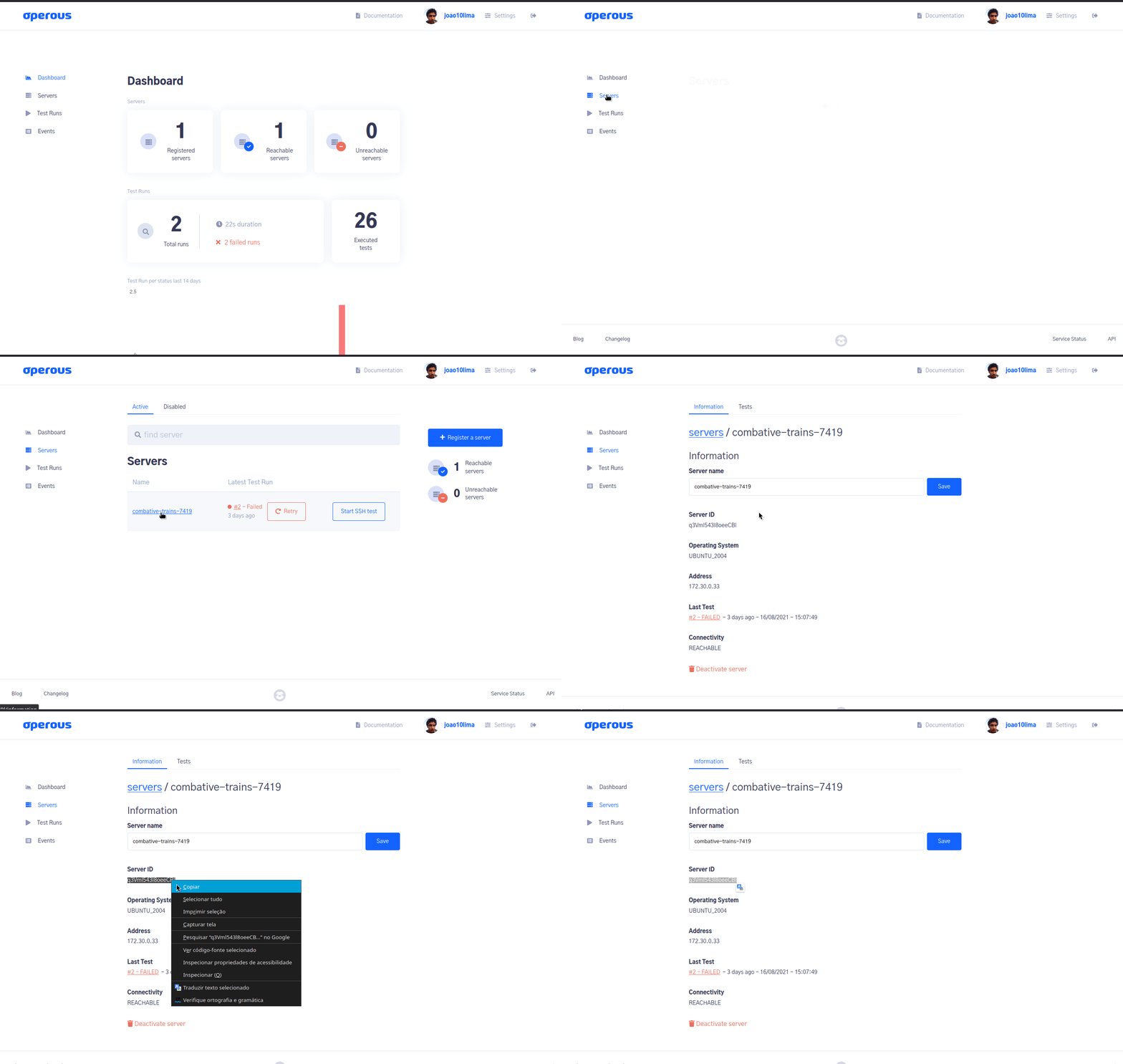
-
Using the public API to get multiple IDs at once:
- Create a public API token following this guide;
- Mount a simple request using the
serversquery:-
curl -X POST \
  -H 'Authorization: Token <Your created token>' \
  -H 'Content-Type: application/json' \
  -d '{"query":"{ servers { name identifier }}"}' \
'https://app.operous.dev/graphql'
-
{
  "data": {
    "servers": [
      { "name": "ancient-rock-700", "identifier": "gMAjMO8mkmhsFRxW" },
      {
        "name": "snobbish-friend-3818",
        "identifier": "SnmjBjasb5TgadQk"
      },
      { "name": "tan-cakes-6272", "identifier": "hCkhyiR5eT7kXjs5" },
      { "name": "naive-blow-9270", "identifier": "wDK3idtzjWlsezC9" }
    ]
  }
}
-

You can include the action in your workflow to trigger on any event that GitHub actions supports. You'll need to provide the action with your API Token from you Operous account.
In the example below, a push on the main branch will start the SSH test on the registered servers with the provided identifier. The pipeline will only succeed if the tests in all servers are successful.
name: Test action
on:
  push:
    branches:
      - main
jobs:
  test:
    name: "Operous ssh test action"
    runs-on: ubuntu-latest
    steps:
      - name: Run Operous ssh test
        uses: operous/[email protected]
        with:
          accountToken: ${{ secrets.OPEROUS_ACCOUNT_TOKEN }}
          serverIds: "SnmjBjasb5TgadQk,gMAjMO8mkmhsFRxW,hCkhyiR5eT7kXjs5"
The with portion of the workflow must be configured before the action will work. You can add these in the with section found in the examples above. Any secrets must be referenced using the bracket syntax and stored in the GitHub repositories Settings/Secrets menu. You can learn more about setting environment variables with GitHub actions here.
The following configuration options should be set.
| Key | Value Information |
|---|---|
accountToken |
Your Operous account API token. Follow this guide if you need to create one. |
serverIds |
A list of server identifiers you can get on the server detailed information page at Operous. |
- First install the dependencies with
yarn - Build and generate the code with
yarn build - Run the tests with
yarn jest