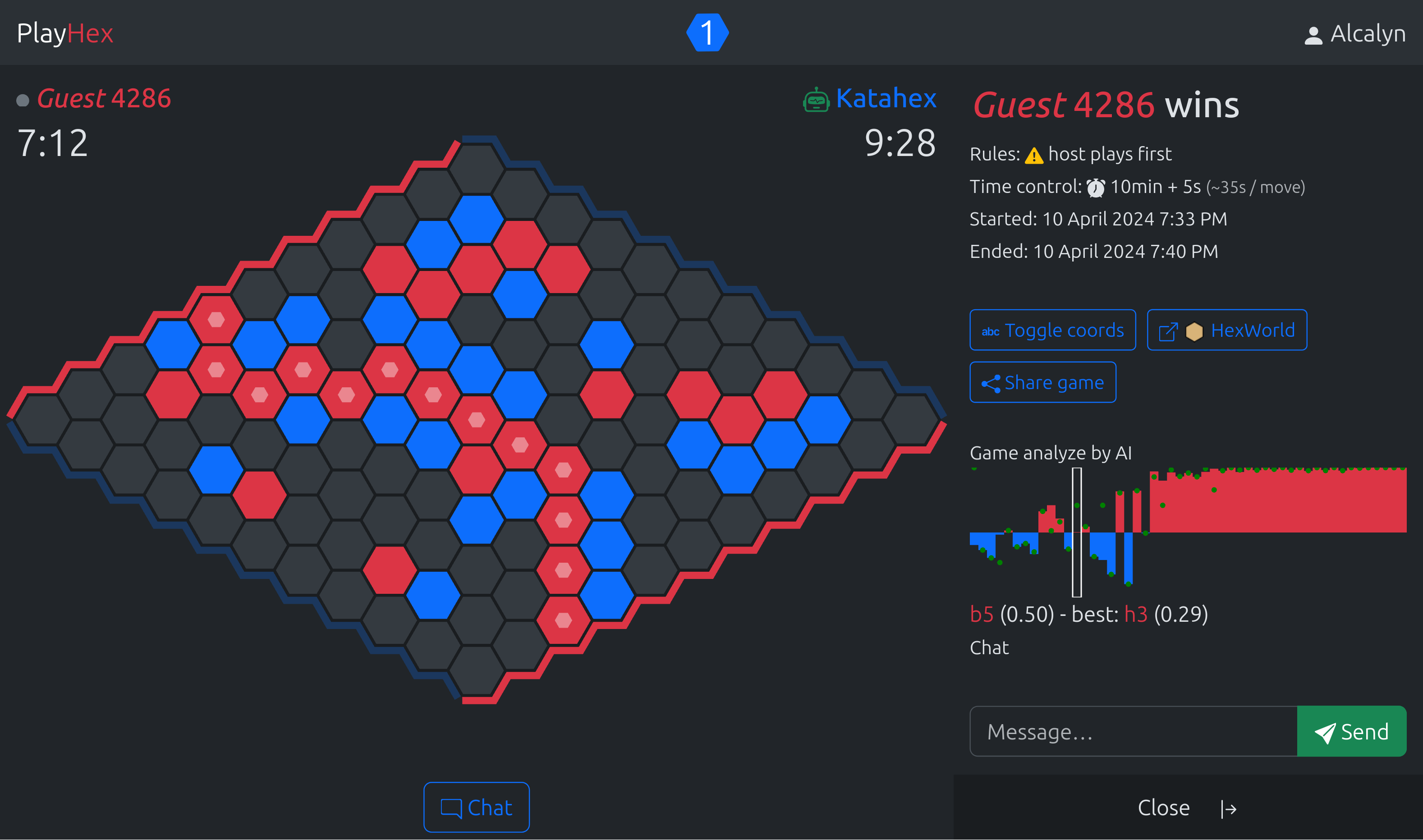
Play Hex board game online, against players or bots.
Currently hosted here: https://playhex.org
Requires:
- node >= 20
- pnpm (
corepack enable, or see https://pnpm.io/installation) - mysql or mariadb >=12.1 or postgres
mariadb 12.1 or more is required to have the unlimited json depth for conditional_moves.tree
Create an .env file with at least a database access. Example:
DATABASE_URL="mysql://root:root@localhost:3306/hex"
Then run these commands:
# Install dependencies
pnpm install

# Create database schema
pnpm typeorm schema:sync

# Start application
pnpm serve
Wait javascript to be bundled, then the application is available at:
All HTTP endpoints are documented in http/ folder, in .http files.
Use HttpYac IDE plugin or cli tool to send api call from .http files easily.
Some API endpoints exists for admin tasks (i.e persist all memory games into database manually).
To use them, you must add in your .env:
ADMIN_PASSWORD=your-password
Then you can now call admin endpoints by setting this same password as bearer token, curl example:
curl --location --request POST 'http://localhost:3000/api/admin/persist-games' \
    --header 'Authorization: Bearer your-password'
See available admin endpoints in http/admin/ folder.
For development you can use local AI:
- random bots
- Davies AI
- tests bots for functionnal tests
Enable them with:
pnpm hex dev:create-random-bots
pnpm hex bot:create-davies
pnpm hex test:create-bots
Determinist random bot will always plays same games if you play same moves in same order. This is useful to reproduce things.
If you need to work with real AI (Katahex, Mohex, Davies), enable AI players in database with:
pnpm hex bot:create-davies
pnpm hex bot:create-katahex
pnpm hex bot:create-mohex
In development, Davies moves are computed by the server. Katahex and Mohex moves, game analyses and Hexplorer need an AI worker, see:
https://github.com/playhex/hex-ai-distributed
Create a worker key, then run a worker (with Docker you don't need to compile any AI engine):
pnpm hex ai:create-worker-key <your player slug>

docker run --rm --network host -e HEX_URL=http://localhost:3000 -e AI_WORKER_KEY=<key> playhex/worker-katahex
The command is also shown in your settings, "AI workers" panel.
PlayHex uses i18next and i18next-vue to translate user interface.
Here are all available translations, just click the following image to help translating or add a new language:
You can contribute to translations without any coding, thanks to Weblate.
To fill missing strings from the command line, and for gendered strings, see docs/translations.md.
We use Unplugin Icons, which allow to use any icon from any set of icons, and only bundle icons we actually use. To add a new icon:
- Choose an icon from https://icones.js.org/
- Then copy "Components > Unplugin Icons"
- Add it to
src/client/vue/icons.ts - Then use it in templates
- Also do
pnpm add -D ...if this set of icons is not yet installed
To test push notifications:
- Generate and configure VAPID keys
Run:
pnpm web-push generate-vapid-keys
Then put public keys, private keys in your .env, with any email:
PUSH_VAPID_PUBLIC_KEY=BAFGnysW3...qfMIgTE
PUSH_VAPID_PRIVATE_KEY=E-YiR...2I
[email protected]
- You must be in secure context (https enabled). You can use ngrok.
- Make sure your client have subscribed push notifications: request permission again in player settings.
# Unit tests (Mocha)
pnpm test

# e2e tests (Cypress)
pnpm test:e2e

# Open Cypress browser
pnpm cypress open
# then select "E2E testing" > your browser > Run all tests
All commands to run Cypress tests in command line:
pnpm hex test:check-requirements # check environment has no issue that may make tests failing
pnpm serve:prod # serve prod is faster for e2e tests
pnpm cypress run --browser firefox # or another browser, or leave empty
Warning: For e2e/cypress tests, there is some configuration requirements:
# you can run this command to check all missing requirements
pnpm hex test:check-requirements- Test bots must exists in database, if not, run:
pnpm hex test:create-bots
- Ranked bot games must be allowed.
This is the default, but if you have changed it, make sure you have in .env:
ALLOW_RANKED_BOT_GAMES=true
- A functional test in auth.cy.ts needs at least one game in database to run fully.
In package.json, script serve, replace "dev-server" by "dev-server-debug".
Then open Chromium go to: chrome://inspect and click "inspect" in "Remote Target" section.
Then go to "Sources" tab, browse source files add breakpoints, and do what is needed in the application.
# See which dependencies take more size
pnpm analyse-size
Compare two json files with: https://happy-water-0887b0b1e.azurestaticapps.net.
# upgrade some deps
pnpm update --interactive --latest

# check new versions
pnpm outdated

# sometimes, this works better and fixes weird bugs
# related to incompatibilies when upgrading a deps
rm -fr pnpm-lock.yaml node_modules/ && pnpm install
Upgrade warnings:
tournament-organizer <4: needs many api rewrite and test everything
TypeORM migrations:
# Create a blank migration
pnpm typeorm migration:create src/server/migrations/my-feature

# Auto generate migration from schema diff
pnpm typeorm migration:generate src/server/migrations/my-feature

# Run migrations
pnpm typeorm migration:run
Use pnpm typeorm to see all other TypeORM commands.
When doing a schema migration that is also a breaking change in api:
On development:
- Develop on blank database
- Then, import production database, create migration, check
pnpm typeorm schema:log - Update Cypress fixtures, see
src/server/commands/migrateCypressFixtures.ts - Check breaking changes are acceptable for client that have not yet updated.
Build the old client, then serve it with the new server in production mode.
build-clientwrites todist/staticsandbuild-servertodist/server, so both can be built from different commits in the same checkout:git checkout <current-production-commit> NODE_ENV=production pnpm build-client git checkout master pnpm build-server NODE_ENV=production node index.js
- then test application have no big error (hard reload the browser to make sure the old bundle is used)
- else, add retrocompat temporary fix (like
get gameData() { return { ... }; } set gameData(x) {}to keep returning legacy property through api) - once done, rebuild the client from master:
NODE_ENV=production pnpm build-client
On release:
- check feature with the migration is merged into master
- backup database just before migration
- stop no restart server: update source, rebuild and stop only
- run
migration.sql - check
pnpm typeorm schema:log - eventually run
pnpm typeorm schema:syncif there are only safe migrations (indexes, new columns...) - restart server
Some parts of PlayHex are published on npm as standalone packages (src/packages/),
see docs/publishing-packages.md.
Tournaments use @playhex/tournament-organizer, installed from npm.
To change it and test changes in PlayHex without publishing, clone it next to this repository, then:
# build it (PlayHex uses its dist/)
cd ../tournament-organizer
npm install
npm run build # or `npx tsc -p tsconfig.json --watch` to rebuild on change

# use the local folder instead of the npm package
cd ../hex
pnpm link ../tournament-organizer
Restart pnpm serve after each rebuild, so that the server loads the new dist/.
pnpm link adds an overrides entry in pnpm-workspace.yaml and pnpm-lock.yaml: do not commit it.
When done, go back to the npm package (pnpm unlink does not remove the override):
git checkout pnpm-workspace.yaml pnpm-lock.yaml
pnpm install
To use the changes in PlayHex, publish a new version of tournament-organizer (see "Publishing" in its README),
then pnpm add @playhex/tournament-organizer@^<version>.
This project is under AGPL-3.0 license.
Files under these folders are under another license:
| Folder | License | Author |
|---|---|---|
assets/sounds/lisp/ |
CC BY-NC-SA 4.0 |
EdinburghCollective |
PlayHex has a LiberaPay donation page where you can explore its funding goals and upcoming projects.