Ionic 3 Google maps Auto complete Ionic 4 and 5 version here
Ionic 3 and Google maps integration, Search and Auto complete of address in map, drag map to get the address.
Report Bug

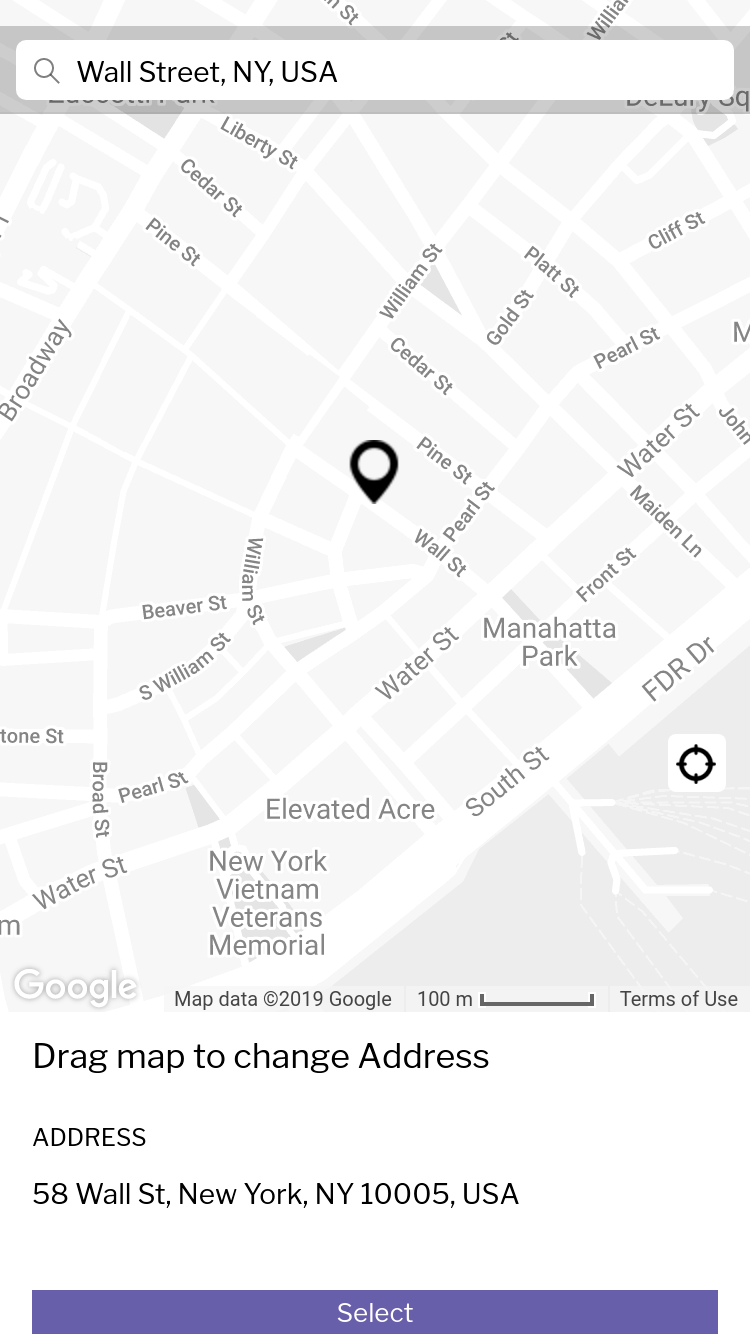

- Ionic 3
- [Google API key] - You can get this by login to Google console
To get a local copy up and running follow these simple steps.
This is an example of how to list things you need to use the software and how to install them.
- node, npm, Ionic cli, Angular cli
npm install npm@latest -g
npm install -g [email protected] # If you want to install ionic 3
-
You need Google Map API keys Google Maps API Key is required to see the map, you can go through the below link to create one and make sure you have given the permissions to your app. https://developers.google.com/maps/documentation/javascript/get-api-key
-
Enable 3 Google Maps API services
- Geocoding API
- Maps JavaScript API
- Places API
Ionic:

   Ionic CLI          : 6.10.1 (/usr/lib/node_modules/@ionic/cli)
   Ionic Framework    : ionic-angular 3.7.1
   @ionic/app-scripts : 3.2.4

Cordova:

   Cordova CLI       : 9.0.0 ([email protected])
   Cordova Platforms : none
   Cordova Plugins   : no whitelisted plugins (0 plugins total)

Utility:

   cordova-res (update available: 0.15.0) : 0.14.0
   native-run                             : 1.0.0

System:

   Android SDK Tools : 26.1.1 (/home/mo/Android/Sdk)
   NodeJS            : v10.20.1 (/usr/bin/node)
   npm               : 6.14.4
   OS                : Linux 5.4
- Clone the repo
git clone https://github.com/reddimohan/ionic-3-google-maps-autocomplete.git
- Install NPM packages
npm install
- Update the Google Map API KEY in two places, which we created in Prerequisites section
- src/index.html -
<script src="https://maps.googleapis.com/maps/api/js?key=<KEY>&libraries=places"></script> - src/providers/map/map.ts -
this.google_api_key = '<KEY>';
- src/index.html -
- Install below packages if they are not installed while
npm install
ionic cordova plugin add cordova-plugin-geolocation
npm install --save @ionic-native/geolocation
- You can access the app at http://localhost:8100/ by executing
ionic serve
See the open issues for a list of proposed features (and known issues).
Contributions are what make the open source community such an amazing place to be learn, inspire, and create. Any contributions you make are greatly appreciated.
- Fork the Project
- Create your Feature Branch (
git checkout -b feature/AmazingFeature) - Commit your Changes (
git commit -m 'Add some AmazingFeature') - Push to the Branch (
git push origin feature/AmazingFeature) - Open a Pull Request
Distributed under the MIT License. See LICENSE for more information.
Project Link: https://github.com/reddimohan/ionic-3-google-maps-autocomplete