GV

GeezerVison

The World Wide Web, restored to 800 pixels of glory.

Home|About|Gaming cabinet|Archives|How it works|Starter sites

On this site

  • Sign in
  • ActionsCI/CD and automation
  • CodespacesCloud development environments
  • All Features
  • Documentation
  • Training
  • Certifications
  • Build with Copilot
  • Customize Copilot
  • Integrations
  • Trending repos
  • GitHub Sponsors
  • Developer articles
  • Enterprises

This view

  • Original page
  • New address

GeezerVison is showing github.com — GitHub - reddimohan/loopback4-authentication-jwt-roles: API development with Loopback 4, MySql with jwt authentication, roles and permissions

BranchesTags
Open more actions menu

Latest commit


History

14 Commits
14 Commits

Folders and files

NameName
Last commit message
Last commit date
.vscode
.vscode
 
 
images
images
 
 
public
public
 
 
src
src
 
 
.dockerignore
.dockerignore
 
 
.eslintignore
.eslintignore
 
 
.eslintrc.js
.eslintrc.js
 
 
.gitignore
.gitignore
 
 
.mocharc.json
.mocharc.json
 
 
.npmrc
.npmrc
 
 
.prettierignore
.prettierignore
 
 
.prettierrc
.prettierrc
 
 
.yo-rc.json
.yo-rc.json
 
 
DEVELOPING.md
DEVELOPING.md
 
 
Dockerfile
Dockerfile
 
 
LICENSE
LICENSE
 
 
README.md
README.md
 
 
index.js
index.js
 
 
index.ts
index.ts
 
 
package-lock.json
package-lock.json
 
 
package.json
package.json
 
 
tsconfig.json
tsconfig.json


Repository files navigation

Contributors Forks Stargazers Issues MIT License LinkedIn


Loopback 4 JWT Authentication with Roles

Loopback 4 Boilerplate code for quick implimentation of Authentication and Roles based on JWT.

View Demo · Report Bug
Table of Contents

  • About the Project
    • Built With
  • Getting Started
    • Prerequisites
    • Installation
  • Roadmap
  • Contributing
  • License
  • Contact

About The Project

https://reddimohan.github.io

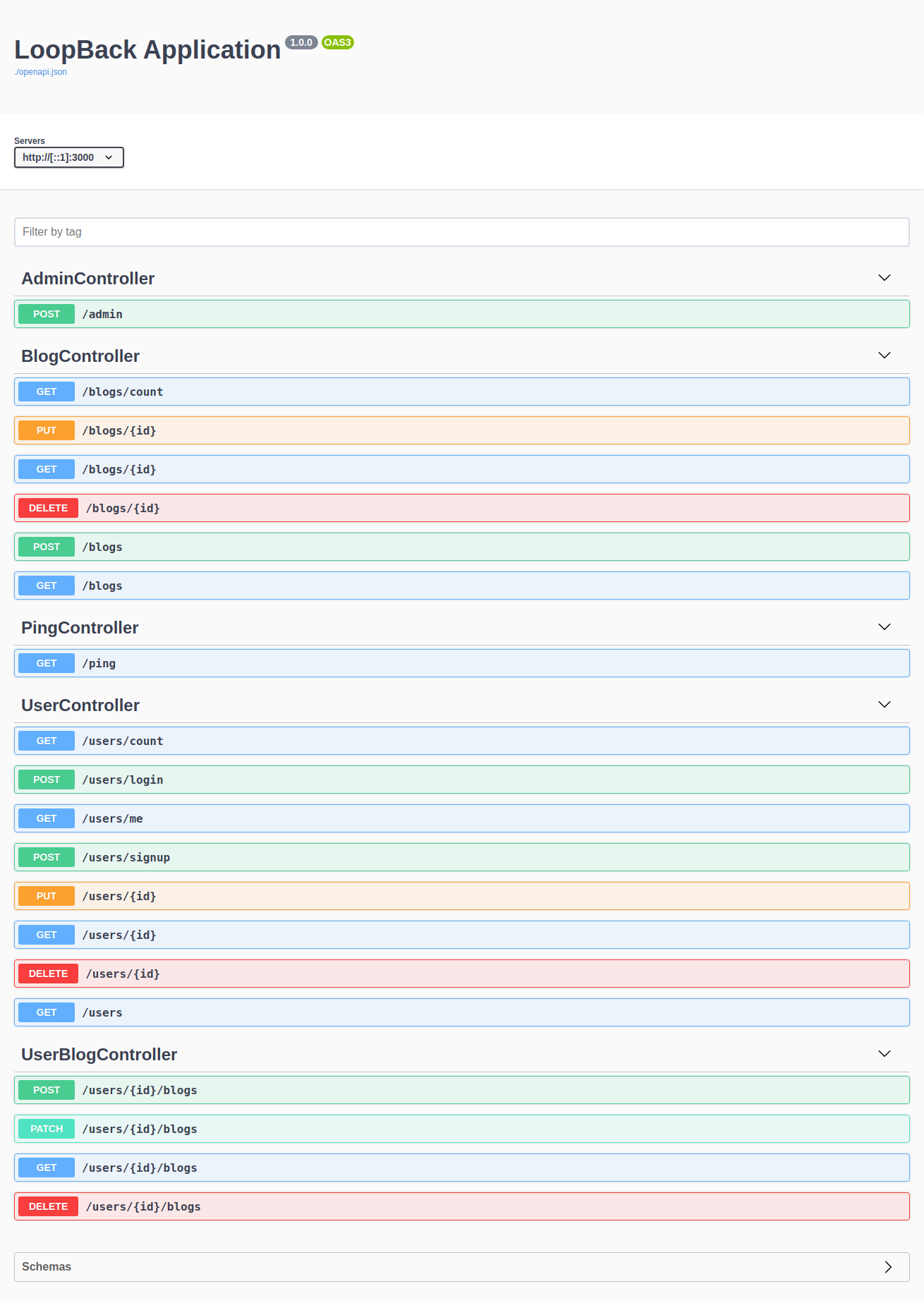
API Docs

https://reddimohan.github.io

Built With

  • Loopback 4
  • MySQL
  • jwt

Getting Started

To get a local copy up and running follow these simple steps.

Prerequisites

This is an example of how to list things you need to use the software and how to install them.

  • node.js, npm
npm install npm@latest -g

Installation

  1. Clone the repo
git clone https://github.com/reddimohan/loopback4-authentication-jwt-roles.git
  1. Install NPM packages
npm install
  1. Create a database (MySQL)
  2. Update database details in src/datasources/mysql.datasource.config.json file
{
  "name": "mysql",
  "connector": "mysql",
  "url": "",
  "host": "localhost",
  "port": 3306,
  "user": "<username>",
  "password": "<password>",
  "database": "<db_name>"
}
  1. Migrade database schema
npm run build
num run migrate
  1. Start the application
npm start
  1. Install Loopback 4 CLI - This will be useful when you want to start developing on top this repo
npm install -g @loopback/cli

Roadmap

See the open issues for a list of proposed features (and known issues).

Contributing

Contributions are what make the open source community such an amazing place to be learn, inspire, and create. Any contributions you make are greatly appreciated.

  1. Fork the Project
  2. Create your Feature Branch (git checkout -b feature/AmazingFeature)
  3. Commit your Changes (git commit -m 'Add some AmazingFeature')
  4. Push to the Branch (git push origin feature/AmazingFeature)
  5. Open a Pull Request

License

Distributed under the MIT License. See LICENSE for more information.

Contact

Mohan - LinkedIn - Twitter

Project Link: https://github.com/reddimohan/loopback4-authentication-jwt-roles

About

API development with Loopback 4, MySql with jwt authentication, roles and permissions

Topics

api-restjwt-authenticationloopback4loopback4-extensionmysql

Resources

Readme
MIT license
Activity
Custom properties

Stars

6 stars

Watchers

0 watching

Forks

0 forks
Report repository

Releases

Packages

Used by

Contributors

Languages

You are visitor 01402520 — GeezerVison does not store the pages you look up.
Best viewed with Netscape Navigator 4.7 or Internet Explorer 6 at 800×600. No cookies required.