

This is an example on how to create an In App Turbomodule (not an external library). To create a Turbomodule in app, we roughly have to:
- Create the TS specs
- Configure codegen to run on the app
- Implement the Native Code
- Connect The TM with JS
- Create a folder called specs where we are going to write our Codegen Specs
- Create a file
NativeLocalStorage.tsthat will contain the spec for our module - Add the specs for the
NativeLocalStoragespecs
import { TurboModule, TurboModuleRegistry } from "react-native";

export interface Spec extends TurboModule {
  setString(value: string, key: string): void;
  getString(key: string): string;
}

export default TurboModuleRegistry.get<Spec>("NativeLocalStorage") as Spec | null;
Note
The spec file for Turbo Native Modules must have the prefix Native to work properly.
- Open the
package.jsonfile - Add the
codegenConfigfield as it follows
   "packageManager": "[email protected]",
+   "codegenConfig": {
+      "name": "NativeLocalStorageSpec",
+      "type": "modules",
+      "jsSrcsDir": "specs",
+      "android": {
+         "javaPackageName": "com.nativelocalstorage"
+      }
+   }
}
- In the folder path
android/app/src/main/java/com, create a new foldernativelocalstorage - Create a new file
NativeLocalStorageModule.kt - Modify the
NativeLocalStorageModule.ktwith the following code:
package com.nativelocalstorage

import android.content.Context
import android.content.SharedPreferences
import com.nativelocalstorage.NativeLocalStorageSpec
import com.facebook.react.bridge.ReactApplicationContext

class NativeLocalStorageModule(reactContext: ReactApplicationContext) : NativeLocalStorageSpec(reactContext) {

  override fun getName() = NAME

  override fun setString(value: String, key: String) {
    val sharedPref = getReactApplicationContext().getSharedPreferences("my_prefs", Context.MODE_PRIVATE)
    val editor = sharedPref.edit()
    editor.putString(key, value)
    editor.apply()
  }

  override fun getString(key: String): String {
    val sharedPref = getReactApplicationContext().getSharedPreferences("my_prefs", Context.MODE_PRIVATE)
    val username = sharedPref.getString(key, "")
    return username.toString()
  }

  companion object {
    const val NAME = "NativeLocalStorage"
  }
}
- In the same folder, create a new file
NativeLocalStoragePackage.kt. - Modify the new file with the following code:
package com.nativelocalstorage;

import com.facebook.react.TurboReactPackage
import com.facebook.react.bridge.NativeModule
import com.facebook.react.bridge.ReactApplicationContext
import com.facebook.react.module.model.ReactModuleInfo
import com.facebook.react.module.model.ReactModuleInfoProvider

class NativeLocalStoragePackage : TurboReactPackage() {

  override fun getModule(name: String, reactContext: ReactApplicationContext): NativeModule? =
    if (name == NativeLocalStorageModule.NAME) {
      NativeLocalStorageModule(reactContext)
    } else {
      null
    }

  override fun getReactModuleInfoProvider() = ReactModuleInfoProvider {
    mapOf(
      NativeLocalStorageModule.NAME to ReactModuleInfo(
        NativeLocalStorageModule.NAME,
        NativeLocalStorageModule.NAME,
        false, // canOverrideExistingModule
        false, // needsEagerInit
        false, // isCxxModule
        true // isTurboModule
      )
    )
  }
}
- in the path
android/app/src/main/java/com/inappmodule, open theMainApplication.ktfile and adds the following lines:
package com.inappmodule

import android.app.Application
import com.facebook.react.PackageList
import com.facebook.react.ReactApplication
import com.facebook.react.ReactHost
import com.facebook.react.ReactNativeHost
import com.facebook.react.ReactPackage
import com.facebook.react.defaults.DefaultNewArchitectureEntryPoint.load
import com.facebook.react.defaults.DefaultReactHost.getDefaultReactHost
import com.facebook.react.defaults.DefaultReactNativeHost
import com.facebook.soloader.SoLoader
+ import com.nativelocalstorage.NativeLocalStoragePackage

class MainApplication : Application(), ReactApplication {

  override val reactNativeHost: ReactNativeHost =
      object : DefaultReactNativeHost(this) {
        override fun getPackages(): List<ReactPackage> =
            PackageList(this).packages.apply {
              // Packages that cannot be autolinked yet can be added manually here, for example:
              // add(MyReactNativePackage())
+              add(NativeLocalStoragePackage())
            }

        override fun getJSMainModuleName(): String = "index"

        override fun getUseDeveloperSupport(): Boolean = BuildConfig.DEBUG

        override val isNewArchEnabled: Boolean = BuildConfig.IS_NEW_ARCHITECTURE_ENABLED
        override val isHermesEnabled: Boolean = BuildConfig.IS_HERMES_ENABLED
      }

  override val reactHost: ReactHost
    get() = getDefaultReactHost(applicationContext, reactNativeHost)

  override fun onCreate() {
    super.onCreate()
    SoLoader.init(this, false)
    if (BuildConfig.IS_NEW_ARCHITECTURE_ENABLED) {
      // If you opted-in for the New Architecture, we load the native entry point for this app.
      load()
    }
  }
}
- Run
yarn installin the root folder of your project. - Navigate to the
iosfolder. - Run
bundle install. - Run
RCT_NEW_ARCH_ENABLED=1 bundle exec pod install(starting from 0.76, you can just runbundle exec pod install). - Run
open <AppName>.xcworkspaceto Open the Xcode Workspace - Right click on your App and select
New Group. - Name the new group
NativeLocalStorage - Select the
NativeLocalStoragefolder - Right click on the folder and select
New File... - Select
Cocoa Touch Class - Name the class
RCTNativeLocalStorage(Make sure to select Objective-C as language) - Press
nextuntil you create the file. - From Xcode, rename the
RCTNativeLocalStorage.mtoRCTNativeLocalStorage.mm(notice the doublem) - Open the
RCTNativeLocalStorage.hand modify the file as follows:
#import <Foundation/Foundation.h>
+ #import <NativeLocalStorageSpec/NativeLocalStorageSpec.h>

NS_ASSUME_NONNULL_BEGIN

- @interface RCTNativeLocalStorage : NSObject
+ @interface RCTNativeLocalStorage : NSObject <NativeLocalStorageSpec>

@end

NS_ASSUME_NONNULL_END
- Open the
RCTNativeLocalStorage.mmand implement the native code as follows:
#import "RCTNativeLocalStorage.h"

@implementation RCTNativeLocalStorage

+RCT_EXPORT_MODULE(NativeLocalStorage)

+- (std::shared_ptr<facebook::react::TurboModule>)getTurboModule:(const facebook::react::ObjCTurboModule::InitParams &)params {
+ return std::make_shared<facebook::react::NativeLocalStorageSpecJSI>(params);
+}

+- (NSString *)getString:(NSString *)key {
+  return [NSUserDefaults.standardUserDefaults stringForKey:key];
+}

+- (void)setString:(NSString *)value key:(NSString *)key {
+  [NSUserDefaults.standardUserDefaults setObject:value forKey:key];
+}

@end
- Run the app on your device.
- For iOS, you can run from Xcode or you can go to the root of the project and run
yarn ios - For Android, from the root of the project, run
yarn android
- For iOS, you can run from Xcode or you can go to the root of the project and run
- Start metro by running
yarn start - Open the
App.tsxfile - Replace the content with the following file.
/**
 * Sample React Native App
 * https://github.com/facebook/react-native
 *
 * @format
 */

import React from 'react';
import {
  SafeAreaView,
  StatusBar,
  StyleSheet,
  useColorScheme,
  Text,
  TextInput,
  Button,
} from 'react-native';

import { Colors } from 'react-native/Libraries/NewAppScreen';

import NativeLocalStorage from './specs/NativeLocalStorage';


function App(): React.JSX.Element {
  const isDarkMode = useColorScheme() === 'dark';
  const [value, setValue] = React.useState<string | null>(null);

  const [editingValue, setEditingValue] = React.useState<string | null>(null);

  React.useEffect(() => {
    const s = NativeLocalStorage.getString('myKey');
    setValue(s);
  }, [])

  function saveValue() {
    NativeLocalStorage.setString(editingValue || "", 'myKey');
    setValue(editingValue);
  }

  const backgroundStyle = {
    backgroundColor: isDarkMode ? Colors.darker : Colors.lighter,
  };

  return (
    <SafeAreaView style={backgroundStyle, {flex: 1}}>
      <StatusBar
        barStyle={isDarkMode ? 'light-content' : 'dark-content'}
        backgroundColor={backgroundStyle.backgroundColor}
      />

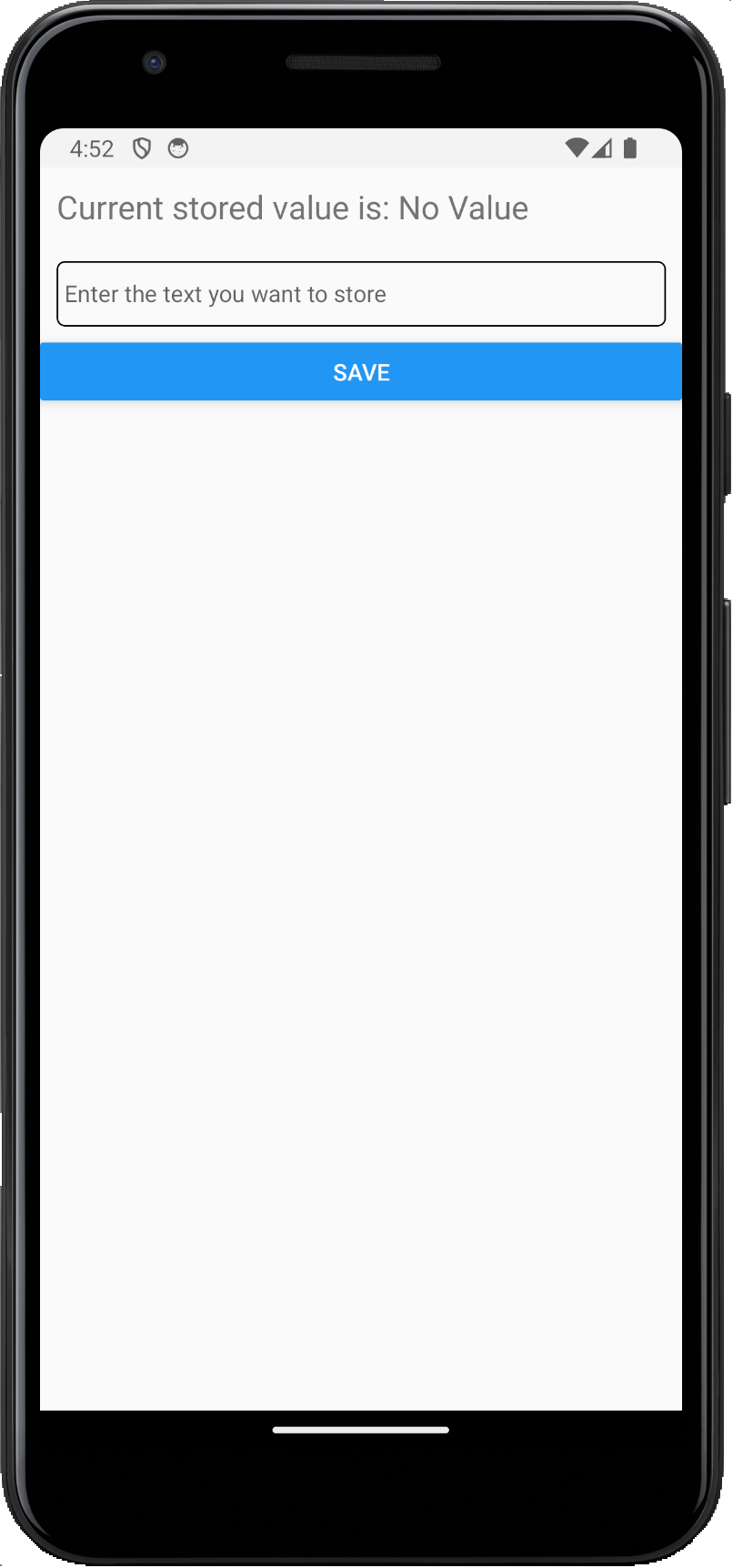
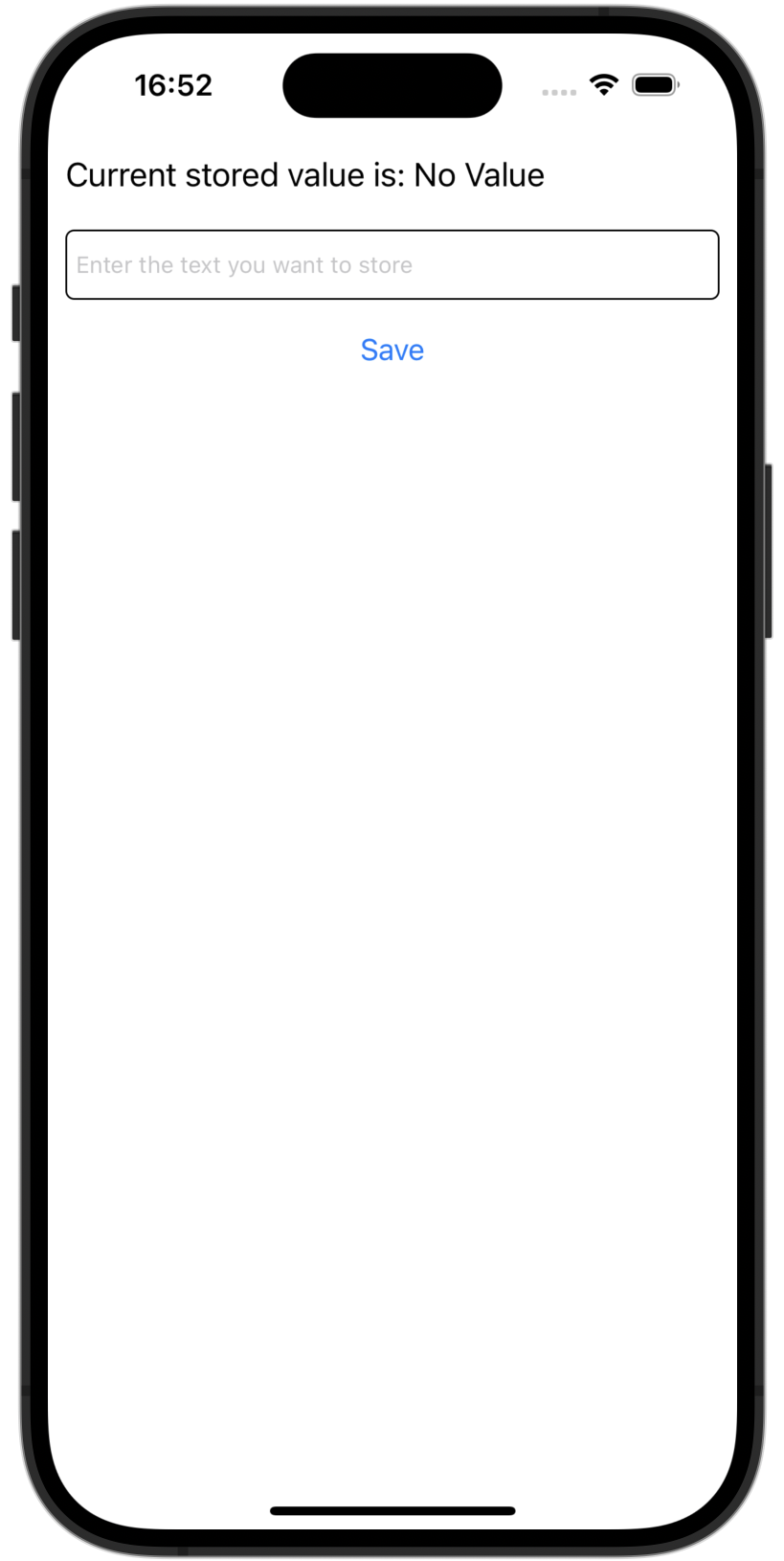
      <Text style={styles.text}>Current stored value is: {value || "No Value"}</Text>

      <TextInput placeholder={"Enter the text you want to store"} style={styles.textInput} onChangeText={setEditingValue} />

      <Button title="Save" onPress={saveValue} />

    </SafeAreaView>
  );
}

const styles = StyleSheet.create({
  text: {
    margin: 10,
    fontSize: 20
  },
  textInput: {
    margin: 10,
    height: 40,
    borderColor: 'black',
    borderWidth: 1,
    paddingLeft: 5,
    paddingRight: 5,
    borderRadius: 5
  }
});

export default App;
This is the resulting app
| Android | iOS |
|---|---|
 |
 |