Time-synced lyrics for whatever is playing on your Windows PC (Spotify, YouTube, YouTube Music, Apple Music or any player), line by line, right in your taskbar (or beside any window's minimise button, or floating anywhere). The easy way to see lyrics while playing Spotify on Windows.
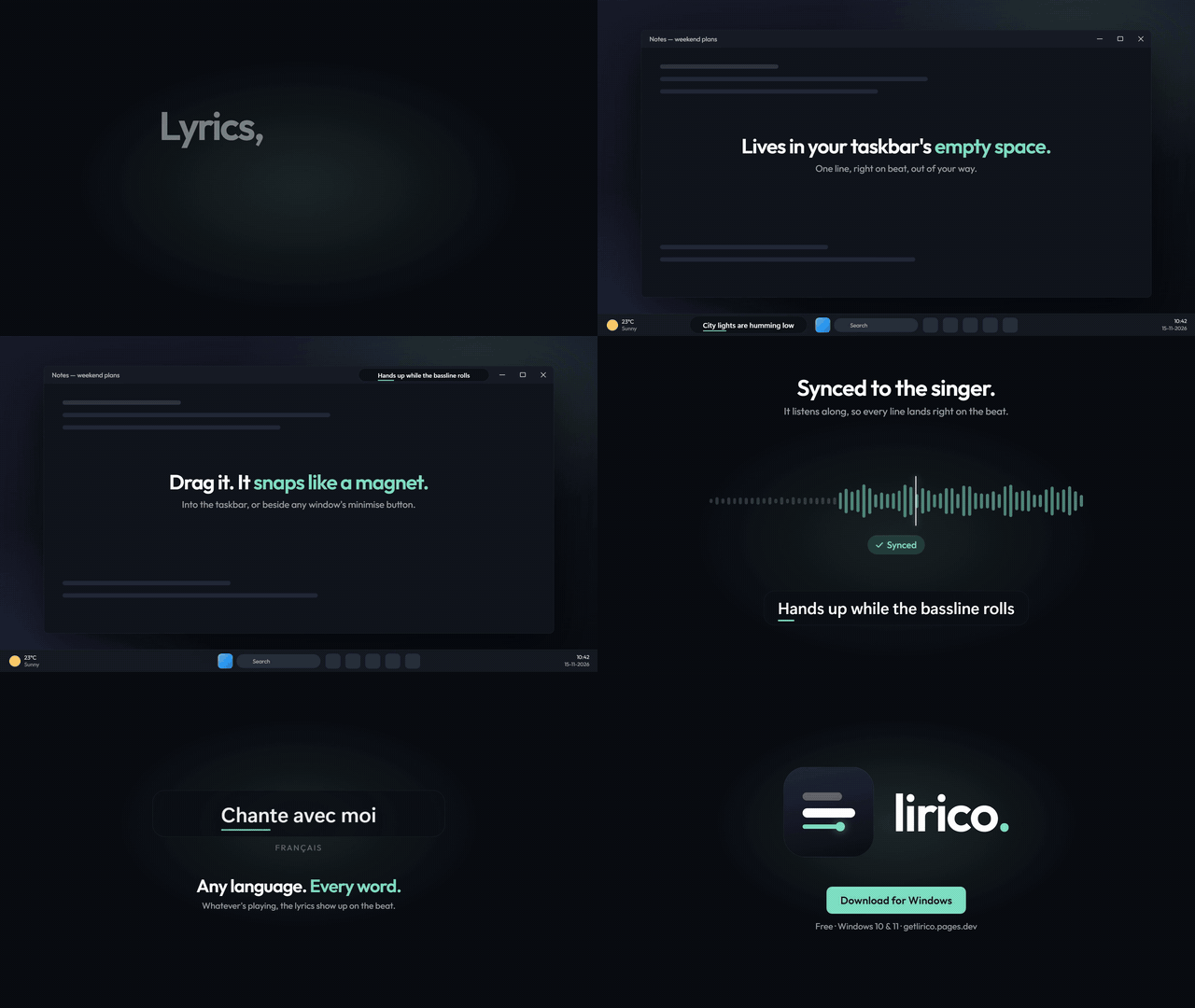
⬇ Download Lirico.exe · Website · Watch the 26 s video (MP4)
Free, one file, Windows 10 / 11. No account, no setup.
- Finds the song by itself: YouTube in Chrome/Edge, Spotify, any player in Windows' media controls.
- Lives in your taskbar's empty space, also with auto-hide. Drag the lyrics near the taskbar, or next to a window's minimise button, and they snap on like a magnet.
- Attach to one app's title bar (say VS Code): while you're in another app the lyrics wait in the taskbar, and they jump back when you return. They never just vanish.
- Themes: Classic (see-through), Glass, Neon, Pixel, Future and Cutie (pink underline with a little flower or teddy riding it). Everything stays customisable on top.
- Sync first: picks the lyrics version timed to the exact recording, and listens for the singer so music-video intros don't make lyrics start early.
- Any language. Songs written in another script (Hindi, Urdu, Punjabi, Bengali, Tamil, Korean, Russian, Greek…) show in English letters by default: Lirico picks a version already written that way when LRCLIB has one, and romanizes it otherwise. "Original script" is one switch away.
- Optional previous / play-pause / next buttons on the lyrics (Settings → Behavior, off by default).
- Uninstall from Settings → Behavior removes the app, its settings and cache.
- Long lines wrap onto two balanced rows instead of being cut off.
- Settings for font, size, colours, background, animations, hotkeys, with quick switches in the sidebar.
- Starts with Windows and waits in the tray, and updates itself: new versions install in the background and Lirico restarts into them when nothing is playing (both can be turned off in Settings).
First launch: Windows SmartScreen may say "Windows protected your PC". Click More info → Run anyway (the exe isn't code-signed yet).
Privacy. Lyrics come from LRCLIB. Auto-sync listens to your PC's audio on your PC only; nothing is recorded, saved or sent. Lirico shares anonymous usage counts (minutes used, songs found or not, app version), never song names, lyrics or audio. Turn it off in Settings → Behavior. The website counts visits without cookies.
Single file: download Lirico.exe from Releases
and double-click it. No Python needed.
From source (Python 3.10+):
setup.bat        :: once: creates .venv and installs dependencies
run.bat          :: starts Lirico in the background (tray icon appears)
run-debug.bat    :: with a console and verbose logs
- Drag the lyrics anywhere with the mouse. Settings → Behavior → Dock above taskbar puts them back.
- Right-click the lyrics, or the tray icon, for the menu. Left-click the tray icon to show or hide them. Double-click it for Settings.
- They hide automatically when a video or game goes fullscreen. Press the show/hide hotkey to bring them in front anyway.
| Default | Action |
|---|---|
Ctrl+Alt+Space |
Show / hide lyrics (in fullscreen: bring them to the front) |
Ctrl+Alt+Up |
Tap-sync: press when the singer starts the upcoming (small) line |
Ctrl+Alt+Right / Left |
Lyrics earlier / later by 0.25 s |
Ctrl+Alt+Down |
Reset this song's sync |
Ctrl+Alt+N |
Try another lyrics version |
Ctrl+Space and Alt+Space aren't the defaults because they're already taken: autocomplete in
VS Code and IDEs, the window menu, and PowerToys Run. You can still assign them in Settings.
Per-song sync and your chosen lyrics version (tray → Lyrics version) are remembered for the next time that video or song plays.
Settings (tray → Settings…) changes everything live: theme, font, size, weight, colors, background color and opacity, corner radius, width, shadow, next line, the progress underline, animation style and speed, opacity while paused, fullscreen behavior, lock (click-through), start with Windows, "show lines early by", Hindi script, and hotkeys.
Factory defaults for every visual value live in lirico/theme.py. Your
changes are saved as overrides in %USERPROFILE%\.lirico\settings.json, next to the cache and
lirico.log. Set LIRICO_HOME to use another folder. To preview styling without music:
.venv\Scripts\python tools\render_preview.py preview.
Video intros (scenes, dialogue, music lead-ins) used to make lyrics start too early, mostly on Hindi songs. Lirico now listens to what your PC plays (system audio only, never the microphone; processed on this PC, never saved or sent). A small bundled speech model (Whisper tiny) recognizes sung words, and the time shift that lines them up with the lyrics is found by voting. It locks on usually 10–20 s after the singing starts. Until then it shows "♪ Title — Artist" instead of early lyrics. The result is remembered per song. Settings → Sync & Lyrics turns it off; tray → Sync → "Listen again" re-detects.
- Playback clock. Windows reports "position P at time T". Lirico extrapolates on a local
clock and re-anchors on play, pause, seek and rate changes. Measured against YouTube's own
video.currentTimein Chrome (tools/yt_sync_probe.py), the error stays within 0.1 s through seeks, pauses, paused seeks, resume and 1.25× speed. - Following the right tab. Every Chrome/Edge tab is its own media session, and they all share the app id "Chrome". Lirico follows a session by app + title, so pausing your song never switches to another paused tab. That was the main cause of lyrics drifting badly after a pause. A duration guard also rejects any timeline that doesn't belong to the song.
- Right lyrics version. LRCLIB often holds several timings of one song. Lirico searches broadly
(up to 7 queries, including the raw video title and the artist it discovers), then picks the
best title/artist match with a steep penalty for duration mismatch. On 72 real YouTube results
(Hindi, Punjabi, rap, English;
tests/data/yt_corpus.json), 76% get lyrics timed to that exact video (tools/eval_matching.py), and the rest get the right song in another version, or an honest "not found". - When no exact version exists (e.g. a "Full Video" edit 100 s shorter than the song), Lirico
says so briefly. Tap-sync once (
Ctrl+Alt+Up) or use tray → Sync → "Video has an intro? Shift N s". The fix is remembered for that video. - English letters, correct timing. If the best-timed lyrics are in Devanagari, the text from a romanized version with the same lines is moved onto those timings, or the Devanagari is transliterated (हम तेरे बिन → "Ham tere bin").
.venv\Scripts\python -m pip install -r requirements-dev.txt
.venv\Scripts\python build_exe.py --get-model   :: once: downloads the Whisper tiny model (~75 MB)
.venv\Scripts\python build_exe.py :: -> dist\Lirico.exe (~150 MB, single file).venv\Scripts\python -m pytest
| Tool | What it does |
|---|---|
tools/yt_sync_probe.py "query" … |
Plays YouTube songs in a throwaway Chrome profile and measures Lirico's clock against the real video position |
tools/yt_corpus.py out.json "query" … |
Collects real YouTube titles, channels and durations for matching tests |
tools/eval_matching.py corpus.json |
Runs the full lyrics matcher over a corpus and reports how many are timed to the exact video |
tools/find_lyrics.py "<title>" "<channel>" --duration 262 |
One lookup, as the app would do it |
tools/fake_player.py --title … --script "0:play 12:seek=100 20:pause" |
A real, muted Windows media session for testing |
tools/probe_media.py |
Prints what Lirico sees from Windows media controls |
tools/render_preview.py |
Renders the overlay styling to PNGs |
lirico/ app source · tests/ unit tests and the YouTube matching corpus · tools/ dev tools ·
brand/ logo · web/ the website + download counter + stats (Cloudflare Worker, D1) ·
marketing/ the explainer videos (HyperFrames projects) and renders · docs/ README media · THIRD_PARTY_NOTICES.md bundled open-source components.