-
Implementation of "Photo-Realistic Single Image Super-Resolution Using a Generative Adversarial Network"
-
For earlier version, please check srgan release and tensorlayer.
-
For more computer vision applications, check TLXCV
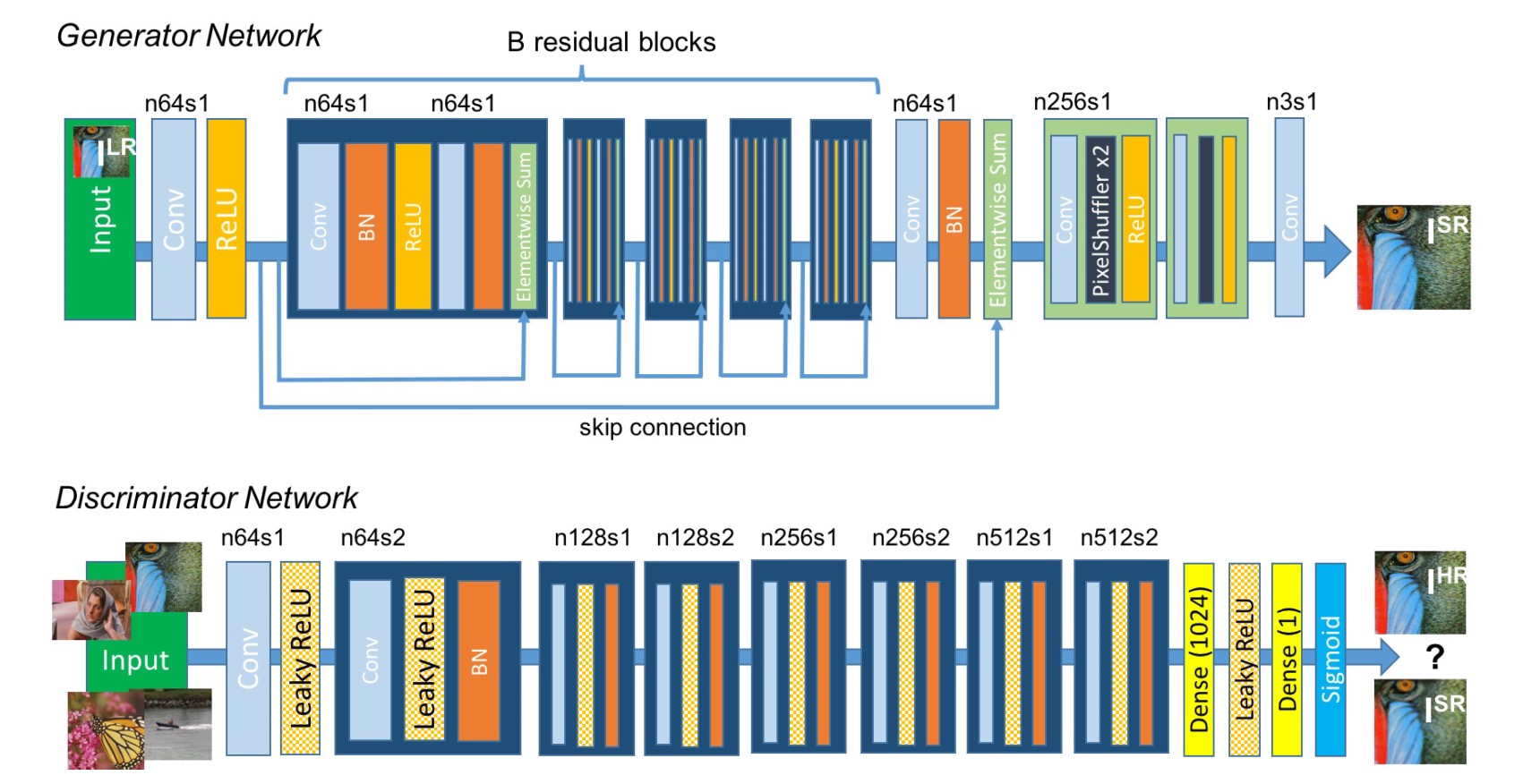
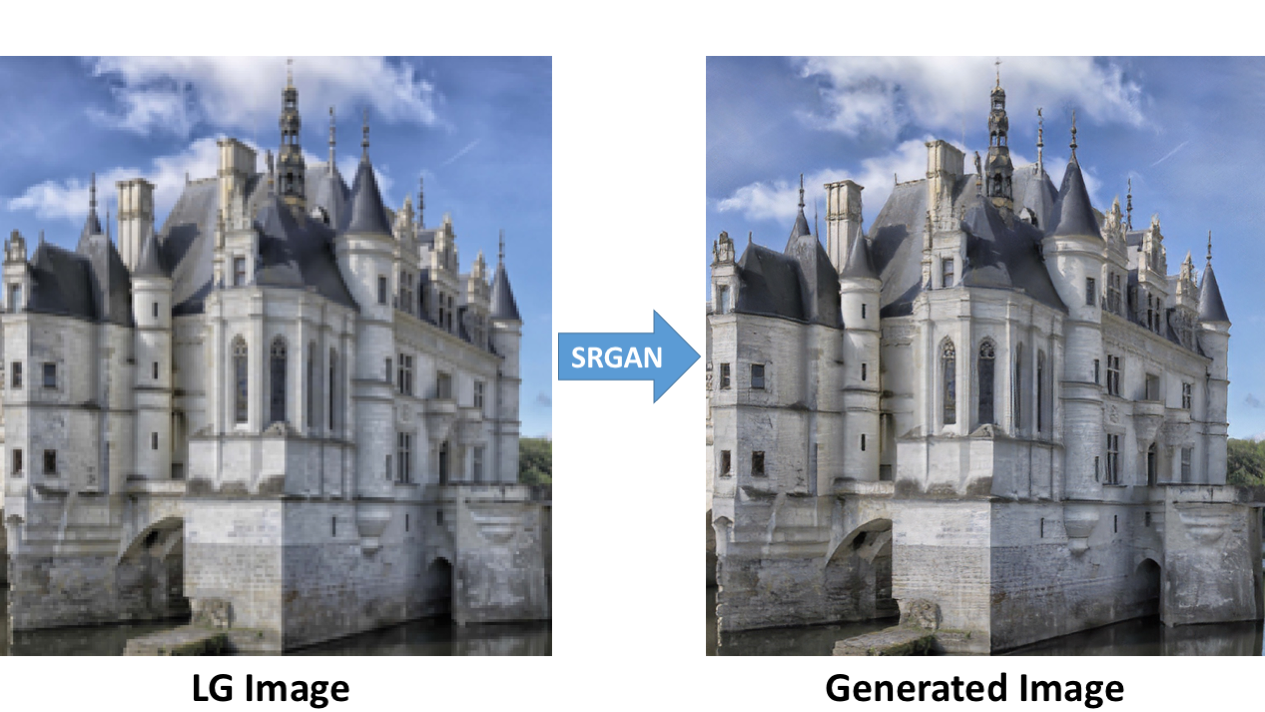
-
- You need to download the pretrained VGG19 model weights in here.
-
- You need to have the high resolution images for training.
- In this experiment, I used images from DIV2K - bicubic downscaling x4 competition, so the hyper-paremeters in
config.py(like number of epochs) are seleted basic on that dataset, if you change a larger dataset you can reduce the number of epochs. - If you dont want to use DIV2K dataset, you can also use Yahoo MirFlickr25k, just simply download it using
train_hr_imgs = tl.files.load_flickr25k_dataset(tag=None)inmain.py. - If you want to use your own images, you can set the path to your image folder via
config.TRAIN.hr_img_pathinconfig.py.
🔥🔥🔥🔥🔥🔥 You need install TensorLayerX at first!
🔥🔥🔥🔥🔥🔥 Please install TensorLayerX via source
pip install git+https://github.com/tensorlayer/tensorlayerx.git
- Set your image folder in
config.py, if you download DIV2K - bicubic downscaling x4 competition dataset, you don't need to change it. - Other links for DIV2K, in case you can't find it : test_LR_bicubic_X4, train_HR, train_LR_bicubic_X4, valid_HR, valid_LR_bicubic_X4.
config.TRAIN.img_path = "your_image_folder/"
Your directory structure should look like this:
srgan/
    └── config.py
    └── srgan.py
    └── train.py
    └── vgg.py
    └── model
          └── vgg19.npy
    └── DIV2K
          └── DIV2K_train_HR
          ├── DIV2K_train_LR_bicubic
          ├── DIV2K_valid_HR
          └── DIV2K_valid_LR_bicubic
- Start training.
python train.py
🔥Modify a line of code in train.py, easily switch to any framework!
import os
os.environ['TL_BACKEND'] = 'tensorflow'
# os.environ['TL_BACKEND'] = 'mindspore'
# os.environ['TL_BACKEND'] = 'paddle'
# os.environ['TL_BACKEND'] = 'pytorch'
🚧 We will support PyTorch as Backend soon.
🔥 We have trained SRGAN on DIV2K dataset. 🔥 Download model weights as follows.
| SRGAN_g | SRGAN_d | |
|---|---|---|
| TensorFlow | Baidu, Googledrive | Baidu, Googledrive |
| PaddlePaddle | Baidu, Googledrive | Baidu, Googledrive |
| MindSpore | 🚧Coming soon! | 🚧Coming soon! |
| PyTorch | 🚧Coming soon! | 🚧Coming soon! |
Download weights file and put weights under the folder srgan/models/.
Your directory structure should look like this:
srgan/
    └── config.py
    └── srgan.py
    └── train.py
    └── vgg.py
    └── model
          └── vgg19.npy
    └── DIV2K
          ├── DIV2K_train_HR
          ├── DIV2K_train_LR_bicubic
          ├── DIV2K_valid_HR
          └── DIV2K_valid_LR_bicubic
    └── models
          ├── g.npz  # You should rename the weigths file.
          └── d.npz  # If you set os.environ['TL_BACKEND'] = 'tensorflow',you should rename srgan-g-tensorflow.npz to g.npz .
- Start evaluation.
python train.py --mode=eval
Results will be saved under the folder srgan/samples/.
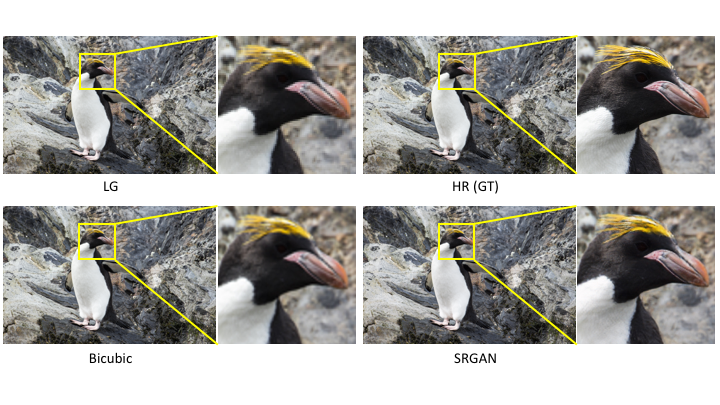
- [1] Photo-Realistic Single Image Super-Resolution Using a Generative Adversarial Network
- [2] Is the deconvolution layer the same as a convolutional layer ?
If you find this project useful, we would be grateful if you cite the TensorLayer paper:
@article{tensorlayer2017,
author = {Dong, Hao and Supratak, Akara and Mai, Luo and Liu, Fangde and Oehmichen, Axel and Yu, Simiao and Guo, Yike},
journal = {ACM Multimedia},
title = {{TensorLayer: A Versatile Library for Efficient Deep Learning Development}},
url = {http://tensorlayer.org},
year = {2017}
}

@inproceedings{tensorlayer2021,
  title={TensorLayer 3.0: A Deep Learning Library Compatible With Multiple Backends},
  author={Lai, Cheng and Han, Jiarong and Dong, Hao},
  booktitle={2021 IEEE International Conference on Multimedia \& Expo Workshops (ICMEW)},
  pages={1--3},
  year={2021},
  organization={IEEE}
}
- For academic and non-commercial use only.
- For commercial use, please contact [email protected].